Accesso richiesto
Accedi con il tuo account iOSGods per continuare.
Accedi con il tuo account iOSGods per continuare.
Crea straordinarie presentazioni fotografiche con filtri professionali, transizioni e musica in questa app di intrattenimento, ora sbloccata con funzioni premium in Fliptastic, Easy Slideshows Modded Mod IPA. Amata da oltre 1 milione di utenti e apprezzata da TUAW e AppAdvice, Fliptastic trasforma le tue foto in contenuti coinvolgenti e condivisibili per Instagram, Facebook, YouTube e email, il tutto in un'app intuitiva.
- Premium Sbloccato → accedi a tutte le funzioni pro
Questa app include anche iGameGod, che ti offre accesso ad Auto Touch per automatizzare attività ripetitive, App Speed Manager per regolare la velocità di gioco, modifica dei valori con Memory Engine e altri potenti strumenti per giochi iOS.
Scarica Fliptastic — Easy Slideshows Modded modded IPA dai link sopra. Tocca il pulsante di installazione e segui le istruzioni per installare questo hack iOS sul tuo iPhone, iPad o Mac con Apple Silicon.
Hai bisogno di altro aiuto? Consulta le nostre Domande frequenti sull'app iOSGods per risposte dettagliate e consigli per la risoluzione dei problemi.
사진을 몇 초 만에 멋진 동영상으로 변환 -- 편집 기술이 필요 없습니다.
Fliptastic은 TikTok, Instagram 릴스, YouTube 등을 위한 아름다운 슬라이드쇼와 숏폼 동영상을 만드는 가장 쉬운 방법입니다. 사진을 고르고, 스타일을 선택하고, 공유하세요.
AI 자동 생성
스마트 AI가 최고의 사진을 골라 완벽한 슬라이드쇼로 자동 구성합니다. 화질, 얼굴, 구도, 조명을 분석하여 모든 동영상이 놀라운 퀄리티로 완성됩니다.
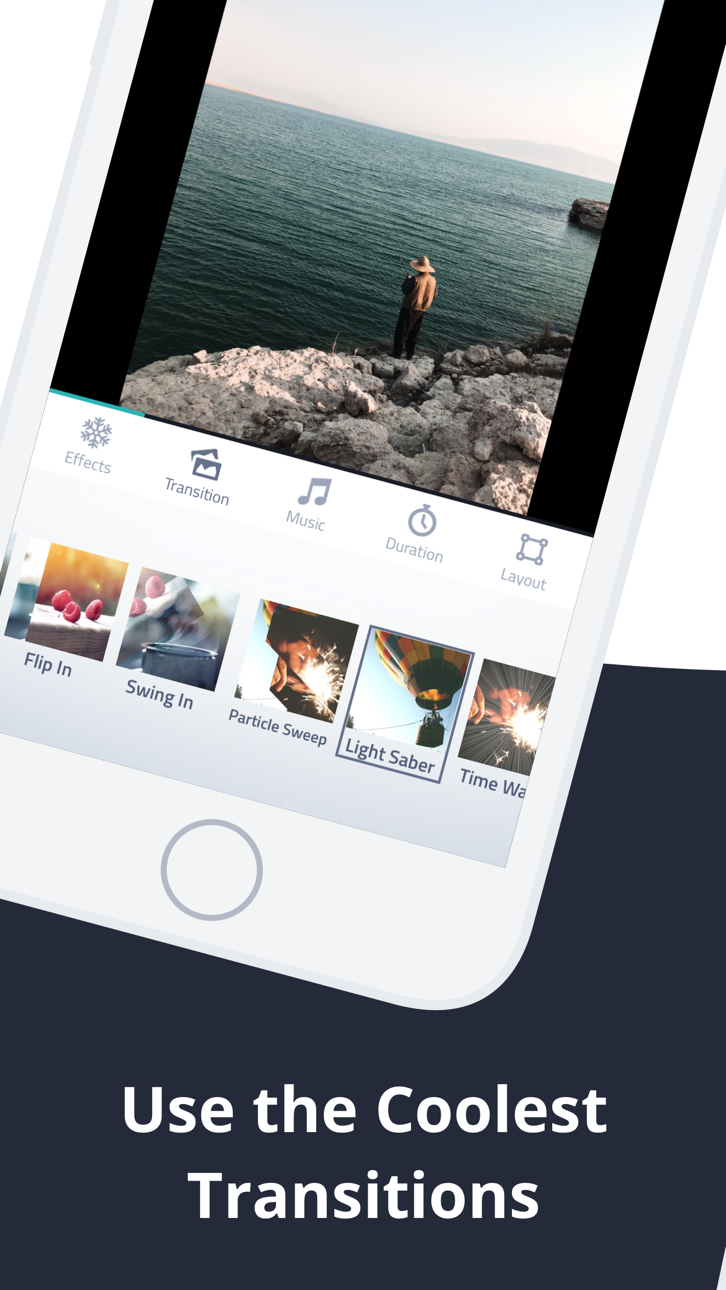
40개 이상의 시네마틱 전환효과
크로스페이드, 플립, 켄번즈, 줌, 블러, 바운스, 회전 등 다양한 효과. 하나의 스타일로 통일하거나 랜덤으로 다양하게 -- 모든 슬라이드쇼가 신선하고 역동적입니다.
모든 플랫폼에 맞춤
각 소셜 플랫폼에 완벽한 포맷으로 내보내기:
・9:16 TikTok & Instagram 릴스용
・16:9 YouTube용
・1:1 정사각형 게시물용
・8:10 Instagram용
내장 음악 라이브러리
슬라이드쇼에 딱 맞는 엄선된 26곡의 테마 음악 중 선택하세요. 보기에도 듣기에도 좋은 동영상을 만들 수 있습니다.
사진 편집기 & 필터
13가지 멋진 필터, 자르기, 회전, 밝기・대비・채도 조정 -- 앱을 벗어나지 않고 모든 사진을 세밀하게 보정하세요.
아름다운 텍스트 슬라이드
Billabong, Pacifico, Permanent Marker 등 엄선된 장식 폰트로 제목과 캡션을 추가하세요. 인트로, 아웃트로, 스토리텔링에 완벽합니다.
테마별 이펙트 팩
특별한 효과로 동영상을 한 단계 업그레이드:
・러브 팩 -- 하트, 로맨틱 프레임 & 음악
・스타리 팩 -- 반짝이는 별 효과
・갤럭시 팩 -- 5가지 프리미엄 시네마틱 전환효과
・루나 팩 -- 축하 행사를 위한 페스티브 효과
・크리스마스 팩 -- 눈 & 홀리데이 매직
스톡 사진 내장
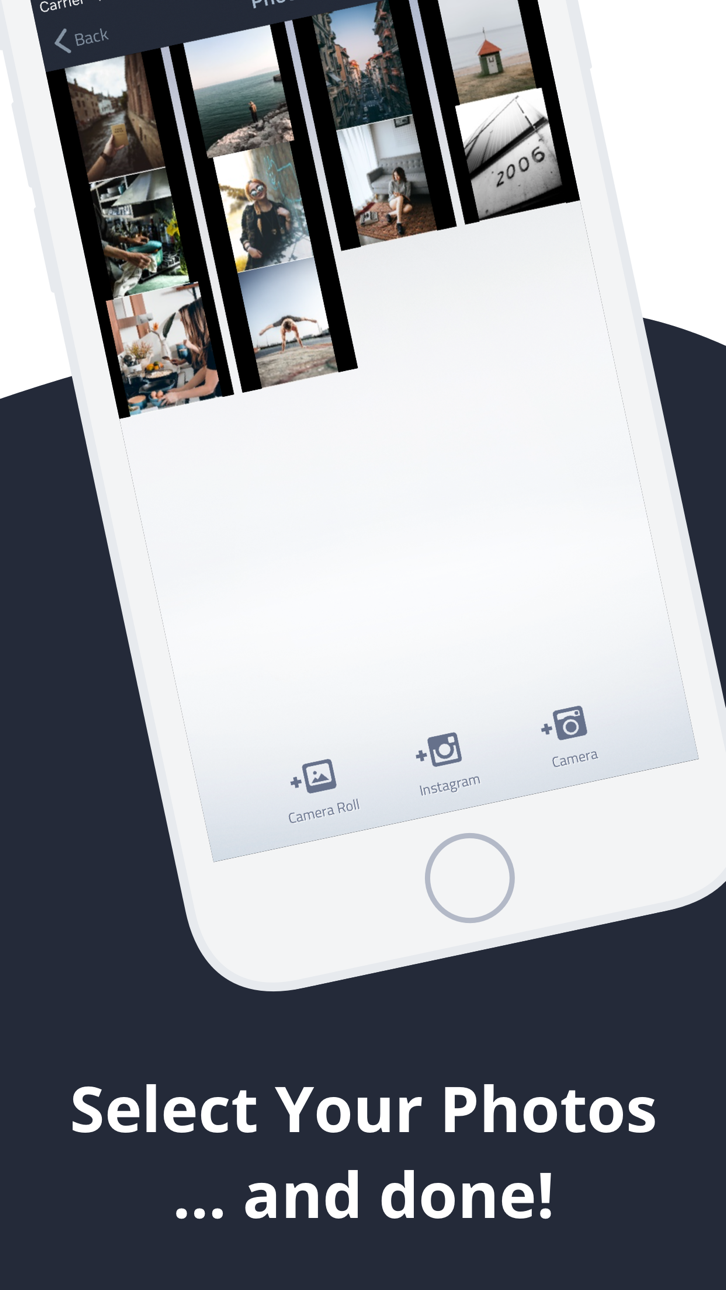
사진이 부족하신가요? Pexels의 아름다운 스톡 이미지 수천 장을 앱 내에서 바로 검색하세요.
더 많은 편리한 기능
・무제한 프로젝트 저장 & 언제든 편집
・드래그 앤 드롭으로 사진 배열
・슬라이드별 재생 시간 설정
・다양한 이미지 맞춤 모드 (맞춤, 채우기, 블러 채우기)
・라이브 활동 & Dynamic Island 진행 상황 추적
・실행 취소/다시 실행 지원
・Instagram, Facebook, YouTube에 바로 공유
Fliptastic을 무료로 다운로드하고 팔로워들이 좋아할 동영상을 만들어 보세요.
Subscription Terms:
- Fliptastic Premium is available as a monthly or yearly auto-renewable subscription
- Payment is charged to your Apple ID account at confirmation of purchase
- Subscription automatically renews unless cancelled at least 24 hours before the end of the current period
- Your account will be charged for renewal within 24 hours prior to the end of the current period
- You can manage and cancel subscriptions in your Apple ID account settings
- Privacy Policy: https://fliptastic.me/privacy-policy
- Terms of Use (EULA): https://fliptastic.me/terms
Screenshot © rispettivi proprietari · App Store


iOSGods non è affiliata, approvata né sponsorizzata da Apple Inc., Google LLC o dagli sviluppatori delle app elencate qui. Apple, iOS e App Store sono marchi di Apple Inc. Android e Google Play sono marchi di Google LLC. Tutti gli altri nomi delle app, icone, immagini e marchi appartengono ai rispettivi proprietari.

- iPhone o iPad non jailbroken/jailed oppure jailbroken.
- Sideloadly o alternative.
- Computer con Windows/macOS/Linux con iTunes installato.
PASSO 1: Scarica il file .IPA pre-modificato dal link sopra sul tuo computer. Per scaricarlo dall'iOSGods App, consulta il nostro Tutorial download IPA dell'iOSGods App, che include un esempio video.
PASSO 2: Scarica Sideloadly e installalo sul tuo Windows o Mac.
PASSO 3: Apri Sideloadly sul tuo computer, collega il tuo dispositivo iOS e attendi finché il nome del dispositivo non appare in Sideloadly.
PASSO 4: Una volta riconosciuto il tuo iDevice, trascina il file .IPA moddato che hai scaricato e rilascialo nell'applicazione Sideloadly.
PASSO 5: Inserisci l'email del tuo Apple Account, poi premi “Start”. Ti verrà quindi chiesto di inserire la password. Procedi e fornisci le informazioni richieste.
PASSO 6: Attendi che Sideloadly completi il sideload/installazione dell'IPA modificata. Se ci sono problemi durante l'installazione, leggi la nota qui sotto.
PASSO 7: Una volta completata l'installazione e vista l'app sulla schermata Home, dovrai andare in Impostazioni → Generali → Profili / Gestione VPN e dispositivi. Una volta lì, tocca l'email inserita al passo 6 e poi tocca “Autorizza [email protected]”.
PASSO 8: Ora vai sulla schermata Home e apri l'app appena installata: tutto dovrebbe funzionare correttamente. Potrebbe essere necessario seguire ulteriori istruzioni specifiche all'interno del popup dell'hack nel gioco.
NOTA: Per iOS/iPadOS 16 e versioni successive, devi attivare la Modalità sviluppatore. Per gli account Apple Developer gratuiti, dovrai ripetere questa procedura ogni 7 giorni. Se hai domande o problemi, leggi la nostra sezione FAQ Sideloadly del topic.
Game Name iOS Mod IPA is an action adventure game enhanced with powerful gameplay boosts and quality-of-life improvements. Win battles faster, earn rewards quicker, and enjoy uninterrupted play without ads.
- Unlimited Gold - spend freely to unlock premium content
- Damage Multiplier - deal significantly more damage in combat
- Defense Multiplier - take less damage and survive longer
- Reward Multiplier - earn more loot from every battle
- Max Level - instantly reach the highest player rank
- No Ads - play without interruptions or advertisements
This app also comes with iGameGod, giving you access to Auto Touch to automate repetitive tasks, App Speed Manager for adjustable gameplay speed, Memory Engine value editing, and more powerful iOS game tools.
Scarica Game Name Mod IPA dai link sopra. Tocca il pulsante di installazione e segui le istruzioni per installare questo hack iOS sul tuo iPhone, iPad o Mac con Apple Silicon.
Hai bisogno di altro aiuto Consulta le nostre Domande frequenti sull'app iOSGods per risposte dettagliate e consigli per la risoluzione dei problemi.
----------------------------------------------------------
--------------------------------------------------