ログインが必要
iOSGodsアカウントでサインインして続けてください。
iOSGodsアカウントでサインインして続けてください。
このエンターテインメントアプリで、プロフェッショナルなフィルター、トランジション、音楽を使って素晴らしい写真スライドショーを作成できます。Fliptastic Mod IPAではプレミアム機能がアンロックされています。100万人以上のユーザーに愛され、TUAWとAppAdviceから高く評価されているFliptasticは、あなたの写真をInstagram、Facebook、YouTube、メールで共有できる魅力的なコンテンツに変えます。すべてが1つの直感的なアプリで実現できます。
- プレミアムアンロック → すべてのプロ機能にアクセス可能
このアプリにはiGameGodも搭載されており、繰り返し作業を自動化するAuto Touch、ゲーム速度を調整できるApp Speed Manager、Memory Engineによる値の編集など、強力なiOSゲーム用ツールをご利用いただけます。
Fliptastic — Easy Slideshows Modded modded IPAを上のリンクからダウンロードします。インストールボタンをタップし、画面の指示に従ってiPhone、iPad、Apple SiliconにこのiOSアプリハックをインストールします。
さらにヘルプが必要ですか? 詳しい回答とトラブルシューティングはiOSGodsアプリ よくある質問をご覧ください。
写真を数秒で素敵な動画に変換 -- 編集スキルは不要です。
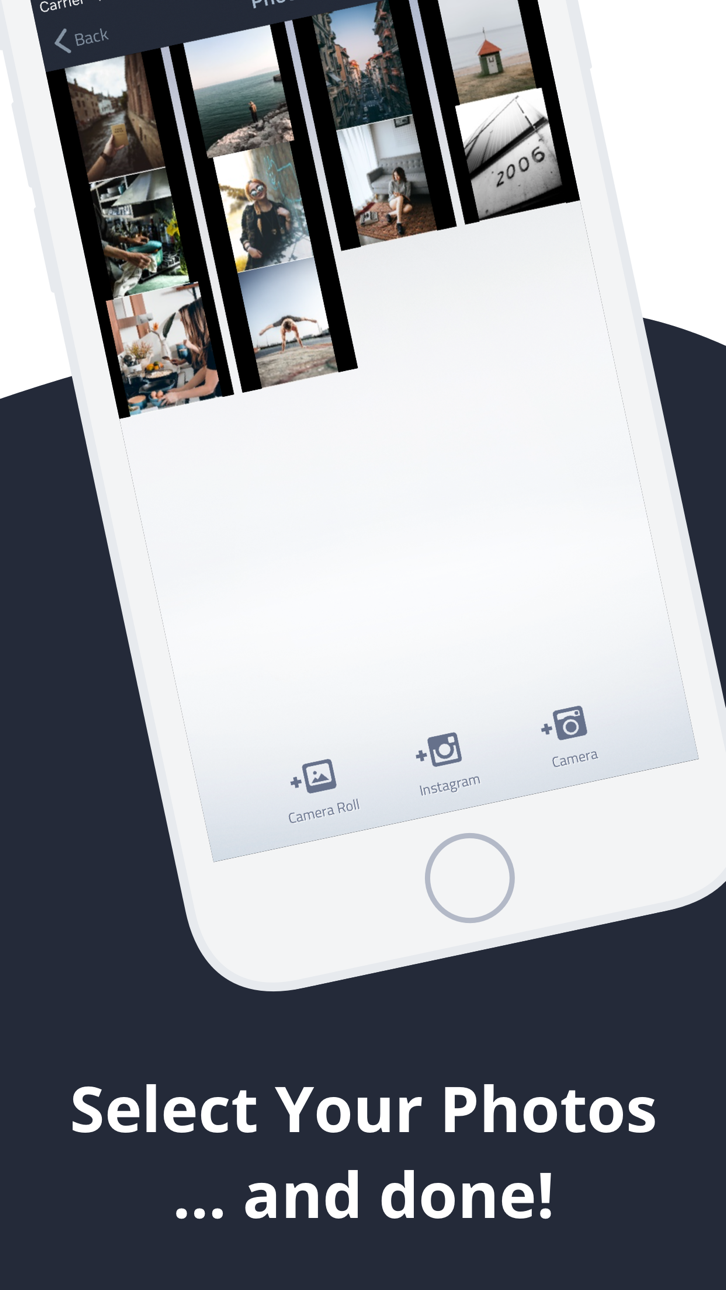
Fliptasticは、TikTok、Instagramリール、YouTube向けの美しいスライドショーやショート動画を作成する最も簡単な方法です。写真を選んで、スタイルを選んで、シェアするだけ。
AI自動作成
スマートAIがベストな写真を選び、完璧なスライドショーに自動で仕上げます。画質、顔、構図、照明を分析し、すべての動画が素晴らしい仕上がりに。
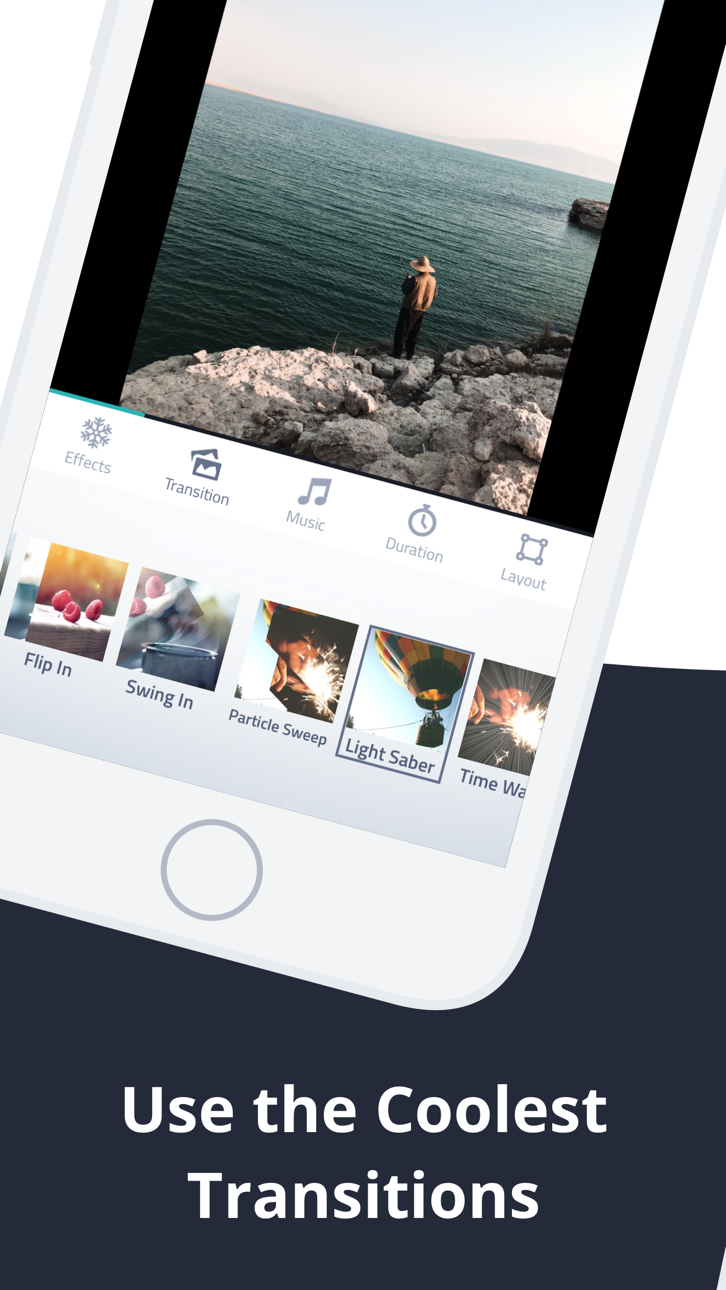
40以上のシネマティックトランジション
クロスフェード、フリップ、ケンバーンズ、ズーム、ブラー、バウンス、回転など多数。1つのスタイルで統一したり、ランダムにしてバリエーションを楽しめます。すべてのスライドショーが新鮮でダイナミックに。
あらゆるプラットフォームに対応
各SNSに最適なフォーマットでエクスポート:
・9:16 TikTok & Instagramリール用
・16:9 YouTube用
・1:1 スクエア投稿用
・8:10 Instagram用
内蔵ミュージックライブラリ
スライドショーにぴったりの厳選26曲のテーマソングから選べます。見た目も音も素晴らしい動画に。
フォトエディター&フィルター
13種類の美しいフィルター、切り抜き、回転、明るさ・コントラスト・彩度の調整 -- すべてアプリ内で完結。
美しいテキストスライド
Billabong、Pacifico、Permanent Markerなどの厳選デコラティブフォントでタイトルやキャプションを追加。イントロ、アウトロ、ストーリーテリングに最適。
テーマ別エフェクトパック
特別なエフェクトで動画をワンランクアップ:
・ラブパック -- ハート、ロマンチックなフレーム&ミュージック
・スターリーパック -- キラキラ輝く星のエフェクト
・ギャラクシーパック -- 5つのプレミアムシネマティックトランジション
・ルナパック -- お祝い向けフェスティブエフェクト
・クリスマスパック -- 雪&ホリデーマジック
ストックフォト内蔵
写真が足りない?Pexelsの美しいストック画像を数千枚、アプリ内から直接閲覧できます。
その他の便利な機能
・無制限のプロジェクト保存&いつでも編集
・ドラッグ&ドロップで写真を並べ替え
・スライドごとの表示時間設定
・複数の画像フィットモード(フィット、フィル、ブラーフィル)
・ライブアクティビティ&Dynamic Islandで進行状況を追跡
・元に戻す/やり直し対応
・Instagram、Facebook、YouTubeに直接シェア
Fliptasticを無料でダウンロードして、フォロワーが気に入る動画を作りましょう。
Subscription Terms:
- Fliptastic Premium is available as a monthly or yearly auto-renewable subscription
- Payment is charged to your Apple ID account at confirmation of purchase
- Subscription automatically renews unless cancelled at least 24 hours before the end of the current period
- Your account will be charged for renewal within 24 hours prior to the end of the current period
- You can manage and cancel subscriptions in your Apple ID account settings
- Privacy Policy: https://fliptastic.me/privacy-policy
- Terms of Use (EULA): https://fliptastic.me/terms
スクリーンショット © 各権利者 · App Store


iOSGods は Apple Inc.、Google LLC、および掲載アプリの開発者と提携しておらず、承認や協賛も受けていません。Apple、iOS、App Store は Apple Inc. の商標です。Android および Google Play は Google LLC の商標です。その他のアプリ名、アイコン、画像、商標はすべて各権利者に帰属します。

- 脱獄/Jailed済みまたは脱獄済みのiPhoneまたはiPad。
- Sideloadlyまたは代替手段。
- iTunesがインストールされているWindows/macOS/Linuxを実行しているコンピュータ。
ステップ1: 上のリンクから事前にハックされた.IPAファイルをコンピュータにダウンロードします。iOSGodsアプリからダウンロードする方法は、ビデオ例付きのiOSGodsアプリIPAダウンロードチュートリアルをご覧ください。
ステップ2: SideloadlyをダウンロードしてWindowsまたはMacにインストールします。
ステップ3: コンピュータでSideloadlyを開き、iOSデバイスを接続して、デバイス名がSideloadlyに表示されるまで待ちます。
ステップ4: iDeviceが認識されたら、ダウンロードしたModされた.IPAファイルをSideloadlyアプリにドラッグ&ドロップします。
ステップ5: Apple Accountのメールアドレスを入力し、「Start」を押します。次にパスワードの入力を求められます。必要な情報を入力してください。
ステップ6: Sideloadlyがハックされたipaのサイドロード/インストールを完了するのを待ちます。インストール中に問題が発生した場合は、以下の注意事項をお読みください。
ステップ7: インストールが完了し、ホーム画面にアプリが表示されたら、設定 → 一般 → プロファイル / VPNとデバイス管理に移動する必要があります。そこで、ステップ6で入力したメールをタップし、「Trust [email protected]」をタップします。
ステップ8: ホーム画面に戻り、新しくインストールされたアプリを開けば、すべて正常に動作するはずです。ゲーム内のハックのポップアップで、アプリごとの追加指示に従う必要がある場合があります。
注意: iOS/iPadOS 16以降では、デベロッパモードを有効にするが必要です。無料のApple Developerアカウントの場合、このプロセスを7日ごとに繰り返す必要があります。質問や問題がある場合は、トピックのSideloadly FAQセクションをお読みください。
Game Name iOS Mod IPA is an action adventure game enhanced with powerful gameplay boosts and quality-of-life improvements. Win battles faster, earn rewards quicker, and enjoy uninterrupted play without ads.
- Unlimited Gold - spend freely to unlock premium content
- Damage Multiplier - deal significantly more damage in combat
- Defense Multiplier - take less damage and survive longer
- Reward Multiplier - earn more loot from every battle
- Max Level - instantly reach the highest player rank
- No Ads - play without interruptions or advertisements
This app also comes with iGameGod, giving you access to Auto Touch to automate repetitive tasks, App Speed Manager for adjustable gameplay speed, Memory Engine value editing, and more powerful iOS game tools.
Game Name Mod IPAを上のリンクからダウンロードします。インストールボタンをタップし、画面の指示に従ってiPhone、iPad、Apple SiliconにこのiOSアプリハックをインストールします。
さらにヘルプが必要ですか 詳しい回答とトラブルシューティングはiOSGodsアプリ よくある質問をご覧ください。
----------------------------------------------------------
--------------------------------------------------