Login Diperlukan
Masuk dengan akun iOSGods kamu untuk melanjutkan.
Hack Features:
- Fully unlocked
Unduh RainViewer: Weather Radar Live Hack modded IPA dari tautan di atas. Ketuk tombol pasang dan ikuti petunjuk di layar untuk memasang hack iOS ini di iPhone, iPad, atau Apple Silicon.
Butuh bantuan lebih lanjut? Lihat Pertanyaan yang Sering Diajukan untuk Aplikasi iOSGods kami untuk jawaban dan tips lengkap.
RainViewer is a weather radar and storm tracker app. It forecasts the upcoming rain and predicts where a storm will move in the next 2 hours. When the rain is on its way, RainViewer sends push notifications.
REAL-TIME WEATHER RADAR MAP
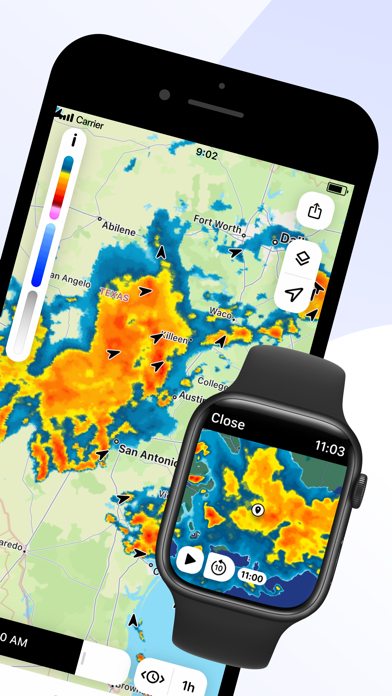
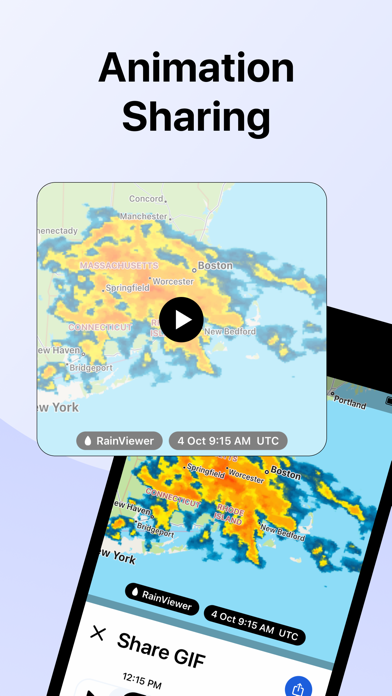
Get a heads up on bad weather. RainViewer lets you track a storm's path on an easy-to-read weather map from how it's moved in the past 48 hrs to its position now to where it's predicted to be in the next 90 mins.
STORM TRACKER
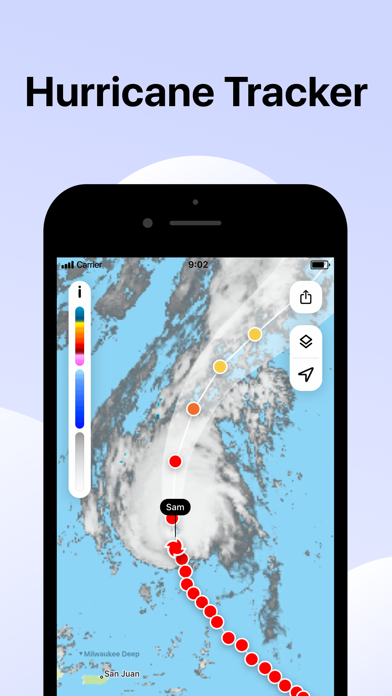
Know in advance when a tropical storm reaches your area. Track its movement on the radar map. Check its strength, speed, and where it goes next.
FUTURE RADAR FORECAST
We're the only weather app to offer a beautifully visualized future radar animation for 1000+ weather radars, all in their original resolution. We use the most advanced forecasting methods to create a detailed and up-to-date picture of the sky above to better plan your day.
PRECIPITATION CHART
Shows the intensity and amount of precipitation over the next hour in your area. Available for more than 90 countries, the precipitation chart visually displays when the rain starts and ends.
WEATHER WIDGETS
3 handy widgets give you the latest weather for any location or urgent updates for where a storm is headed. RainViewer brings it all into focus on your home screen.
EXTENSIVE WORLDWIDE COVERAGE
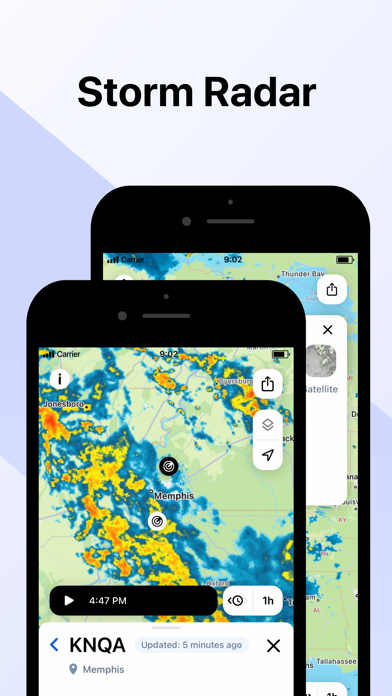
With reliable data for 90+ countries, RainViewer has the most comprehensive weather radar coverage available today. The app shows everything you want on a single map combining all 1000+ Doppler radars, each one you can view closer on demand.
STREAMLINED WEATHER FORECAST
RainViewer displays a 48-hour and 14-day weather forecast on a beautifully streamlined graphic. Straightforward and simple, it highlights important data only: temperature and weather conditions.
PRECIPITATION DIRECTION ARROWS
Know the exact direction the precipitation is moving, based on the radar data. Turn on the arrow layer to display precipitation direction on the map.
CUSTOM RAIN ALERTS
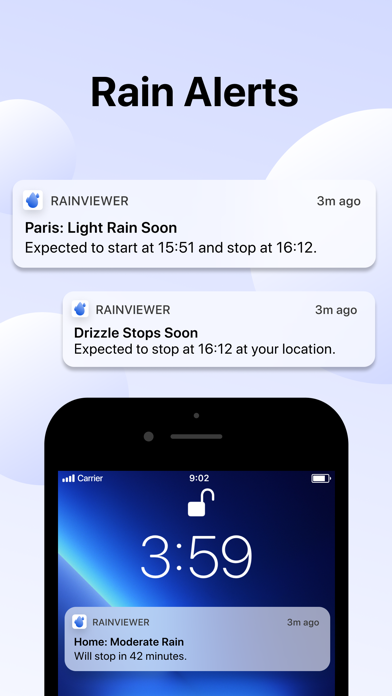
Don't take chances when rain, snow, or any other type of precipitation heads your way. RainViewer notifies you with rain alerts like: "Rain starts in 23 mins and lasts 58 mins."
APPLE WATCH
RainViewer is available for Apple Watch, so you can get the latest weather updates on your wrist. Check a detailed forecast for any of your favourite locations and follow the precipitation direction on a weather radar map.
UPGRADE TO PREMIUM FOR THESE PRO FEATURES (available as an auto-renewal subscription):
• Radar map updated every 5 mins.
• Precipitation direction.
• Up to 10 favourite locations.
• Push notifications of upcoming rain for any favourite location.
• 90 min rain radar forecast, 5 min step.
• 48-hr / 14-day weather forecast.
• Ad-free experience.
Subscription payment will be charged to your Apple ID account at the confirmation of purchase. The subscription automatically renews unless it is canceled at least 24 hours before the end of the current period. Your account will be charged for renewal within 24 hours prior to the end of the current period. You can manage and cancel your subscriptions by going to your App Store account settings after purchase.
https://rainviewer.com/privacy-policy.html
https://rainviewer.com/terms.html
Belum ada aplikasi iOS serupa. Kembali lagi nanti!
- iPhone atau iPad tanpa Jailbreak atau dengan Jailbreak.
- Sideloadly atau alternatifnya.
- Komputer dengan Windows/macOS/Linux dan iTunes terpasang.
LANGKAH 1: Unduh file .IPA yang sudah di-hack dari tautan di atas ke komputer Anda. Untuk mengunduhnya dari iOSGods App, silakan lihat Tutorial Mengunduh IPA dari iOSGods App kami yang dilengkapi contoh video.
LANGKAH 2: Unduh Sideloadly dan pasang di Windows atau Mac Anda.
LANGKAH 3: Buka Sideloadly di komputer Anda, sambungkan perangkat iOS Anda, dan tunggu hingga nama perangkat Anda muncul di Sideloadly.
LANGKAH 4: Setelah iDevice Anda terdeteksi, seret file .IPA yang sudah dimodifikasi dan lepaskan ke dalam aplikasi Sideloadly.
LANGKAH 5: Masukkan email Apple Account Anda, lalu tekan "Start". Anda kemudian akan diminta memasukkan kata sandi. Silakan isi informasi yang diminta.
LANGKAH 6: Tunggu hingga Sideloadly selesai melakukan sideloading/pemasangan IPA yang di-hack. Jika terjadi masalah saat pemasangan, silakan baca catatan di bawah ini.
LANGKAH 7: Setelah pemasangan selesai dan Anda melihat aplikasi di Layar Beranda, Anda perlu masuk ke Pengaturan → Umum → Profil / VPN & Manajemen Perangkat. Setelah itu, ketuk email yang Anda masukkan pada langkah 6, lalu ketuk "Percayai [email protected]".
LANGKAH 8: Sekarang buka Layar Beranda dan jalankan aplikasi yang baru saja dipasang; semuanya seharusnya berjalan normal. Anda mungkin perlu mengikuti petunjuk tambahan per aplikasi yang muncul di popup hack di dalam game.
CATATAN: Pada iOS/iPadOS 16 dan yang lebih baru, Anda harus mengaktifkan Mode Pengembang. Untuk akun Apple Developer gratis, Anda perlu mengulangi proses ini setiap 7 hari. Jika Anda memiliki pertanyaan atau masalah, silakan baca bagian FAQ Sideloadly di topik tersebut kami.