Accesso richiesto
Accedi con il tuo account iOSGods per continuare.
Hack Features:
- Fully unlocked
Scarica RainViewer: Weather Radar Live Hack modded IPA dai link sopra. Tocca il pulsante di installazione e segui le istruzioni per installare questo hack iOS sul tuo iPhone, iPad o Mac con Apple Silicon.
Hai bisogno di altro aiuto? Consulta le nostre Domande frequenti sull'app iOSGods per risposte dettagliate e consigli per la risoluzione dei problemi.
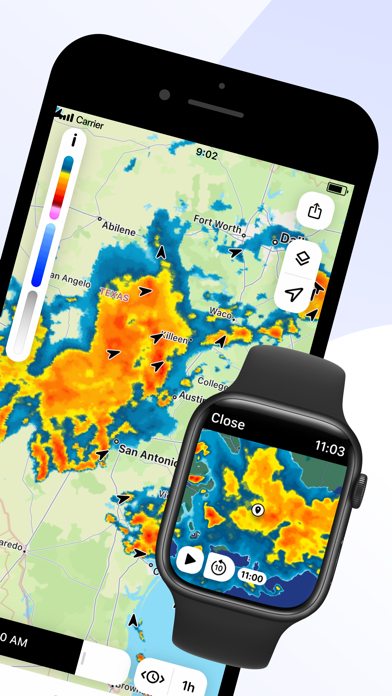
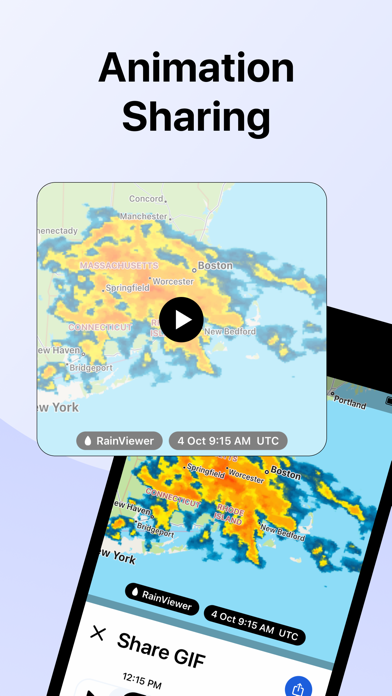
RainViewer is a weather radar and storm tracker app. It forecasts the upcoming rain and predicts where a storm will move in the next 2 hours. When the rain is on its way, RainViewer sends push notifications.
REAL-TIME WEATHER RADAR MAP
Get a heads up on bad weather. RainViewer lets you track a storm's path on an easy-to-read weather map from how it's moved in the past 48 hrs to its position now to where it's predicted to be in the next 90 mins.
STORM TRACKER
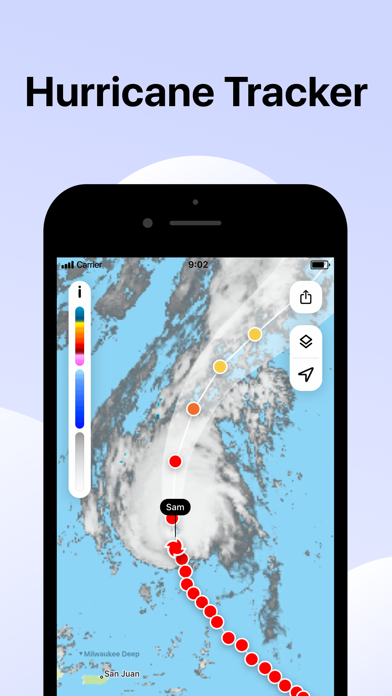
Know in advance when a tropical storm reaches your area. Track its movement on the radar map. Check its strength, speed, and where it goes next.
FUTURE RADAR FORECAST
We're the only weather app to offer a beautifully visualized future radar animation for 1000+ weather radars, all in their original resolution. We use the most advanced forecasting methods to create a detailed and up-to-date picture of the sky above to better plan your day.
PRECIPITATION CHART
Shows the intensity and amount of precipitation over the next hour in your area. Available for more than 90 countries, the precipitation chart visually displays when the rain starts and ends.
WEATHER WIDGETS
3 handy widgets give you the latest weather for any location or urgent updates for where a storm is headed. RainViewer brings it all into focus on your home screen.
EXTENSIVE WORLDWIDE COVERAGE
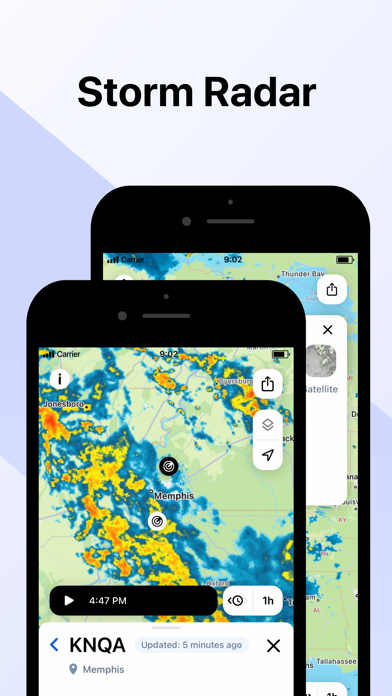
With reliable data for 90+ countries, RainViewer has the most comprehensive weather radar coverage available today. The app shows everything you want on a single map combining all 1000+ Doppler radars, each one you can view closer on demand.
STREAMLINED WEATHER FORECAST
RainViewer displays a 48-hour and 14-day weather forecast on a beautifully streamlined graphic. Straightforward and simple, it highlights important data only: temperature and weather conditions.
PRECIPITATION DIRECTION ARROWS
Know the exact direction the precipitation is moving, based on the radar data. Turn on the arrow layer to display precipitation direction on the map.
CUSTOM RAIN ALERTS
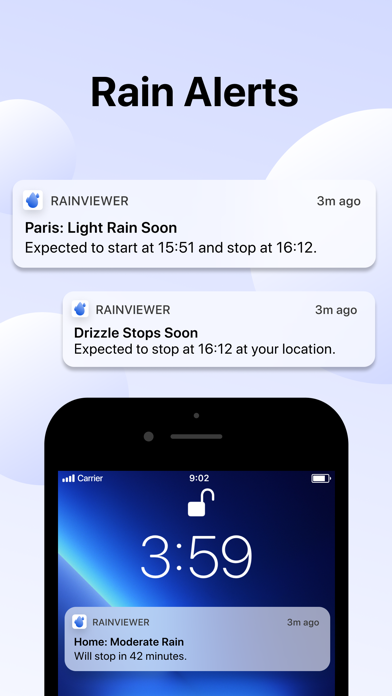
Don't take chances when rain, snow, or any other type of precipitation heads your way. RainViewer notifies you with rain alerts like: "Rain starts in 23 mins and lasts 58 mins."
APPLE WATCH
RainViewer is available for Apple Watch, so you can get the latest weather updates on your wrist. Check a detailed forecast for any of your favourite locations and follow the precipitation direction on a weather radar map.
UPGRADE TO PREMIUM FOR THESE PRO FEATURES (available as an auto-renewal subscription):
• Radar map updated every 5 mins.
• Precipitation direction.
• Up to 10 favourite locations.
• Push notifications of upcoming rain for any favourite location.
• 90 min rain radar forecast, 5 min step.
• 48-hr / 14-day weather forecast.
• Ad-free experience.
Subscription payment will be charged to your Apple ID account at the confirmation of purchase. The subscription automatically renews unless it is canceled at least 24 hours before the end of the current period. Your account will be charged for renewal within 24 hours prior to the end of the current period. You can manage and cancel your subscriptions by going to your App Store account settings after purchase.
https://rainviewer.com/privacy-policy.html
https://rainviewer.com/terms.html
Nessuna app iOS simile disponibile al momento. Torna presto!
- iPhone o iPad non jailbroken/jailed oppure jailbroken.
- Sideloadly o alternative.
- Computer con Windows/macOS/Linux con iTunes installato.
PASSO 1: Scarica il file .IPA pre-modificato dal link sopra sul tuo computer. Per scaricarlo dall'iOSGods App, consulta il nostro Tutorial download IPA dell'iOSGods App, che include un esempio video.
PASSO 2: Scarica Sideloadly e installalo sul tuo Windows o Mac.
PASSO 3: Apri Sideloadly sul tuo computer, collega il tuo dispositivo iOS e attendi finché il nome del dispositivo non appare in Sideloadly.
PASSO 4: Una volta riconosciuto il tuo iDevice, trascina il file .IPA moddato che hai scaricato e rilascialo nell'applicazione Sideloadly.
PASSO 5: Inserisci l'email del tuo Apple Account, poi premi “Start”. Ti verrà quindi chiesto di inserire la password. Procedi e fornisci le informazioni richieste.
PASSO 6: Attendi che Sideloadly completi il sideload/installazione dell'IPA modificata. Se ci sono problemi durante l'installazione, leggi la nota qui sotto.
PASSO 7: Una volta completata l'installazione e vista l'app sulla schermata Home, dovrai andare in Impostazioni → Generali → Profili / Gestione VPN e dispositivi. Una volta lì, tocca l'email inserita al passo 6 e poi tocca “Autorizza [email protected]”.
PASSO 8: Ora vai sulla schermata Home e apri l'app appena installata: tutto dovrebbe funzionare correttamente. Potrebbe essere necessario seguire ulteriori istruzioni specifiche all'interno del popup dell'hack nel gioco.
NOTA: Per iOS/iPadOS 16 e versioni successive, devi attivare la Modalità sviluppatore. Per gli account Apple Developer gratuiti, dovrai ripetere questa procedura ogni 7 giorni. Se hai domande o problemi, leggi la nostra sezione FAQ Sideloadly del topic.