Giriş Gerekli
Devam etmek için iOSGods hesabınızla giriş yapın.
Hack Features:
- Fully unlocked
Yukarıdaki bağlantılardan RainViewer: Weather Radar Live Hack modded IPA indirin. Yükle düğmesine dokunup ekrandaki yönergeleri izleyerek bu iOS uygulama hack'ini iPhone, iPad veya Apple Silicon'a yükleyin.
Daha fazla yardıma mı ihtiyacınız var? Ayrıntılı yanıtlar ve sorun giderme ipuçları için iOSGods Uygulaması Sık Sorulan Sorular sayfamıza bakın.
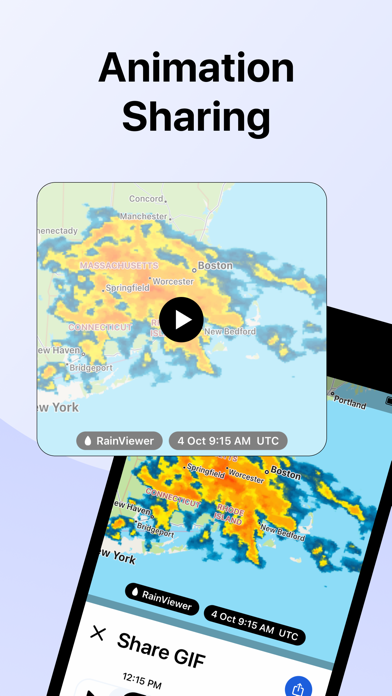
RainViewer is a weather radar and storm tracker app. It forecasts the upcoming rain and predicts where a storm will move in the next 2 hours. When the rain is on its way, RainViewer sends push notifications.
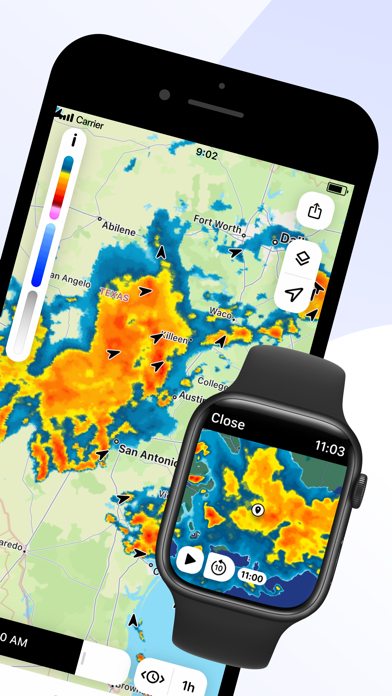
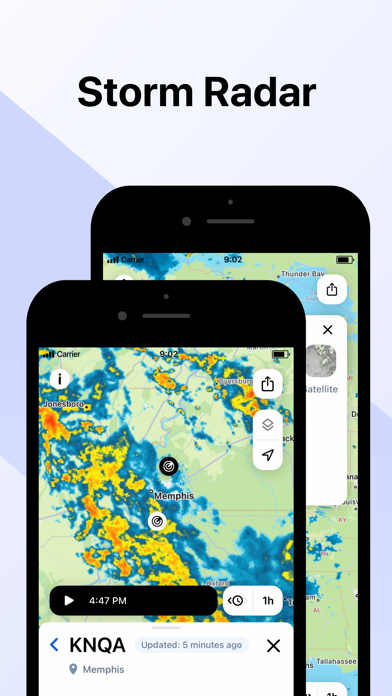
REAL-TIME WEATHER RADAR MAP
Get a heads up on bad weather. RainViewer lets you track a storm's path on an easy-to-read weather map from how it's moved in the past 48 hrs to its position now to where it's predicted to be in the next 90 mins.
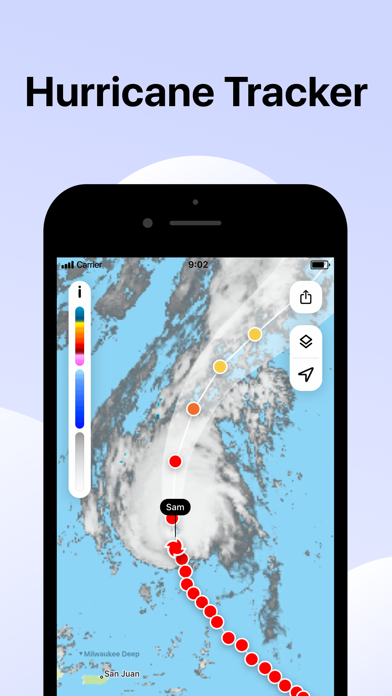
STORM TRACKER
Know in advance when a tropical storm reaches your area. Track its movement on the radar map. Check its strength, speed, and where it goes next.
FUTURE RADAR FORECAST
We're the only weather app to offer a beautifully visualized future radar animation for 1000+ weather radars, all in their original resolution. We use the most advanced forecasting methods to create a detailed and up-to-date picture of the sky above to better plan your day.
PRECIPITATION CHART
Shows the intensity and amount of precipitation over the next hour in your area. Available for more than 90 countries, the precipitation chart visually displays when the rain starts and ends.
WEATHER WIDGETS
3 handy widgets give you the latest weather for any location or urgent updates for where a storm is headed. RainViewer brings it all into focus on your home screen.
EXTENSIVE WORLDWIDE COVERAGE
With reliable data for 90+ countries, RainViewer has the most comprehensive weather radar coverage available today. The app shows everything you want on a single map combining all 1000+ Doppler radars, each one you can view closer on demand.
STREAMLINED WEATHER FORECAST
RainViewer displays a 48-hour and 14-day weather forecast on a beautifully streamlined graphic. Straightforward and simple, it highlights important data only: temperature and weather conditions.
PRECIPITATION DIRECTION ARROWS
Know the exact direction the precipitation is moving, based on the radar data. Turn on the arrow layer to display precipitation direction on the map.
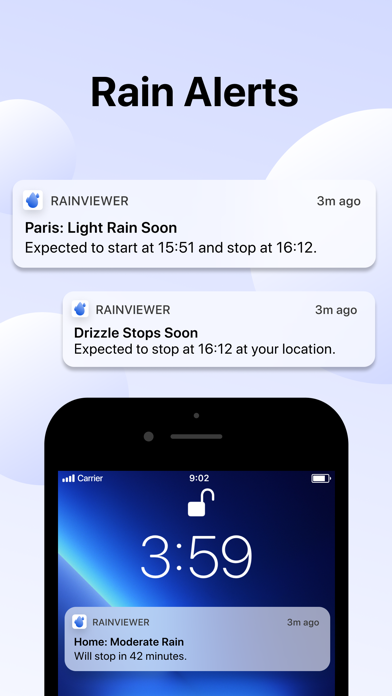
CUSTOM RAIN ALERTS
Don't take chances when rain, snow, or any other type of precipitation heads your way. RainViewer notifies you with rain alerts like: "Rain starts in 23 mins and lasts 58 mins."
APPLE WATCH
RainViewer is available for Apple Watch, so you can get the latest weather updates on your wrist. Check a detailed forecast for any of your favourite locations and follow the precipitation direction on a weather radar map.
UPGRADE TO PREMIUM FOR THESE PRO FEATURES (available as an auto-renewal subscription):
• Radar map updated every 5 mins.
• Precipitation direction.
• Up to 10 favourite locations.
• Push notifications of upcoming rain for any favourite location.
• 90 min rain radar forecast, 5 min step.
• 48-hr / 14-day weather forecast.
• Ad-free experience.
Subscription payment will be charged to your Apple ID account at the confirmation of purchase. The subscription automatically renews unless it is canceled at least 24 hours before the end of the current period. Your account will be charged for renewal within 24 hours prior to the end of the current period. You can manage and cancel your subscriptions by going to your App Store account settings after purchase.
https://rainviewer.com/privacy-policy.html
https://rainviewer.com/terms.html
Henüz benzer iOS uygulaması yok. Yakında tekrar kontrol edin!
- Jailbreak'siz/normal ya da jailbreak'li iPhone veya iPad.
- Sideloadly veya alternatifleri.
- iTunes yüklü Windows/macOS/Linux çalıştıran bir bilgisayar.
ADIM 1: Yukarıdaki bağlantıdan önceden hacklenmiş .IPA dosyasını bilgisayarınıza indirin. iOSGods App üzerinden indirmek için video örneği de içeren iOSGods App IPA İndirme Kılavuzu bölümümüze göz atın.
ADIM 2: Sideloadly indirin ve Windows veya Mac'inize kurun.
ADIM 3: Bilgisayarınızda Sideloadly'yi açın, iOS cihazınızı bağlayın ve cihaz adınız Sideloadly'de görünene kadar bekleyin.
ADIM 4: iCihazınız tanındıktan sonra, indirdiğiniz modlu .IPA dosyasını sürükleyip Sideloadly uygulamasına bırakın.
ADIM 5: Apple Account e-posta adresinizi girin ve ardından "Start" düğmesine basın. Sonrasında sizden şifreniz istenecektir. Gerekli bilgileri girin.
ADIM 6: Sideloadly'nin hacklenmiş IPA'yı sideload edip yüklemesini bekleyin. Yükleme sırasında bir sorun olursa lütfen aşağıdaki notu okuyun.
ADIM 7: Yükleme tamamlandıktan ve uygulamayı Ana Ekranınızda gördükten sonra Ayarlar → Genel → Profiller / VPN ve Cihaz Yönetimi bölümüne gitmelisiniz. Burada 6. adımda girdiğiniz e-postaya dokunun ve ardından "[email protected]'a Güven" seçeneğine dokunun.
ADIM 8: Şimdi Ana Ekranınıza gidin ve yeni yüklediğiniz uygulamayı açın; her şey sorunsuz çalışmalıdır. Oyun içindeki hack açılır penceresinde uygulamaya özel ek talimatları takip etmeniz gerekebilir.
NOT: iOS/iPadOS 16 ve sonrasında Geliştirici Modu'nu etkinleştirmeniz gerekir. Ücretsiz Apple Developer hesapları için bu işlemi her 7 günde bir tekrarlamanız gerekir. Sorularınız veya sorunlarınız varsa konunun Sideloadly SSS bölümünü okuyun.