Anmeldung erforderlich
Melden Sie sich mit Ihrem iOSGods-Konto an, um fortzufahren.
Hack Features:
- Fully unlocked
Laden Sie RainViewer: Weather Radar Live Hack modded IPA über die obigen Links herunter. Tippen Sie auf den Installations-Button und folgen Sie den Anweisungen, um diese iOS-App auf Ihrem iPhone, iPad oder Apple Silicon zu installieren.
Brauchen Sie mehr Hilfe? In unseren iOSGods App häufig gestellten Fragen finden Sie ausführliche Antworten und Tipps zur Fehlerbehebung.
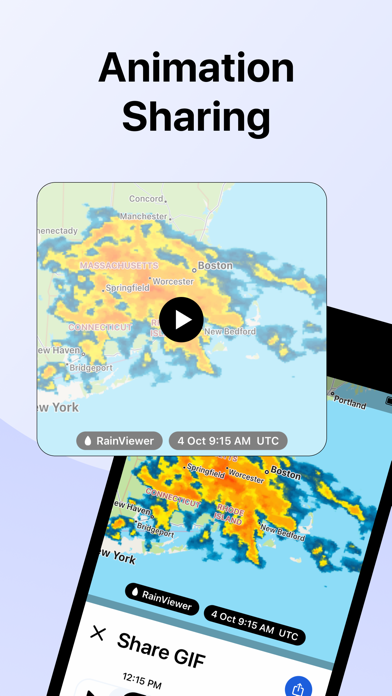
RainViewer is a weather radar and storm tracker app. It forecasts the upcoming rain and predicts where a storm will move in the next 2 hours. When the rain is on its way, RainViewer sends push notifications.
REAL-TIME WEATHER RADAR MAP
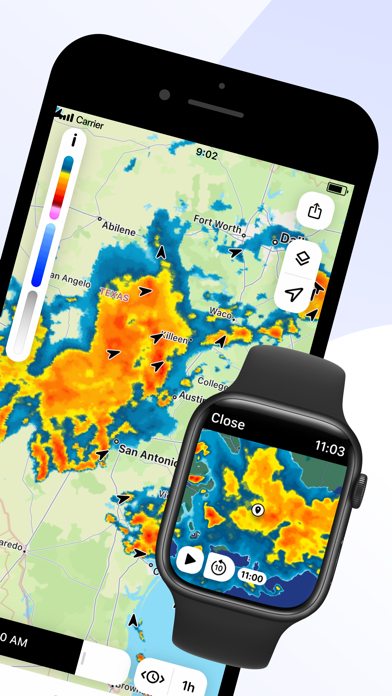
Get a heads up on bad weather. RainViewer lets you track a storm's path on an easy-to-read weather map from how it's moved in the past 48 hrs to its position now to where it's predicted to be in the next 90 mins.
STORM TRACKER
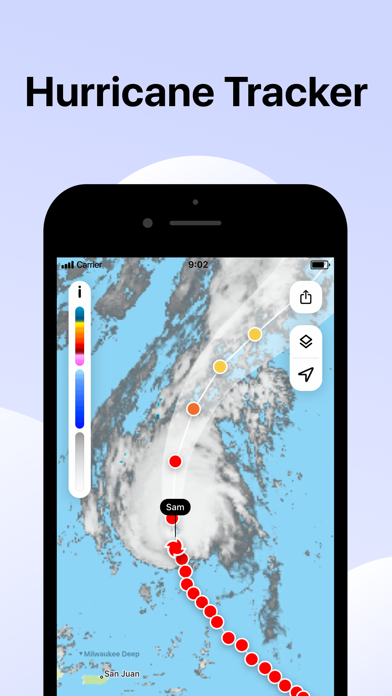
Know in advance when a tropical storm reaches your area. Track its movement on the radar map. Check its strength, speed, and where it goes next.
FUTURE RADAR FORECAST
We're the only weather app to offer a beautifully visualized future radar animation for 1000+ weather radars, all in their original resolution. We use the most advanced forecasting methods to create a detailed and up-to-date picture of the sky above to better plan your day.
PRECIPITATION CHART
Shows the intensity and amount of precipitation over the next hour in your area. Available for more than 90 countries, the precipitation chart visually displays when the rain starts and ends.
WEATHER WIDGETS
3 handy widgets give you the latest weather for any location or urgent updates for where a storm is headed. RainViewer brings it all into focus on your home screen.
EXTENSIVE WORLDWIDE COVERAGE
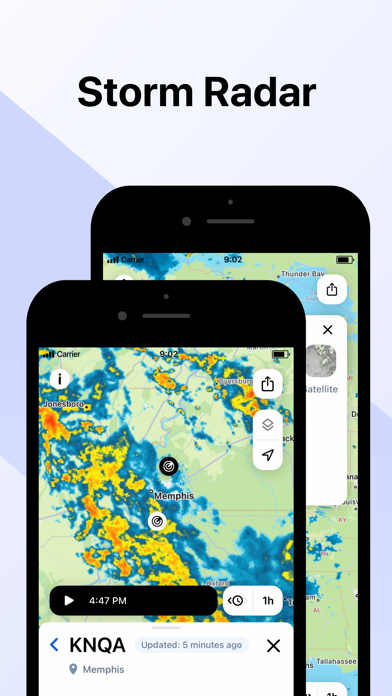
With reliable data for 90+ countries, RainViewer has the most comprehensive weather radar coverage available today. The app shows everything you want on a single map combining all 1000+ Doppler radars, each one you can view closer on demand.
STREAMLINED WEATHER FORECAST
RainViewer displays a 48-hour and 14-day weather forecast on a beautifully streamlined graphic. Straightforward and simple, it highlights important data only: temperature and weather conditions.
PRECIPITATION DIRECTION ARROWS
Know the exact direction the precipitation is moving, based on the radar data. Turn on the arrow layer to display precipitation direction on the map.
CUSTOM RAIN ALERTS
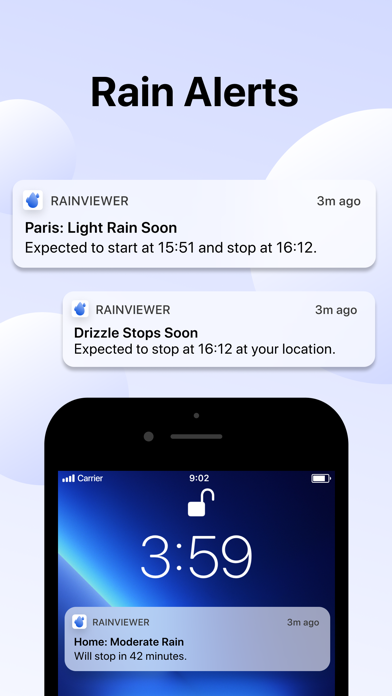
Don't take chances when rain, snow, or any other type of precipitation heads your way. RainViewer notifies you with rain alerts like: "Rain starts in 23 mins and lasts 58 mins."
APPLE WATCH
RainViewer is available for Apple Watch, so you can get the latest weather updates on your wrist. Check a detailed forecast for any of your favourite locations and follow the precipitation direction on a weather radar map.
UPGRADE TO PREMIUM FOR THESE PRO FEATURES (available as an auto-renewal subscription):
• Radar map updated every 5 mins.
• Precipitation direction.
• Up to 10 favourite locations.
• Push notifications of upcoming rain for any favourite location.
• 90 min rain radar forecast, 5 min step.
• 48-hr / 14-day weather forecast.
• Ad-free experience.
Subscription payment will be charged to your Apple ID account at the confirmation of purchase. The subscription automatically renews unless it is canceled at least 24 hours before the end of the current period. Your account will be charged for renewal within 24 hours prior to the end of the current period. You can manage and cancel your subscriptions by going to your App Store account settings after purchase.
https://rainviewer.com/privacy-policy.html
https://rainviewer.com/terms.html
Noch keine ähnlichen iOS-Apps verfügbar. Schauen Sie bald wieder vorbei!
- Nicht-Jailbroken/Jailed oder Jailbroken iPhone oder iPad.
- Sideloadly oder Alternativen.
- Computer mit Windows/macOS/Linux und installiertem iTunes.
SCHRITT 1: Laden Sie die vorinstallierte .IPA-Datei über den obigen Link auf Ihren Computer herunter. Zum Herunterladen aus der iOSGods-App siehe unser iOSGods App IPA Download-Tutorial mit Videobeispiel.
SCHRITT 2: Laden Sie Sideloadly herunter und installieren Sie es auf Ihrem Windows oder Mac.
SCHRITT 3: Öffnen Sie Sideloadly auf Ihrem Computer, verbinden Sie Ihr iOS-Gerät und warten Sie, bis Ihr Gerätename in Sideloadly erscheint.
SCHRITT 4: Sobald Ihr iDevice erkannt wird, ziehen Sie die heruntergeladene gemoddete .IPA-Datei in die Sideloadly-Anwendung.
SCHRITT 5: Geben Sie Ihre Apple-Account-E-Mail ein und drücken Sie „Start". Sie werden dann nach Ihrem Passwort gefragt. Geben Sie die erforderlichen Informationen ein.
SCHRITT 6: Warten Sie, bis Sideloadly das Sideloading/Installieren der gehackten IPA abgeschlossen hat. Bei Problemen während der Installation lesen Sie bitte den Hinweis unten.
SCHRITT 7: Sobald die Installation abgeschlossen ist und die App auf Ihrem Home-Bildschirm angezeigt wird, müssen Sie zu Einstellungen → Allgemein → Profile / VPN & Geräteverwaltung gehen. Tippen Sie dort auf die E-Mail, die Sie in Schritt 6 eingegeben haben, und dann auf „Trust [email protected]".
SCHRITT 8: Gehen Sie nun zu Ihrem Home-Bildschirm und öffnen Sie die neu installierte App – alles sollte einwandfrei funktionieren. Möglicherweise müssen Sie weitere App-spezifische Anweisungen im Hack-Popup im Spiel befolgen.
HINWEIS: iOS/iPadOS 16 und höher: Sie müssen den Entwicklermodus aktivieren. Bei kostenlosen Apple Developer-Accounts müssen Sie diesen Vorgang alle 7 Tage wiederholen. Bei Fragen oder Problemen lesen Sie bitte unsere Sideloadly-FAQ-Sektion im Thema.