تسجيل الدخول مطلوب
سجّل الدخول بحساب iOSGods للمتابعة.
Hack Features:
- Fully unlocked
قم بتنزيل RainViewer: Weather Radar Live Hack modded IPA من الروابط أعلاه. اضغط على زر التثبيت واتبع التعليمات لتثبيت هذا التعديل لـ iOS على iPhone أو iPad أو Apple Silicon.
هل تحتاج إلى مزيد من المساعدة؟ راجع الأسئلة الشائعة لتطبيق iOSGods للحصول على إجابات مفصلة ونصائح لاستكشاف الأخطاء.
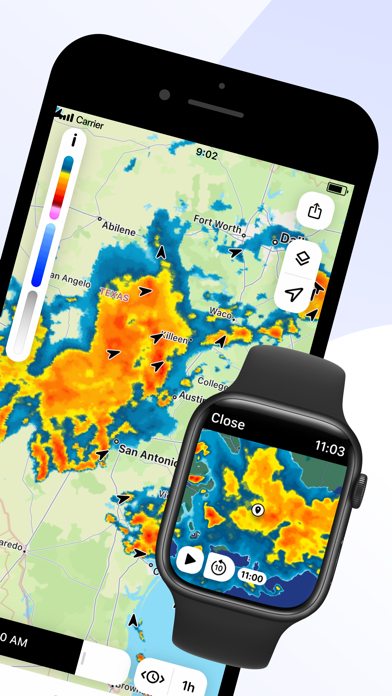
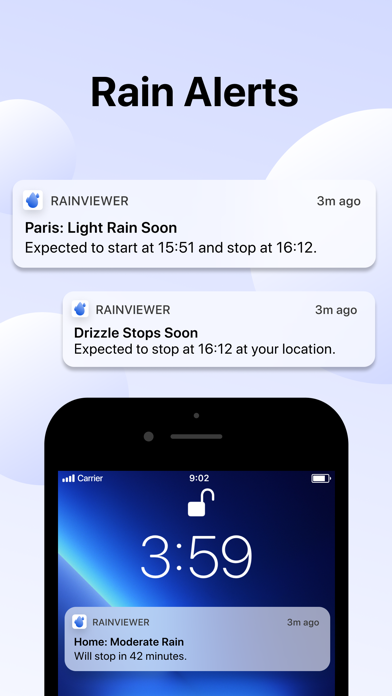
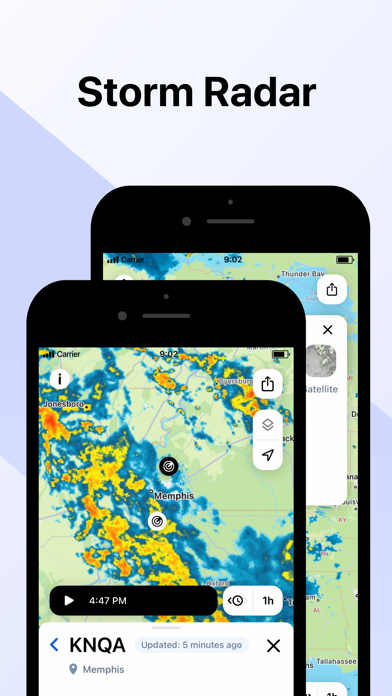
RainViewer is a weather radar and storm tracker app. It forecasts the upcoming rain and predicts where a storm will move in the next 2 hours. When the rain is on its way, RainViewer sends push notifications.
REAL-TIME WEATHER RADAR MAP
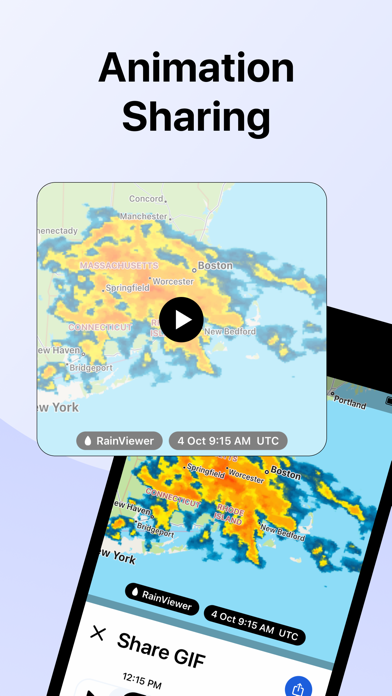
Get a heads up on bad weather. RainViewer lets you track a storm's path on an easy-to-read weather map from how it's moved in the past 48 hrs to its position now to where it's predicted to be in the next 90 mins.
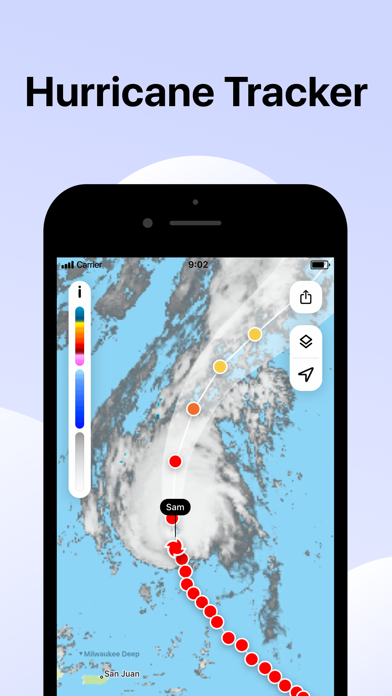
STORM TRACKER
Know in advance when a tropical storm reaches your area. Track its movement on the radar map. Check its strength, speed, and where it goes next.
FUTURE RADAR FORECAST
We're the only weather app to offer a beautifully visualized future radar animation for 1000+ weather radars, all in their original resolution. We use the most advanced forecasting methods to create a detailed and up-to-date picture of the sky above to better plan your day.
PRECIPITATION CHART
Shows the intensity and amount of precipitation over the next hour in your area. Available for more than 90 countries, the precipitation chart visually displays when the rain starts and ends.
WEATHER WIDGETS
3 handy widgets give you the latest weather for any location or urgent updates for where a storm is headed. RainViewer brings it all into focus on your home screen.
EXTENSIVE WORLDWIDE COVERAGE
With reliable data for 90+ countries, RainViewer has the most comprehensive weather radar coverage available today. The app shows everything you want on a single map combining all 1000+ Doppler radars, each one you can view closer on demand.
STREAMLINED WEATHER FORECAST
RainViewer displays a 48-hour and 14-day weather forecast on a beautifully streamlined graphic. Straightforward and simple, it highlights important data only: temperature and weather conditions.
PRECIPITATION DIRECTION ARROWS
Know the exact direction the precipitation is moving, based on the radar data. Turn on the arrow layer to display precipitation direction on the map.
CUSTOM RAIN ALERTS
Don't take chances when rain, snow, or any other type of precipitation heads your way. RainViewer notifies you with rain alerts like: "Rain starts in 23 mins and lasts 58 mins."
APPLE WATCH
RainViewer is available for Apple Watch, so you can get the latest weather updates on your wrist. Check a detailed forecast for any of your favourite locations and follow the precipitation direction on a weather radar map.
UPGRADE TO PREMIUM FOR THESE PRO FEATURES (available as an auto-renewal subscription):
• Radar map updated every 5 mins.
• Precipitation direction.
• Up to 10 favourite locations.
• Push notifications of upcoming rain for any favourite location.
• 90 min rain radar forecast, 5 min step.
• 48-hr / 14-day weather forecast.
• Ad-free experience.
Subscription payment will be charged to your Apple ID account at the confirmation of purchase. The subscription automatically renews unless it is canceled at least 24 hours before the end of the current period. Your account will be charged for renewal within 24 hours prior to the end of the current period. You can manage and cancel your subscriptions by going to your App Store account settings after purchase.
https://rainviewer.com/privacy-policy.html
https://rainviewer.com/terms.html
- iPhone أو iPad بجيلبريك أو بدون جيلبريك.
- Sideloadly أو بدائلها.
- كمبيوتر يعمل بنظام Windows/macOS/Linux مع تثبيت iTunes.
الخطوة 1: قم بتنزيل ملف .IPA المعدّل مسبقًا من الرابط أعلاه إلى الكمبيوتر الخاص بك. للتنزيل من تطبيق iOSGods App، اطلع على دليل تنزيل IPA من تطبيق iOSGods App الذي يتضمن مثالًا بالفيديو.
الخطوة 2: قم بتنزيل Sideloadly وتثبيته على جهاز Windows أو Mac.
الخطوة 3: افتح Sideloadly على الكمبيوتر، ووصّل جهاز iOS الخاص بك، وانتظر حتى يظهر اسم جهازك داخل Sideloadly.
الخطوة 4: بمجرد التعرّف على جهاز iDevice الخاص بك، اسحب ملف .IPA المعدّل الذي قمت بتنزيله وأفلِته داخل تطبيق Sideloadly.
الخطوة 5: أدخل البريد الإلكتروني لحساب Apple Account الخاص بك، ثم اضغط على «Start». سيُطلب منك بعد ذلك إدخال كلمة المرور. تابع وأدخل المعلومات المطلوبة.
الخطوة 6: انتظر حتى ينتهي Sideloadly من تحميل/تثبيت ملف IPA المعدّل. في حال واجهت أي مشاكل أثناء التثبيت، يرجى قراءة الملاحظة أدناه.
الخطوة 7: بعد اكتمال التثبيت ورؤية التطبيق على الشاشة الرئيسية، انتقل إلى Settings → General → Profiles / VPN & Device Management. ثم اضغط على البريد الإلكتروني الذي أدخلته في الخطوة 6، ثم اضغط على «الوثوق بـ [email protected]».
الخطوة 8: الآن انتقل إلى الشاشة الرئيسية وافتح التطبيق الذي تم تثبيته للتو وسيعمل كل شيء بشكل صحيح. قد تحتاج إلى اتباع تعليمات إضافية خاصة بكل تطبيق داخل النافذة المنبثقة للتعديل أثناء اللعب.
ملاحظة: بدءًا من iOS/iPadOS 16 وما بعده، يجب تفعيل وضع المطور (Developer Mode). بالنسبة لحسابات Apple Developer المجانية، ستحتاج إلى تكرار هذه العملية كل 7 أيام. إذا كانت لديك أي أسئلة أو مشاكل، يرجى قراءة قسم الأسئلة الشائعة حول Sideloadly في الموضوع.