ต้องเข้าสู่ระบบ
เข้าสู่ระบบด้วยบัญชี iOSGods เพื่อดำเนินการต่อ
เข้าสู่ระบบด้วยบัญชี iOSGods เพื่อดำเนินการต่อ

แอปพลิเคชัน DJ และ AI mixer hack นี้ปลดล็อค PRO features ที่เปลี่ยนอุปกรณ์ iOS ของคุณให้เป็นระบบการสร้างเพลงแบบเต็มรูปแบบพร้อมเทคโนโลยี Neural Mix ทำให้คุณสามารถแยกเสียงร้อง กลองและเพลงประกอบในเวลาจริง ผสมเพลงโปรดของคุณได้อย่างราบรื่น และแสดงสดหรือเปิดใช้โหมด Automix สำหรับการผสมอัตโนมัติ ทั้งหมดนี้พร้อมการเข้าถึงระดับพรีเมียมผ่าน Mod IPA นี้
- PRO → ปลดล็อคฟีเจอร์ DJ และการสร้างเพลงระดับพรีเมียม
แอปนี้ยังมาพร้อมกับ iGameGod ซึ่งช่วยให้คุณเข้าถึง Auto Touch สำหรับการทำงานซ้ำ ๆ โดยอัตโนมัติ, App Speed Manager สำหรับปรับความเร็วของเกม, การแก้ไขค่าด้วย Memory Engine และเครื่องมือสำหรับเกม iOS ที่ทรงพลังอื่น ๆ อีกมากมาย
ดาวน์โหลด djay - DJ App & AI Mixer Hack modded IPA จากลิงก์ด้านบน แตะปุ่มติดตั้งและทำตามคำแนะนำบนหน้าจอเพื่อติดตั้งแฮ็กแอป iOS นี้บน iPhone, iPad หรือ Apple Silicon
ต้องการความช่วยเหลือเพิ่มเติม? ดู คำถามที่พบบ่อยของแอป iOSGods สำหรับคำตอบโดยละเอียดและเคล็ดลับการแก้ไขปัญหา
*** Now with Spotify and Apple Music integration ***
Welcome to djay! The #1 DJ app and winner of multiple Apple Design Awards lets you start mixing your favorite music instantly. Connect your Spotify or Apple Music account to access millions of songs and create your own DJ mixes in no time – right inside djay.
djay transforms your iOS device into a full-featured DJ system. Seamlessly integrated with your music library, djay allows you to mix your favorite songs and playlists. You can perform live, remix tracks, or enable Automix mode to let djay create a seamless mix for you automatically. Whether you are a professional DJ or a beginner who just loves to play with music, djay offers you the most intuitive yet powerful DJ experience on an iOS device.
SPOTIFY INTEGRATION
• Access to the full Spotify music catalog
• Your playlists, editorial selections, and more seamlessly integrated
• Powerful search capabilities for the vast music catalog of Spotify
APPLE MUSIC INTEGRATION
• Access to over 100 million songs
• Your library: all your music seamlessly integrated
• Powerful search capabilities for the vast music catalog of Apple Music
• Match: recommendations based on the currently playing song
• Add songs and playlists to your Apple Music library right from within djay
ADVANCED MEDIA LIBRARY
• Spotify: Millions of tracks + your own playlists (Spotify Premium subscription)
• Apple Music: Millions of tracks + your personal library in the cloud (Apple Music subscription)
• TIDAL: Millions of tracks, music videos, high quality sound (TIDAL DJ Extension)
• SoundCloud: Millions of underground and premium tracks (SoundCloud Go+)
• Beatport: Millions of electronic music tracks (Beatport Advanced Subscriptions)
• Beatsource: Millions of open-format music tracks (Beatsource Subscription)
• Files: access files in the cloud (e.g. Dropbox), on your iOS device, or on external hard drives seamlessly
• My Collection: Powerful playlists management and meta data editing
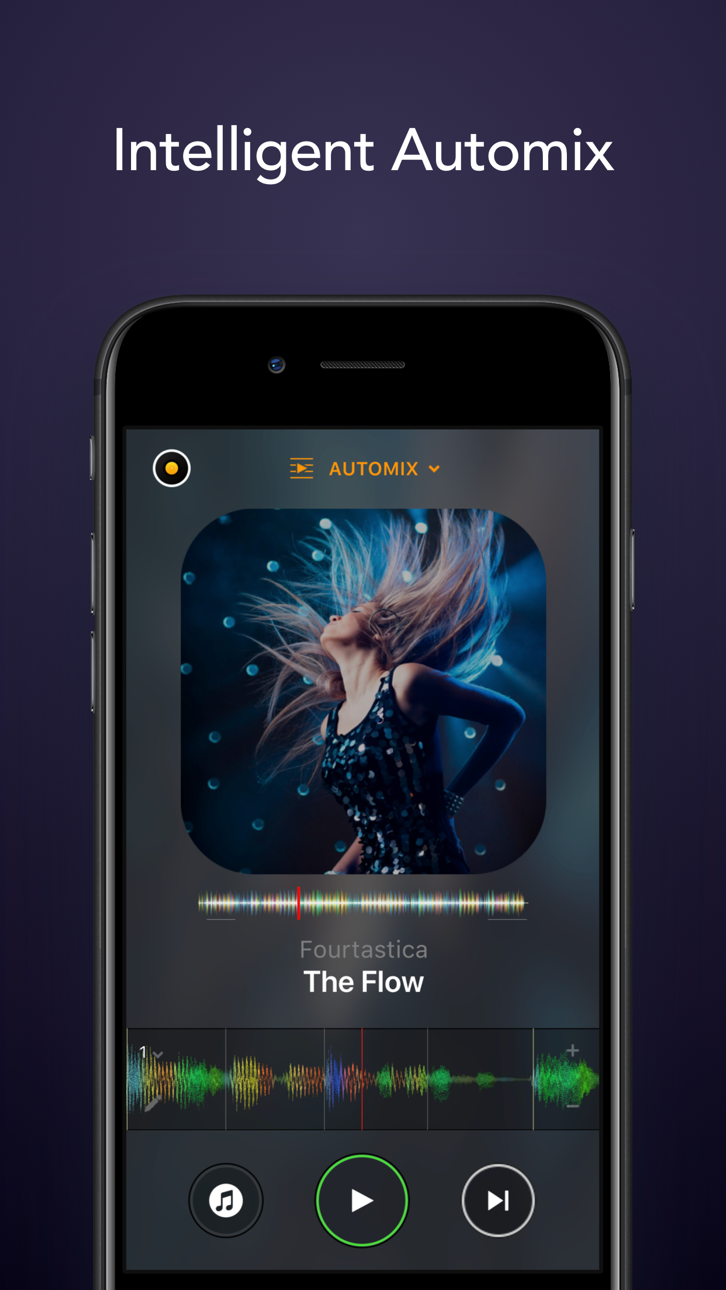
AUTOMIX
• Automatic, beat-matched mixes
• Queue and Playlist automation
NEURAL MIX™
• Isolate vocals, drums, and instrumentals in real time (not available with Apple Music or Spotify)
MUSIC PRODUCTION TOOLS
• Sequencer: create beats on top of your music live
• Looper: remix your music with up to 48 loops per track
• Beat-matched sequencing of drums and samples
• Extensive content library with 1000+ loops and samples.
HARDWARE INTEGRATION
• Plug-and-play integration with 100+ MIDI controllers by Pioneer DJ, AlphaTheta, Reloop, Hercules, Numark, Denon DJ
• Digital Vinyl System (DVS) Integration
• Advanced MIDI Learn to map any class-compliant MIDI controller
• Support for Bluetooth audio and MIDI
• Support for multi-channel USB audio interfaces and video output
POWERFUL AUDIO ENGINE
• Ableton Link integration
• High-quality mixer, filter, EQ, isolator, and limiter
• Advanced time-stretching and pitch shifting
• Over 40 built-in audio effects
• Live recording
ADVANCED AUDIO ANALYSIS
• Fluid Beat Grid: the world’s most sophisticated beat detection and sync engine
• Key detection
• Colored waveforms
• Auto-Gain
BUILT FOR iOS
• Accessible via VoiceOver
• Airplay, Apple Watch, and iCloud integration
The optional PRO subscription allows you to subscribe once and use djay Pro across all your Mac and iOS devices, including access to all PRO features, as well as 1000+ loops, samples, and visuals. Cancel anytime.
A supported streaming subscription and an internet connection are required to access songs from a streaming service in djay. No recording available for streamed songs. Neural Mix cannot be used when streaming from Apple Music or Spotify. Specific songs may not be available or accessible on your account or in your country. Streaming service availability and pricing may vary depending on country, currency and service.
ภาพหน้าจอ © เจ้าของแต่ละราย · App Store



iOSGods ไม่มีความเกี่ยวข้อง ไม่ได้รับการรับรอง และไม่ได้รับการสนับสนุนจาก Apple Inc., Google LLC หรือผู้พัฒนาแอปที่แสดงไว้ที่นี่ Apple, iOS และ App Store เป็นเครื่องหมายการค้าของ Apple Inc. Android และ Google Play เป็นเครื่องหมายการค้าของ Google LLC ชื่อแอป ไอคอน ภาพ และเครื่องหมายการค้าอื่นทั้งหมดเป็นทรัพย์สินของเจ้าของแต่ละราย
- iPhone หรือ iPad ที่ไม่ได้เจลเบรก/ไม่ได้เจลเบรก หรือเจลเบรกแล้ว
- Sideloadly หรือทางเลือกอื่น
- คอมพิวเตอร์ที่ใช้ Windows/macOS/Linux และติดตั้ง iTunes ไว้
ขั้นตอนที่ 1: ดาวน์โหลดไฟล์ .IPA ที่แฮกไว้ล่วงหน้าจากลิงก์ด้านบนลงในคอมพิวเตอร์ของคุณ หากต้องการดาวน์โหลดจากแอป iOSGods โปรดดู วิธีดาวน์โหลด IPA ในแอป iOSGods ซึ่งมีตัวอย่างวิดีโอประกอบ
ขั้นตอนที่ 2: ดาวน์โหลด Sideloadly แล้วติดตั้งบน Windows หรือ Mac ของคุณ
ขั้นตอนที่ 3: เปิด Sideloadly บนคอมพิวเตอร์ เชื่อมต่ออุปกรณ์ iOS แล้วรอจนกว่าชื่ออุปกรณ์ของคุณจะปรากฏใน Sideloadly
ขั้นตอนที่ 4: เมื่อ iDevice ของคุณถูกตรวจพบแล้ว ให้ลากไฟล์ .IPA ที่ม็อดมาวางลงในโปรแกรม Sideloadly
ขั้นตอนที่ 5: กรอกอีเมล Apple Account ของคุณ จากนั้นกด "Start" ระบบจะถามรหัสผ่าน กรอกข้อมูลที่จำเป็นให้เรียบร้อย
ขั้นตอนที่ 6: รอจนกว่า Sideloadly จะ sideload/ติดตั้งไฟล์ IPA ที่แฮกเสร็จ หากเกิดปัญหาระหว่างติดตั้ง โปรดอ่านหมายเหตุด้านล่าง
ขั้นตอนที่ 7: เมื่อการติดตั้งเสร็จสิ้นและเห็นแอปบนหน้าจอหลักแล้ว ให้ไปที่ การตั้งค่า → ทั่วไป → โปรไฟล์ / VPN และการจัดการอุปกรณ์ จากนั้นแตะที่อีเมลที่คุณกรอกในขั้นตอนที่ 6 แล้วแตะ "เชื่อถือ [email protected]"
ขั้นตอนที่ 8: จากนั้นไปที่หน้าจอหลักและเปิดแอปที่ติดตั้งใหม่ ทุกอย่างควรทำงานได้ปกติ คุณอาจต้องทำตามคำแนะนำเพิ่มเติมเฉพาะแอปในป๊อปอัปของม็อดในเกม
หมายเหตุ: สำหรับ iOS/iPadOS 16 ขึ้นไป คุณต้อง เปิดโหมดนักพัฒนา (Developer Mode) สำหรับบัญชี Apple Developer แบบฟรี คุณต้องทำขั้นตอนนี้ซ้ำทุก 7 วัน หากมีคำถามหรือพบปัญหา โปรดอ่าน หัวข้อ FAQ ของ Sideloadly ในกระทู้
Game Name iOS Mod IPA is an action adventure game enhanced with powerful gameplay boosts and quality-of-life improvements. Win battles faster, earn rewards quicker, and enjoy uninterrupted play without ads.
- Unlimited Gold - spend freely to unlock premium content
- Damage Multiplier - deal significantly more damage in combat
- Defense Multiplier - take less damage and survive longer
- Reward Multiplier - earn more loot from every battle
- Max Level - instantly reach the highest player rank
- No Ads - play without interruptions or advertisements
This app also comes with iGameGod, giving you access to Auto Touch to automate repetitive tasks, App Speed Manager for adjustable gameplay speed, Memory Engine value editing, and more powerful iOS game tools.
ดาวน์โหลด Game Name Mod IPA จากลิงก์ด้านบน แตะปุ่มติดตั้งและทำตามคำแนะนำบนหน้าจอเพื่อติดตั้งแฮ็กแอป iOS นี้บน iPhone, iPad หรือ Apple Silicon
ต้องการความช่วยเหลือเพิ่มเติม ดู คำถามที่พบบ่อยของแอป iOSGods สำหรับคำตอบโดยละเอียดและเคล็ดลับการแก้ไขปัญหา
----------------------------------------------------------
--------------------------------------------------