Потрібен вхід
Увійдіть у свій обліковий запис iOSGods, щоб продовжити.
Увійдіть у свій обліковий запис iOSGods, щоб продовжити.

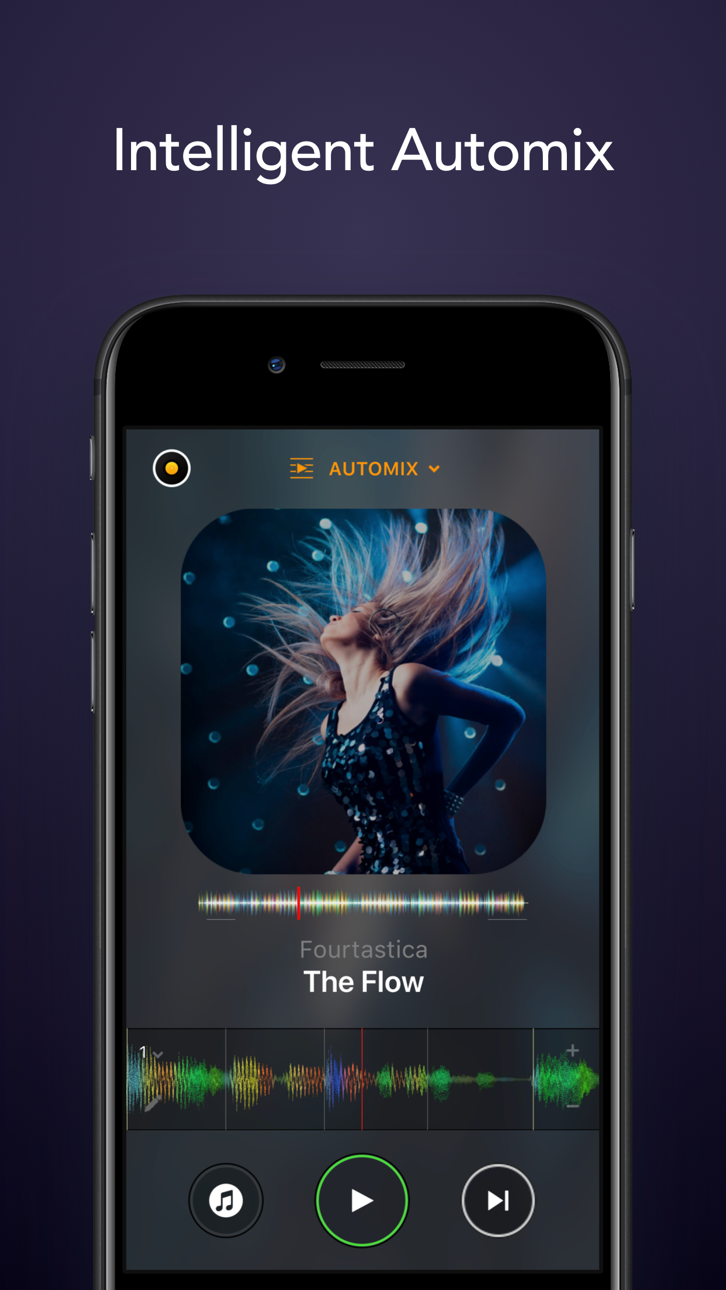
Цей додаток для DJ та AI мікшера розблоковує PRO функції, перетворюючи ваш пристрій iOS на повнофункціональну систему музичної продукції з технологією Neural Mix. Ізолюйте вокал, барабани та інструментальні партії в реальному часі, безперебійно мікшуйте улюблені пісні та виконуйте живе або ввімкніть режим Automix для автоматичного мікшування, все з преміум-доступом через цей Mod IPA.
- PRO → розблоковує преміум функції DJ та продакшену
Цей застосунок також постачається з iGameGod, який надає доступ до Auto Touch для автоматизації повторюваних дій, App Speed Manager для регулювання швидкості гри, редагування значень за допомогою Memory Engine та інших потужних інструментів для iOS-ігор.
Завантажте djay - DJ App & AI Mixer Hack modded IPA за посиланнями вище. Натисніть кнопку встановлення та дотримуйтесь інструкцій, щоб встановити цей хак iOS на iPhone, iPad або Apple Silicon.
Потрібна додаткова допомога? Перегляньте наш Поширені запитання про застосунок iOSGods для детальних відповідей та порад з усунення несправностей.
*** Apple Design Award 获奖者 2024 ***
欢迎来到djay!这是一款获得多项苹果设计奖的#1 DJ应用,现在与Apple Music整合——即刻混音超过1亿首歌曲!
djay将您的iOS设备变成一个功能齐全的DJ系统。它与您的音乐库无缝整合,让您可以混合您最喜爱的歌曲和播放列表。您可以现场表演,混音曲目,或启用Automix模式,让djay自动为您创建无缝混音。无论您是专业DJ还是只是喜欢玩音乐的初学者,djay都能在iOS设备上为您提供最直观而强大的DJ体验。
APPLE MUSIC整合
• 访问超过1亿首歌曲
• Match:基于当前播放歌曲的推荐
• 您的音乐库:您所有的音乐无缝整合
• 立即收听和排行榜整合
• 从djay内部发现新音乐并添加到您的Apple Music音乐库
• 强大的搜索功能,用于Apple Music庞大的音乐目录
高级媒体库
• Apple Music:超过1亿首曲目,您的云端个人音乐库(Apple Music订阅)
• TIDAL:数百万首高品质音效曲目(TIDAL DJ Extension)
• SoundCloud:数百万首地下和高级曲目(SoundCloud Go+)
• Beatport:数百万首电子音乐曲目(Beatport高级订阅)
• Beatsource:数百万首开放格式音乐曲目(Beatsource订阅)
• 文件:无缝访问云端(例如Dropbox)、iOS设备上或外部硬盘上的文件
• 我的收藏:强大的播放列表管理
AUTOMIX
• 自动、节奏匹配的混音
• 队列和播放列表自动化
NEURAL MIX™
• 实时隔离人声、鼓点和乐器(不支持 Apple Music)
音乐制作工具
• 序列器:在您的音乐上现场创建节奏
• 循环器:使用多达48个循环混音您的音乐
• 节奏匹配的鼓点和样本序列化
• 包含数百个循环和样本的广泛内容库
硬件整合
• 与Pioneer DJ、Reloop、Hercules、Numark、Denon DJ等100多种MIDI控制器即插即用整合
• 数字唱片系统(DVS)整合
• 高级MIDI学习,映射任何符合标准的MIDI控制器
• 支持蓝牙音频和MIDI
• 支持多通道USB音频接口和视频输出
强大的音频引擎
• Ableton Link整合
• 流畅的节拍网格
• 高分辨率波形图
为iOS打造
• 通过VoiceOver访问
• 支持Airplay、Live Photos、Apple Watch和iCloud整合
• 触觉反馈、拖放、键盘快捷键
• 多任务处理:支持Slide Over和Split View
可选Pro订阅的顶级功能包括:
• 无限制访问广泛的样本、循环、特效和视觉库
• Neural Mix™
• 采样器和循环器
• 自动混音
• Crossfader特效
• 视频混音
• 音乐可视化
• 单碟模式
• 四碟模式
• 高级媒体库编辑
• 使用耳机预先听歌
• 硬件整合(MIDI控制器、DVS、多通道音频接口)
• 7天免费试用:一周内免费使用所有djay Pro内容和功能,随时取消
可选的PRO订阅允许您一次订阅,并在所有Mac和iOS设备上使用djay Pro,包括访问所有PRO功能以及1000多个循环、样本和视觉效果。
在 djay 中访问来自流媒体服务的歌曲需要支持的流媒体订阅和互联网连接。无法录制流媒体歌曲。使用 Apple Music 流媒体时无法使用 Neural Mix。某些歌曲可能在你的账户或所在国家/地区无法使用。流媒体服务的可用性和价格可能因国家、货币和服务而异。
Знімки екрана © їхніх власників · App Store



iOSGods не пов’язана з Apple Inc., Google LLC або розробниками перелічених тут застосунків, не схвалена та не спонсорується ними. Apple, iOS і App Store — торгові марки Apple Inc. Android і Google Play — торгові марки Google LLC. Усі інші назви застосунків, іконки, зображення й торгові марки належать їхнім власникам.
- iPhone або iPad без джейлбрейку/у заводському стані або з джейлбрейком.
- Sideloadly або альтернативи.
- Комп'ютер під керуванням Windows/macOS/Linux із встановленим iTunes.
КРОК 1: Завантажте попередньо зламаний .IPA-файл за посиланням вище на свій комп'ютер. Щоб завантажити з iOSGods App, перегляньте наш Посібник із завантаження IPA в iOSGods App, який містить відеоприклад.
КРОК 2: Завантажте Sideloadly і встановіть його на своєму Windows або Mac.
КРОК 3: Відкрийте Sideloadly на комп'ютері, підключіть свій iOS-пристрій і зачекайте, поки назва пристрою з'явиться у Sideloadly.
КРОК 4: Коли ваш iDevice буде розпізнано, перетягніть завантажений модифікований .IPA-файл і відпустіть його в застосунок Sideloadly.
КРОК 5: Введіть електронну пошту вашого Apple Account, потім натисніть «Start». Після цього вас попросять ввести пароль. Введіть необхідні дані.
КРОК 6: Зачекайте, доки Sideloadly завершить sideload/встановлення зламаного IPA. Якщо під час встановлення виникнуть проблеми, прочитайте примітку нижче.
КРОК 7: Коли встановлення завершено й ви побачите застосунок на головному екрані, перейдіть до Налаштування → Загальні → Профілі / VPN і керування пристроєм. Там натисніть на електронну пошту, яку ви ввели на кроці 6, а потім натисніть «Довіряти [email protected]».
КРОК 8: Тепер перейдіть на головний екран і відкрийте щойно встановлений застосунок — усе має працювати належним чином. Можливо, доведеться виконати додаткові інструкції для конкретного застосунку в спливаючому вікні хака в грі.
ПРИМІТКА: У iOS/iPadOS 16 і пізніших версіях потрібно увімкнути режим розробника. Для безкоштовних облікових записів Apple Developer цей процес доведеться повторювати кожні 7 днів. Якщо у вас є запитання або проблеми, прочитайте наш розділ FAQ зі Sideloadly у темі.
Game Name iOS Mod IPA is an action adventure game enhanced with powerful gameplay boosts and quality-of-life improvements. Win battles faster, earn rewards quicker, and enjoy uninterrupted play without ads.
- Unlimited Gold - spend freely to unlock premium content
- Damage Multiplier - deal significantly more damage in combat
- Defense Multiplier - take less damage and survive longer
- Reward Multiplier - earn more loot from every battle
- Max Level - instantly reach the highest player rank
- No Ads - play without interruptions or advertisements
This app also comes with iGameGod, giving you access to Auto Touch to automate repetitive tasks, App Speed Manager for adjustable gameplay speed, Memory Engine value editing, and more powerful iOS game tools.
Завантажте Game Name Mod IPA за посиланнями вище. Натисніть кнопку встановлення та дотримуйтесь інструкцій, щоб встановити цей хак iOS на iPhone, iPad або Apple Silicon.
Потрібна додаткова допомога Перегляньте наш Поширені запитання про застосунок iOSGods для детальних відповідей та порад з усунення несправностей.
----------------------------------------------------------
--------------------------------------------------