Accesso richiesto
Accedi con il tuo account iOSGods per continuare.
Accedi con il tuo account iOSGods per continuare.

Questa app DJ e mixer AI con trucchi sblocca le funzioni PRO, trasformando il tuo dispositivo iOS in un sistema completo di produzione musicale con tecnologia Neural Mix. Isola voce, batteria e strumentali in tempo reale, mixxa le tue canzoni preferite senza interruzioni, e esegui dal vivo o abilita la modalità Automix per il missaggio automatico, il tutto con accesso premium tramite questo Mod IPA.
- PRO → sblocca le funzioni premium di DJ e produzione
Questa app include anche iGameGod, che ti offre accesso ad Auto Touch per automatizzare attività ripetitive, App Speed Manager per regolare la velocità di gioco, modifica dei valori con Memory Engine e altri potenti strumenti per giochi iOS.
Scarica djay - DJ App & AI Mixer Hack modded IPA dai link sopra. Tocca il pulsante di installazione e segui le istruzioni per installare questo hack iOS sul tuo iPhone, iPad o Mac con Apple Silicon.
Hai bisogno di altro aiuto? Consulta le nostre Domande frequenti sull'app iOSGods per risposte dettagliate e consigli per la risoluzione dei problemi.
*** Ora con integrazione di Spotify e Apple Music ***
Benvenuto in djay! L’app DJ n.1 e vincitrice di numerosi Apple Design Awards ti permette di iniziare subito a mixare la tua musica preferita. Collega il tuo account Spotify o Apple Music per accedere istantaneamente a milioni di brani e creare i tuoi DJ mix in pochi istanti – direttamente all’interno di djay.
djay trasforma il tuo dispositivo iOS in un sistema DJ completo. Grazie all’integrazione perfetta con la tua libreria musicale, djay ti consente di mixare i tuoi brani e playlist preferiti. Puoi esibirti dal vivo, remixare tracce o attivare la modalità Automix per lasciare che djay crei automaticamente un mix fluido per te. Che tu sia un DJ professionista o un principiante che ama giocare con la musica, djay offre l’esperienza DJ più intuitiva e potente disponibile su un dispositivo iOS.
INTEGRAZIONE SPOTIFY
• Accesso all’intero catalogo musicale di Spotify
• Le tue playlist, le selezioni editoriali e molto altro perfettamente integrati
• Ricerca potente in tutto l’enorme catalogo musicale di Spotify
INTEGRAZIONE APPLE MUSIC
• Accesso a oltre 100 milioni di brani
• La tua libreria: tutta la tua musica perfettamente integrata
• Ricerca avanzata nell’ampio catalogo Apple Music
• Match: consigli basati sul brano riprodotto
• Aggiungi brani e playlist alla tua libreria Apple Music direttamente da djay
LIBRERIA MULTIMEDIA AVANZATA
• Spotify: milioni di brani + le tue playlist (abbonamento Spotify Premium)
• Apple Music: milioni di brani + la tua libreria personale nel cloud (abbonamento Apple Music)
• TIDAL: milioni di brani, video musicali e audio di alta qualità (TIDAL DJ Extension)
• SoundCloud: milioni di brani underground e premium (SoundCloud Go+)
• Beatport: milioni di brani di musica elettronica (abbonamento Beatport Advanced)
• Beatsource: milioni di brani open-format (abbonamento Beatsource)
• File: accesso ai file nel cloud (es. Dropbox), sul dispositivo o su dischi esterni
• My Collection: gestione avanzata delle playlist e modifica dei metadati
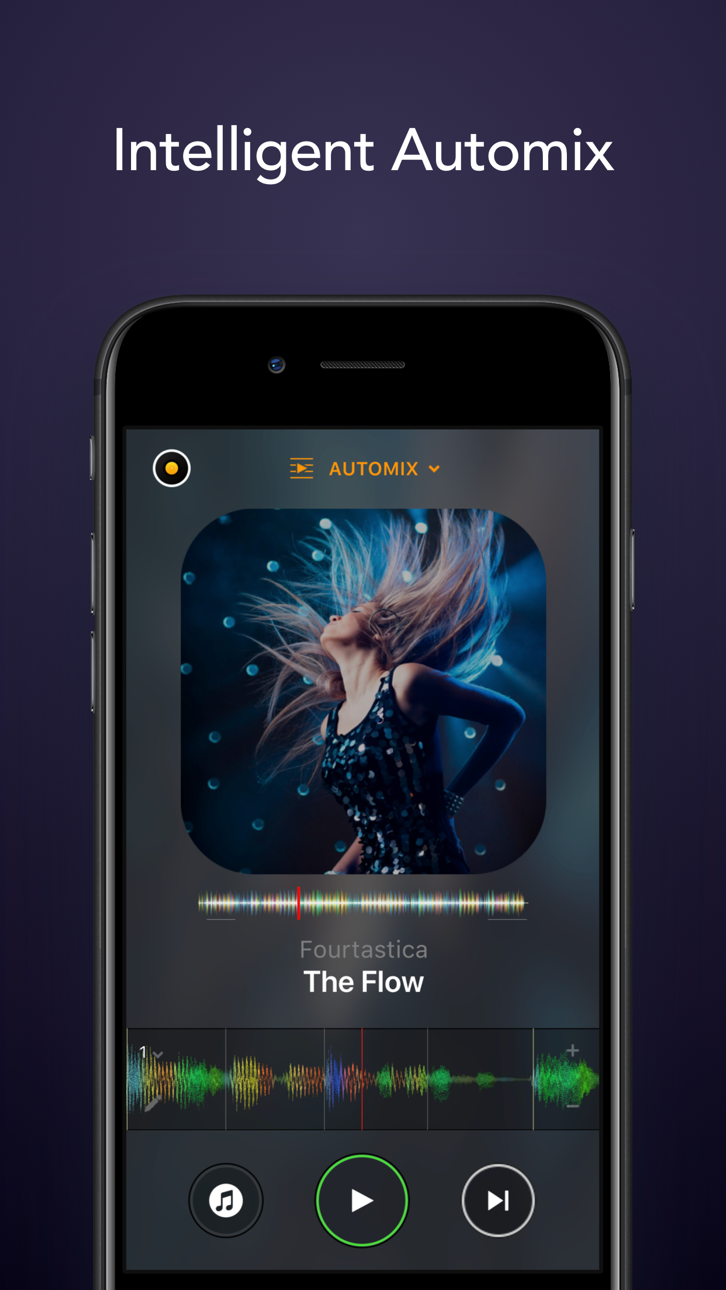
AUTOMIX
• Mix automatici con transizioni beat-matched
• Automazione di code e playlist
NEURAL MIX™
• Isola voci, batterie e strumenti in tempo reale (non disponibile con Apple Music o Spotify)
STRUMENTI DI PRODUZIONE MUSICALE
• Sequencer: crea beat dal vivo sulla tua musica
• Looper: remix live con fino a 48 loop per traccia
• Sequenziamento beat-matched di batterie e campioni
• Ampia libreria con oltre 1000 loop e sample
INTEGRAZIONE HARDWARE
• Integrazione plug-and-play con oltre 100 controller MIDI di Pioneer DJ, AlphaTheta, Reloop, Hercules, Numark, Denon DJ
• Integrazione DVS (Digital Vinyl System)
• Supporto per audio e MIDI Bluetooth
• Supporto per interfacce audio USB multicanale e output video
MOTORE AUDIO POTENTE
• Integrazione Ableton Link
• Mixer, filtri, EQ, isolatore e limiter di alta qualità
• Time-stretching e pitch-shifting avanzati
• Oltre 40 effetti audio integrati
• Registrazione live
ANALISI AUDIO AVANZATA
• Fluid Beat Grid: il sistema di rilevamento beat e sincronizzazione più avanzato al mondo
• Rilevamento della tonalità
• Waveform colorate
• Auto-Gain
OTTIMIZZATO PER iOS
• Accessibile tramite VoiceOver
• Integrazione con AirPlay, Apple Watch e iCloud
L’abbonamento PRO opzionale ti consente di abbonarti una sola volta e utilizzare djay Pro su tutti i tuoi dispositivi Mac e iOS, con accesso a tutte le funzionalità PRO e oltre 1000 loop, sample e visual. Puoi annullare in qualsiasi momento.
Un abbonamento a un servizio di streaming supportato e una connessione a Internet sono necessari per riprodurre brani in streaming in djay. La registrazione non è disponibile per i brani in streaming. Neural Mix non è utilizzabile con lo streaming da Apple Music o Spotify. Alcuni brani potrebbero non essere disponibili nel tuo account o nel tuo Paese. Disponibilità e prezzi dei servizi di streaming possono variare a seconda del Paese e del fornitore.
Screenshot © rispettivi proprietari · App Store



iOSGods non è affiliata, approvata né sponsorizzata da Apple Inc., Google LLC o dagli sviluppatori delle app elencate qui. Apple, iOS e App Store sono marchi di Apple Inc. Android e Google Play sono marchi di Google LLC. Tutti gli altri nomi delle app, icone, immagini e marchi appartengono ai rispettivi proprietari.
- iPhone o iPad non jailbroken/jailed oppure jailbroken.
- Sideloadly o alternative.
- Computer con Windows/macOS/Linux con iTunes installato.
PASSO 1: Scarica il file .IPA pre-modificato dal link sopra sul tuo computer. Per scaricarlo dall'iOSGods App, consulta il nostro Tutorial download IPA dell'iOSGods App, che include un esempio video.
PASSO 2: Scarica Sideloadly e installalo sul tuo Windows o Mac.
PASSO 3: Apri Sideloadly sul tuo computer, collega il tuo dispositivo iOS e attendi finché il nome del dispositivo non appare in Sideloadly.
PASSO 4: Una volta riconosciuto il tuo iDevice, trascina il file .IPA moddato che hai scaricato e rilascialo nell'applicazione Sideloadly.
PASSO 5: Inserisci l'email del tuo Apple Account, poi premi “Start”. Ti verrà quindi chiesto di inserire la password. Procedi e fornisci le informazioni richieste.
PASSO 6: Attendi che Sideloadly completi il sideload/installazione dell'IPA modificata. Se ci sono problemi durante l'installazione, leggi la nota qui sotto.
PASSO 7: Una volta completata l'installazione e vista l'app sulla schermata Home, dovrai andare in Impostazioni → Generali → Profili / Gestione VPN e dispositivi. Una volta lì, tocca l'email inserita al passo 6 e poi tocca “Autorizza [email protected]”.
PASSO 8: Ora vai sulla schermata Home e apri l'app appena installata: tutto dovrebbe funzionare correttamente. Potrebbe essere necessario seguire ulteriori istruzioni specifiche all'interno del popup dell'hack nel gioco.
NOTA: Per iOS/iPadOS 16 e versioni successive, devi attivare la Modalità sviluppatore. Per gli account Apple Developer gratuiti, dovrai ripetere questa procedura ogni 7 giorni. Se hai domande o problemi, leggi la nostra sezione FAQ Sideloadly del topic.
Game Name iOS Mod IPA is an action adventure game enhanced with powerful gameplay boosts and quality-of-life improvements. Win battles faster, earn rewards quicker, and enjoy uninterrupted play without ads.
- Unlimited Gold - spend freely to unlock premium content
- Damage Multiplier - deal significantly more damage in combat
- Defense Multiplier - take less damage and survive longer
- Reward Multiplier - earn more loot from every battle
- Max Level - instantly reach the highest player rank
- No Ads - play without interruptions or advertisements
This app also comes with iGameGod, giving you access to Auto Touch to automate repetitive tasks, App Speed Manager for adjustable gameplay speed, Memory Engine value editing, and more powerful iOS game tools.
Scarica Game Name Mod IPA dai link sopra. Tocca il pulsante di installazione e segui le istruzioni per installare questo hack iOS sul tuo iPhone, iPad o Mac con Apple Silicon.
Hai bisogno di altro aiuto Consulta le nostre Domande frequenti sull'app iOSGods per risposte dettagliate e consigli per la risoluzione dei problemi.
----------------------------------------------------------
--------------------------------------------------