ログインが必要
iOSGodsアカウントでサインインして続けてください。
iOSGodsアカウントでサインインして続けてください。

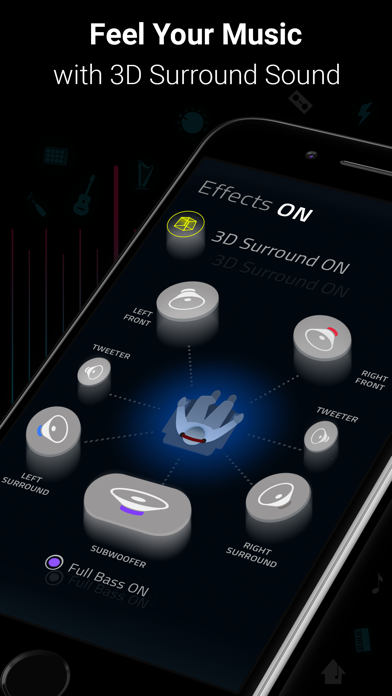
Boomは、ベースブースター、3Dサラウンドサウンド、カスタマイズ可能な16バンドイコライザーであなたのiPhoneのオーディオを変換する音楽プレーヤーおよびイコライザーアプリです。このModded Mod IPAは、プレミアム機能をアンロックし、すべてのハンドクラフトプリセットと高度なサウンドカスタマイズに制限なくアクセスできます。
- プレミアムアンロック → すべての機能とプリセットが利用可能
このアプリにはiGameGodも搭載されており、繰り返し作業を自動化するAuto Touch、ゲーム速度を調整できるApp Speed Manager、Memory Engineによる値の編集など、強力なiOSゲーム用ツールをご利用いただけます。
Boom: Music Player & Equalizer Modded modded IPAを上のリンクからダウンロードします。インストールボタンをタップし、画面の指示に従ってiPhone、iPad、Apple SiliconにこのiOSアプリハックをインストールします。
さらにヘルプが必要ですか? 詳しい回答とトラブルシューティングはiOSGodsアプリ よくある質問をご覧ください。
10 MILLION+ DOWNLOADS
La mejor aplicación de Realzador de graves y ecualizador para su iPhone: la Aplicación Boom redefine la forma en que escucha música con el Realzador de graves, un ecualizador de 16 bandas personalizadas y ajustes prestablecidos artesanalmente. También puede experimentar la magia del sonido envolvente en 3D y sentir como sus ritmos cobran vida en cualquier auricular.
Características de Boom:
- Sonido envolvente en 3D: Tecnología pendiente de patente, audio sorprendente en cualquier auricular.
- Realzador de graves: Amplifique su música y sienta como cada ritmo cobra vida
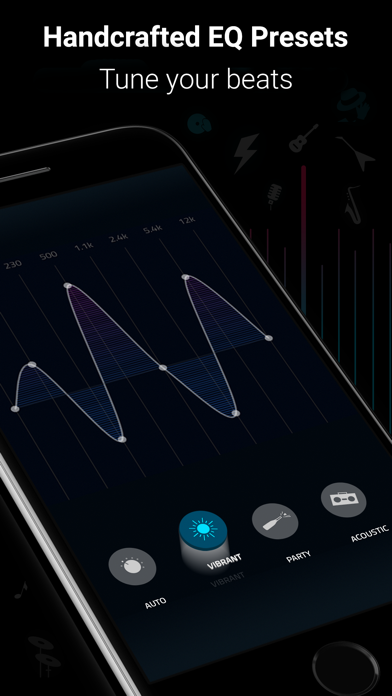
-29 ajustes prestablecidos artesanalmente de ecualizador: Dubstep, pop y muchos más ajustes prestablecidos.
- Ecualizador personalizado de 16 bandas: Personalice su propio Ecualizador para disfrutar de toda su música a su manera
-Transmita TIDAL con Boom: Una experiencia de escucha increíble de los servicio de transmisión líderes.
-Transmita las Estaciones de Radio 40K y Podcast de todo el mundo: Producción de audio mejorada en sus estaciones favoritas
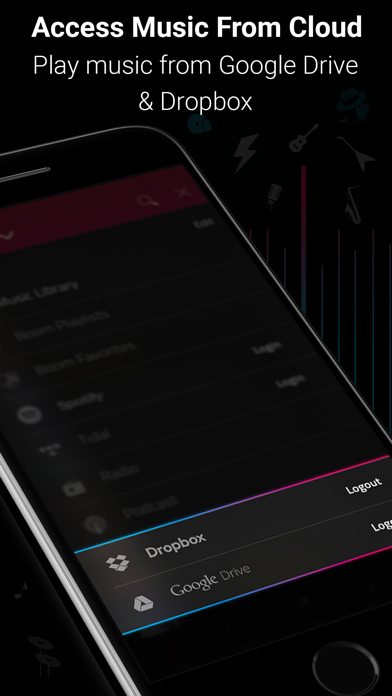
- Acceso a la biblioteca múltiple: ¡Acceda a música en su teléfono y también a música guardada en su Dropbox y Google Drive!
- Soporte de archivos - Para acceder a canciones almacenadas en su teléfono u otros servicios de almacenamiento en la nube tales como OneDrive.
- Hermosa interfaz de fácil uso: Interfaz clara, mínima y fácil de usar
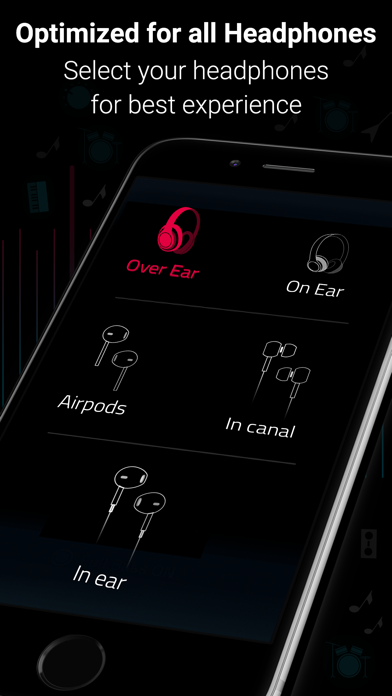
- Realza todos los auriculares: Disfrute de una experiencia de escucha sorprendente en cualquier auricular
- Soporte de CarPlay - ¡Acceso a su música en un sistema de infoentretenimiento compatible con CarPlay cuando se conecta su teléfono!
Detalles de la suscripción:
Puede disfrutar de Boom de modo gratuito con su versión de prueba de 7 días. Obtenga acceso irrestricto a todas las características y viva la experiencia de la magia de una reproducción de audio dinámica de modo gratuito.
• Se le cobrará a su tarjeta de crédito a través de su Cuenta iTunes después de la confirmación de la compra.
• La renovación ocurrirá automáticamente a menos que esté desactivada la renovación automática 24 horas antes del final del periodo actual.
• Se le cobrará a su Cuenta de iTunes por la renovación dentro de un periodo de 24 horas previo a la finalización del periodo actual.
• Puede gestionar sus suscripciones y puede desactivar la renovación automática en la Configuración de la Cuenta de iTunes después de la compra.
• No se permite una cancelación durante un periodo de suscripción activo.
• Se perderá cualquier porción no usada del periodo de prueba gratis cuando compre una suscripción.
Revisiones de Boom:
“Con una interfaz elegante y fácil de usar, Boom: El reproductor de música con Sonido Envolvente mágico le permite liberar su música de ese sentimiento comprimido, con una vida nueva en cada matiz de sus pistas favoritas: como pretenden los artistas. Esta aplicación se jacta de una gama de características para brindarle esa magia, incluyendo una configuración de Sonido en 3D alucinante, ecualizadores y efectos de intensidad de audio diseñados para funcionar con cualquier auricular. Una vez que haya escuchado sus pistas más selectas en Boom, no habrá forma de volver atrás”.
– Editor de la App Store.
Política de privacidad y Términos de servicio de Boom: https://www.globaldelight.com/boomformobile/ios/privacypolicy.php?lang=en
*** Si tiene una Mac, pruebe Boom 3D para un Sonido envolvente increíble en su Mac App Store en http://apple.co/1Vjj4XR **
- 脱獄/Jailed済みまたは脱獄済みのiPhoneまたはiPad。
- Sideloadlyまたは代替手段。
- iTunesがインストールされているWindows/macOS/Linuxを実行しているコンピュータ。
ステップ1: 上のリンクから事前にハックされた.IPAファイルをコンピュータにダウンロードします。iOSGodsアプリからダウンロードする方法は、ビデオ例付きのiOSGodsアプリIPAダウンロードチュートリアルをご覧ください。
ステップ2: SideloadlyをダウンロードしてWindowsまたはMacにインストールします。
ステップ3: コンピュータでSideloadlyを開き、iOSデバイスを接続して、デバイス名がSideloadlyに表示されるまで待ちます。
ステップ4: iDeviceが認識されたら、ダウンロードしたModされた.IPAファイルをSideloadlyアプリにドラッグ&ドロップします。
ステップ5: Apple Accountのメールアドレスを入力し、「Start」を押します。次にパスワードの入力を求められます。必要な情報を入力してください。
ステップ6: Sideloadlyがハックされたipaのサイドロード/インストールを完了するのを待ちます。インストール中に問題が発生した場合は、以下の注意事項をお読みください。
ステップ7: インストールが完了し、ホーム画面にアプリが表示されたら、設定 → 一般 → プロファイル / VPNとデバイス管理に移動する必要があります。そこで、ステップ6で入力したメールをタップし、「Trust [email protected]」をタップします。
ステップ8: ホーム画面に戻り、新しくインストールされたアプリを開けば、すべて正常に動作するはずです。ゲーム内のハックのポップアップで、アプリごとの追加指示に従う必要がある場合があります。
注意: iOS/iPadOS 16以降では、デベロッパモードを有効にするが必要です。無料のApple Developerアカウントの場合、このプロセスを7日ごとに繰り返す必要があります。質問や問題がある場合は、トピックのSideloadly FAQセクションをお読みください。