ログインが必要
iOSGodsアカウントでサインインして続けてください。
iOSGodsアカウントでサインインして続けてください。

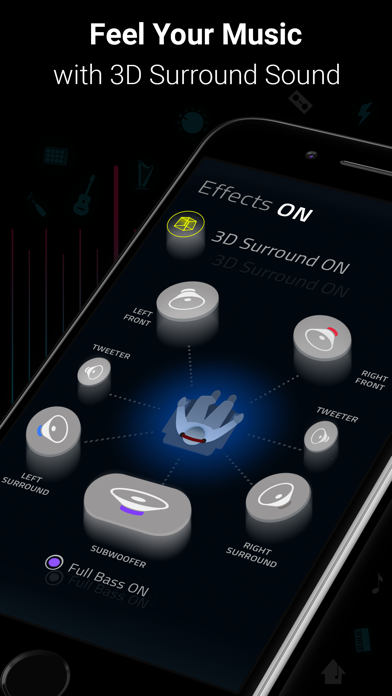
Boomは、ベースブースター、3Dサラウンドサウンド、カスタマイズ可能な16バンドイコライザーであなたのiPhoneのオーディオを変換する音楽プレーヤーおよびイコライザーアプリです。このModded Mod IPAは、プレミアム機能をアンロックし、すべてのハンドクラフトプリセットと高度なサウンドカスタマイズに制限なくアクセスできます。
- プレミアムアンロック → すべての機能とプリセットが利用可能
このアプリにはiGameGodも搭載されており、繰り返し作業を自動化するAuto Touch、ゲーム速度を調整できるApp Speed Manager、Memory Engineによる値の編集など、強力なiOSゲーム用ツールをご利用いただけます。
Boom: Music Player & Equalizer Modded modded IPAを上のリンクからダウンロードします。インストールボタンをタップし、画面の指示に従ってiPhone、iPad、Apple SiliconにこのiOSアプリハックをインストールします。
さらにヘルプが必要ですか? 詳しい回答とトラブルシューティングはiOSGodsアプリ よくある質問をご覧ください。
10 MILLION+ DOWNLOADS
Best Bass Booster and Equalizer App for your iPhone - The Boom App redefines the way you listen to music with Bass booster, a customizable 16-band equalizer, headphone equalization & handcrafted presets. You can also experience the magic of 3D surround sound and feel your tunes come to life on any headphones.
Boomin’ Features:
• 3D Surround Sound: Patented technology, amazing audio on any headphones.
• Bass Booster: Amp-up your music and feel every beat come to life
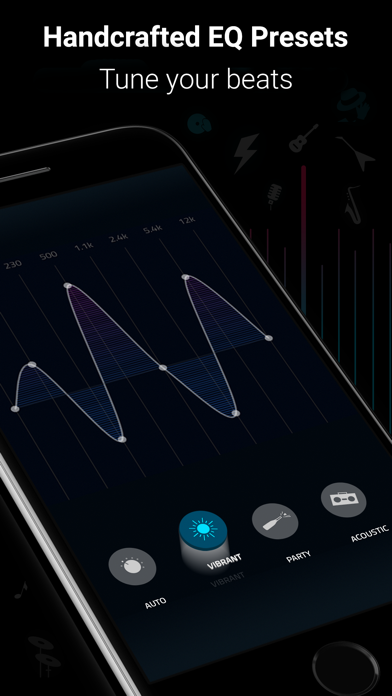
• 29 Handcrafted EQ Presets: Dubstep, pop & many more presets.
• 8 or 16-band Custom Equalizer: Craft your own Equalizer to enjoy your music in your way
• TIDAL with Boom: Incredible listening experience from the leading streaming service.
• Stream 40K Radio Stations and Podcast Worldwide: Improved audio output on your favorite stations
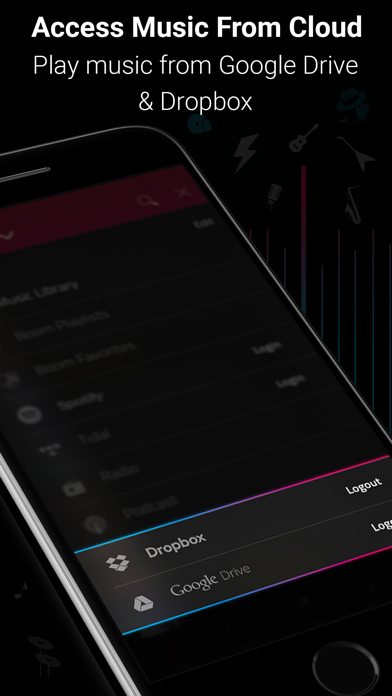
• Multiple Library Access: Access phone music and music stored on Dropbox & Google Drive too!
• Files support - To access songs stored on your phone or other cloud storage services such as OneDrive.
• Beautiful, User-Friendly Interface: Clean, minimal and easy to use interface
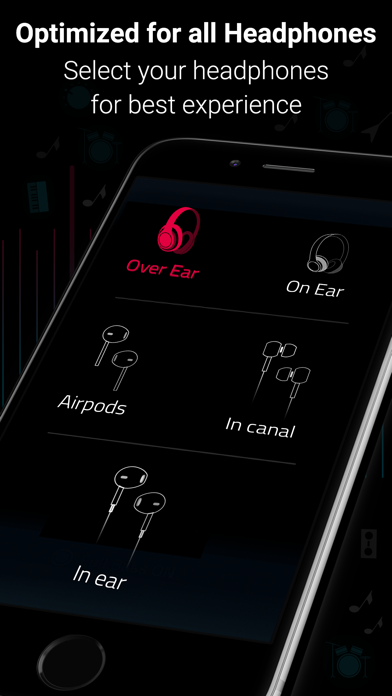
• Enhances All Headphones: Get an amazing listening experience on any headphones
• CarPlay Support - Access your music on a CarPlay compatible infotainment system when your phone is connected!
• Support for the automatic headphone equalization of over 5000 models of headphones. This will automatically compensate for imperfections in the headphones’ sound reproduction.
Subscription Details:
You can enjoy Boom for free with our 7-day trial version. Get unrestricted access to all features and experience the magic of vibrant audio output for free.
• Your credit card will be charged through your iTunes Account after the purchase confirmation.
• Automatic renewal unless auto-renew is turned off 24-hours before the end of the current period.
• iTunes Account will be charged for renewal within 24-hours prior to the end of the current period.
• You can manage your subscriptions and you may turn off the auto-renewal by going to your App Store Settings after purchase.
• No cancellation is allowed during an active subscription period.
• Any unused portion of a free trial period will be forfeited when you purchase a subscription.
Boomin’ reviews:
“With a sleek and easy-to-use interface, Boom: Music Player with Magical Surround Sound lets you free your music of that compressed feel, breathing new life into every nuance of your favorite tracks — just the way the artists intended. This app boasts a range of features to deliver that edge, including a mind-blowing 3D Surround setting, equalizers and audio intensity effects designed to work with any headphones. Once you’ve heard your choicest tracks on Boom, there’ll be no going back.”
– App Store Editor.
*** If you have a Mac, do check out Boom 3D for incredible 3D Surround Sound on the Mac App Store at http://apple.co/1Vjj4XR **
Boom Privacy Policy and Terms of Service: https://www.globaldelight.com/boomformobile/ios/privacypolicy.php?lang=en
- 脱獄/Jailed済みまたは脱獄済みのiPhoneまたはiPad。
- Sideloadlyまたは代替手段。
- iTunesがインストールされているWindows/macOS/Linuxを実行しているコンピュータ。
ステップ1: 上のリンクから事前にハックされた.IPAファイルをコンピュータにダウンロードします。iOSGodsアプリからダウンロードする方法は、ビデオ例付きのiOSGodsアプリIPAダウンロードチュートリアルをご覧ください。
ステップ2: SideloadlyをダウンロードしてWindowsまたはMacにインストールします。
ステップ3: コンピュータでSideloadlyを開き、iOSデバイスを接続して、デバイス名がSideloadlyに表示されるまで待ちます。
ステップ4: iDeviceが認識されたら、ダウンロードしたModされた.IPAファイルをSideloadlyアプリにドラッグ&ドロップします。
ステップ5: Apple Accountのメールアドレスを入力し、「Start」を押します。次にパスワードの入力を求められます。必要な情報を入力してください。
ステップ6: Sideloadlyがハックされたipaのサイドロード/インストールを完了するのを待ちます。インストール中に問題が発生した場合は、以下の注意事項をお読みください。
ステップ7: インストールが完了し、ホーム画面にアプリが表示されたら、設定 → 一般 → プロファイル / VPNとデバイス管理に移動する必要があります。そこで、ステップ6で入力したメールをタップし、「Trust [email protected]」をタップします。
ステップ8: ホーム画面に戻り、新しくインストールされたアプリを開けば、すべて正常に動作するはずです。ゲーム内のハックのポップアップで、アプリごとの追加指示に従う必要がある場合があります。
注意: iOS/iPadOS 16以降では、デベロッパモードを有効にするが必要です。無料のApple Developerアカウントの場合、このプロセスを7日ごとに繰り返す必要があります。質問や問題がある場合は、トピックのSideloadly FAQセクションをお読みください。