ログインが必要
iOSGodsアカウントでサインインして続けてください。
iOSGodsアカウントでサインインして続けてください。
Boomは、ベースブースター、3Dサラウンドサウンド、カスタマイズ可能な16バンドイコライザーであなたのiPhoneのオーディオを変換する音楽プレーヤーおよびイコライザーアプリです。このModded Mod IPAは、プレミアム機能をアンロックし、すべてのハンドクラフトプリセットと高度なサウンドカスタマイズに制限なくアクセスできます。
- プレミアムアンロック → すべての機能とプリセットが利用可能
このアプリにはiGameGodも搭載されており、繰り返し作業を自動化するAuto Touch、ゲーム速度を調整できるApp Speed Manager、Memory Engineによる値の編集など、強力なiOSゲーム用ツールをご利用いただけます。
Boom: Music Player & Equalizer Modded modded IPAを上のリンクからダウンロードします。インストールボタンをタップし、画面の指示に従ってiPhone、iPad、Apple SiliconにこのiOSアプリハックをインストールします。
さらにヘルプが必要ですか? 詳しい回答とトラブルシューティングはiOSGodsアプリ よくある質問をご覧ください。
18 MILLION+ DOWNLOADS
O melhor App Bass Booster e Equalizador para o seu iPhone- O App Boom redefine a sua maneira de ouvir músicas com o Bass Booster, um equalizador customizável de 16 bandas e predefinições manuais. Você pode também experimentar a magia do som 3D surround e sentir suas músicas ganhando vida com qualquer fone de ouvido.
Recursos do Boom:
- Som 3D Surround: Tecnologia com patente requerida, áudio incrível em qualquer fone de ouvido.
- Bass Booster: Intensifique suas músicas e sinta cada batida ganhar vida
-29 predefinições de EQ manuais: Dubstep, pop e muitas outras predefinições.
- Equalizador customizável de 16 bandas: Crie seu próprio equalizador para curtir sua música do seu jeito
- Reproduza TIDAL com Boom: Incrível experiência auditiva nos principais serviço de streaming.
- Reproduza mais de 40 mil estações de rádio e podcast de todo o mundo: Saída de áudio aprimorada em suas estações favoritas
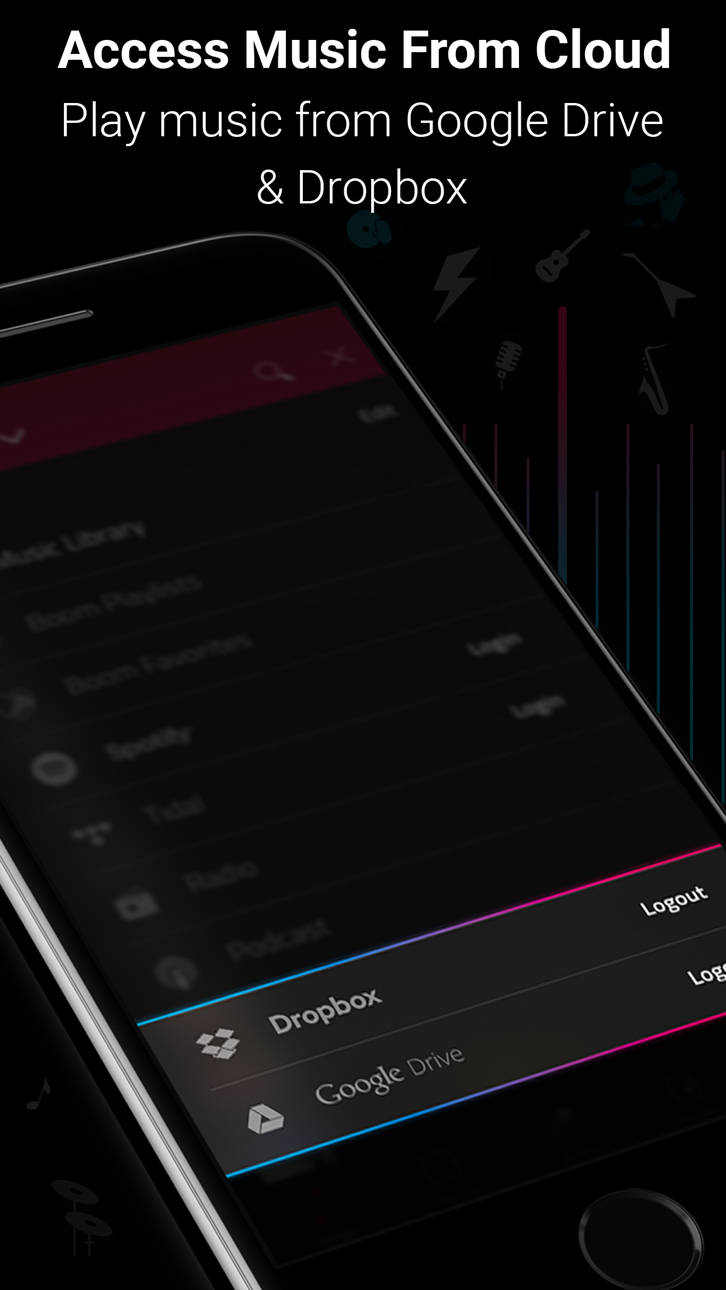
- Acesso a múltiplas bibliotecas: Acesse músicas do telefone e as armazenadas no Dropbox e no Google Drive também!
- Suporte a arquivos - Para acessar músicas armazenadas em seu telefone ou outros serviços de armazenamento em nuvem, como OneDrive.
- Interface bonita e amigável: Interface limpa, simples e fácil de usar
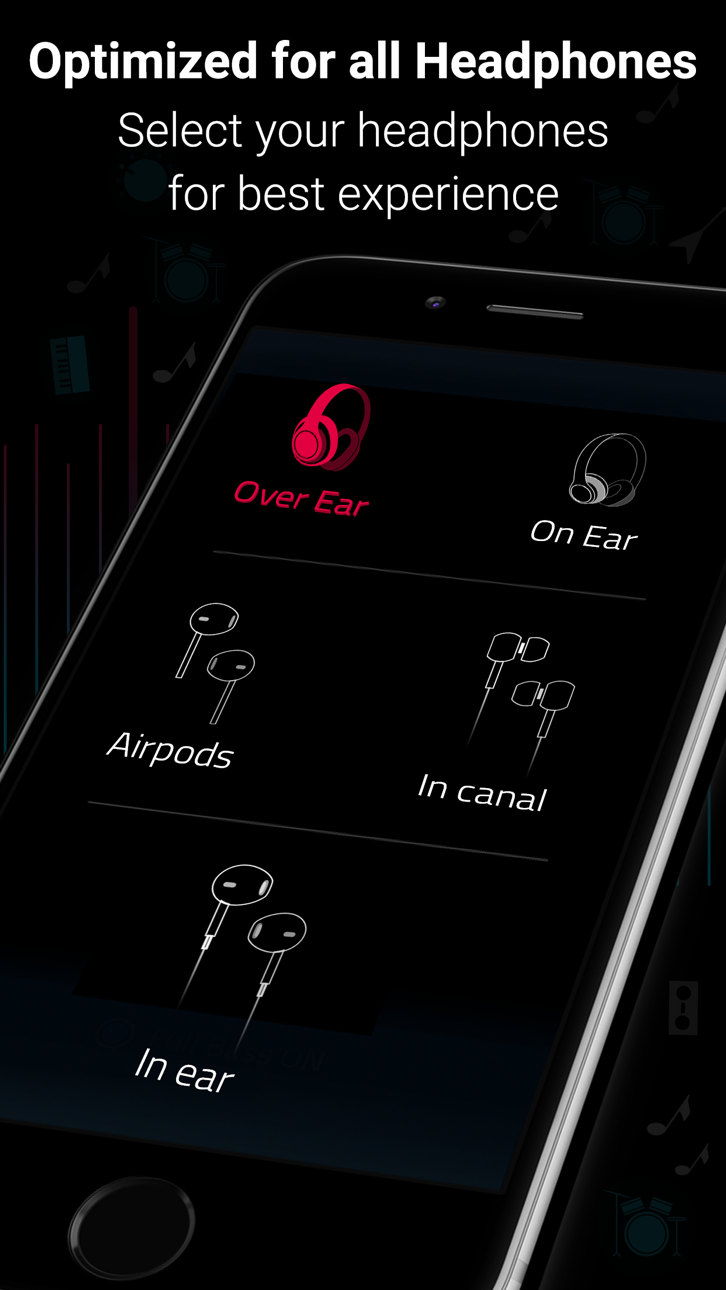
- Otimiza todos os fones de ouvido: Tenha uma experiência auditiva incrível com qualquer fone de ouvido
- Suporte para CarPlay - Acesse sua música em um sistema de entretenimento e informações compatível com CarPlay quando seu telefone estiver conectado!
Detalhes da assinatura:
Você pode desfrutar do Boom gratuitamente com o nosso período de teste de 7 dias. Obtenha acesso ilimitado a todos os recursos e experimente gratuitamente a magia de uma saída de áudio vibrante.
• O seu cartão de crédito será cobrado através da sua conta do iTunes após a confirmação da compra.
• Renovação automática, a menos que a renovação automática seja desativada pelo menos 24 horas antes do final do período vigente.
• A conta do iTunes será cobrada para efetuar a renovação dentro de 24 horas antes do final do período vigente.
• Você pode gerenciar suas assinaturas e desativar a renovação automática acessando as configurações da conta iTunes após a compra.
• O cancelamento da assinatura vigente não é permitido durante o período de assinatura ativo.
• Todo o tempo não utilizado do período de teste gratuito será perdido quando você comprar uma assinatura.
Comentários sobre o Boom:
“Com uma interface elegante e fácil de usar, o Boom: um player de música com um som surround mágico, permite que você liberte sua música daquela sensação de compactação, dando nova vida a todas as nuances de suas faixas favoritas - exatamente como os artistas as conceberam. Este aplicativo possui uma gama de recursos para oferecer essa vantagem, incluindo a configuração de equalizadores 3D Surround e efeitos de intensidade de áudio projetados para funcionar com qualquer fone de ouvido. Quando você ouvir suas melhores faixas no Boom, não haverá como voltar atrás ”
– Editor da App Store.
Política de Privacidade e Termos de Serviço do Boom: https://www.globaldelight.com/boomformobile/ios/privacypolicy.php?lang=en
*** Se você tem um Mac, confira o Boom 3D para um incrível Som 3D Surround na Mac App Store em http://apple.co/1Vjj4XR **
スクリーンショット © 各権利者 · App Store


iOSGods は Apple Inc.、Google LLC、および掲載アプリの開発者と提携しておらず、承認や協賛も受けていません。Apple、iOS、App Store は Apple Inc. の商標です。Android および Google Play は Google LLC の商標です。その他のアプリ名、アイコン、画像、商標はすべて各権利者に帰属します。

- 脱獄/Jailed済みまたは脱獄済みのiPhoneまたはiPad。
- Sideloadlyまたは代替手段。
- iTunesがインストールされているWindows/macOS/Linuxを実行しているコンピュータ。
ステップ1: 上のリンクから事前にハックされた.IPAファイルをコンピュータにダウンロードします。iOSGodsアプリからダウンロードする方法は、ビデオ例付きのiOSGodsアプリIPAダウンロードチュートリアルをご覧ください。
ステップ2: SideloadlyをダウンロードしてWindowsまたはMacにインストールします。
ステップ3: コンピュータでSideloadlyを開き、iOSデバイスを接続して、デバイス名がSideloadlyに表示されるまで待ちます。
ステップ4: iDeviceが認識されたら、ダウンロードしたModされた.IPAファイルをSideloadlyアプリにドラッグ&ドロップします。
ステップ5: Apple Accountのメールアドレスを入力し、「Start」を押します。次にパスワードの入力を求められます。必要な情報を入力してください。
ステップ6: Sideloadlyがハックされたipaのサイドロード/インストールを完了するのを待ちます。インストール中に問題が発生した場合は、以下の注意事項をお読みください。
ステップ7: インストールが完了し、ホーム画面にアプリが表示されたら、設定 → 一般 → プロファイル / VPNとデバイス管理に移動する必要があります。そこで、ステップ6で入力したメールをタップし、「Trust [email protected]」をタップします。
ステップ8: ホーム画面に戻り、新しくインストールされたアプリを開けば、すべて正常に動作するはずです。ゲーム内のハックのポップアップで、アプリごとの追加指示に従う必要がある場合があります。
注意: iOS/iPadOS 16以降では、デベロッパモードを有効にするが必要です。無料のApple Developerアカウントの場合、このプロセスを7日ごとに繰り返す必要があります。質問や問題がある場合は、トピックのSideloadly FAQセクションをお読みください。
Game Name iOS Mod IPA is an action adventure game enhanced with powerful gameplay boosts and quality-of-life improvements. Win battles faster, earn rewards quicker, and enjoy uninterrupted play without ads.
- Unlimited Gold - spend freely to unlock premium content
- Damage Multiplier - deal significantly more damage in combat
- Defense Multiplier - take less damage and survive longer
- Reward Multiplier - earn more loot from every battle
- Max Level - instantly reach the highest player rank
- No Ads - play without interruptions or advertisements
This app also comes with iGameGod, giving you access to Auto Touch to automate repetitive tasks, App Speed Manager for adjustable gameplay speed, Memory Engine value editing, and more powerful iOS game tools.
Game Name Mod IPAを上のリンクからダウンロードします。インストールボタンをタップし、画面の指示に従ってiPhone、iPad、Apple SiliconにこのiOSアプリハックをインストールします。
さらにヘルプが必要ですか 詳しい回答とトラブルシューティングはiOSGodsアプリ よくある質問をご覧ください。
----------------------------------------------------------
--------------------------------------------------