需要登入
請使用您的 iOSGods 帳戶登入以繼續。
請使用您的 iOSGods 帳戶登入以繼續。
Original IPA; non-modified.
從上方連結下載 Subnautica: Below Zero Original IPA modded IPA。點選安裝按鈕並依照畫面指示在 iPhone、iPad 或 Apple Silicon 上安裝此 iOS 應用程式修改版。
需要更多協助?請查看我們的 iOSGods 應用程式常見問題 以獲得詳細解答與疑難排解。
*在購買《冰點之下》之前,請先確認您的裝置是否支援!*
《冰點之下》是《深海迷航》的全新篇章。這款開放世界水下生存遊戲的舞台設於一顆充滿未知海洋的異星行星。
潛入行星 4546B 冰封的極地海域,展開一場全新的零下探險。在墜毀迫降後,你將深入刺骨寒水,尋找關於你姊姊失蹤的真相……
探索前所未見的生態區、奇異生物、全新挑戰與劇情!《冰點之下》擴展了《深海迷航》的宇宙,帶你潛得更深,揭開更多隱藏於深海之下的冒險與謎團。
特色
揭開真相 - 那些曾經來過這裡的外星人是誰?他們為什麼會出現在這顆星球上?你的姊姊究竟發生了什麼事?而當真相大白之後,是否能讓你走出失去她的陰影?
挺過冰寒 - 這片極地的冰凍氣候帶來前所未有的挑戰。製作保暖的寒地裝備、啜飲熱騰騰的咖啡,或靠近熱能百合取暖,讓自己在嚴寒中維持生命。
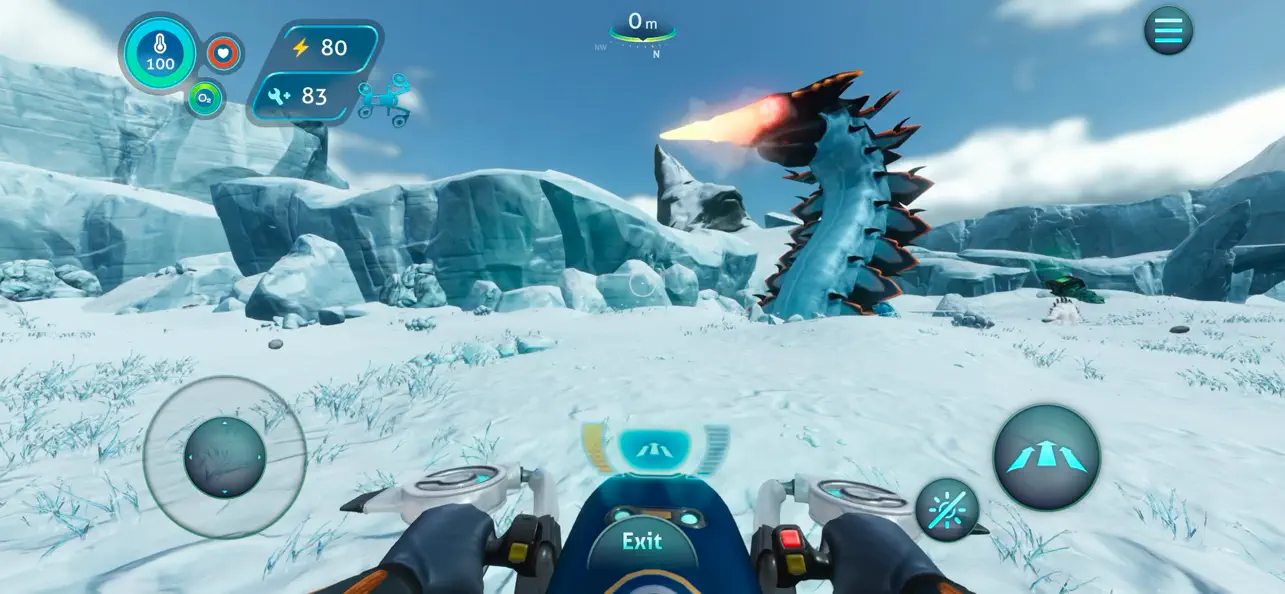
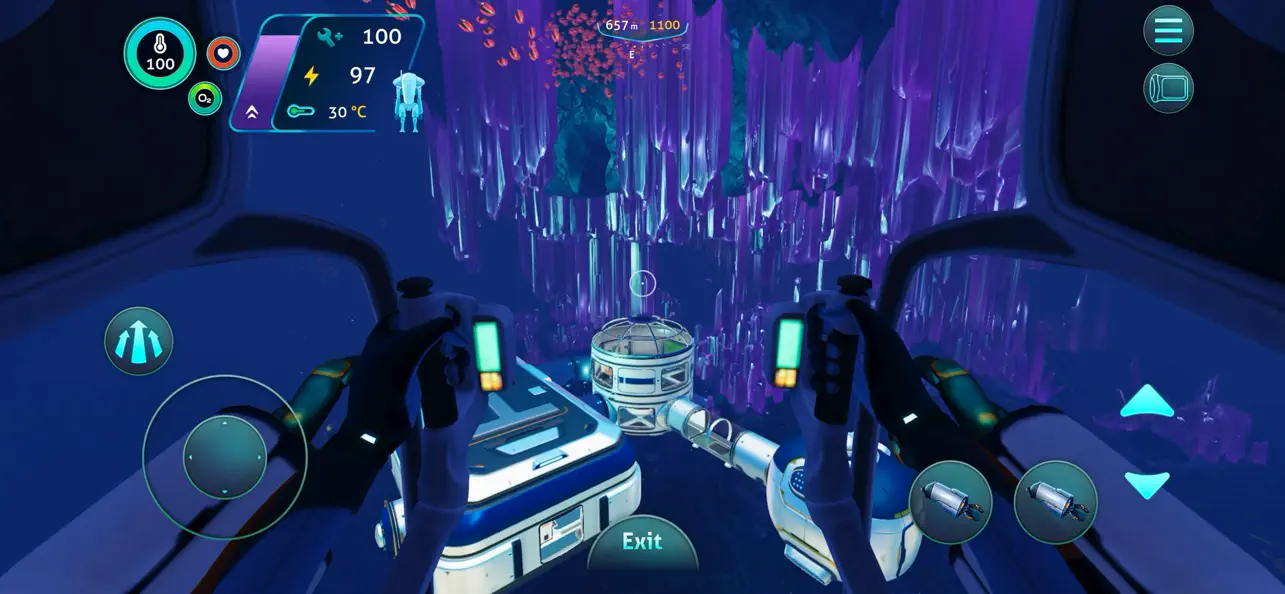
自造生存之道 - 透過建造基地、蒐集資源與製作裝備,在這嚴酷環境中開創你的生存之路。駕駛雪狐號懸浮車馳騁於冰雪苔原,或乘坐可自由組裝的海蛟號,探索危機四伏卻令人驚嘆的生態區。
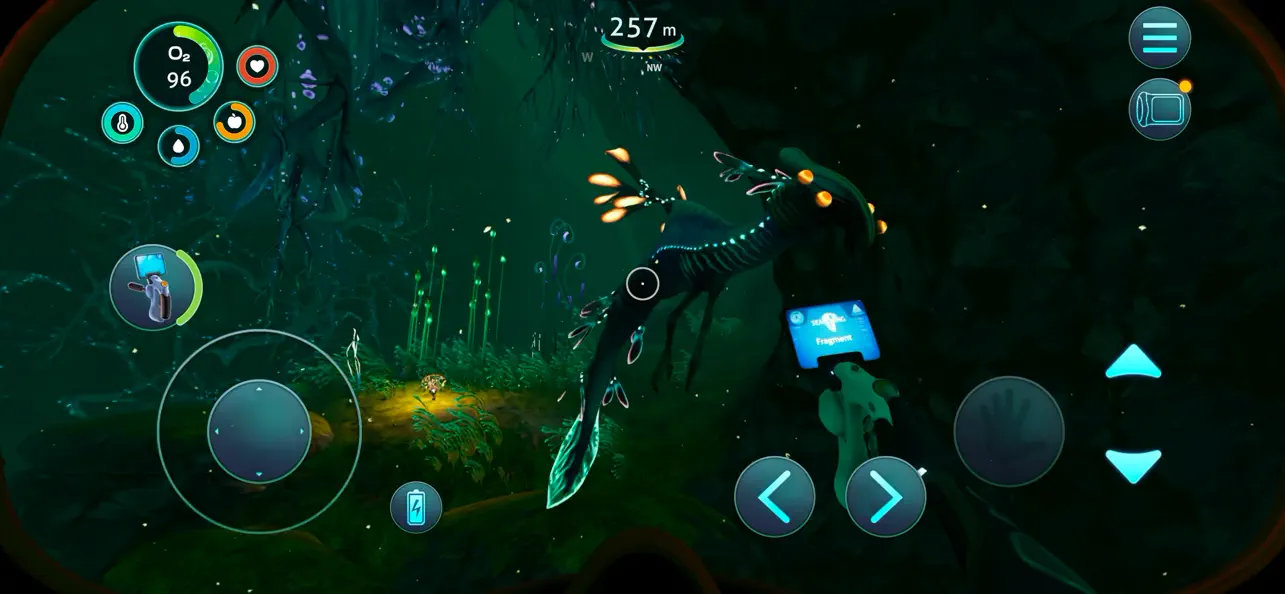
探索這顆行星 - 潛入閃耀藍光的扭曲之橋深處、被水晶洞的奇幻景象吸引,進入冰川盆地的冰凍洞穴,或在噴發的地殼裂縫間穿梭,尋找遠古外星遺跡的蹤跡。
遭遇未知生物 - 未知的生命潛伏在每個角落。穿越龐大的泰坦洞洞魚、面對詭譎的暗影利維坦,或與可愛的企鵝相遇。但要時刻保持警覺,這個陌生的世界,並非所有生物都是友善無害。
專為行動裝置精心打造
- 全新操作介面:支援完整觸控的專屬手機 UI
- Game Center 成就系統
- 雲端存檔:支援 iOS 裝置間進度同步
- 針對 iPhone 17(含 Pro Max)全面優化
-----
*不支援的裝置 (遊戲無法運作)*:
- iPhone Xr, iPhone SE Gen 2 (2020)
- iPad Mini Gen 5, iPad Air Gen 3, iPad Gen 8, iPad Gen 9
*僅支援低解析度的裝置*:
- iPhone Xs, iPhone Xs Max, iPhone 11, iPhone 11 Pro, iPhone 11 Pro Max, iPhone 12, iPhone 12 Mini, iPhone 13, iPhone 13 Mini, iPhone SE Gen 3 (2022)
- iPad Pro 10.5"", iPad Mini Gen 6, iPad Air Gen 4, iPad Gen 10, iPad Pro 11"" Gen 1, iPad Pro 12.9"" Gen 3
*完全支援的裝置*:
- iPhone 12 Pro, iPhone 12 Pro Max, iPhone 13 Pro, iPhone 13 Pro Max, iPhone 14 及以上
- iPad Pro 11"" Gen 2, iPad Pro 12.9"" Gen 4, iPad Air Gen 5, iPad Pro 11"" Gen 3, iPad Pro 11"" Gen 4, iPad Pro 12.9"" Gen 5, iPad Pro 12.9"" Gen 6 及以上

- 未越獄/受限或已越獄的 iPhone 或 iPad。
- Sideloadly 或替代方案。
- 執行 Windows/macOS/Linux 且已安裝 iTunes 的電腦。
步驟 1: 透過上方連結將已破解的 .IPA 檔案下載到您的電腦。若要從 iOSGods App 下載,請參閱我們的 iOSGods App IPA 下載教學,其中包含影片範例。
步驟 2: 下載 Sideloadly 並將其安裝在您的 Windows 或 Mac 上。
步驟 3: 在電腦上開啟 Sideloadly,連接您的 iOS 裝置,並等待裝置名稱出現在 Sideloadly 中。
步驟 4: 當 Sideloadly 辨識到您的 iOS 裝置後,將下載好的修改版 .IPA 檔案拖曳並放到 Sideloadly 應用程式中。
步驟 5: 輸入您的 Apple Account 電子郵件,然後按下「Start」。系統會要求您輸入密碼,請依指示提供所需資訊。
步驟 6: 等待 Sideloadly 完成已破解 IPA 的旁載/安裝。如果安裝過程中發生問題,請閱讀下方的注意事項。
步驟 7: 安裝完成並在主畫面上看到該應用程式後,您需要前往 設定 → 一般 → 描述檔 / VPN 與裝置管理。進入後,點選您在步驟 6 中輸入的電子郵件,然後點選「信任 [email protected]」。
步驟 8: 現在回到主畫面並開啟新安裝的應用程式,一切應該都能正常運作。您可能需要依照遊戲內破解彈出視窗中的進一步指示操作。
注意: 在 iOS/iPadOS 16 及更新版本上,您必須 啟用開發者模式。若使用免費的 Apple Developer 帳號,您將需要每 7 天重複此程序。如有任何疑問或問題,請閱讀我們的 主題中的 Sideloadly 常見問題區段。


![Virtual Villagers 7 iOS Mod IPA [ Cheats Menu ]](https://is1-ssl.mzstatic.com/image/thumb/Purple221/v4/f1/73/db/f173db9a-cf5b-bedb-7f93-33f7469f8157/AppIcon-0-0-1x_U007emarketing-0-8-0-85-220.png/100x100bb.jpg)


