Anmeldung erforderlich
Melde dich mit deinem iOSGods-Konto an, um fortzufahren.
Melde dich mit deinem iOSGods-Konto an, um fortzufahren.

Laden Sie die originale, unveränderte Subnautica: Below Zero IPA für iOS herunter, das authentische Unterwasser-Überlebenserlebnis auf einem außerirdischen Ozeanplaneten. Tauchen Sie ein in eine völlig neue, eiskalte Expedition durch gefrorene Gewässer und arktische Biome des Planeten 4546B. Nach einer Notlandung untersuchen Sie, was mit Ihrer Schwester geschah, während Sie neue Kreaturen, Herausforderungen und Story-Geheimnisse entdecken, die das Subnautica-Universum erweitern.
Lade Subnautica: Below Zero Original IPA modded IPA über die obigen Links herunter. Tippe auf den Installations-Button und folge den Anweisungen, um diese iOS-App auf deinem iPhone, iPad oder Apple Silicon zu installieren.
Brauchst du mehr Hilfe? In unseren iOSGods App häufig gestellten Fragen findest du ausführliche Antworten und Tipps zur Fehlerbehebung.
*Please make sure your device is supported before purchasing Below Zero!*
Below Zero is the next chapter of Subnautica, the underwater survival open world set on an alien ocean planet.
Submerge yourself in an all-new, sub-zero expedition in an arctic region of Planet 4546B. After crash landing planetside, set out into frigid waters to investigate what happened to your sister...
Discover new biomes, creatures, challenges and story! Below Zero expands the Subnautica universe, diving deeper into the adventure and mysteries introduced in the original game.
FEATURES
UNCOVER THE TRUTH - Who were the aliens who came here before? Why were they on this planet? What really happened to your sister? And will exposing the truth give some closure to your loss?
SURVIVE THE COLD - The freezing temperatures of this arctic region pose a new challenge. Craft a toasty cold suit, sip on piping hot coffee, and warm up next to Thermal Lilies to stave off the chill.
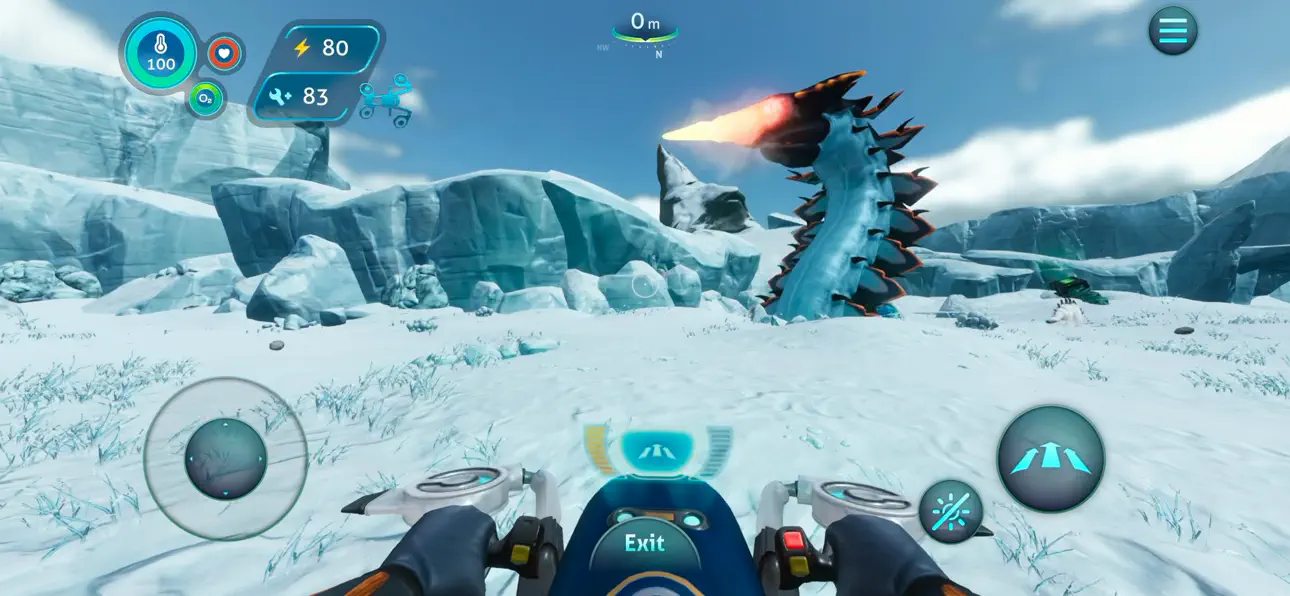
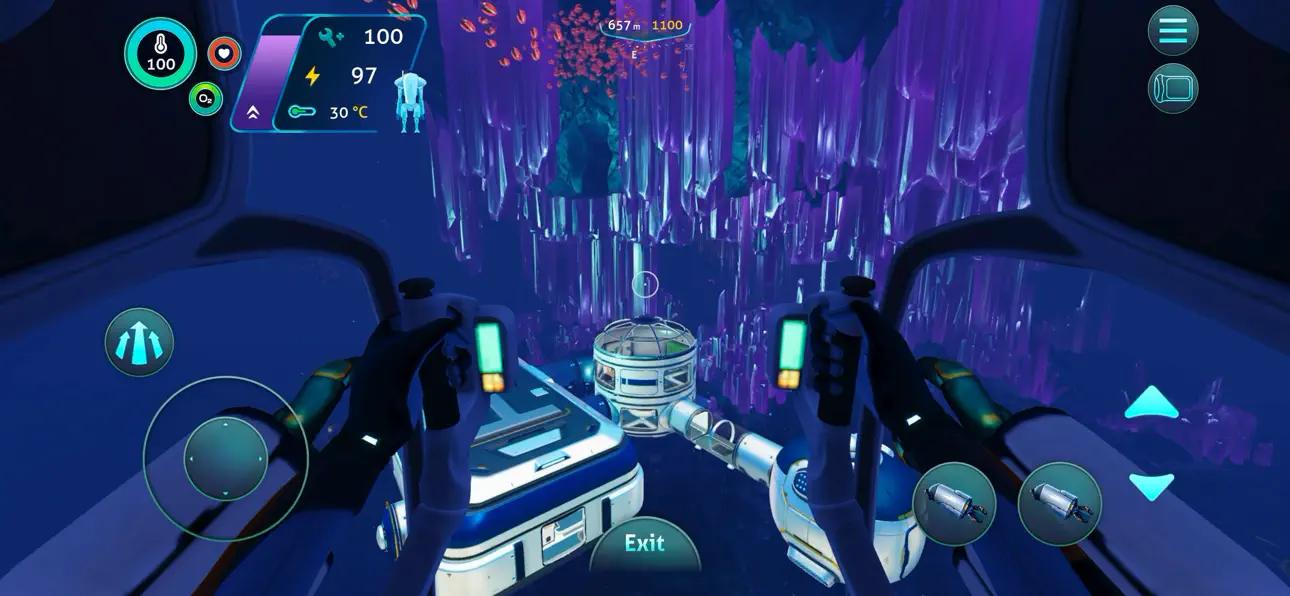
CRAFT YOUR WAY - Survive the harsh climate by constructing extensive habitats, scavenging for resources, and crafting equipment. Blast across the snowy tundra on a Snowfox hoverbike. Cruise through enchanting and perilous biomes in your modular Seatruck.
EXPLORE THE PLANET - Swim beneath the blue-lit, arching expanses of Twisty Bridges, be mesmerized by the Crystal Caverns, venture into the icy caves of Glacial Basin or maneuver between erupting Thermal Vents to discover ancient alien artifacts.
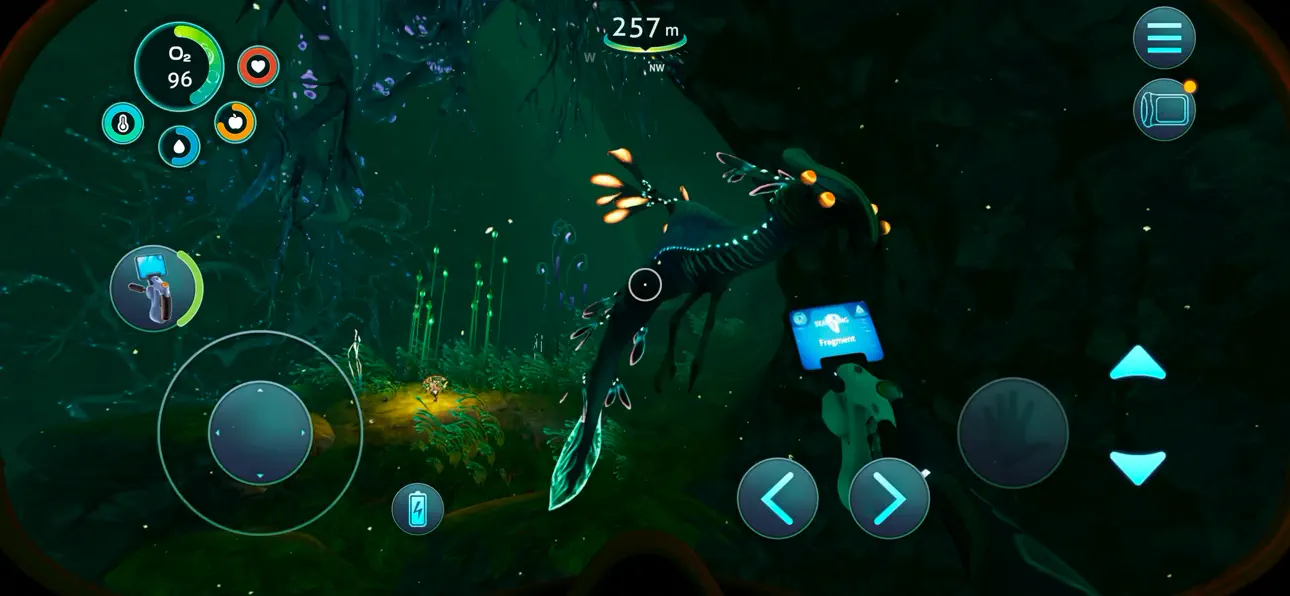
MEET NEW CREATURES - Something undiscovered lurks around every corner. Swim through the giant Titan Holefish, encounter the haunting Shadow Leviathan, and visit the adorable Pengwings. Keep your wits about you. Not all creatures in this strange world are friendly.
CAREFULLY REDESIGNED FOR MOBILE
- Revamped interface – exclusive mobile UI with complete touch control
- Game Center achievements
- Cloud Save – Share your progress between iOS devices
- iPhone 17 Optimization (including Pro Max)
-----
*DEVICES NOT SUPPORTED (THE GAME WON'T WORK)*:
- iPhone Xr, iPhone SE Gen 2 (2020)
- iPad Mini Gen 5, iPad Air Gen 3, iPad Gen 8, iPad Gen 9
*SUPPORTED DEVICES ON LOW RESOLUTION ONLY*:
- iPhone Xs, iPhone Xs Max, iPhone 11, iPhone 11 Pro, iPhone 11 Pro Max, iPhone 12, iPhone 12 Mini, iPhone 13, iPhone 13 Mini, iPhone SE Gen 3 (2022)
- iPad Pro 10.5", iPad Mini Gen 6, iPad Air Gen 4, iPad Gen 10, iPad Pro 11" Gen 1, iPad Pro 12.9" Gen 3
*SUPPORTED DEVICES* :
- iPhone 12 Pro, iPhone 12 Pro Max, iPhone 13 Pro, iPhone 13 Pro Max, iPhone 14 AND ABOVE
- iPad Pro 11" Gen 2, iPad Pro 12.9" Gen 4, iPad Air Gen 5, iPad Pro 11" Gen 3, iPad Pro 11" Gen 4, iPad Pro 12.9" Gen 5, iPad Pro 12.9" Gen 6 AND ABOVE
Screenshots © der jeweiligen Inhaber · App Store

![Goose Goose Duck iOS Mod IPA [ ESP Boxes, Lines ]](https://is1-ssl.mzstatic.com/image/thumb/Purple211/v4/26/91/07/269107a5-88fd-644d-f6fd-89ce22dbb3ce/AppIcon-0-0-1x_U007emarketing-0-8-0-85-220.png/100x100bb.jpg)

iOSGods ist nicht mit Apple Inc., Google LLC oder den Entwicklern der hier aufgeführten Apps verbunden und wird von ihnen weder unterstützt noch gesponsert. Apple, iOS und App Store sind Marken von Apple Inc. Android und Google Play sind Marken von Google LLC. Alle weiteren App-Namen, Symbole, Grafiken und Marken gehören ihren jeweiligen Inhabern.
- Nicht-Jailbroken/Jailed oder Jailbroken iPhone oder iPad.
- Sideloadly oder Alternativen.
- Computer mit Windows/macOS/Linux und installiertem iTunes.
SCHRITT 1: Lade die vorinstallierte .IPA-Datei über den obigen Link auf deinen Computer herunter. Zum Herunterladen aus der iOSGods-App siehe unser iOSGods App IPA Download-Tutorial mit Videobeispiel.
SCHRITT 2: Lade Sideloadly herunter und installiere es auf deinem Windows oder Mac.
SCHRITT 3: Öffne Sideloadly auf deinem Computer, verbinde dein iOS-Gerät und warte, bis dein Gerätename in Sideloadly erscheint.
SCHRITT 4: Sobald dein iDevice erkannt wird, ziehe die heruntergeladene gemoddete .IPA-Datei in die Sideloadly-Anwendung.
SCHRITT 5: Gib deine Apple-Account-E-Mail ein und drücke „Start". Du wirst dann nach deinem Passwort gefragt. Gib die erforderlichen Informationen ein.
SCHRITT 6: Warte, bis Sideloadly das Sideloading/Installieren der gehackten IPA abgeschlossen hat. Bei Problemen während der Installation lies bitte den Hinweis unten.
SCHRITT 7: Sobald die Installation abgeschlossen ist und die App auf deinem Home-Bildschirm angezeigt wird, musst du zu Einstellungen → Allgemein → Profile / VPN & Geräteverwaltung gehen. Tippe dort auf die E-Mail, die du in Schritt 6 eingegeben hast, und dann auf „Trust [email protected]".
SCHRITT 8: Gehe nun zu deinem Home-Bildschirm und öffne die neu installierte App – alles sollte einwandfrei funktionieren. Möglicherweise musst du weitere App-spezifische Anweisungen im Hack-Popup im Spiel befolgen.
HINWEIS: iOS/iPadOS 16 und höher: Du musst den Entwicklermodus aktivieren. Bei kostenlosen Apple Developer-Accounts musst du diesen Vorgang alle 7 Tage wiederholen. Bei Fragen oder Problemen lies bitte unsere Sideloadly-FAQ-Sektion im Thema.
Game Name iOS Mod IPA is an action adventure game enhanced with powerful gameplay boosts and quality-of-life improvements. Win battles faster, earn rewards quicker, and enjoy uninterrupted play without ads.
- Unlimited Gold - spend freely to unlock premium content
- Damage Multiplier - deal significantly more damage in combat
- Defense Multiplier - take less damage and survive longer
- Reward Multiplier - earn more loot from every battle
- Max Level - instantly reach the highest player rank
- No Ads - play without interruptions or advertisements
This app also comes with iGameGod, giving you access to Auto Touch to automate repetitive tasks, App Speed Manager for adjustable gameplay speed, Memory Engine value editing, and more powerful iOS game tools.
Lade Game Name Mod IPA über die obigen Links herunter. Tippe auf den Installations-Button und folge den Anweisungen, um diese iOS-App auf deinem iPhone, iPad oder Apple Silicon zu installieren.
Brauchst du mehr Hilfe In unseren iOSGods App häufig gestellten Fragen findest du ausführliche Antworten und Tipps zur Fehlerbehebung.
----------------------------------------------------------
--------------------------------------------------


![Rapid Reload iOS Mod IPA [ Debug Menu ]](https://is1-ssl.mzstatic.com/image/thumb/Purple221/v4/d4/7d/f8/d47df8df-b3dd-0bc0-d977-cf28ee64a3e0/AppIcon-0-0-1x_U007emarketing-0-8-0-85-220.png/100x100bb.jpg)


