需要登入
請使用您的 iOSGods 帳戶登入以繼續。
請使用您的 iOSGods 帳戶登入以繼續。
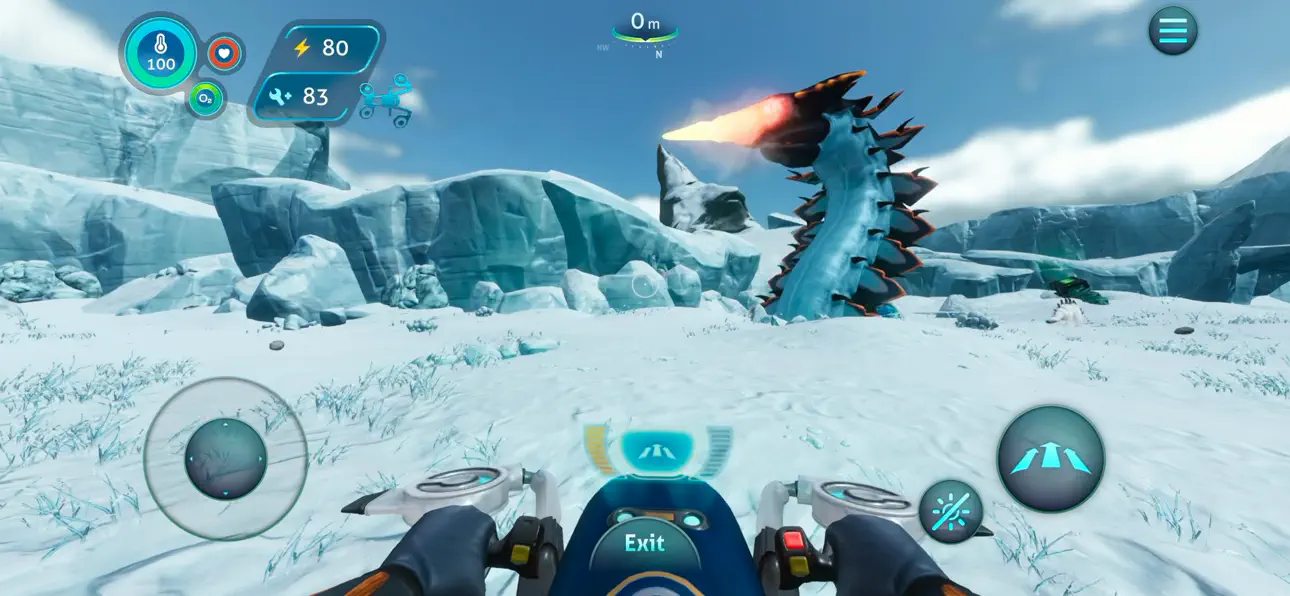
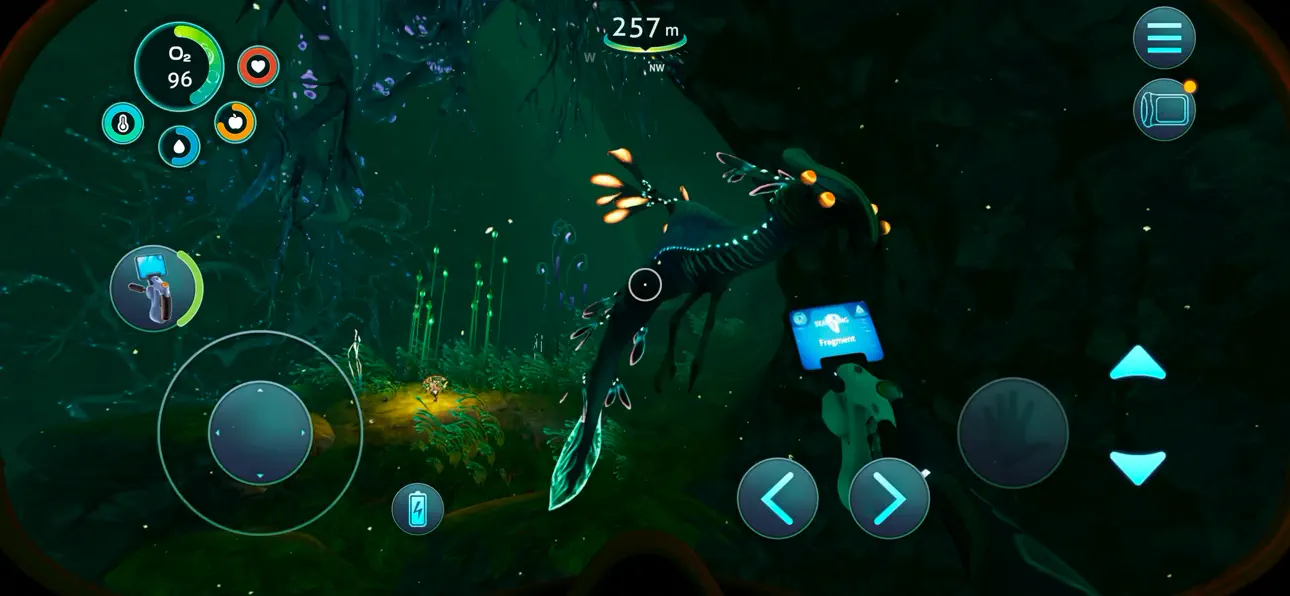
下載 Subnautica: Below Zero Original IPA for iOS,在異星海洋星球上體驗真正的水下生存冒險。沉浸在全新的極地探險中,探索星球 4546B 的冰冷海域和北極生物群系。墜機著陸後,調查你姐姐的遭遇,同時發現新的生物、挑戰和故事謎團,擴展 Subnautica 宇宙的世界觀。
從上方連結下載 Subnautica: Below Zero Original IPA modded IPA。點選安裝按鈕並依照畫面指示在 iPhone、iPad 或 Apple Silicon 上安裝此 iOS 應用程式修改版。
需要更多協助?請查看我們的 iOSGods 應用程式常見問題 以獲得詳細解答與疑難排解。
*Verifique se o dispositivo é compatível antes de comprar Below Zero!*
Below Zero é o próximo capítulo de Subnautica, o jogo de sobrevivência em mundo aberto subaquático, ambientado em um planeta oceânico alienígena.
Mergulhe em uma nova expedição congelante na região ártica do Planeta 4546B. Após uma aterrissagem forçada, explore as águas geladas para investigar o que aconteceu com sua irmã...
Descubra novos biomas, criaturas, desafios e histórias! Below Zero aumenta o universo de Subnautica, mergulhando ainda mais fundo nas aventuras e nos mistérios apresentados no jogo original.
RECURSOS
DESCUBRA A VERDADE: quem eram os alienígenas que vieram antes? Por que eles estavam neste planeta? O que realmente aconteceu com sua irmã? E revelar a verdade te ajudará a superar essa perda?
SOBREVIVA AO FRIO: as temperaturas congelantes desta região ártica trazem um novo desafio. Crie um traje térmico reforçado, tome um café bem quentinho e aproveite o calor dos Lírios Térmicos para espantar o frio.
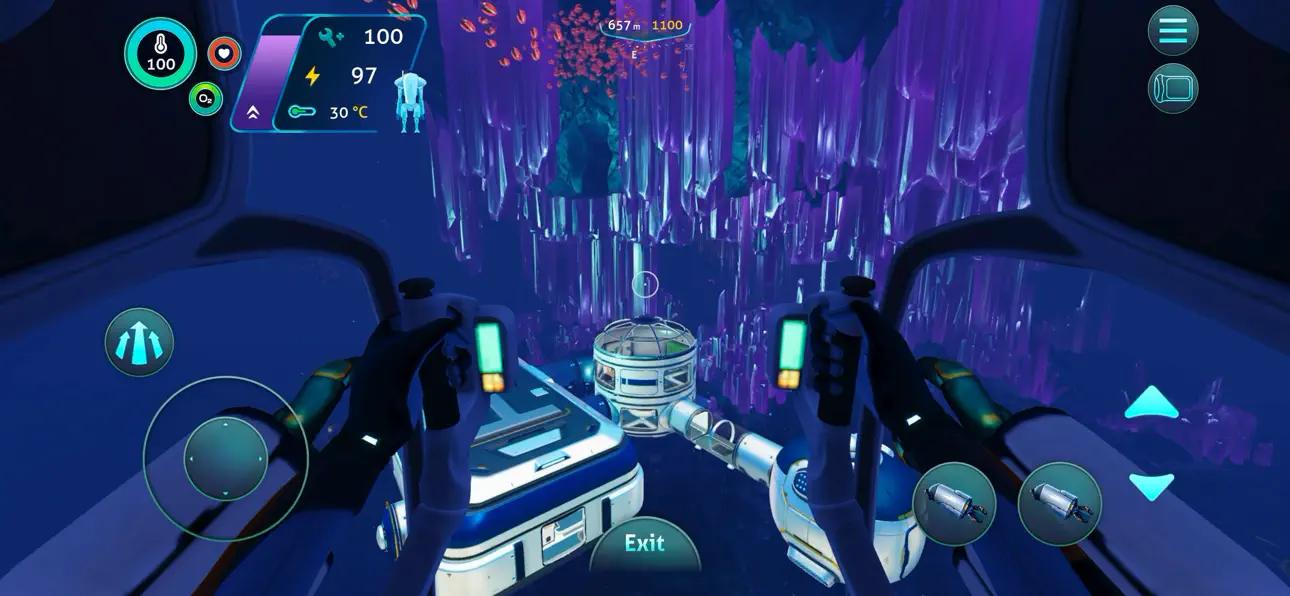
CRIE PARA SOBREVIVER: enfrente o clima implacável construindo bases completas, coletando recursos e fabricando equipamentos. Atravesse a tundra de neve com a moto flutuante Snowfox. Navegue por biomas deslumbrantes – e perigosos – no seu Seatruck modular.
EXPLORE O PLANETA: nade sob os arcos iluminados de azul das Pontes Retorcidas, encante-se com as Cavernas de Cristal, aventure-se nas grutas geladas da Bacia Glacial ou desvie das Fontes Hidrotérmicas em erupção para descobrir artefatos alienígenas antigos.
CONHEÇA NOVAS CRIATURAS: há algo desconhecido espreitando em cada canto. Nade ao lado do gigantesco Holefish Titã, encare o assustador Leviatã Sombrio e visite os fofíssimos Pinglins. Mas fique de olho, nem todas as criaturas deste mundo estranho são amigáveis.
CUIDADOSAMENTE REPROJETADO PARA DISPOSITIVOS MÓVEIS
- Interface renovada – IU exclusiva para dispositivos móveis com controle de toque completo
- Conquistas do Game Center
- Armazenamento na nuvem – Compartilhe o progresso entre dispositivos iOS
- Otimização do iPhone 17 (incluindo Pro Max)
-----
*DISPOSITIVOS INCOMPATÍVEIS (O jogo não funciona)* :
- iPhone Xr, iPhone SE Gen 2 (2020)
- iPad Mini Gen 5, iPad Air Gen 3, iPad Gen 8, iPad Gen 9
*DISPOSITIVOS COMPATÍVEIS APENAS EM BAIXA RESOLUÇÃO* :
- iPhone Xs, iPhone Xs Max, iPhone 11, iPhone 11 Pro, iPhone 11 Pro Max, iPhone 12, iPhone 12 Mini, iPhone 13, iPhone 13 Mini, iPhone SE Gen 3 (2022)
- iPad Pro 10.5"", iPad Mini Gen 6, iPad Air Gen 4, iPad Gen 10, iPad Pro 11"" Gen 1, iPad Pro 12.9"" Gen 3
*DISPOSITIVOS COMPATÍVEIS* :
- iPhone 12 Pro, iPhone 12 Pro Max, iPhone 13 Pro, iPhone 13 Pro Max, iPhone 14 E ACIMA
- iPad Pro 11"" Gen 2, iPad Pro 12.9"" Gen 4, iPad Air Gen 5, iPad Pro 11"" Gen 3, iPad Pro 11"" Gen 4, iPad Pro 12.9"" Gen 5, iPad Pro 12.9"" Gen 6 E ACIMA
螢幕截圖 © 各自所有者 · App Store


iOSGods 與 Apple Inc.、Google LLC 及此處列出應用程式的開發者並無關聯,亦未獲其認可或贊助。Apple、iOS 與 App Store 為 Apple Inc. 的商標。Android 與 Google Play 為 Google LLC 的商標。其他所有應用程式名稱、圖示、圖片與商標均屬其各自所有者。

- 未越獄/受限或已越獄的 iPhone 或 iPad。
- Sideloadly 或替代方案。
- 執行 Windows/macOS/Linux 且已安裝 iTunes 的電腦。
步驟 1: 透過上方連結將已破解的 .IPA 檔案下載到您的電腦。若要從 iOSGods App 下載,請參閱我們的 iOSGods App IPA 下載教學,其中包含影片範例。
步驟 2: 下載 Sideloadly 並將其安裝在您的 Windows 或 Mac 上。
步驟 3: 在電腦上開啟 Sideloadly,連接您的 iOS 裝置,並等待裝置名稱出現在 Sideloadly 中。
步驟 4: 當 Sideloadly 辨識到您的 iOS 裝置後,將下載好的修改版 .IPA 檔案拖曳並放到 Sideloadly 應用程式中。
步驟 5: 輸入您的 Apple Account 電子郵件,然後按下「Start」。系統會要求您輸入密碼,請依指示提供所需資訊。
步驟 6: 等待 Sideloadly 完成已破解 IPA 的旁載/安裝。如果安裝過程中發生問題,請閱讀下方的注意事項。
步驟 7: 安裝完成並在主畫面上看到該應用程式後,您需要前往 設定 → 一般 → 描述檔 / VPN 與裝置管理。進入後,點選您在步驟 6 中輸入的電子郵件,然後點選「信任 [email protected]」。
步驟 8: 現在回到主畫面並開啟新安裝的應用程式,一切應該都能正常運作。您可能需要依照遊戲內破解彈出視窗中的進一步指示操作。
注意: 在 iOS/iPadOS 16 及更新版本上,您必須 啟用開發者模式。若使用免費的 Apple Developer 帳號,您將需要每 7 天重複此程序。如有任何疑問或問題,請閱讀我們的 主題中的 Sideloadly 常見問題區段。
Game Name iOS Mod IPA is an action adventure game enhanced with powerful gameplay boosts and quality-of-life improvements. Win battles faster, earn rewards quicker, and enjoy uninterrupted play without ads.
- Unlimited Gold - spend freely to unlock premium content
- Damage Multiplier - deal significantly more damage in combat
- Defense Multiplier - take less damage and survive longer
- Reward Multiplier - earn more loot from every battle
- Max Level - instantly reach the highest player rank
- No Ads - play without interruptions or advertisements
This app also comes with iGameGod, giving you access to Auto Touch to automate repetitive tasks, App Speed Manager for adjustable gameplay speed, Memory Engine value editing, and more powerful iOS game tools.
從上方連結下載 Game Name Mod IPA。點選安裝按鈕並依照畫面指示在 iPhone、iPad 或 Apple Silicon 上安裝此 iOS 應用程式修改版。
需要更多協助請查看我們的 iOSGods 應用程式常見問題 以獲得詳細解答與疑難排解。
----------------------------------------------------------
--------------------------------------------------