Giriş Gerekli
Devam etmek için iOSGods hesabınızla giriş yapın.
Devam etmek için iOSGods hesabınızla giriş yapın.
Subnautica: Below Zero Original IPA uygulamasını iOS için indirin, yabancı bir okyanus gezegeninde gerçek su altı hayatta kalma deneyimi yaşayın. Gezegen 4546B'nin buzlu sularında ve kutup biyomlarında yepyeni, sıfırın altında bir keşif yolculuğuna dalın. Acil iniş yaptıktan sonra, kız kardeşinize ne olduğunu araştırırken Subnautica evrenini genişleten yeni yaratıkları, zorlukları ve hikaye gizemlerini keşfedin.
Yukarıdaki bağlantılardan Subnautica: Below Zero Original IPA modded IPA indirin. Yükle düğmesine dokunup ekrandaki yönergeleri izleyerek bu iOS uygulama hack'ini iPhone, iPad veya Apple Silicon'a yükleyin.
Daha fazla yardıma mı ihtiyacınız var? Ayrıntılı yanıtlar ve sorun giderme ipuçları için iOSGods Uygulaması Sık Sorulan Sorular sayfamıza bakın.
*Please make sure your device is supported before purchasing Below Zero!*
Below Zero is the next chapter of Subnautica, the underwater survival open world set on an alien ocean planet.
Submerge yourself in an all-new, sub-zero expedition in an arctic region of Planet 4546B. After crash landing planetside, set out into frigid waters to investigate what happened to your sister...
Discover new biomes, creatures, challenges and story! Below Zero expands the Subnautica universe, diving deeper into the adventure and mysteries introduced in the original game.
FEATURES
UNCOVER THE TRUTH - Who were the aliens who came here before? Why were they on this planet? What really happened to your sister? And will exposing the truth give some closure to your loss?
SURVIVE THE COLD - The freezing temperatures of this arctic region pose a new challenge. Craft a toasty cold suit, sip on piping hot coffee, and warm up next to Thermal Lilies to stave off the chill.
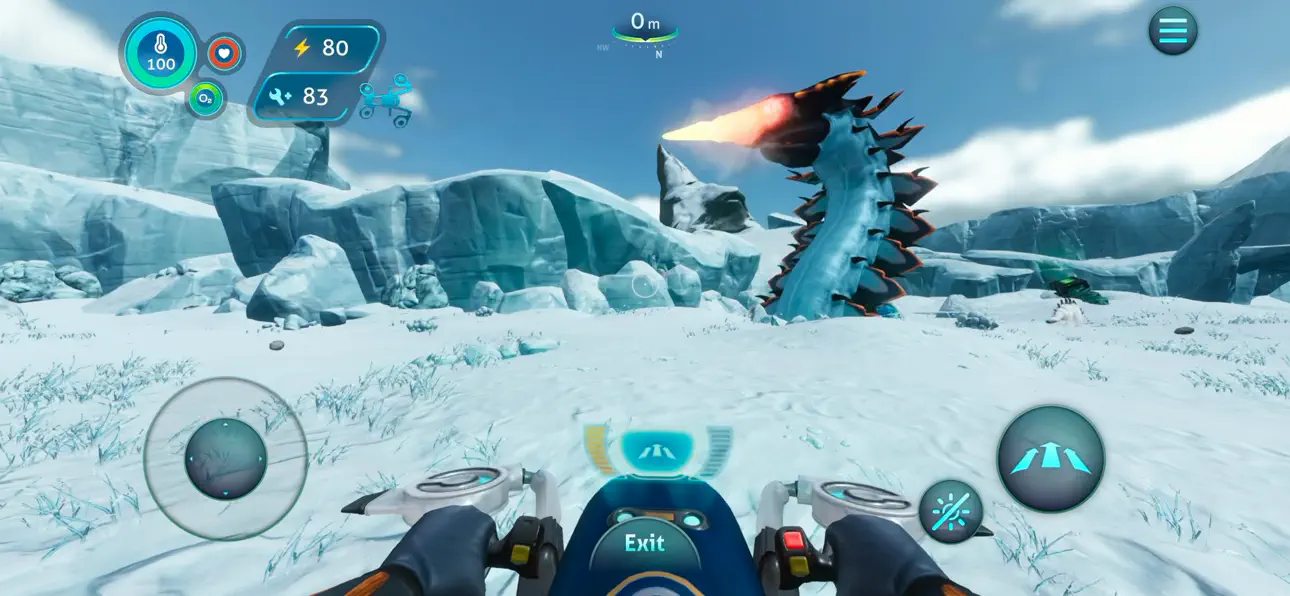
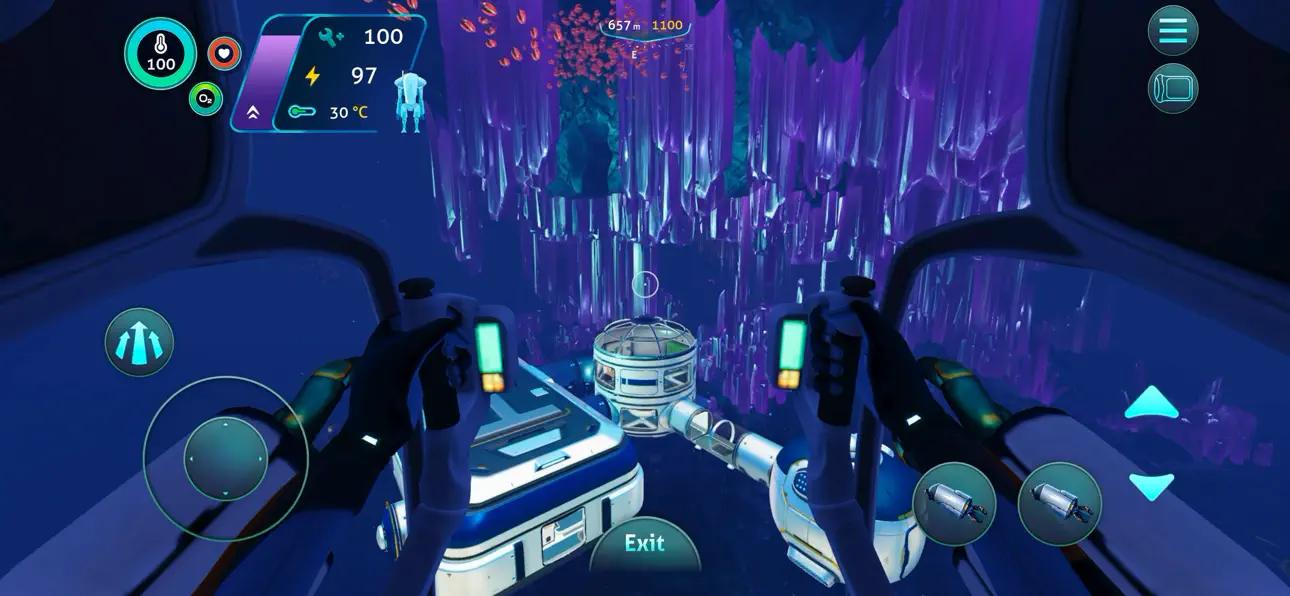
CRAFT YOUR WAY - Survive the harsh climate by constructing extensive habitats, scavenging for resources, and crafting equipment. Blast across the snowy tundra on a Snowfox hoverbike. Cruise through enchanting and perilous biomes in your modular Seatruck.
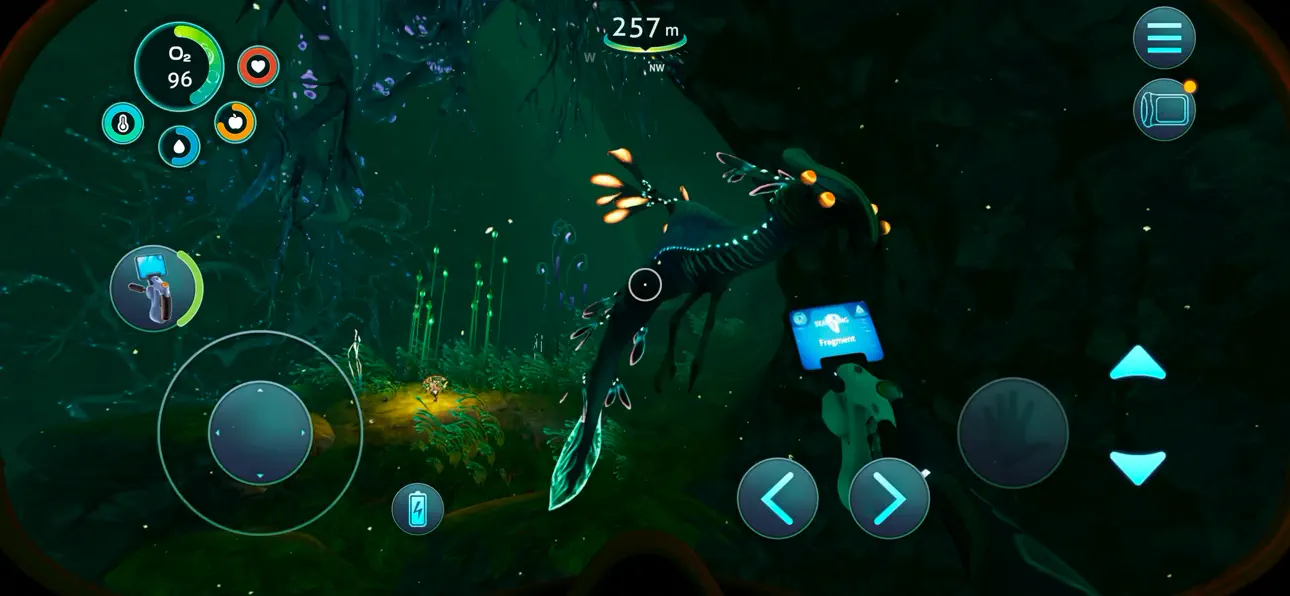
EXPLORE THE PLANET - Swim beneath the blue-lit, arching expanses of Twisty Bridges, be mesmerized by the Crystal Caverns, venture into the icy caves of Glacial Basin or maneuver between erupting Thermal Vents to discover ancient alien artifacts.
MEET NEW CREATURES - Something undiscovered lurks around every corner. Swim through the giant Titan Holefish, encounter the haunting Shadow Leviathan, and visit the adorable Pengwings. Keep your wits about you. Not all creatures in this strange world are friendly.
CAREFULLY REDESIGNED FOR MOBILE
- Revamped interface – exclusive mobile UI with complete touch control
- Game Center achievements
- Cloud Save – Share your progress between iOS devices
- iPhone 17 Optimization (including Pro Max)
-----
*DEVICES NOT SUPPORTED (THE GAME WON'T WORK)*:
- iPhone Xr, iPhone SE Gen 2 (2020)
- iPad Mini Gen 5, iPad Air Gen 3, iPad Gen 8, iPad Gen 9
*SUPPORTED DEVICES ON LOW RESOLUTION ONLY*:
- iPhone Xs, iPhone Xs Max, iPhone 11, iPhone 11 Pro, iPhone 11 Pro Max, iPhone 12, iPhone 12 Mini, iPhone 13, iPhone 13 Mini, iPhone SE Gen 3 (2022)
- iPad Pro 10.5", iPad Mini Gen 6, iPad Air Gen 4, iPad Gen 10, iPad Pro 11" Gen 1, iPad Pro 12.9" Gen 3
*SUPPORTED DEVICES* :
- iPhone 12 Pro, iPhone 12 Pro Max, iPhone 13 Pro, iPhone 13 Pro Max, iPhone 14 AND ABOVE
- iPad Pro 11" Gen 2, iPad Pro 12.9" Gen 4, iPad Air Gen 5, iPad Pro 11" Gen 3, iPad Pro 11" Gen 4, iPad Pro 12.9" Gen 5, iPad Pro 12.9" Gen 6 AND ABOVE
Ekran görüntüleri © ilgili sahipleri · App Store

![Goose Goose Duck iOS Mod IPA [ ESP Boxes, Lines ]](https://is1-ssl.mzstatic.com/image/thumb/Purple211/v4/26/91/07/269107a5-88fd-644d-f6fd-89ce22dbb3ce/AppIcon-0-0-1x_U007emarketing-0-8-0-85-220.png/100x100bb.jpg)

iOSGods; Apple Inc., Google LLC veya burada listelenen uygulamaların geliştiricileriyle bağlantılı değildir, onlar tarafından onaylanmamış ve desteklenmemiştir. Apple, iOS ve App Store, Apple Inc. şirketinin ticari markalarıdır. Android ve Google Play, Google LLC şirketinin ticari markalarıdır. Diğer tüm uygulama adları, simgeler, görseller ve ticari markalar ilgili sahiplerine aittir.

- Jailbreak'siz/normal ya da jailbreak'li iPhone veya iPad.
- Sideloadly veya alternatifleri.
- iTunes yüklü Windows/macOS/Linux çalıştıran bir bilgisayar.
ADIM 1: Yukarıdaki bağlantıdan önceden hacklenmiş .IPA dosyasını bilgisayarınıza indirin. iOSGods App üzerinden indirmek için video örneği de içeren iOSGods App IPA İndirme Kılavuzu bölümümüze göz atın.
ADIM 2: Sideloadly indirin ve Windows veya Mac'inize kurun.
ADIM 3: Bilgisayarınızda Sideloadly'yi açın, iOS cihazınızı bağlayın ve cihaz adınız Sideloadly'de görünene kadar bekleyin.
ADIM 4: iCihazınız tanındıktan sonra, indirdiğiniz modlu .IPA dosyasını sürükleyip Sideloadly uygulamasına bırakın.
ADIM 5: Apple Account e-posta adresinizi girin ve ardından "Start" düğmesine basın. Sonrasında sizden şifreniz istenecektir. Gerekli bilgileri girin.
ADIM 6: Sideloadly'nin hacklenmiş IPA'yı sideload edip yüklemesini bekleyin. Yükleme sırasında bir sorun olursa lütfen aşağıdaki notu okuyun.
ADIM 7: Yükleme tamamlandıktan ve uygulamayı Ana Ekranınızda gördükten sonra Ayarlar → Genel → Profiller / VPN ve Cihaz Yönetimi bölümüne gitmelisiniz. Burada 6. adımda girdiğiniz e-postaya dokunun ve ardından "[email protected]'a Güven" seçeneğine dokunun.
ADIM 8: Şimdi Ana Ekranınıza gidin ve yeni yüklediğiniz uygulamayı açın; her şey sorunsuz çalışmalıdır. Oyun içindeki hack açılır penceresinde uygulamaya özel ek talimatları takip etmeniz gerekebilir.
NOT: iOS/iPadOS 16 ve sonrasında Geliştirici Modu'nu etkinleştirmeniz gerekir. Ücretsiz Apple Developer hesapları için bu işlemi her 7 günde bir tekrarlamanız gerekir. Sorularınız veya sorunlarınız varsa konunun Sideloadly SSS bölümünü okuyun.
Game Name iOS Mod IPA is an action adventure game enhanced with powerful gameplay boosts and quality-of-life improvements. Win battles faster, earn rewards quicker, and enjoy uninterrupted play without ads.
- Unlimited Gold - spend freely to unlock premium content
- Damage Multiplier - deal significantly more damage in combat
- Defense Multiplier - take less damage and survive longer
- Reward Multiplier - earn more loot from every battle
- Max Level - instantly reach the highest player rank
- No Ads - play without interruptions or advertisements
This app also comes with iGameGod, giving you access to Auto Touch to automate repetitive tasks, App Speed Manager for adjustable gameplay speed, Memory Engine value editing, and more powerful iOS game tools.
Yukarıdaki bağlantılardan Game Name Mod IPA indirin. Yükle düğmesine dokunup ekrandaki yönergeleri izleyerek bu iOS uygulama hack'ini iPhone, iPad veya Apple Silicon'a yükleyin.
Daha fazla yardıma mı ihtiyacınız var Ayrıntılı yanıtlar ve sorun giderme ipuçları için iOSGods Uygulaması Sık Sorulan Sorular sayfamıza bakın.
----------------------------------------------------------
--------------------------------------------------


![Rapid Reload iOS Mod IPA [ Debug Menu ]](https://is1-ssl.mzstatic.com/image/thumb/Purple221/v4/d4/7d/f8/d47df8df-b3dd-0bc0-d977-cf28ee64a3e0/AppIcon-0-0-1x_U007emarketing-0-8-0-85-220.png/100x100bb.jpg)


