Login Diperlukan
Masuk dengan akun iOSGods kamu untuk melanjutkan.
Masuk dengan akun iOSGods kamu untuk melanjutkan.
Hack Features
- Damage Multiplier
- Defence Multiplier
- God Mode
- Skip Battles
- VIP Enabled
Aplikasi ini juga dilengkapi dengan iGameGod, yang memberi Anda akses ke Auto Touch untuk mengotomatiskan tugas berulang, App Speed Manager untuk mengatur kecepatan permainan, pengeditan nilai Memory Engine, dan alat permainan iOS lainnya yang lebih canggih.
Unduh Rogue Legend - Roguelike RPG iOS Mod IPA dari tautan di atas. Ketuk tombol pasang dan ikuti petunjuk di layar untuk memasang hack iOS ini di iPhone, iPad, atau Apple Silicon.
Butuh bantuan lebih lanjut? Lihat Pertanyaan yang Sering Diajukan untuk Aplikasi iOSGods kami untuk jawaban dan tips lengkap.
Embark on an action roguelike RPG adventure with Rogue Legend, where every battle makes your hero stronger.
In Rogue Legend, you journey through worlds filled with monsters, treasures, and powerful bosses. Each run is a new roguelike RPG experience of strategy, combat, and growth, giving you the chance to strengthen your hero and push further with every run.
Enter a World of Endless Battles:
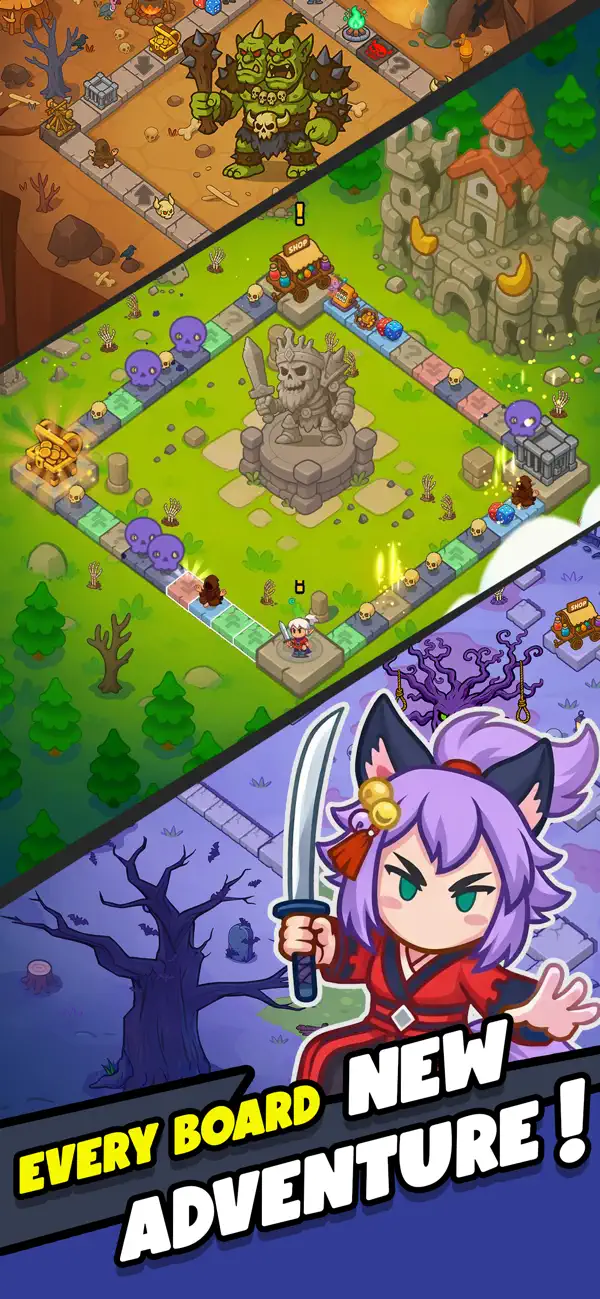
Every session begins in the lobby. Press Play and roll the dice to start your roguelike RPG run, diving into a board-based action RPG full of encounters and surprises.
As your hero moves across the board, different events unfold depending on where you land:
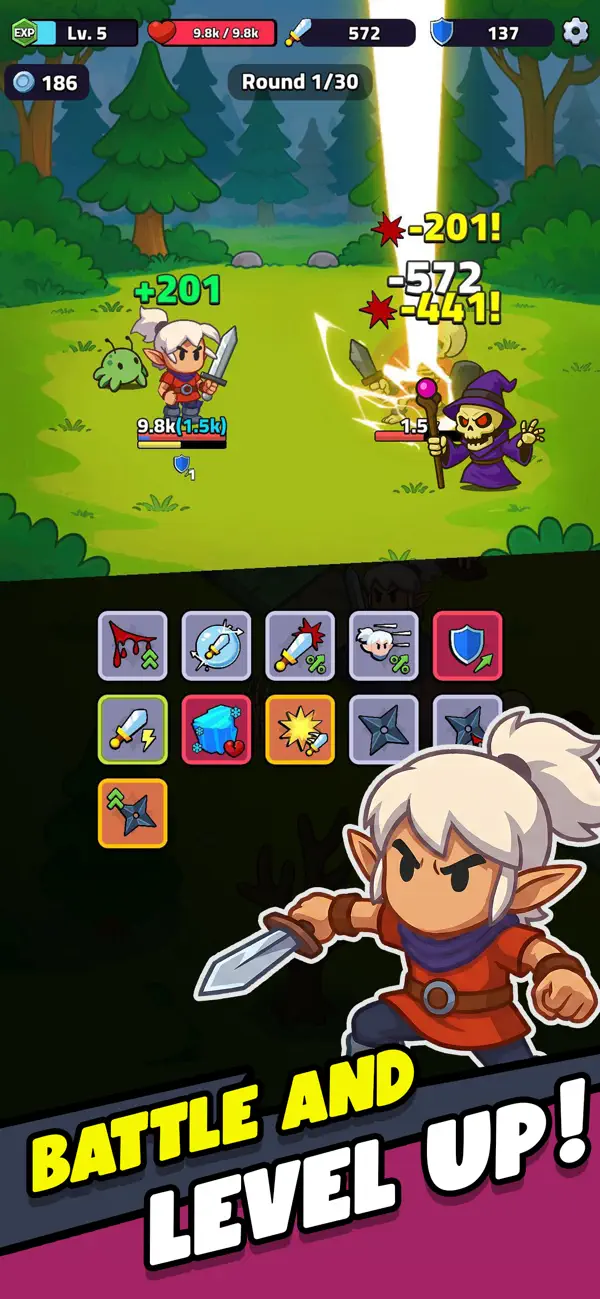
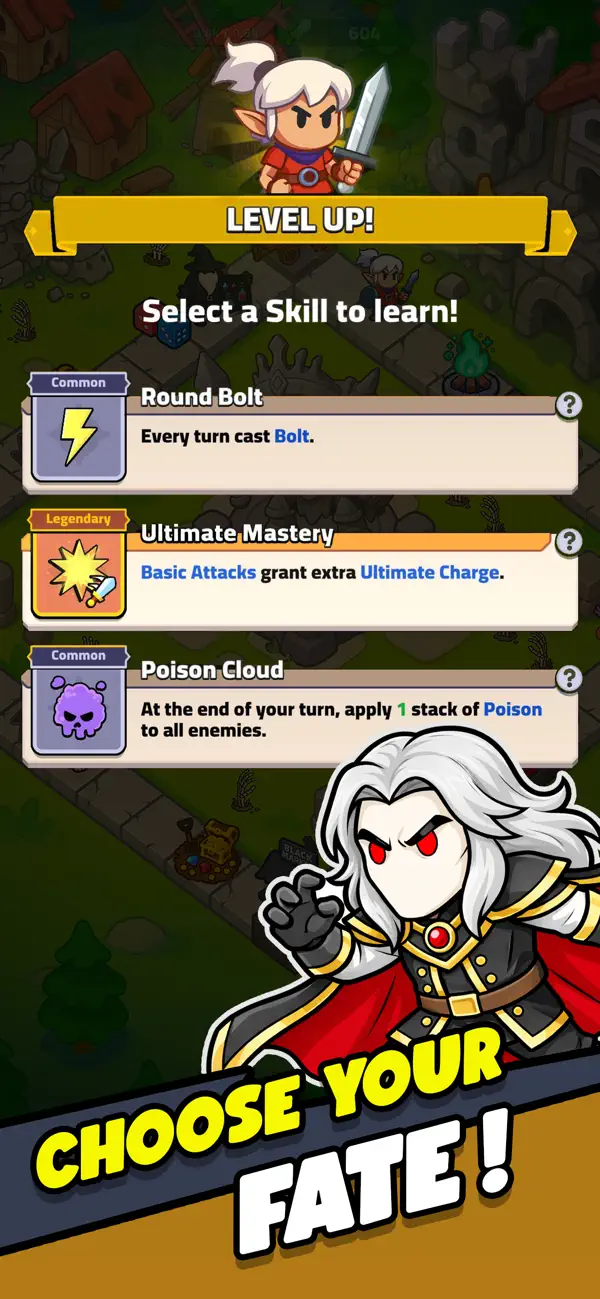
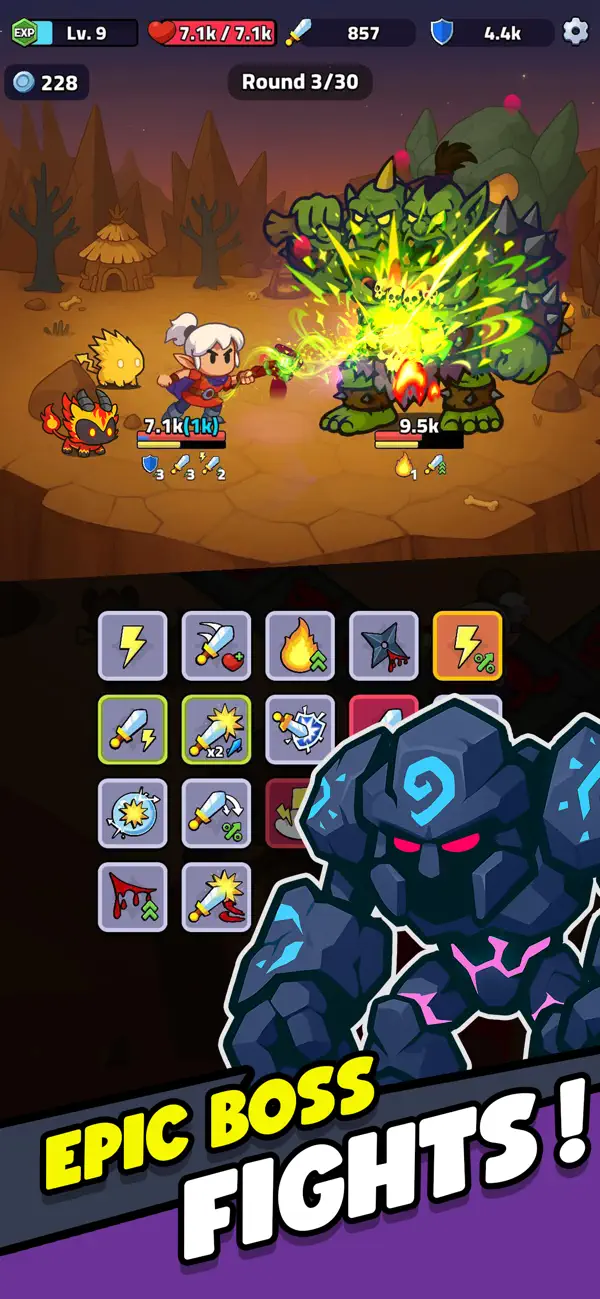
* Enemy Tiles: Engage in fast, automatic roguelike RPG battles. After each fight, choose one of three upgrades to shape your build.
* Buff Tiles: Gain boosts to attack, defense, and speed to help your hero survive longer in Rogue Legend’s idle-friendly dungeons.
* Negative Tiles: Face debuffs that test your timing and strategic decisions.
* Minigame Tiles: Roll for luck in short events where you can win extra loot or power-ups.
* Shop Tiles: Spend gold to buy new gear, upgrades, and legendary equipment.
* Special Tiles: Additional tile types will be added over time to expand Rogue Legend’s gameplay depth.
Defeat Bosses and Grow Stronger:
Your goal is to survive, adapt, and conquer every boss battle. Each fight is an opportunity to grow stronger, unlocking new roguelike RPG challenges, rewards, and abilities that prepare your hero for the next run in this idle RPG adventure.
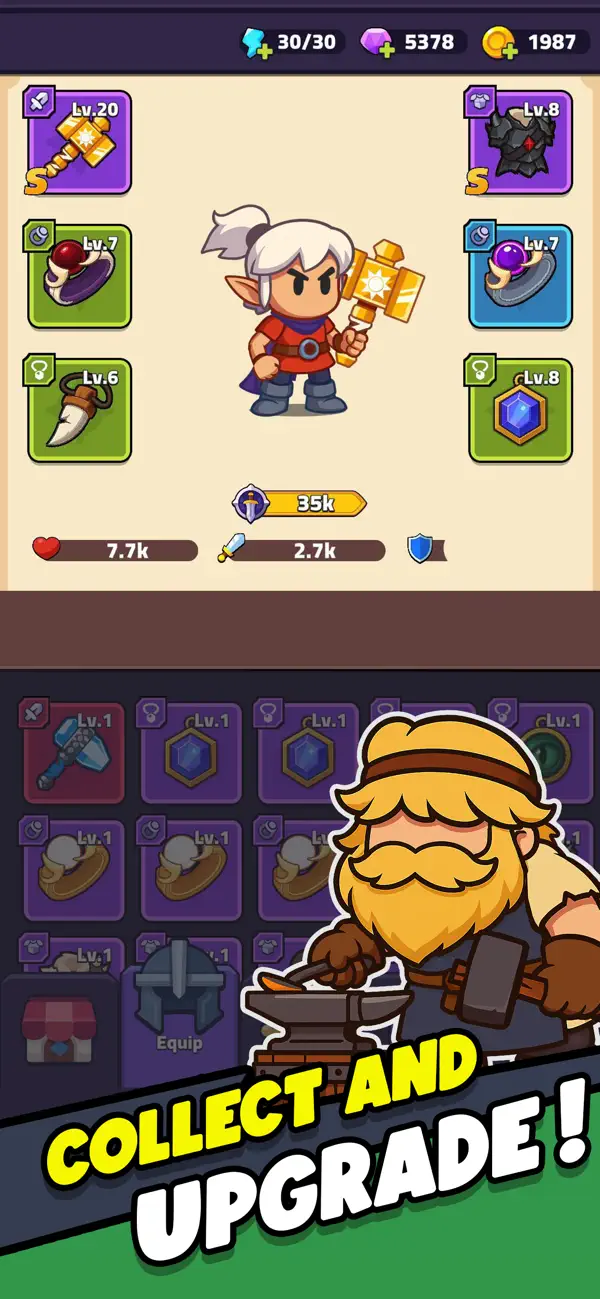
Upgrade, Progress, and Customize Your Hero:
Between runs, return to the lobby to enhance your hero through Rogue Legend’s RPG progression systems:
* Gear System: Collect and upgrade your weapons, armor, and equipment.
* Talent System: Level up to unlock new stats, passive abilities, and bonuses that fit your playstyle.
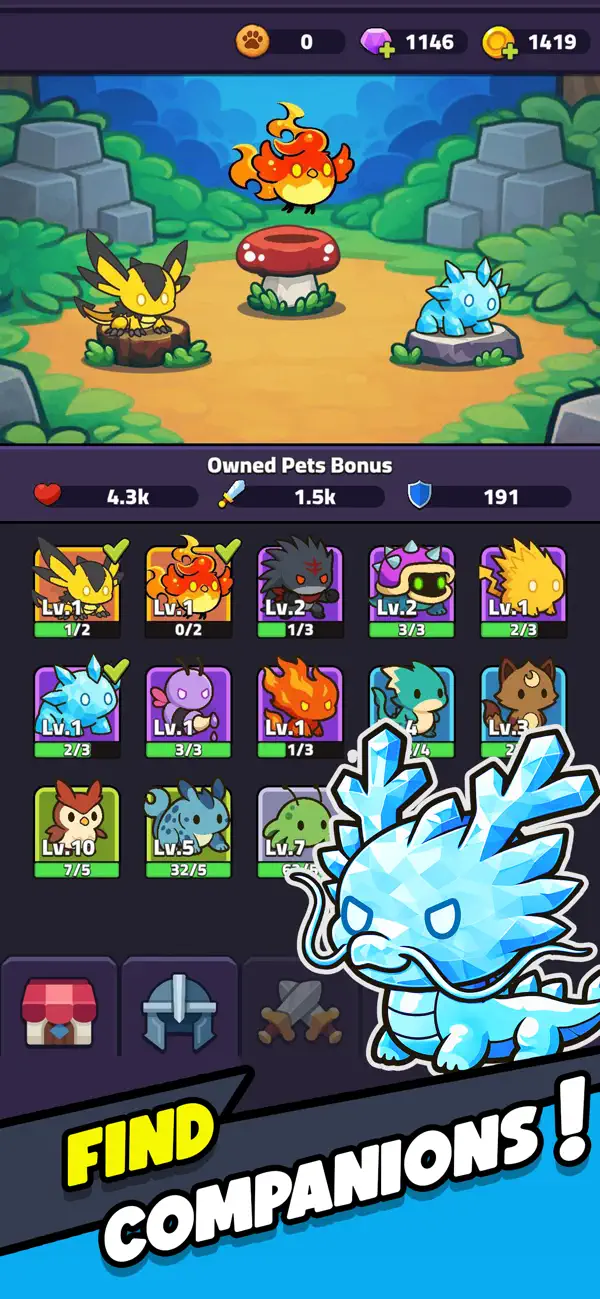
* Pet System: Obtain and train pets that join you in combat (coming soon).
Roguelike Depth with Idle RPG Progression
Rogue Legend blends the excitement of roguelike gameplay with the satisfaction of RPG and idle progression. Each run feels fast, rewarding, and different. The board and dice mechanics make every move matter, while the idle RPG design ensures steady progress without repetitive grind.
A Journey of Strategy and Power:
If you enjoy roguelike action, RPG adventure, and idle gameplay, Rogue Legend delivers a journey of endless replayability.
Fight, roll, and rise again in Rogue Legend, the roguelike idle RPG where every battle shapes your hero’s fate.

- iPhone atau iPad tanpa Jailbreak atau dengan Jailbreak.
- Sideloadly atau alternatifnya.
- Komputer dengan Windows/macOS/Linux dan iTunes terpasang.
LANGKAH 1: Unduh file .IPA yang sudah di-hack dari tautan di atas ke komputer Anda. Untuk mengunduhnya dari iOSGods App, silakan lihat Tutorial Mengunduh IPA dari iOSGods App kami yang dilengkapi contoh video.
LANGKAH 2: Unduh Sideloadly dan pasang di Windows atau Mac Anda.
LANGKAH 3: Buka Sideloadly di komputer Anda, sambungkan perangkat iOS Anda, dan tunggu hingga nama perangkat Anda muncul di Sideloadly.
LANGKAH 4: Setelah iDevice Anda terdeteksi, seret file .IPA yang sudah dimodifikasi dan lepaskan ke dalam aplikasi Sideloadly.
LANGKAH 5: Masukkan email Apple Account Anda, lalu tekan "Start". Anda kemudian akan diminta memasukkan kata sandi. Silakan isi informasi yang diminta.
LANGKAH 6: Tunggu hingga Sideloadly selesai melakukan sideloading/pemasangan IPA yang di-hack. Jika terjadi masalah saat pemasangan, silakan baca catatan di bawah ini.
LANGKAH 7: Setelah pemasangan selesai dan Anda melihat aplikasi di Layar Beranda, Anda perlu masuk ke Pengaturan → Umum → Profil / VPN & Manajemen Perangkat. Setelah itu, ketuk email yang Anda masukkan pada langkah 6, lalu ketuk "Percayai [email protected]".
LANGKAH 8: Sekarang buka Layar Beranda dan jalankan aplikasi yang baru saja dipasang; semuanya seharusnya berjalan normal. Anda mungkin perlu mengikuti petunjuk tambahan per aplikasi yang muncul di popup hack di dalam game.
CATATAN: Pada iOS/iPadOS 16 dan yang lebih baru, Anda harus mengaktifkan Mode Pengembang. Untuk akun Apple Developer gratis, Anda perlu mengulangi proses ini setiap 7 hari. Jika Anda memiliki pertanyaan atau masalah, silakan baca bagian FAQ Sideloadly di topik tersebut kami.
![Among Us! iOS Mod IPA [ ESP Boxes, Lines ]](https://is1-ssl.mzstatic.com/image/thumb/Purple211/v4/57/dc/f8/57dcf861-9c14-e964-6f5b-09f8c4fff8d2/AppIcon-0-0-1x_U007emarketing-0-8-0-85-220.png/100x100bb.jpg)


![Rapid Reload Hack [ Debug Menu ]](https://is1-ssl.mzstatic.com/image/thumb/Purple221/v4/9b/e1/1b/9be11b47-e269-56e3-4c2f-f15e2fd6fea2/AppIcon-0-0-1x_U007emarketing-0-8-0-85-220.png/100x100bb.jpg)


