ต้องเข้าสู่ระบบ
เข้าสู่ระบบด้วยบัญชี iOSGods เพื่อดำเนินการต่อ
เข้าสู่ระบบด้วยบัญชี iOSGods เพื่อดำเนินการต่อ
ปลดล็อก ตัวคูณความเสียหาย, ตัวคูณการป้องกัน, โหมดเทพ, และ ViP เปิดใช้งาน ในการแฮก Mod IPA ฟรีสำหรับ Rogue Legend - Roguelike RPG iOS Mod IPA เกมแอคชั่นโรกไลค์ที่ทุกการต่อสู้จะทำให้วีรชนของคุณแข็งแกร่งขึ้น ครอบงำการวิ่งไม่สิ้นสุดในโลกที่เต็มไปด้วยสัตว์ประหลาดด้วยการโกงที่เพิ่มพลังของคุณและลบการบดบังออก
- ตัวคูณความเสียหาย → เพิ่มพลังการโจมตีของคุณ
- ตัวคูณการป้องกัน → ลดความเสียหายที่เข้ามา
- โหมดเทพ → กลายเป็นอมตะ
- ข้ามการต่อสู้ → หลีกเลี่ยงการเผชิญหน้าทันที
- ViP เปิดใช้งาน → ปลดล็อกฟีเจอร์พรีเมียม
แอปนี้ยังมาพร้อมกับ iGameGod ซึ่งช่วยให้คุณเข้าถึง Auto Touch สำหรับการทำงานซ้ำ ๆ โดยอัตโนมัติ, App Speed Manager สำหรับปรับความเร็วของเกม, การแก้ไขค่าด้วย Memory Engine และเครื่องมือสำหรับเกม iOS ที่ทรงพลังอื่น ๆ อีกมากมาย
ดาวน์โหลด Rogue Legend - Roguelike RPG iOS Mod IPA จากลิงก์ด้านบน แตะปุ่มติดตั้งและทำตามคำแนะนำบนหน้าจอเพื่อติดตั้งแฮ็กแอป iOS นี้บน iPhone, iPad หรือ Apple Silicon
ต้องการความช่วยเหลือเพิ่มเติม? ดู คำถามที่พบบ่อยของแอป iOSGods สำหรับคำตอบโดยละเอียดและเคล็ดลับการแก้ไขปัญหา
Plongez dans une aventure action RPG roguelike avec Rogue Legend, où chaque combat rend votre héros plus fort.
Dans Rogue Legend, vous explorez des mondes peuplés de monstres, de trésors et de boss redoutables. Chaque run est une nouvelle expérience RPG roguelike mêlant stratégie, combat et progression - l'occasion idéale de renforcer votre héros et d'aller toujours plus loin.
Entrez dans un monde de combats sans fin :
Chaque session commence dans le lobby. Appuyez sur Play et lancez les dés pour démarrer votre run, plongeant dans un RPG d'action à plateau plein de rencontres et de surprises. Selon la case où votre héros atterrit, différents événements se déclenchent :
* Cases Ennemies : Affrontez des combats automatiques rapides. Après chaque victoire, choisissez l'un des trois upgrades pour façonner votre build.
* Cases Buff : Obtenez des bonus d'attaque, de défense et de vitesse pour survivre plus longtemps dans les donjons idle de Rogue Legend.
* Cases Malus : Subissez des debuffs qui mettront à l'épreuve votre timing et vos décisions stratégiques.
* Cases Mini-jeu : Tentez votre chance dans de courts événements pour décrocher du loot ou des power-ups.
* Cases Boutique : Dépensez votre or pour acheter de nouveaux équipements, upgrades et items légendaires.
* Cases Spéciales : De nouveaux types de cases seront ajoutés régulièrement pour enrichir le gameplay.
Vaincs les boss et deviens plus puissant :
Votre objectif : survivre, vous adapter et conquérir chaque combat de boss. Chaque affrontement est une opportunité de grandir, débloquant de nouveaux défis roguelike, récompenses et capacités pour préparer votre héros au prochain run dans cette aventure idle RPG.
Améliore, progresse et personnalise ton héros :
Entre les runs, retournez au lobby pour faire évoluer votre héros grâce aux systèmes de progression RPG de Rogue Legend :
* Système d'équipement : Collectez et améliorez armes, armures et stuff.
* Système de talents : Montez de niveau pour débloquer de nouvelles stats, compétences passives et bonus adaptés à votre playstyle.
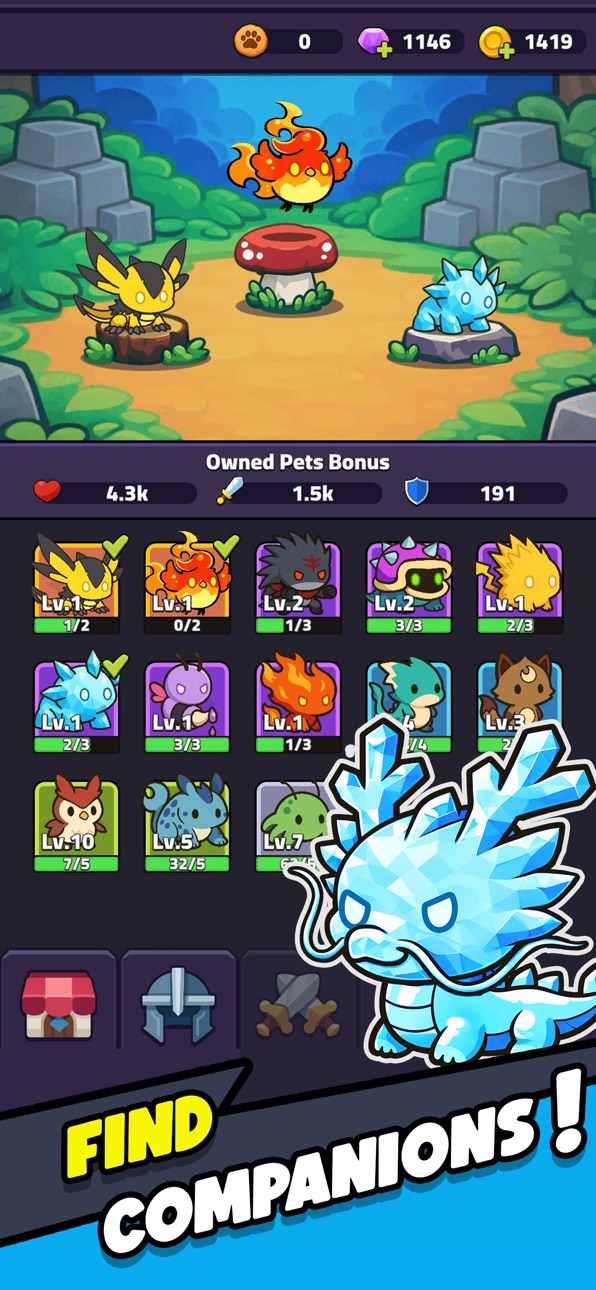
* Système de familiers : Obtenez et entraînez des compagnons qui vous suivront au combat (bientôt disponible).
Profondeur roguelike, plaisir idle RPG
Rogue Legend combine l'excitation du gameplay roguelike avec la satisfaction de la progression RPG et idle. Chaque run est rapide, gratifiant et unique. Le plateau et les dés rendent chaque mouvement crucial, tandis que le design idle RPG assure une progression constante sans grind répétitif.
Un voyage de stratégie et de puissance :
Si vous aimez l'action roguelike, l'aventure RPG et le gameplay idle, Rogue Legend offre un voyage à la rejouabilité infinie.
Combats, lance les dés et relève-toi dans Rogue Legend, le RPG idle roguelike où chaque bataille forge le destin de ton héros.
ภาพหน้าจอ © เจ้าของแต่ละราย · App Store


iOSGods ไม่มีความเกี่ยวข้อง ไม่ได้รับการรับรอง และไม่ได้รับการสนับสนุนจาก Apple Inc., Google LLC หรือผู้พัฒนาแอปที่แสดงไว้ที่นี่ Apple, iOS และ App Store เป็นเครื่องหมายการค้าของ Apple Inc. Android และ Google Play เป็นเครื่องหมายการค้าของ Google LLC ชื่อแอป ไอคอน ภาพ และเครื่องหมายการค้าอื่นทั้งหมดเป็นทรัพย์สินของเจ้าของแต่ละราย

- iPhone หรือ iPad ที่ไม่ได้เจลเบรก/ไม่ได้เจลเบรก หรือเจลเบรกแล้ว
- Sideloadly หรือทางเลือกอื่น
- คอมพิวเตอร์ที่ใช้ Windows/macOS/Linux และติดตั้ง iTunes ไว้
ขั้นตอนที่ 1: ดาวน์โหลดไฟล์ .IPA ที่แฮกไว้ล่วงหน้าจากลิงก์ด้านบนลงในคอมพิวเตอร์ของคุณ หากต้องการดาวน์โหลดจากแอป iOSGods โปรดดู วิธีดาวน์โหลด IPA ในแอป iOSGods ซึ่งมีตัวอย่างวิดีโอประกอบ
ขั้นตอนที่ 2: ดาวน์โหลด Sideloadly แล้วติดตั้งบน Windows หรือ Mac ของคุณ
ขั้นตอนที่ 3: เปิด Sideloadly บนคอมพิวเตอร์ เชื่อมต่ออุปกรณ์ iOS แล้วรอจนกว่าชื่ออุปกรณ์ของคุณจะปรากฏใน Sideloadly
ขั้นตอนที่ 4: เมื่อ iDevice ของคุณถูกตรวจพบแล้ว ให้ลากไฟล์ .IPA ที่ม็อดมาวางลงในโปรแกรม Sideloadly
ขั้นตอนที่ 5: กรอกอีเมล Apple Account ของคุณ จากนั้นกด "Start" ระบบจะถามรหัสผ่าน กรอกข้อมูลที่จำเป็นให้เรียบร้อย
ขั้นตอนที่ 6: รอจนกว่า Sideloadly จะ sideload/ติดตั้งไฟล์ IPA ที่แฮกเสร็จ หากเกิดปัญหาระหว่างติดตั้ง โปรดอ่านหมายเหตุด้านล่าง
ขั้นตอนที่ 7: เมื่อการติดตั้งเสร็จสิ้นและเห็นแอปบนหน้าจอหลักแล้ว ให้ไปที่ การตั้งค่า → ทั่วไป → โปรไฟล์ / VPN และการจัดการอุปกรณ์ จากนั้นแตะที่อีเมลที่คุณกรอกในขั้นตอนที่ 6 แล้วแตะ "เชื่อถือ [email protected]"
ขั้นตอนที่ 8: จากนั้นไปที่หน้าจอหลักและเปิดแอปที่ติดตั้งใหม่ ทุกอย่างควรทำงานได้ปกติ คุณอาจต้องทำตามคำแนะนำเพิ่มเติมเฉพาะแอปในป๊อปอัปของม็อดในเกม
หมายเหตุ: สำหรับ iOS/iPadOS 16 ขึ้นไป คุณต้อง เปิดโหมดนักพัฒนา (Developer Mode) สำหรับบัญชี Apple Developer แบบฟรี คุณต้องทำขั้นตอนนี้ซ้ำทุก 7 วัน หากมีคำถามหรือพบปัญหา โปรดอ่าน หัวข้อ FAQ ของ Sideloadly ในกระทู้
Game Name iOS Mod IPA is an action adventure game enhanced with powerful gameplay boosts and quality-of-life improvements. Win battles faster, earn rewards quicker, and enjoy uninterrupted play without ads.
- Unlimited Gold - spend freely to unlock premium content
- Damage Multiplier - deal significantly more damage in combat
- Defense Multiplier - take less damage and survive longer
- Reward Multiplier - earn more loot from every battle
- Max Level - instantly reach the highest player rank
- No Ads - play without interruptions or advertisements
This app also comes with iGameGod, giving you access to Auto Touch to automate repetitive tasks, App Speed Manager for adjustable gameplay speed, Memory Engine value editing, and more powerful iOS game tools.
ดาวน์โหลด Game Name Mod IPA จากลิงก์ด้านบน แตะปุ่มติดตั้งและทำตามคำแนะนำบนหน้าจอเพื่อติดตั้งแฮ็กแอป iOS นี้บน iPhone, iPad หรือ Apple Silicon
ต้องการความช่วยเหลือเพิ่มเติม ดู คำถามที่พบบ่อยของแอป iOSGods สำหรับคำตอบโดยละเอียดและเคล็ดลับการแก้ไขปัญหา
----------------------------------------------------------
--------------------------------------------------




![Rapid Reload iOS Mod IPA [ Debug Menu ]](https://is1-ssl.mzstatic.com/image/thumb/Purple221/v4/10/5a/d7/105ad73b-5797-6e1b-6050-32cb39839597/AppIcon-0-0-1x_U007emarketing-0-8-0-85-220.png/100x100bb.jpg)


