ต้องเข้าสู่ระบบ
เข้าสู่ระบบด้วยบัญชี iOSGods เพื่อดำเนินการต่อ
เข้าสู่ระบบด้วยบัญชี iOSGods เพื่อดำเนินการต่อ
ปลดล็อก ตัวคูณความเสียหาย, ตัวคูณการป้องกัน, โหมดเทพ, และ ViP เปิดใช้งาน ในการแฮก Mod IPA ฟรีสำหรับ Rogue Legend - Roguelike RPG iOS Mod IPA เกมแอคชั่นโรกไลค์ที่ทุกการต่อสู้จะทำให้วีรชนของคุณแข็งแกร่งขึ้น ครอบงำการวิ่งไม่สิ้นสุดในโลกที่เต็มไปด้วยสัตว์ประหลาดด้วยการโกงที่เพิ่มพลังของคุณและลบการบดบังออก
- ตัวคูณความเสียหาย → เพิ่มพลังการโจมตีของคุณ
- ตัวคูณการป้องกัน → ลดความเสียหายที่เข้ามา
- โหมดเทพ → กลายเป็นอมตะ
- ข้ามการต่อสู้ → หลีกเลี่ยงการเผชิญหน้าทันที
- ViP เปิดใช้งาน → ปลดล็อกฟีเจอร์พรีเมียม
แอปนี้ยังมาพร้อมกับ iGameGod ซึ่งช่วยให้คุณเข้าถึง Auto Touch สำหรับการทำงานซ้ำ ๆ โดยอัตโนมัติ, App Speed Manager สำหรับปรับความเร็วของเกม, การแก้ไขค่าด้วย Memory Engine และเครื่องมือสำหรับเกม iOS ที่ทรงพลังอื่น ๆ อีกมากมาย
ดาวน์โหลด Rogue Legend - Roguelike RPG iOS Mod IPA จากลิงก์ด้านบน แตะปุ่มติดตั้งและทำตามคำแนะนำบนหน้าจอเพื่อติดตั้งแฮ็กแอป iOS นี้บน iPhone, iPad หรือ Apple Silicon
ต้องการความช่วยเหลือเพิ่มเติม? ดู คำถามที่พบบ่อยของแอป iOSGods สำหรับคำตอบโดยละเอียดและเคล็ดลับการแก้ไขปัญหา
Tauche ein in ein Action-Roguelike-RPG-Abenteuer mit Rogue Legend, in dem jeder Kampf deinen Helden stärker macht.
In Rogue Legend reist du durch Welten voller Monster, Schätze und mächtiger Bosse. Jeder Run ist ein neues Roguelike-RPG-Erlebnis aus Strategie, Action und Progression - die perfekte Gelegenheit, deinen Helden zu stärken und in jedem Lauf weiter vorzudringen.
Betritt eine Welt endloser Kämpfe:
Jede Session beginnt in der Lobby. Drücke Play, würfle und starte deinen Roguelike-RPG-Run in einem brettbasierten Action-RPG voller Begegnungen und Überraschungen. Je nachdem, auf welchem Feld dein Held landet, passieren unterschiedliche Events:
* Gegner-Felder: Schnelle Auto-Battle-Kämpfe. Nach jedem Sieg wählst du eines von drei Upgrades, um deinen Build zu formen.
* Buff-Felder: Erhalte Boni auf Angriff, Verteidigung und Tempo, damit dein Held in den Idle-Dungeons von Rogue Legend länger überlebt.
* Negativ-Felder: Stelle dich Debuffs, die dein Timing und deine strategischen Entscheidungen herausfordern.
* Minigame-Felder: Versuch dein Glück in kurzen Events für extra Loot oder Power-ups.
* Shop-Felder: Gib Gold aus für neue Ausrüstung, Upgrades und legendäre Items.
* Spezial-Felder: Neue Feldtypen werden regelmäßig ergänzt und erweitern das Gameplay von Rogue Legend.
Besiege Bosse und werde stärker:
Dein Ziel ist es zu überleben, dich anzupassen und jeden Bosskampf zu meistern. Jeder Kampf ist eine Chance, neue Roguelike-RPG-Herausforderungen, Belohnungen und Fähigkeiten freizuschalten - perfekt für deinen nächsten Run in diesem Idle-RPG-Abenteuer.
Upgrade, Progression und Hero-Customization:
Zwischen den Runs kehrst du in die Lobby zurück, um deinen Helden über Rogue Legends RPG-Progressions-Systeme zu verbessern:
* Gear-System: Sammle und verbessere Waffen, Rüstung und Ausrüstung.
* Talent-System: Level auf, um neue Werte, passive Fähigkeiten und Boni für deinen Playstyle freizuschalten.
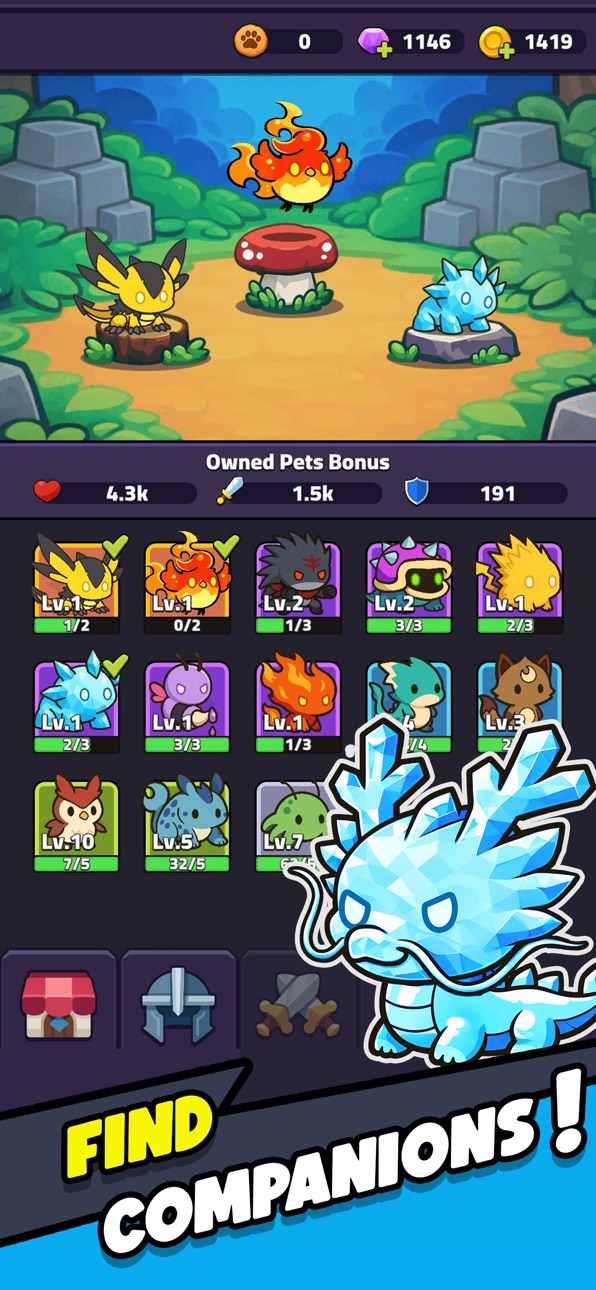
* Pet-System: Erhalte und trainiere Begleiter, die dich im Kampf unterstützen (bald verfügbar).
Roguelike-Tiefe mit Idle-RPG-Progression
Rogue Legend verbindet die Spannung von Roguelike-Gameplay mit der Befriedigung von RPG- und Idle-Progression. Jeder Run fühlt sich schnell, lohnend und einzigartig an. Brett und Würfel machen jeden Zug wichtig, während das Idle-RPG-Design stetigen Fortschritt ohne stupiden Grind sichert.
Eine Reise voller Strategie und Macht:
Wenn du Roguelike-Action, RPG-Abenteuer und Idle-Gameplay magst, bietet dir Rogue Legend endlosen Wiederspielwert.
Kämpfe, würfle und erhebe dich erneut in Rogue Legend - dem Roguelike-Idle-RPG, in dem jeder Kampf das Schicksal deines Helden formt.
ภาพหน้าจอ © เจ้าของแต่ละราย · App Store


iOSGods ไม่มีความเกี่ยวข้อง ไม่ได้รับการรับรอง และไม่ได้รับการสนับสนุนจาก Apple Inc., Google LLC หรือผู้พัฒนาแอปที่แสดงไว้ที่นี่ Apple, iOS และ App Store เป็นเครื่องหมายการค้าของ Apple Inc. Android และ Google Play เป็นเครื่องหมายการค้าของ Google LLC ชื่อแอป ไอคอน ภาพ และเครื่องหมายการค้าอื่นทั้งหมดเป็นทรัพย์สินของเจ้าของแต่ละราย

- iPhone หรือ iPad ที่ไม่ได้เจลเบรก/ไม่ได้เจลเบรก หรือเจลเบรกแล้ว
- Sideloadly หรือทางเลือกอื่น
- คอมพิวเตอร์ที่ใช้ Windows/macOS/Linux และติดตั้ง iTunes ไว้
ขั้นตอนที่ 1: ดาวน์โหลดไฟล์ .IPA ที่แฮกไว้ล่วงหน้าจากลิงก์ด้านบนลงในคอมพิวเตอร์ของคุณ หากต้องการดาวน์โหลดจากแอป iOSGods โปรดดู วิธีดาวน์โหลด IPA ในแอป iOSGods ซึ่งมีตัวอย่างวิดีโอประกอบ
ขั้นตอนที่ 2: ดาวน์โหลด Sideloadly แล้วติดตั้งบน Windows หรือ Mac ของคุณ
ขั้นตอนที่ 3: เปิด Sideloadly บนคอมพิวเตอร์ เชื่อมต่ออุปกรณ์ iOS แล้วรอจนกว่าชื่ออุปกรณ์ของคุณจะปรากฏใน Sideloadly
ขั้นตอนที่ 4: เมื่อ iDevice ของคุณถูกตรวจพบแล้ว ให้ลากไฟล์ .IPA ที่ม็อดมาวางลงในโปรแกรม Sideloadly
ขั้นตอนที่ 5: กรอกอีเมล Apple Account ของคุณ จากนั้นกด "Start" ระบบจะถามรหัสผ่าน กรอกข้อมูลที่จำเป็นให้เรียบร้อย
ขั้นตอนที่ 6: รอจนกว่า Sideloadly จะ sideload/ติดตั้งไฟล์ IPA ที่แฮกเสร็จ หากเกิดปัญหาระหว่างติดตั้ง โปรดอ่านหมายเหตุด้านล่าง
ขั้นตอนที่ 7: เมื่อการติดตั้งเสร็จสิ้นและเห็นแอปบนหน้าจอหลักแล้ว ให้ไปที่ การตั้งค่า → ทั่วไป → โปรไฟล์ / VPN และการจัดการอุปกรณ์ จากนั้นแตะที่อีเมลที่คุณกรอกในขั้นตอนที่ 6 แล้วแตะ "เชื่อถือ [email protected]"
ขั้นตอนที่ 8: จากนั้นไปที่หน้าจอหลักและเปิดแอปที่ติดตั้งใหม่ ทุกอย่างควรทำงานได้ปกติ คุณอาจต้องทำตามคำแนะนำเพิ่มเติมเฉพาะแอปในป๊อปอัปของม็อดในเกม
หมายเหตุ: สำหรับ iOS/iPadOS 16 ขึ้นไป คุณต้อง เปิดโหมดนักพัฒนา (Developer Mode) สำหรับบัญชี Apple Developer แบบฟรี คุณต้องทำขั้นตอนนี้ซ้ำทุก 7 วัน หากมีคำถามหรือพบปัญหา โปรดอ่าน หัวข้อ FAQ ของ Sideloadly ในกระทู้
Game Name iOS Mod IPA is an action adventure game enhanced with powerful gameplay boosts and quality-of-life improvements. Win battles faster, earn rewards quicker, and enjoy uninterrupted play without ads.
- Unlimited Gold - spend freely to unlock premium content
- Damage Multiplier - deal significantly more damage in combat
- Defense Multiplier - take less damage and survive longer
- Reward Multiplier - earn more loot from every battle
- Max Level - instantly reach the highest player rank
- No Ads - play without interruptions or advertisements
This app also comes with iGameGod, giving you access to Auto Touch to automate repetitive tasks, App Speed Manager for adjustable gameplay speed, Memory Engine value editing, and more powerful iOS game tools.
ดาวน์โหลด Game Name Mod IPA จากลิงก์ด้านบน แตะปุ่มติดตั้งและทำตามคำแนะนำบนหน้าจอเพื่อติดตั้งแฮ็กแอป iOS นี้บน iPhone, iPad หรือ Apple Silicon
ต้องการความช่วยเหลือเพิ่มเติม ดู คำถามที่พบบ่อยของแอป iOSGods สำหรับคำตอบโดยละเอียดและเคล็ดลับการแก้ไขปัญหา
----------------------------------------------------------
--------------------------------------------------




![Rapid Reload iOS Mod IPA [ Debug Menu ]](https://is1-ssl.mzstatic.com/image/thumb/Purple221/v4/10/5a/d7/105ad73b-5797-6e1b-6050-32cb39839597/AppIcon-0-0-1x_U007emarketing-0-8-0-85-220.png/100x100bb.jpg)


