Login Required
Sign in with your iOSGods account to continue.
Sign in with your iOSGods account to continue.
This roguelike survival defense RPG hack transforms Marmot Defense into an unstoppable adventure where you defend against endless enemy waves with godlike power. Equip yourself with a damage multiplier and god mode to breeze through fast-paced auto-battler combat, level up your marmot hero effortlessly, and reclaim the animal kingdom without the grind.
- Damage Multiplier → amplify your hero's attack output
- God Mode → become invincible in combat
This app also comes with iGameGod, giving you access to Auto Touch to automate repetitive tasks, App Speed Manager for adjustable gameplay speed, Memory Engine value editing, and more powerful iOS game tools.
Download Marmot Defense: Rogue Survival iOS Mod IPA from the links above. Tap the install button and follow the on-screen instructions to install this iOS app hack on your iPhone, iPad, or Apple Silicon.
Need more help? Check out our iOSGods App Frequently Asked Questions for detailed answers and troubleshooting tips.
Marmot Survivor : Roguelike - Survival RPG
Can a small marmot falsely branded as the Demon King protect the entire animal kingdom?
Fight back. Grow stronger. Become a legend.
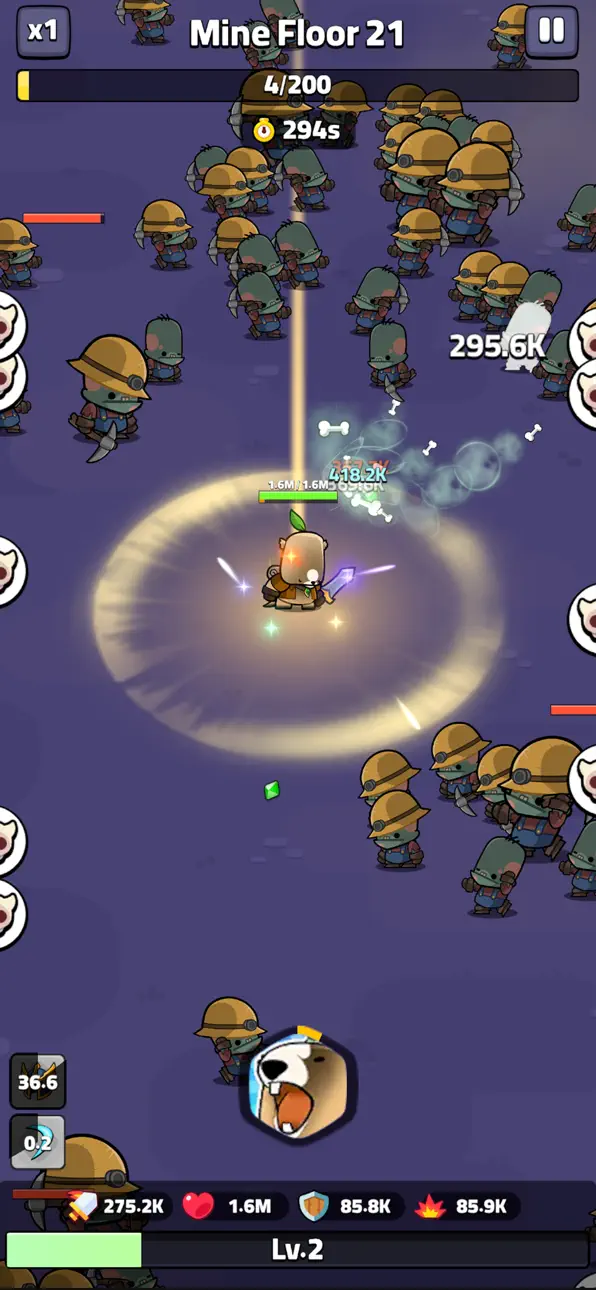
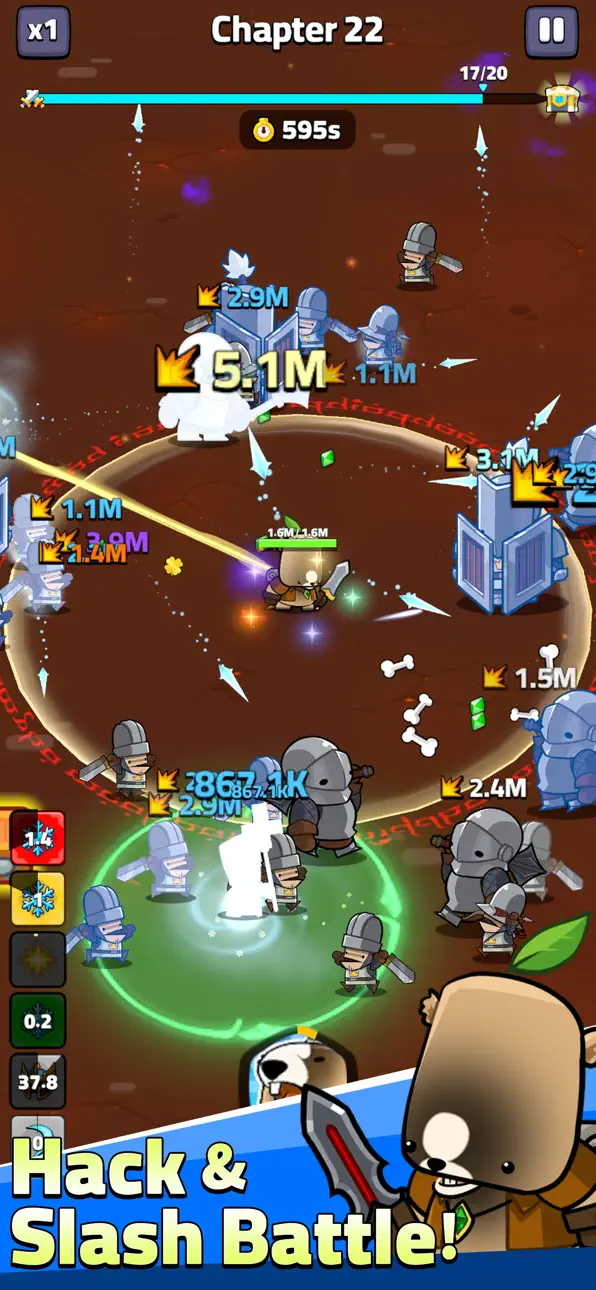
Marmot Survivor is an addictive roguelike survival RPG with auto battle, idle progression, and deep elemental synergy.
AUTO BATTLE ROGUELIKE SURVIVAL
No manual grinding. Your hero fights automatically while you make the decisions that matter.
Every run is different - draft skills, build synergies, and push your survival record further.
6 ELEMENTS x SYNERGY SYSTEM
Master Fire, Ice, Lightning, Wind, Light, and Darkness.
Combine elements to trigger powerful synergy effects: Firestorm, Frozen Thunder, Chain Lightning, and more.
Your element choices define your entire build.
CARD-BASED SKILL DRAFTING
Level up -> choose one of three skill cards.
Reroll with gold. Every pick shapes the run.
One card can completely flip your strategy.
ENDLESS WAVES. RISING DIFFICULTY.
Enemies grow stronger every 10 seconds.
Crush 5-minute speed runs or push deep into extended survival.
Defeat waves, collect rewards, and unlock permanent upgrades.
IDLE RPG PROGRESSION
Play for 3 minutes or 3 hours - progress never stops.
Your pet collects EXP while you're away.
Idle gains fuel your next roguelike run.
DEEP EQUIPMENT & BUILD SYSTEM
Weapons, armor, relics, and set items.
Equipment doesn't just raise stats - it changes how you play.
Discover rare synergies hidden in unexpected combinations.
CUTE HEROES. DARK WORLD.
Adorable animal characters in a world conquered by greedy humans.
A marmot unjustly feared as a monster rises to lead the resistance.
Face waves of human soldiers, beasts, and colossal bosses.
YOU'LL LOVE THIS GAME IF YOU ENJOY:
Idle RPG & incremental progression
Roguelite build crafting and replayability
Auto battle games with strategic depth
Cute characters with impactful combat
Download free. Just survive.
Marmot Survivor : Roguelike
Auto Battle & Idle RPG & Elemental Synergy & Roguelike Survival
Screenshots © their respective owners · App Store


iOSGods is not affiliated with, endorsed by, or sponsored by Apple Inc., Google LLC, or the developers of the apps listed here. Apple, iOS and App Store are trademarks of Apple Inc. Android and Google Play are trademarks of Google LLC. All other app names, icons, artwork and trademarks belong to their respective owners.

- Non-Jailbroken/Jailed or Jailbroken iPhone or iPad.
- Sideloadly or alternatives.
- Computer running Windows/macOS/Linux with iTunes installed.
STEP 1: Download the pre-hacked .IPA file from the link above to your computer. To download from the iOSGods App, see our iOSGods App IPA Download Tutorial which includes a video example.
STEP 2: Download Sideloadly and install it on your Windows or Mac.
STEP 3: Open Sideloadly on your computer, connect your iOS device, and wait until your device name appears in Sideloadly.
STEP 4: Once your iDevice is recognized, drag the modded .IPA file you downloaded and drop it into the Sideloadly application.
STEP 5: Enter your Apple Account email, then press “Start.” You’ll then be asked to enter your password. Go ahead and provide the required information.
STEP 6: Wait for Sideloadly to finish sideloading/installing the hacked IPA. If there are issues during installation, please read the note below.
STEP 7: Once the installation is complete and you see the app on your Home Screen, you will need to go to Settings → General → Profiles / VPN & Device Management. Once there, tap on the email you entered from step 6, and then tap on “Trust [email protected]”.
STEP 8: Now go to your Home Screen and open the newly installed app and everything should work fine. You may need to follow further per app instructions inside the hack's popup in-game.
NOTE: iOS/iPadOS 16 and later, you must enable Developer Mode. For free Apple Developer accounts, you will need to repeat this process every 7 days. If you have any questions or problems, read our Sideloadly FAQ section of the topic.
Game Name iOS Mod IPA is an action adventure game enhanced with powerful gameplay boosts and quality-of-life improvements. Win battles faster, earn rewards quicker, and enjoy uninterrupted play without ads.
- Unlimited Gold - spend freely to unlock premium content
- Damage Multiplier - deal significantly more damage in combat
- Defense Multiplier - take less damage and survive longer
- Reward Multiplier - earn more loot from every battle
- Max Level - instantly reach the highest player rank
- No Ads - play without interruptions or advertisements
This app also comes with iGameGod, giving you access to Auto Touch to automate repetitive tasks, App Speed Manager for adjustable gameplay speed, Memory Engine value editing, and more powerful iOS game tools.
Download Game Name Mod IPA from the links above. Tap the install button and follow the on-screen instructions to install this iOS app hack on your iPhone, iPad, or Apple Silicon.
Need more help Check out our iOSGods App Frequently Asked Questions for detailed answers and troubleshooting tips.
----------------------------------------------------------
--------------------------------------------------






![Rapid Reload iOS Mod IPA [ Debug Menu ]](https://is1-ssl.mzstatic.com/image/thumb/Purple221/v4/dd/55/f4/dd55f48b-b8d7-7745-aaaf-bb3e5854e53a/AppIcon-0-0-1x_U007emarketing-0-8-0-85-220.png/100x100bb.jpg)


