Anmeldung erforderlich
Melden Sie sich mit Ihrem iOSGods-Konto an, um fortzufahren.
Hack Features:
- Free Paid App
Laden Sie ProCam 6 modded IPA über die obigen Links herunter. Tippen Sie auf den Installations-Button und folgen Sie den Anweisungen, um diese iOS-App auf Ihrem iPhone, iPad oder Apple Silicon zu installieren.
Brauchen Sie mehr Hilfe? In unseren iOSGods App häufig gestellten Fragen finden Sie ausführliche Antworten und Tipps zur Fehlerbehebung.
TRUSTED BY OVER 6.5 MILLION USERS
---------------------------------------------------
WHAT PEOPLE SAY
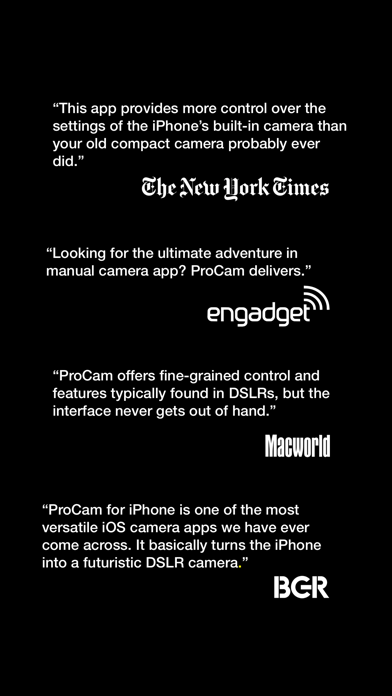
"This app provides more control over the settings of the iPhone’s built-in camera than your old compact camera probably ever did." - New York Times
"Looking for the ultimate adventure in manual camera apps? ProCam delivers." - Engadget
"ProCam offers fine-grained control and features typically found in DSLRs, but the interface never gets out of hand." - Macworld
"ProCam for iPhone is one of the most versatile iOS camera apps we have ever come across. It basically turns the iPhone into a futuristic DSLR camera." - BGR
"If you’re looking for a pro-grade camera app with neat photo and video editing features to boot, better set your sights on ProCam." - App Advice
"Well-designed and offering all that one could need, it's tough to fault ProCam." - 148 Apps
---------------------------------------------------
SHOOTING MODES
- Photo
- Burst Mode
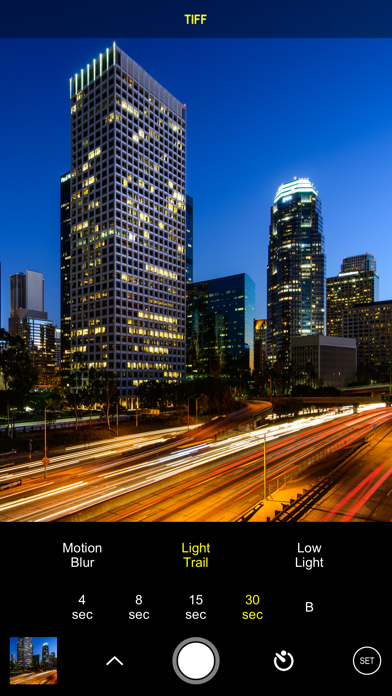
- Slow Shutter - iPhone 5 / iPad 3 and later
- Portrait Mode - requires dual lens camera system
- 3D Photos - requires dual lens camera system
- Video
- Time Lapse
PHOTO SHUTTER RELEASE OPTIONS
- Self-Timer
- Anti-Shake
- Screen Shutter / Big Button
- Interval
VIDEO FRAME RATES AND RESOLUTIONS
- VGA, 720p, 1080p
- 4K Ultra HD - 3264x1836 upscaled to 3840x2160 - in-app purchase - iPhone 5s / iPad Air 2 and later
- 4K Ultra HD - 3840x2160 - native support on iPhone 6s / Plus and later
- 4K Max - 4032x2268 - in-app purchase - iPhone 6s / Plus and later
- High frame rate:
* 48 / 50 / 60 fps 720p - iPhone 5 / iPad mini and later
* 96 / 100 /120 fps 720p - iPhone 5s / iPad Air 2 and later
* 192 / 200 / 240 fps 720p - iPhone 6 and later
* 48 / 50 / 60 fps 1080p - iPhone 6 and later
* 96 / 100 / 120 fps 1080p - iPhone 6s / Plus and later
* 192 / 200 / 240 fps 1080p - iPhone 8 and later
* 48 / 50 / 60 fps 4K - iPhone 8 and later
TIME LAPSE FRAME RATES AND RESOLUTIONS
- VGA, 720p, 1080p
- 4K Ultra HD - 3264x1836 upscaled to 3840x2160 - in-app purchase - iPhone 5 / iPad Air 2 and later
- 4K Ultra HD - 3840x2160 - native support on iPhone 6s / Plus and later
- 4K Max - 4032x2268 - in-app purchase - iPhone 6s / Plus and later
- High frame rate:
* 48 / 50 / 60 fps 720p - all devices
* 48 / 50 / 60 fps 1080p - all devices
* 48 / 50 / 60 fps 4K - iPhone 5 / iPad Air 2 and later
* 48 / 50 / 60 fps 4K Max - iPhone 6s / Plus and later
MANUAL CONTROLS
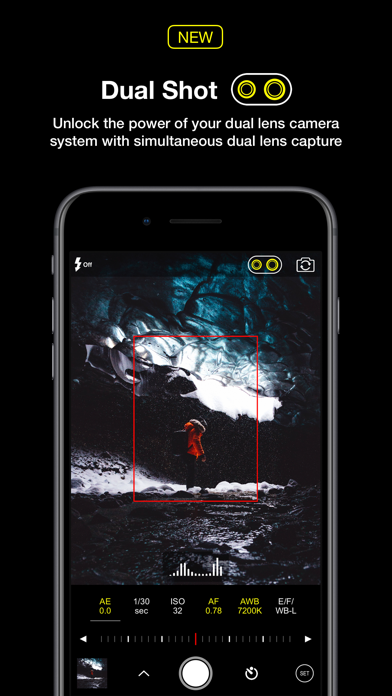
- Manual exposure, shutter speed, ISO, focus, and white balance controls
- Scroll and steppers system inspired by DSLR cameras
- Tap location accurate manual focus assist
- True focus peaking
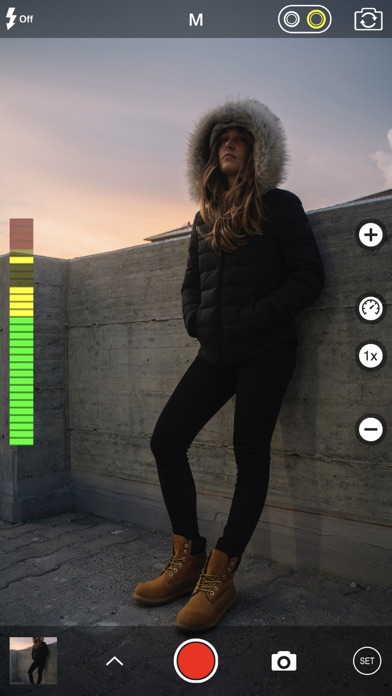
- Zebra stripes - overexposure warning
- Live shutter speed, ISO, focus, and WB values
- Manual controls are supported in all photo and video modes
MAIN CAMERA FEATURES
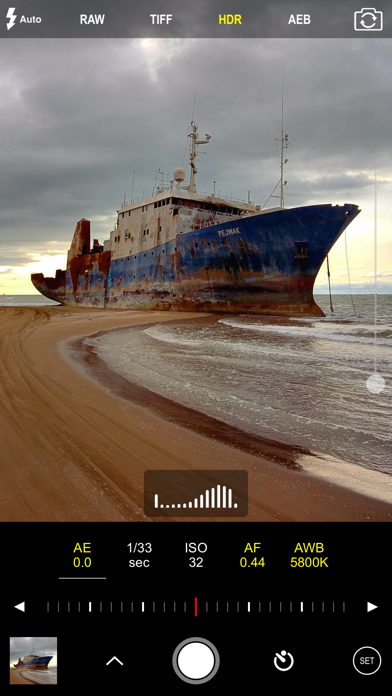
- RAW (DNG) iOS 10 - iPhone 6s / iPad Pro 9.7 and later
- Lossless TIFF file format support
- Intelligent 3-shot HDR
- AEB (Auto Exposure Bracketing) with RAW support for high contrast conditions
- Live light level histogram
- Adjustable aspect ratio (4:3 / 3:2 / 16:9 / 1:1)
- Video pause/resume functionality
- Video audio meter (Avg. / Peak signal levels)
- Still photo capture during video recording
- Realtime video stabilization (ON/OFF)
- Video disk space indicator
- Thirds grid and horizontal tiltmeter.
- Date / time / location / Copyright stamp
PHOTO / VIDEO EDITOR & PHOTO EDITING EXTENSION
- Nondestructive editing - all edits, including cropping, are completely amendable / reversible
- 60 expertly crafted filters
- 17 lenses: Vignette / White Vignette / Fisheye / Tilt Shift / Macro / Tiny Planet / Wormhole / Split / Kaleidoscope I, II, III, IV, V / Ripple / Striped / Hatched / Halftone
- 19 comprehensive adjustment tools
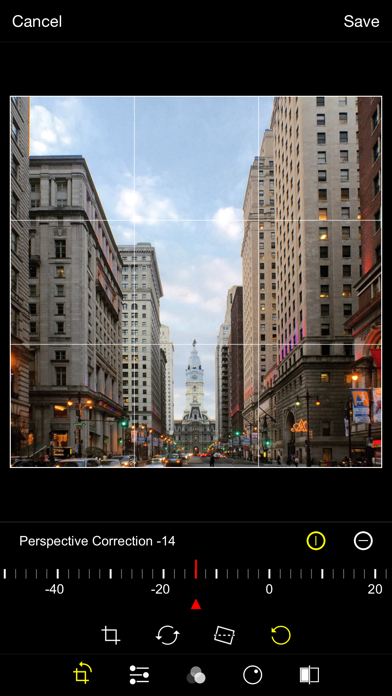
- Trimming, cropping, rotating, mirroring, straightening, and perspective correction
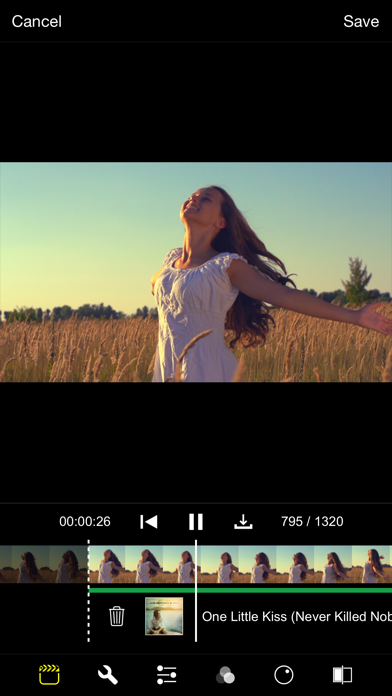
- Extremely accurate timeline with the ability to review videos frame by frame
- Ability to add background music
- Nicht-Jailbroken/Jailed oder Jailbroken iPhone oder iPad.
- Sideloadly oder Alternativen.
- Computer mit Windows/macOS/Linux und installiertem iTunes.
SCHRITT 1: Laden Sie die vorinstallierte .IPA-Datei über den obigen Link auf Ihren Computer herunter. Zum Herunterladen aus der iOSGods-App siehe unser iOSGods App IPA Download-Tutorial mit Videobeispiel.
SCHRITT 2: Laden Sie Sideloadly herunter und installieren Sie es auf Ihrem Windows oder Mac.
SCHRITT 3: Öffnen Sie Sideloadly auf Ihrem Computer, verbinden Sie Ihr iOS-Gerät und warten Sie, bis Ihr Gerätename in Sideloadly erscheint.
SCHRITT 4: Sobald Ihr iDevice erkannt wird, ziehen Sie die heruntergeladene gemoddete .IPA-Datei in die Sideloadly-Anwendung.
SCHRITT 5: Geben Sie Ihre Apple-Account-E-Mail ein und drücken Sie „Start". Sie werden dann nach Ihrem Passwort gefragt. Geben Sie die erforderlichen Informationen ein.
SCHRITT 6: Warten Sie, bis Sideloadly das Sideloading/Installieren der gehackten IPA abgeschlossen hat. Bei Problemen während der Installation lesen Sie bitte den Hinweis unten.
SCHRITT 7: Sobald die Installation abgeschlossen ist und die App auf Ihrem Home-Bildschirm angezeigt wird, müssen Sie zu Einstellungen → Allgemein → Profile / VPN & Geräteverwaltung gehen. Tippen Sie dort auf die E-Mail, die Sie in Schritt 6 eingegeben haben, und dann auf „Trust [email protected]".
SCHRITT 8: Gehen Sie nun zu Ihrem Home-Bildschirm und öffnen Sie die neu installierte App – alles sollte einwandfrei funktionieren. Möglicherweise müssen Sie weitere App-spezifische Anweisungen im Hack-Popup im Spiel befolgen.
HINWEIS: iOS/iPadOS 16 und höher: Sie müssen den Entwicklermodus aktivieren. Bei kostenlosen Apple Developer-Accounts müssen Sie diesen Vorgang alle 7 Tage wiederholen. Bei Fragen oder Problemen lesen Sie bitte unsere Sideloadly-FAQ-Sektion im Thema.