Требуется вход
Войдите в учётную запись iOSGods, чтобы продолжить.
Войдите в учётную запись iOSGods, чтобы продолжить.
Бесплатное платное приложение для ProCam 6 Mod IPA предоставляет полный доступ к этому надежному профессиональному приложению камеры без премиум-цены. ProCam 6 - это мощный инструмент камеры iOS, которому доверяют более 6,5 миллионов пользователей, предоставляющий элементы управления уровня DSLR и детальные настройки прямо на вашем iPhone.
- Бесплатное платное приложение → полный премиум-доступ разблокирован
Это приложение также поставляется с iGameGod, который открывает доступ к Auto Touch для автоматизации повторяющихся действий, App Speed Manager для регулируемой скорости игры, редактированию значений Memory Engine и другим мощным инструментам для iOS-игр.
Скачайте ProCam 6 modded IPA по ссылкам выше. Нажмите кнопку установки и следуйте инструкциям, чтобы установить этот хак iOS на iPhone, iPad или Mac с Apple Silicon.
Нужна помощь? Посмотрите наши Часто задаваемые вопросы по приложению iOSGods, чтобы получить подробные ответы и советы по устранению неполадок.
SHOOTING MODES
- Photo
- Burst Mode
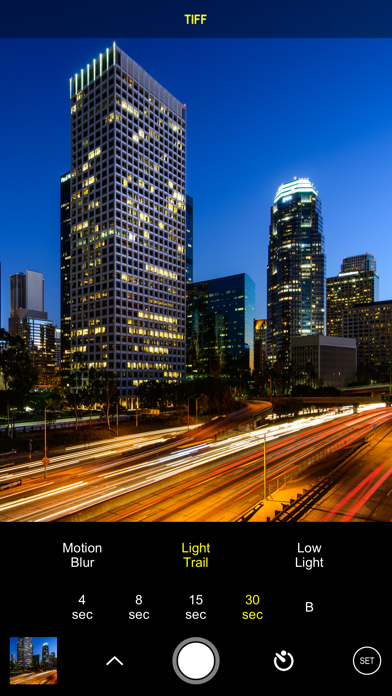
- Slow Shutter
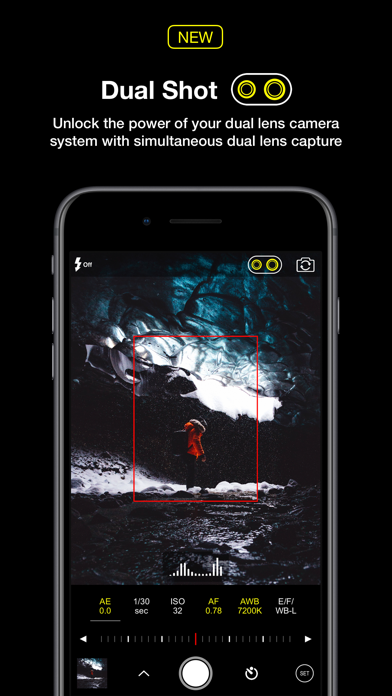
- Portrait Mode - supported on all dual lens camera system as well as iPhone XR and iPhone SE 2020
- 3D Photo - requires dual lens camera system
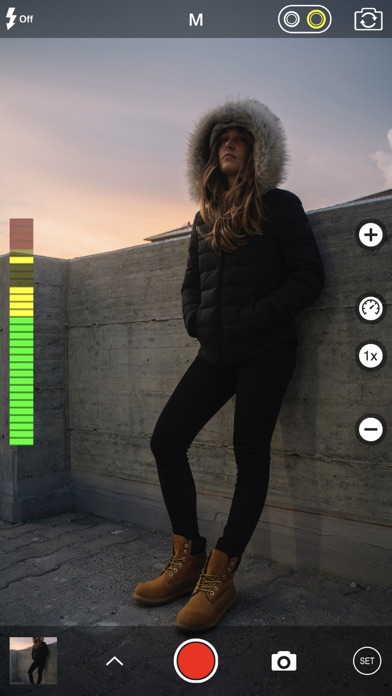
- Video
- Time Lapse
PHOTO SHUTTER RELEASE OPTIONS
- Self-Timer
- Anti-Shake
- Screen Shutter / Big Button
- Interval
VIDEO FRAME RATES AND RESOLUTIONS
- VGA, 720p, 1080p
- 4K Ultra HD - 3264x1836 upscaled to 3840x2160 - in-app purchase - iPhone 5s / iPad Air 2 and later
- 4K Ultra HD - 3840x2160 - native support on iPhone 6s / Plus and later
- 4K Max - 4032x2268 - in-app purchase - iPhone 6s / Plus and later
- High frame rate:
* 48 / 50 / 60 fps 720p - iPhone 5 / iPad mini and later
* 96 / 100 /120 fps 720p - iPhone 5s / iPad Air 2 and later
* 192 / 200 / 240 fps 720p - iPhone 6 and later
* 48 / 50 / 60 fps 1080p - iPhone 6 and later
* 96 / 100 / 120 fps 1080p - iPhone 6s / Plus and later
* 192 / 200 / 240 fps 1080p - iPhone 8 and later
* 48 / 50 / 60 fps 4K - iPhone 8 and later
TIME LAPSE FRAME RATES AND RESOLUTIONS
- VGA, 720p, 1080p
- 4K Ultra HD - 3264x1836 upscaled to 3840x2160 - in-app purchase - iPhone 5 / iPad Air 2 and later
- 4K Ultra HD - 3840x2160 - native support on iPhone 6s / Plus and later
- 4K Max - 4032x2268 - in-app purchase - iPhone 6s / Plus and later
- High frame rate:
* 48 / 50 / 60 fps 720p - all devices
* 48 / 50 / 60 fps 1080p - all devices
* 48 / 50 / 60 fps 4K - iPhone 5 / iPad Air 2 and later
* 48 / 50 / 60 fps 4K Max - iPhone 6s / Plus and later
MANUAL CONTROLS
- Manual exposure, shutter speed, ISO, focus, and white balance controls
- Scroll and steppers system inspired by DSLR cameras
- Tap location accurate manual focus assist
- True focus peaking
- Zebra stripes - overexposure warning
- Live shutter speed, ISO, focus, and WB values
- Manual controls are supported in all photo and video modes
MAIN CAMERA FEATURES
- RAW (DNG) iOS 10 - iPhone 6s / iPad Pro 9.7 and later
- Lossless TIFF file format support
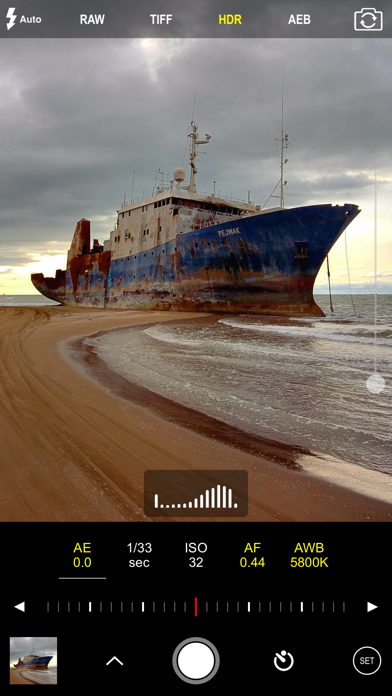
- Intelligent 3-shot HDR
- AEB (Auto Exposure Bracketing) with RAW support for high contrast conditions
- Live light level histogram
- Adjustable aspect ratio (4:3 / 3:2 / 16:9 / 1:1)
- Video pause/resume functionality
- Video audio meter (Avg. / Peak signal levels)
- Still photo capture during video recording
- Realtime video stabilization (ON/OFF)
- Video disk space indicator
- Thirds grid and horizontal tiltmeter.
- Date / time / location / Copyright stamp
PHOTO / VIDEO EDITOR & PHOTO EDITING EXTENSION
- Nondestructive editing - all edits, including cropping, are completely amendable / reversible
- 60 expertly crafted filters
- 17 lenses: Vignette / White Vignette / Fisheye / Tilt Shift / Macro / Tiny Planet / Wormhole / Split / Kaleidoscope I, II, III, IV, V / Ripple / Striped / Hatched / Halftone
- 19 comprehensive adjustment tools
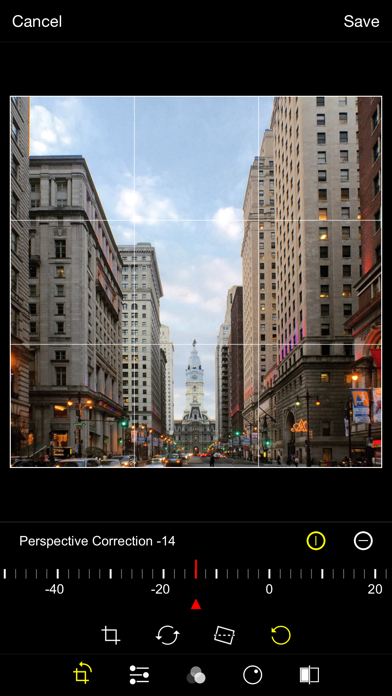
- Trimming, cropping, rotating, mirroring, straightening, and perspective correction
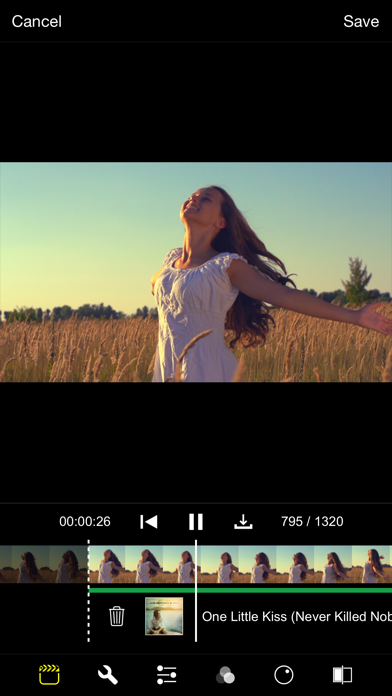
- Extremely accurate timeline with the ability to review videos frame by frame
- Ability to add background music
- iPhone или iPad без джейлбрейка/в обычном режиме или с джейлбрейком.
- Sideloadly или альтернативы.
- Компьютер с Windows/macOS/Linux и установленным iTunes.
ШАГ 1: Скачайте предварительно взломанный файл .IPA по ссылке выше на свой компьютер. Чтобы скачать его из приложения iOSGods, посмотрите наш Туториал по скачиванию IPA в приложении iOSGods, в котором есть видеопример.
ШАГ 2: Скачайте Sideloadly и установите его на Windows или Mac.
ШАГ 3: Откройте Sideloadly на компьютере, подключите iOS-устройство и дождитесь, пока его имя появится в Sideloadly.
ШАГ 4: Когда устройство будет распознано, перетащите скачанный модифицированный файл .IPA в окно Sideloadly.
ШАГ 5: Введите адрес электронной почты вашего Apple Account, затем нажмите «Start». После этого вас попросят ввести пароль. Укажите необходимые данные.
ШАГ 6: Дождитесь, пока Sideloadly завершит sideload/установку взломанного IPA. При возникновении проблем во время установки ознакомьтесь с примечанием ниже.
ШАГ 7: После завершения установки и появления приложения на главном экране перейдите в Настройки → Основные → Профили / VPN и управление устройством. Там нажмите на email, который вы ввели на шаге 6, а затем нажмите «Доверять [email protected]».
ШАГ 8: Теперь перейдите на главный экран и откройте установленное приложение — всё должно работать. Возможно, потребуется выполнить дополнительные инструкции в попапе мода внутри игры.
ПРИМЕЧАНИЕ: На iOS/iPadOS 16 и новее необходимо включить режим разработчика. Для бесплатных учётных записей Apple Developer этот процесс нужно повторять каждые 7 дней. Если возникнут вопросы или проблемы, ознакомьтесь с нашим разделом FAQ по Sideloadly в теме.