Cần đăng nhập
Đăng nhập bằng tài khoản iOSGods để tiếp tục.
Hack Features:
- Infinite Currencies
- Premium
Tải Sonic Cat-Slash the Beats Hack modded IPA từ các liên kết ở trên. Nhấn nút cài đặt và làm theo hướng dẫn để cài bản hack iOS lên iPhone, iPad hoặc Apple Silicon.
Cần thêm trợ giúp? Hãy xem Câu hỏi thường gặp ứng dụng iOSGods để có câu trả lời chi tiết và mẹo khắc phục sự cố.
We believe rhythm hides in everyone’s heart!
It may be ignored, but never get lost.
Let’s hit the sonic road and find your own shining rhythm.
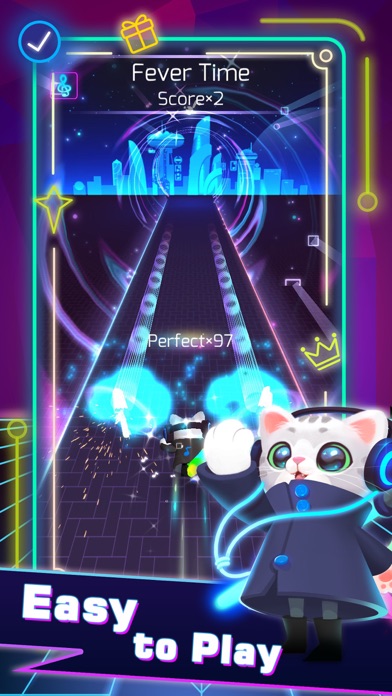
One of the most addictive games in 2020 is coming!!!!! Sonic Cat is an innovative combination of fancy music and fast-paced gameplay, all you need to do is to listen to the music and move your fingers.
Come on! Let's follow the rhythm and enjoy the beat saber!
How to play:
SIMPLY choose your favorite song, tap or hold the screen to slash every beat cube at the hit point. Concentrate yourself and maximize your reaction!
Game Features:
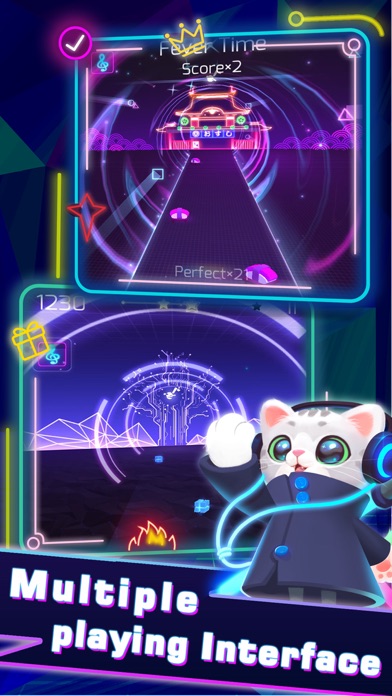
- Multiple Game Control Experiences
- Amounts of Songs to Satisfy Different Taste (100+ Songs will be updated)
- Various Stages with Unique Visual Design
- A Wide Variety of Skins and Weapons to Choose
We provide a combination of various music created by the world's most brilliant independent musicians. Welcome to join us, a memorable music journey with Sonic Cat is always waiting for you to start.
If any producer or label has an issue with any of the music used in the game, please send email to us and it will be deleted immediately if necessary (this includes the images used).
Support & Business Cooperation :
If you are seeking any kind of game cooperation and other supports, please send email to [email protected].
Auto Renewable Subscription:
Cats VIP Fans:
7-day VIP Service includes following products WEEKLY:
- No Pop-Up ADs
- Unlock all Songs
- Unlock all weapons & skins
- VIP Exclusive Weapons & Songs
- Cancel anytime
End of trial and subscription renewal
This price is established for United States customers. Pricing in other countries may vary and actual charges may be converted to your local currency depending on the country of residence.
Payment will be charged to your iTunes Account at confirmation of purchase.
Subscription automatically renews unless auto-renew is turned off at least 24-hours before the end of the current period.
Account will be charged for renewal within 24-hours prior to the end of the current period, and identify the cost of the renewal.
Subscriptions may be managed by the user and auto-renewal may be turned off by going to the user's Account Settings after purchase.
Any unused portion of a free trial period, if offered, will be forfeited when the user purchases a subscription to that publication, where applicable.
Canceling trial or subscription
You can turn off the auto-renew for the subscription whenever you want to through iTunes. Check https://support.apple.com/HT202039 . When your current trial/subscription period expires, you will be unsubscribed. The current active subscription period can not be cancelled. When your subscription expires, you will no longer be able to use elements included in Subscription option.
Privacy Policy: https://bit.ly/38YXqle
Terms of Service: https://bit.ly/3b6aqau
Terms of Subscription : https://bit.ly/38U8UX9
- iPhone hoặc iPad chưa jailbreak/đã đóng hoặc đã jailbreak.
- Sideloadly hoặc các lựa chọn thay thế.
- Máy tính chạy Windows/macOS/Linux đã cài iTunes.
BƯỚC 1: Tải tệp .IPA đã được hack sẵn từ liên kết phía trên về máy tính của bạn. Để tải từ iOSGods App, hãy xem Hướng dẫn tải IPA bằng iOSGods App của chúng tôi, có kèm ví dụ bằng video.
BƯỚC 2: Tải Sideloadly và cài đặt trên Windows hoặc Mac của bạn.
BƯỚC 3: Mở Sideloadly trên máy tính, kết nối thiết bị iOS của bạn và chờ cho đến khi tên thiết bị hiển thị trong Sideloadly.
BƯỚC 4: Khi thiết bị iOS của bạn đã được nhận diện, hãy kéo tệp .IPA đã chỉnh sửa mà bạn tải về và thả vào ứng dụng Sideloadly.
BƯỚC 5: Nhập email Apple Account của bạn, sau đó nhấn "Start." Bạn sẽ được yêu cầu nhập mật khẩu. Hãy cung cấp các thông tin cần thiết.
BƯỚC 6: Chờ Sideloadly hoàn tất quá trình sideload/cài đặt tệp IPA đã hack. Nếu gặp sự cố trong quá trình cài đặt, vui lòng đọc lưu ý bên dưới.
BƯỚC 7: Khi cài đặt hoàn tất và bạn thấy ứng dụng trên Màn hình chính, bạn cần truy cập Cài đặt → Cài đặt chung → Hồ sơ / VPN & Quản lý thiết bị. Tại đó, nhấn vào email bạn đã nhập ở bước 6, rồi nhấn "Tin cậy [email protected]".
BƯỚC 8: Bây giờ hãy về Màn hình chính và mở ứng dụng vừa cài đặt, mọi thứ sẽ hoạt động bình thường. Bạn có thể cần làm theo hướng dẫn riêng của từng ứng dụng trong cửa sổ popup của bản hack trong game.
LƯU Ý: Trên iOS/iPadOS 16 trở lên, bạn phải bật Chế độ nhà phát triển. Với tài khoản Apple Developer miễn phí, bạn sẽ cần lặp lại quy trình này mỗi 7 ngày. Nếu bạn có thắc mắc hoặc gặp sự cố, hãy đọc mục FAQ về Sideloadly trong chủ đề của chúng tôi.