需要登录
请使用您的 iOSGods 账户登录以继续。
请使用您的 iOSGods 账户登录以继续。
这款Sonic Cat-Slash the Beats Mod IPA节奏游戏破解版为你提供无限货币和高级访问权限,让你无需磨练即可解锁所有音乐和游戏玩法。在这款成瘾性的2020年节奏游戏中点击和随着节拍斩击,现在从一开始就解锁了所有高级功能。
- 无限货币 → 在歌曲和升级上自由消费
- 高级版 → 解锁所有高级内容
此应用还内置 iGameGod,让你能够使用 Auto Touch 自动执行重复操作、通过 App Speed Manager 调节游戏速度、使用 Memory Engine 修改内存数值,以及更多强大的 iOS 游戏工具。
从上方链接下载 Sonic Cat-Slash the Beats Hack modded IPA。点击安装按钮并按照屏幕提示在 iPhone、iPad 或 Apple Silicon 上安装此 iOS 应用修改版。
需要更多帮助?请查看我们的 iOSGods 应用常见问题解答 获取详细解答和故障排除技巧。
We believe rhythm hides in everyone’s heart!
It may be ignored, but never get lost.
Let’s hit the sonic road and find your own shining rhythm.
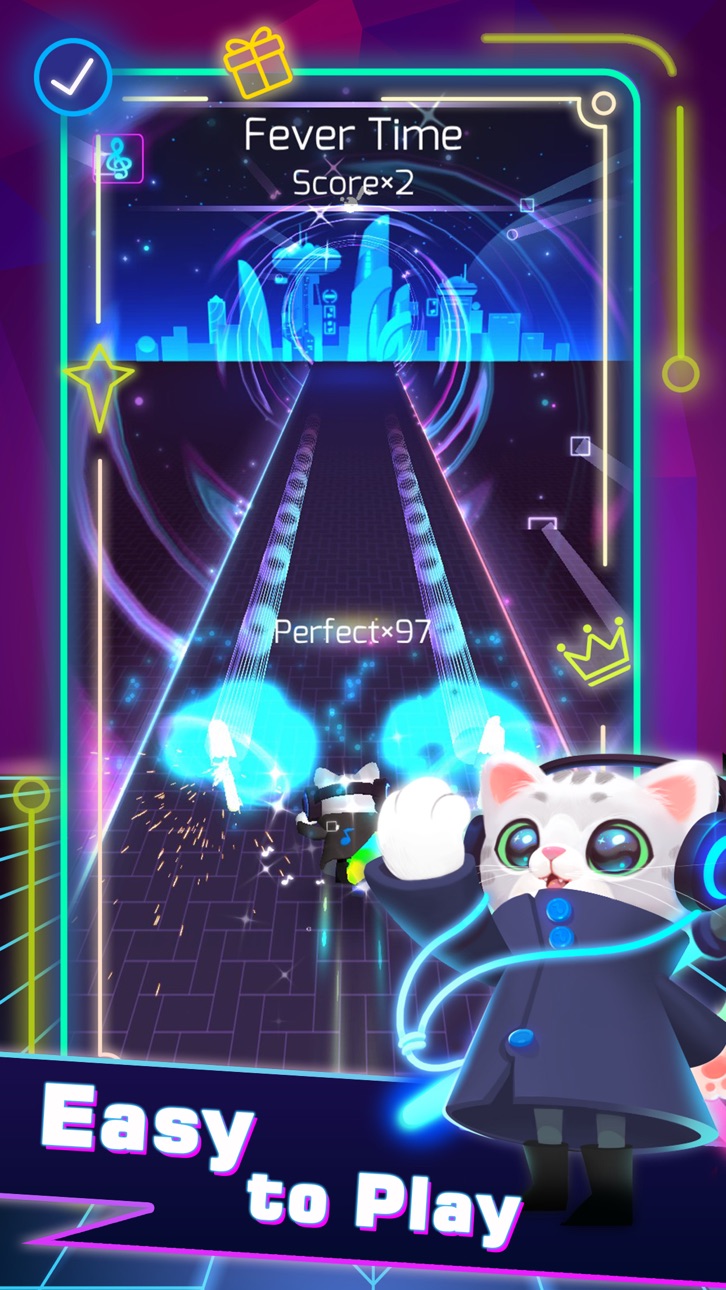
One of the most addictive games in 2020 is coming!!!!! Sonic Cat is an innovative combination of fancy music and fast-paced gameplay, all you need to do is to listen to the music and move your fingers.
Come on! Let's follow the rhythm and enjoy the beat saber!
How to play:
SIMPLY choose your favorite song, tap or hold the screen to slash every beat cube at the hit point. Concentrate yourself and maximize your reaction!
Game Features:
- Multiple Game Control Experiences
- Amounts of Songs to Satisfy Different Taste (100+ Songs will be updated)
- Various Stages with Unique Visual Design
- A Wide Variety of Skins and Weapons to Choose
We provide a combination of various music created by the world's most brilliant independent musicians. Welcome to join us, a memorable music journey with Sonic Cat is always waiting for you to start.
If any producer or label has an issue with any of the music used in the game, please send email to us and it will be deleted immediately if necessary (this includes the images used).
Support & Business Cooperation :
If you are seeking any kind of game cooperation and other supports, please send email to [email protected].
Auto Renewable Subscription:
Cats VIP Fans:
7-day VIP Service includes following products WEEKLY:
- No Pop-Up ADs
- Unlock all Songs
- Unlock all weapons & skins
- VIP Exclusive Weapons & Songs
- Cancel anytime
End of trial and subscription renewal
This price is established for United States customers. Pricing in other countries may vary and actual charges may be converted to your local currency depending on the country of residence.
Payment will be charged to your iTunes Account at confirmation of purchase.
Subscription automatically renews unless auto-renew is turned off at least 24-hours before the end of the current period.
Account will be charged for renewal within 24-hours prior to the end of the current period, and identify the cost of the renewal.
Subscriptions may be managed by the user and auto-renewal may be turned off by going to the user's Account Settings after purchase.
Any unused portion of a free trial period, if offered, will be forfeited when the user purchases a subscription to that publication, where applicable.
Canceling trial or subscription
You can turn off the auto-renew for the subscription whenever you want to through iTunes. Check https://support.apple.com/HT202039 . When your current trial/subscription period expires, you will be unsubscribed. The current active subscription period can not be cancelled. When your subscription expires, you will no longer be able to use elements included in Subscription option.
Terms of Subscription : https://bit.ly/38U8UX9

- 未越狱/受限或已越狱的 iPhone 或 iPad。
- Sideloadly 或替代方案。
- 运行 Windows/macOS/Linux 且已安装 iTunes 的电脑。
步骤 1: 通过上方链接将已破解的 .IPA 文件下载到您的电脑。如需从 iOSGods App 下载,请参阅我们的 iOSGods App IPA 下载教程,其中包含视频示例。
步骤 2: 下载 Sideloadly 并将其安装到您的 Windows 或 Mac 上。
步骤 3: 在电脑上打开 Sideloadly,连接您的 iOS 设备,等待设备名称在 Sideloadly 中显示。
步骤 4: 当 Sideloadly 识别到您的 iOS 设备后,将下载好的修改版 .IPA 文件拖放到 Sideloadly 应用中。
步骤 5: 输入您的 Apple Account 邮箱,然后点击 "Start"。系统会提示您输入密码,请按要求填写信息。
步骤 6: 等待 Sideloadly 完成已破解 IPA 的旁加载/安装。如果安装过程中出现问题,请阅读下方的注意事项。
步骤 7: 安装完成并在主屏幕上看到该应用后,您需要前往 设置 → 通用 → 描述文件 / VPN 与设备管理。进入后,点击您在第 6 步中输入的邮箱,然后点击 "信任 [email protected]"。
步骤 8: 现在返回主屏幕并打开新安装的应用,一切应可正常运行。您可能需要按照游戏内修改弹窗中的具体说明执行进一步操作。
注意: 在 iOS/iPadOS 16 及更高版本上,您必须 启用开发者模式。对于免费的 Apple Developer 账户,您需要每 7 天重复一次此操作。如有任何疑问或问题,请阅读我们的 主题中的 Sideloadly 常见问题部分。
Hack Features:
- Inf Coins (Spend)
App Installation Instructions:
---------------------------------------------------------
----------------------------------------------------------
If you require more information or help, please read our Frequently Asked Questions topic on iOSGods.com.
----------------------------------------------------------
--------------------------------------------------





![[Chiikawa Pocket JP] ちいかわぽけっと iOS Mod IPA](https://is1-ssl.mzstatic.com/image/thumb/Purple211/v4/d9/d4/90/d9d49093-38a1-37b7-3948-d98bd77634d2/AppIcon-0-0-1x_U007emarketing-0-8-0-85-220.png/100x100bb.jpg)

