需要登入
請使用您的 iOSGods 帳戶登入以繼續。
請使用您的 iOSGods 帳戶登入以繼續。
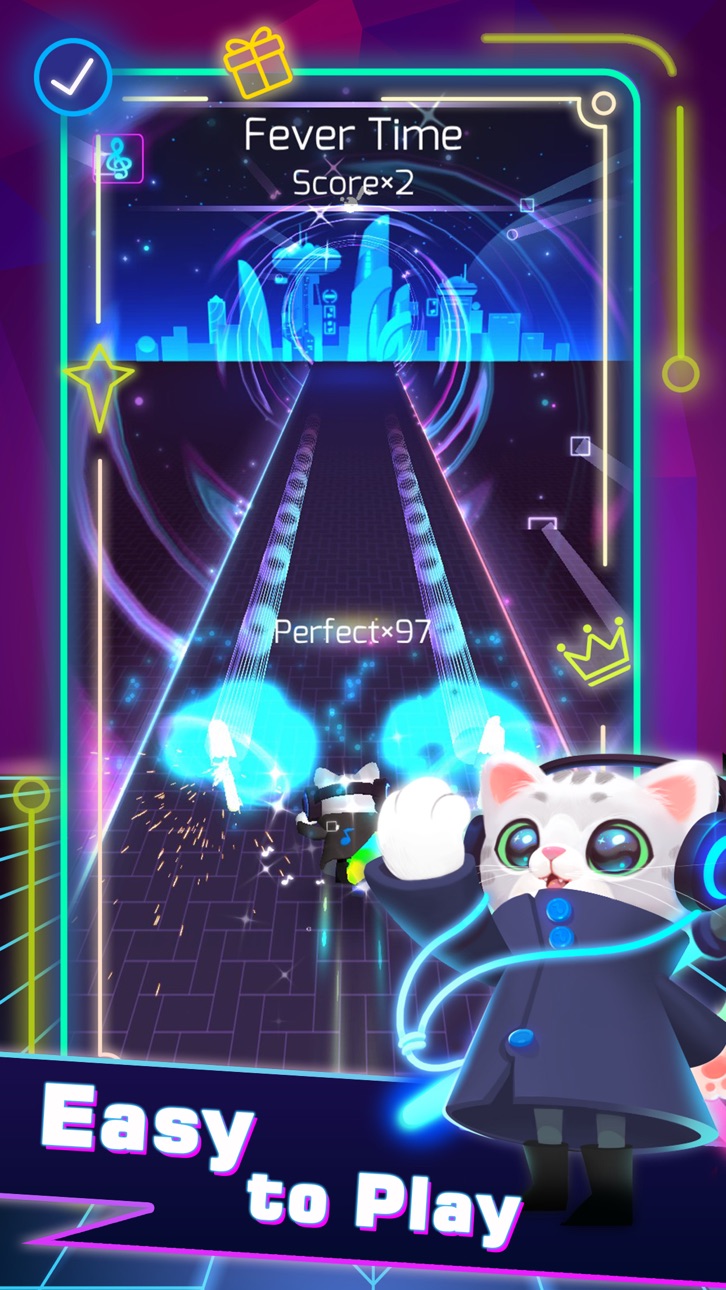
這款 Sonic Cat-Slash the Beats Mod IPA 節奏遊戲破解版為您提供無限貨幣和高級會員存取權限,無需磨練即可解鎖所有音樂和遊戲玩法。在這款令人上癮的 2020 年節奏遊戲中點擊並隨著節拍斬擊,現在從一開始就解鎖了所有高級功能。
- 無限貨幣 → 自由花費在歌曲和升級上
- 高級會員 → 解鎖所有高級內容
此應用程式也內建 iGameGod,讓你可以使用 Auto Touch 自動執行重複操作、透過 App Speed Manager 調整遊戲速度、使用 Memory Engine 修改記憶體數值,以及更多強大的 iOS 遊戲工具。
從上方連結下載 Sonic Cat-Slash the Beats Hack modded IPA。點選安裝按鈕並依照畫面指示在 iPhone、iPad 或 Apple Silicon 上安裝此 iOS 應用程式修改版。
需要更多協助?請查看我們的 iOSGods 應用程式常見問題 以獲得詳細解答與疑難排解。
みんなの心にリズムが隠れていると信じています!
無視されても失われることはありません。
音の道を進んで、あなた自身の輝くリズムを見つけましょう。
大人気のリズムゲーム「ソニック猫」がいよいよリリース!ソニック猫は、音楽ビートと視覚効果の完璧な組み合わせで、美しい音楽を聞きながら、指を動かすだけで、簡単にゲームを体験できます。
さあ、メロディーに乗ってリズム猫をやりましょう!
ルール説明:
お気に入りの曲を簡単に選択し、タップ、長押し猫をコントロールして、剣を使ってビートキューブを切ります。集中して自分の手のスピードの限界を挑戦しましょう!
特徴:
- 今までのない素晴らしい体験が楽しめる
- 楽曲収録数は100曲超(さまざまなニーズを満たせる)
- 素晴らしい画面が君のプレイを彩る
- 多種多様なスキンと武器が選択できる
世界で最も優秀なミュージシャンによって作成された多様なジャンルの楽曲がありますよ。今すぐソニック猫と一緒に音楽の旅にでかけましょう!
プロデューサーまたはレーベルでゲームで使用されている音楽のいずれかに問題がある場合は、メールを送信してください。必要に応じてすぐに削除されます(使用した画像も含まれます)。
お問い合わせ:
業務提携についても[email protected]までご連絡お願いいたします。
自動更新可能なサブスクリプション:
猫VIPファン:
7日間のVIPサービスには、次の製品が毎週含まれます。
-ポップアップ広告なし
-すべての曲のロックを解除
-すべての武器とスキンのロックを解除します
-VIP限定の武器と歌
-いつでもキャンセル
試用期間の終了とサブスクリプションの更新
この価格は米国のお客様向けに設定されています。他の国では価格が異なる場合があり、実際の国の通貨に換算される場合があります。
お支払いは、購入の確認時にiTunesアカウントに請求されます。
現在の期間が終了する少なくとも24時間前に自動更新をオフにしない限り、サブスクリプションは自動的に更新されます。
アカウントには、現在の期間が終了する前の24時間以内に更新料が請求され、更新のコストが特定されます。
サブスクリプションはユーザーが管理でき、購入後にユーザーのアカウント設定に移動して自動更新をオフにすることができます。
無料の試用期間の未使用部分が提供されている場合、ユーザーがそのパブリケーションへのサブスクリプションを購入すると、該当する場合、それは没収されます。
試用またはサブスクリプションのキャンセル
iTunesでいつでもサブスクリプションの自動更新をオフにすることができます。 https://support.apple.com/HT202039を確認してください。現在の試用/サブスクリプション期間が終了すると、サブスクリプションが解除されます。現在有効なサブスクリプション期間はキャンセルできません。サブスクリプションの有効期限が切れると、サブスクリプションオプションに含まれている要素を使用できなくなります。
プライバシーポリシー:https://bit.ly/38YXqle
利用規約:https://bit.ly/3b6aqau
サブスクリプションの条件:https://bit.ly/38U8UX9

- 未越獄/受限或已越獄的 iPhone 或 iPad。
- Sideloadly 或替代方案。
- 執行 Windows/macOS/Linux 且已安裝 iTunes 的電腦。
步驟 1: 透過上方連結將已破解的 .IPA 檔案下載到您的電腦。若要從 iOSGods App 下載,請參閱我們的 iOSGods App IPA 下載教學,其中包含影片範例。
步驟 2: 下載 Sideloadly 並將其安裝在您的 Windows 或 Mac 上。
步驟 3: 在電腦上開啟 Sideloadly,連接您的 iOS 裝置,並等待裝置名稱出現在 Sideloadly 中。
步驟 4: 當 Sideloadly 辨識到您的 iOS 裝置後,將下載好的修改版 .IPA 檔案拖曳並放到 Sideloadly 應用程式中。
步驟 5: 輸入您的 Apple Account 電子郵件,然後按下「Start」。系統會要求您輸入密碼,請依指示提供所需資訊。
步驟 6: 等待 Sideloadly 完成已破解 IPA 的旁載/安裝。如果安裝過程中發生問題,請閱讀下方的注意事項。
步驟 7: 安裝完成並在主畫面上看到該應用程式後,您需要前往 設定 → 一般 → 描述檔 / VPN 與裝置管理。進入後,點選您在步驟 6 中輸入的電子郵件,然後點選「信任 [email protected]」。
步驟 8: 現在回到主畫面並開啟新安裝的應用程式,一切應該都能正常運作。您可能需要依照遊戲內破解彈出視窗中的進一步指示操作。
注意: 在 iOS/iPadOS 16 及更新版本上,您必須 啟用開發者模式。若使用免費的 Apple Developer 帳號,您將需要每 7 天重複此程序。如有任何疑問或問題,請閱讀我們的 主題中的 Sideloadly 常見問題區段。
Hack Features:
- Inf Coins (Spend)
App Installation Instructions:
---------------------------------------------------------
----------------------------------------------------------
If you require more information or help, please read our Frequently Asked Questions topic on iOSGods.com.
----------------------------------------------------------
--------------------------------------------------





![[Chiikawa Pocket JP] ちいかわぽけっと iOS Mod IPA](https://is1-ssl.mzstatic.com/image/thumb/Purple211/v4/d9/d4/90/d9d49093-38a1-37b7-3948-d98bd77634d2/AppIcon-0-0-1x_U007emarketing-0-8-0-85-220.png/100x100bb.jpg)

