Login Diperlukan
Masuk dengan akun iOSGods kamu untuk melanjutkan.
Masuk dengan akun iOSGods kamu untuk melanjutkan.
Hack permainan ritme ini untuk Sonic Cat-Slash the Beats Mod IPA memberi Anda mata uang tak terbatas dan akses premium untuk membuka semua musik dan gameplay tanpa grinding. Ketuk dan potong sesuai irama dalam permainan ritme yang adiktif ini dari 2020, kini dengan semua fitur premium terbuka sejak awal.
- Mata Uang Tak Terbatas → belanjakan dengan bebas untuk lagu dan peningkatan
- Premium → semua konten premium terbuka
Aplikasi ini juga dilengkapi dengan iGameGod, yang memberi Anda akses ke Auto Touch untuk mengotomatiskan tugas berulang, App Speed Manager untuk mengatur kecepatan permainan, pengeditan nilai Memory Engine, dan alat permainan iOS lainnya yang lebih canggih.
Unduh Sonic Cat-Slash the Beats Hack modded IPA dari tautan di atas. Ketuk tombol pasang dan ikuti petunjuk di layar untuk memasang hack iOS ini di iPhone, iPad, atau Apple Silicon.
Butuh bantuan lebih lanjut? Lihat Pertanyaan yang Sering Diajukan untuk Aplikasi iOSGods kami untuk jawaban dan tips lengkap.
We believe rhythm hides in everyone’s heart!
It may be ignored, but never get lost.
Let’s hit the sonic road and find your own shining rhythm.
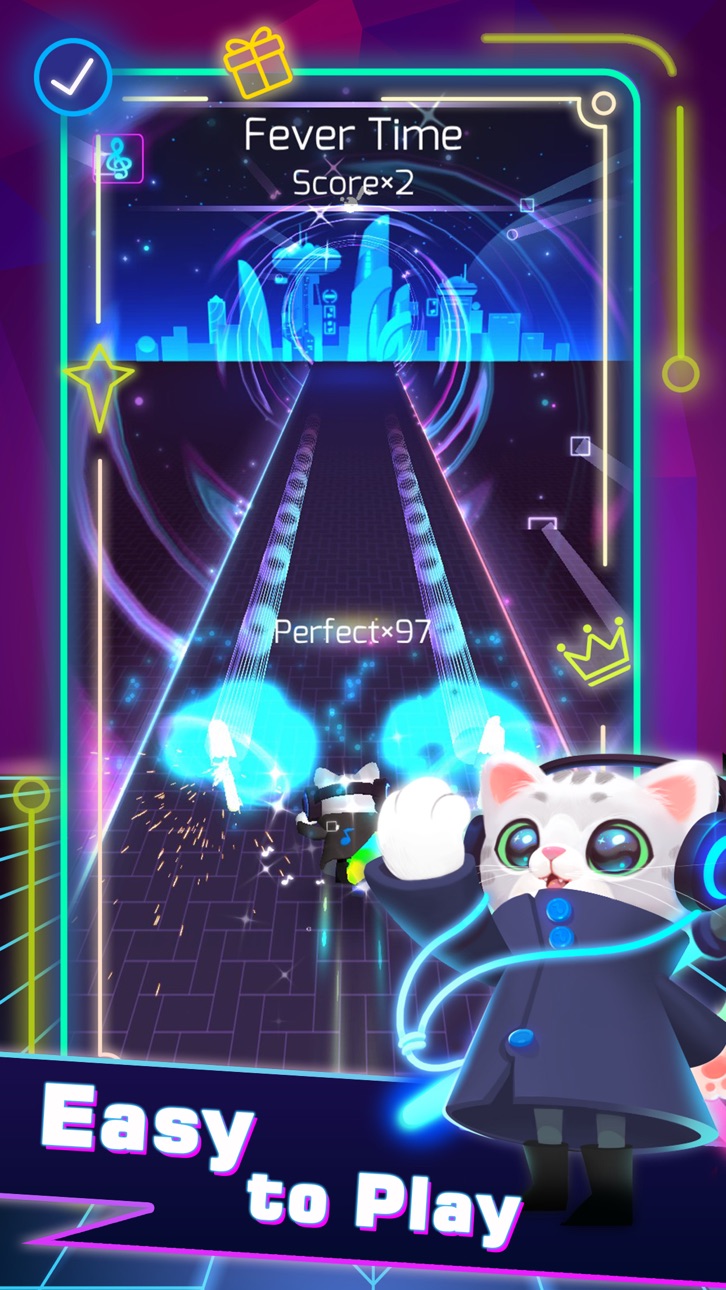
One of the most addictive games in 2020 is coming!!!!! Sonic Cat is an innovative combination of fancy music and fast-paced gameplay, all you need to do is to listen to the music and move your fingers.
Come on! Let's follow the rhythm and enjoy the beat saber!
How to play:
SIMPLY choose your favorite song, tap or hold the screen to slash every beat cube at the hit point. Concentrate yourself and maximize your reaction!
Game Features:
- Multiple Game Control Experiences
- Amounts of Songs to Satisfy Different Taste (100+ Songs will be updated)
- Various Stages with Unique Visual Design
- A Wide Variety of Skins and Weapons to Choose
We provide a combination of various music created by the world's most brilliant independent musicians. Welcome to join us, a memorable music journey with Sonic Cat is always waiting for you to start.
If any producer or label has an issue with any of the music used in the game, please send email to us and it will be deleted immediately if necessary (this includes the images used).
Support & Business Cooperation :
If you are seeking any kind of game cooperation and other supports, please send email to [email protected].
Auto Renewable Subscription:
Cats VIP Fans:
7-day VIP Service includes following products WEEKLY:
- No Pop-Up ADs
- Unlock all Songs
- Unlock all weapons & skins
- VIP Exclusive Weapons & Songs
- Cancel anytime
End of trial and subscription renewal
This price is established for United States customers. Pricing in other countries may vary and actual charges may be converted to your local currency depending on the country of residence.
Payment will be charged to your iTunes Account at confirmation of purchase.
Subscription automatically renews unless auto-renew is turned off at least 24-hours before the end of the current period.
Account will be charged for renewal within 24-hours prior to the end of the current period, and identify the cost of the renewal.
Subscriptions may be managed by the user and auto-renewal may be turned off by going to the user's Account Settings after purchase.
Any unused portion of a free trial period, if offered, will be forfeited when the user purchases a subscription to that publication, where applicable.
Canceling trial or subscription
You can turn off the auto-renew for the subscription whenever you want to through iTunes. Check https://support.apple.com/HT202039 . When your current trial/subscription period expires, you will be unsubscribed. The current active subscription period can not be cancelled. When your subscription expires, you will no longer be able to use elements included in Subscription option.
Terms of Subscription : https://bit.ly/38U8UX9

- iPhone atau iPad tanpa Jailbreak atau dengan Jailbreak.
- Sideloadly atau alternatifnya.
- Komputer dengan Windows/macOS/Linux dan iTunes terpasang.
LANGKAH 1: Unduh file .IPA yang sudah di-hack dari tautan di atas ke komputer Anda. Untuk mengunduhnya dari iOSGods App, silakan lihat Tutorial Mengunduh IPA dari iOSGods App kami yang dilengkapi contoh video.
LANGKAH 2: Unduh Sideloadly dan pasang di Windows atau Mac Anda.
LANGKAH 3: Buka Sideloadly di komputer Anda, sambungkan perangkat iOS Anda, dan tunggu hingga nama perangkat Anda muncul di Sideloadly.
LANGKAH 4: Setelah iDevice Anda terdeteksi, seret file .IPA yang sudah dimodifikasi dan lepaskan ke dalam aplikasi Sideloadly.
LANGKAH 5: Masukkan email Apple Account Anda, lalu tekan "Start". Anda kemudian akan diminta memasukkan kata sandi. Silakan isi informasi yang diminta.
LANGKAH 6: Tunggu hingga Sideloadly selesai melakukan sideloading/pemasangan IPA yang di-hack. Jika terjadi masalah saat pemasangan, silakan baca catatan di bawah ini.
LANGKAH 7: Setelah pemasangan selesai dan Anda melihat aplikasi di Layar Beranda, Anda perlu masuk ke Pengaturan → Umum → Profil / VPN & Manajemen Perangkat. Setelah itu, ketuk email yang Anda masukkan pada langkah 6, lalu ketuk "Percayai [email protected]".
LANGKAH 8: Sekarang buka Layar Beranda dan jalankan aplikasi yang baru saja dipasang; semuanya seharusnya berjalan normal. Anda mungkin perlu mengikuti petunjuk tambahan per aplikasi yang muncul di popup hack di dalam game.
CATATAN: Pada iOS/iPadOS 16 dan yang lebih baru, Anda harus mengaktifkan Mode Pengembang. Untuk akun Apple Developer gratis, Anda perlu mengulangi proses ini setiap 7 hari. Jika Anda memiliki pertanyaan atau masalah, silakan baca bagian FAQ Sideloadly di topik tersebut kami.
Hack Features:
- Inf Coins (Spend)
App Installation Instructions:
---------------------------------------------------------
----------------------------------------------------------
If you require more information or help, please read our Frequently Asked Questions topic on iOSGods.com.
----------------------------------------------------------
--------------------------------------------------





![[Chiikawa Pocket JP] ちいかわぽけっと iOS Mod IPA](https://is1-ssl.mzstatic.com/image/thumb/Purple211/v4/d9/d4/90/d9d49093-38a1-37b7-3948-d98bd77634d2/AppIcon-0-0-1x_U007emarketing-0-8-0-85-220.png/100x100bb.jpg)

