Inicio de sesión requerido
Inicia sesión con tu cuenta de iOSGods para continuar.
Inicia sesión con tu cuenta de iOSGods para continuar.

Captura fotos y videos vintage auténticos con Dazz Cam, una aplicación iOS modificada que trae la estética clásica de las cámaras de película a tu bolsillo. Este hack desbloquea funciones premium, permitiéndote explorar formatos de película retro inspirados en la fotografía de los años 80 sin limitaciones. Con solo un toque, puedes disparar en varios estilos vintage como película 135, película 120, cámaras de juguete, película de diapositivas, cámara instantánea y más, todo con colores y texturas de película real integrados.
- Premium Desbloqueado → acceso a todas las funciones premium
Descarga Dazz Cam - Vintage Camera iOS Mod IPA desde los enlaces de arriba. Toca el botón de instalación y sigue las instrucciones para instalar este hack iOS en tu iPhone, iPad o Mac con Apple Silicon.
¿Necesitas más ayuda? Consulta nuestras Preguntas frecuentes de la app iOSGods para respuestas detalladas y consejos de solución de problemas.
Dazz Camera, Pro Photographer in your Pocket.
We believe in keeping it simple, no need for post-editing. With just one tap, you can capture the most authentic vintage photos or videos, letting you enjoy the moment without distractions.
Dazz camera is inspired by classic film cameras from the 80s. We’ve sampled real film stock to recreate the colors and textures of vintage photography. Dazz camera supports shooting in various retro film formats like 135 film, 120 film, toy cameras, slide film, half-frame cameras, instant camera, 3D film photography, disposable camera, and more.
Besides film photography, Dazz camera also offers modern digital camera color profiles, including compact camera, CCD camera, and we’re constantly adding more.
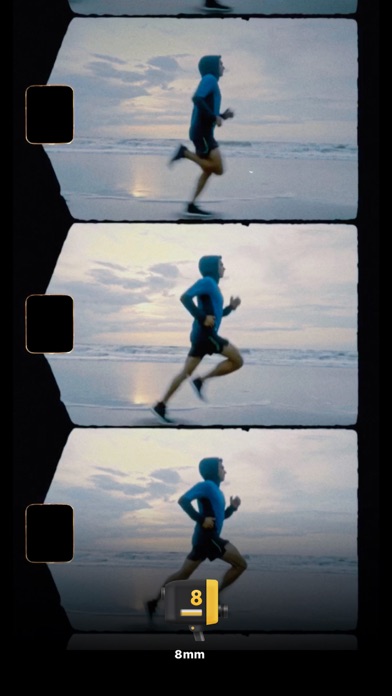
You can also capture videos with a retro vibe, using formats like 8mm film camera, 16mm film camera, VHS tape camera, DCR camera, movie camera, and slide projector.
We’re always rolling out new cameras, so keep an eye out!
When you’re capturing photos and videos, we’ve got some cool extra features and accessories for you:
- Save the negative and reprocess it to achieve different exposure and color temperature. (Available on select cameras)
- Double exposure effect by layering two photos.
- Timer for delayed shots.
- Flash.
- Import your existing photos for editing. (Available on select cameras)
- Adjust color temperature and tint.
- Switch between preset focal lengths or adjust freely.
- Tweak exposure compensation.
- Adjust ISO and shutter speed.
- Stabilization settings.
- Composition grids.
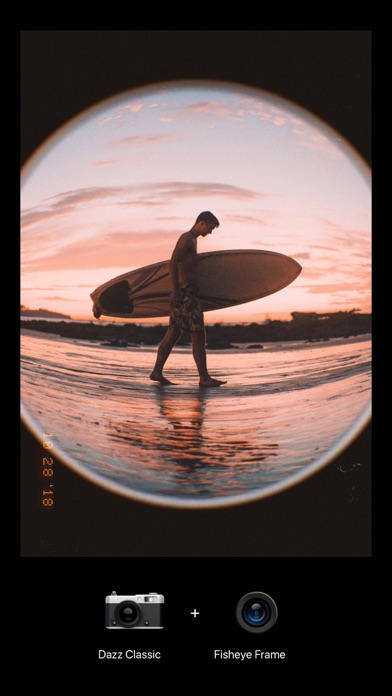
- Fisheye lens.
- Starburst lens.
- Color flash filters.
- Prism lens.
- ND filter.
When you share your photos on social media, don’t forget to tag them with #dazzcam. Our team might just feature your awesome photos in our collection!
Got any questions? Email us at [email protected].
Dazz Pro Subscription
- Join Dazz Pro to access all cameras and accessories.
- Payment will be charged to your iTunes account at confirmation of purchase.
- Subscriptions will automatically renew unless auto-renew is turned off at least 24 hours before the end of the current period.
- Your account will be charged for renewal, in accordance with your plan, within 24 hours prior to the end of the current period.
- You can manage or turn off auto-renew in your Apple ID account settings any time after purchase.
Terms of Use:
http://dazz.ltd/dazz/terms_and_conditions.html
Privacy policy:
http://dazz.ltd/dazz/privacy_policy.html
- iPhone o iPad con o sin Jailbreak.
- Sideloadly u otras alternativas.
- Ordenador con Windows/macOS/Linux e iTunes instalado.
PASO 1: Descargue el archivo .IPA pre-modificado desde el enlace de arriba a su ordenador. Para descargarlo desde la iOSGods App, consulte nuestro Tutorial de descarga del IPA desde la iOSGods App, que incluye un ejemplo en vídeo.
PASO 2: Descargue Sideloadly e instálelo en su Windows o Mac.
PASO 3: Abra Sideloadly en su ordenador, conecte su dispositivo iOS y espere hasta que el nombre del dispositivo aparezca en Sideloadly.
PASO 4: Una vez que su iDevice sea reconocido, arrastre el archivo .IPA modificado que descargó y suéltelo en la aplicación Sideloadly.
PASO 5: Introduzca el correo electrónico de su Apple Account y, a continuación, pulse «Start». Le pedirá que introduzca su contraseña. Proporcione la información solicitada.
PASO 6: Espere a que Sideloadly termine de hacer sideload/instalar el IPA modificado. Si surgen problemas durante la instalación, por favor lea la nota a continuación.
PASO 7: Una vez completada la instalación y al ver la app en la pantalla de inicio, deberá ir a Ajustes → General → Perfiles / VPN y Gestión de Dispositivos. Una vez allí, toque el correo electrónico que introdujo en el paso 6 y, después, toque en «Confiar en [email protected]».
PASO 8: Ahora vaya a la pantalla de inicio y abra la app recién instalada; todo debería funcionar correctamente. Es posible que tenga que seguir instrucciones adicionales específicas de cada app dentro del popup del hack en el juego.
NOTA: En iOS/iPadOS 16 y posteriores, debe activar el Modo Desarrollador. Para cuentas gratuitas de Apple Developer, deberá repetir este proceso cada 7 días. Si tiene alguna pregunta o problema, lea nuestra sección de Preguntas Frecuentes de Sideloadly del tema.