ต้องเข้าสู่ระบบ
เข้าสู่ระบบด้วยบัญชี iOSGods เพื่อดำเนินการต่อ
จับภาพถ่ายและวิดีโอวินเทจที่แท้จริงด้วย Dazz Cam - Vintage Camera iOS Mod IPA ซึ่งเป็นแอปที่ปรับแต่งแล้วและนำเสนอสไตล์กล้องฟิล์มคลาสสิกไปยังกระเป๋าของคุณ Hack นี้ปลดล็อกฟีเจอร์พรีเมียม ให้คุณสำรวจรูปแบบฟิล์มย้อนยุคที่ได้แรงบันดาลใจจากการถ่ายภาพยุค 80 โดยไม่มีข้อจำกัด เพียงแค่แตะเดียว คุณสามารถถ่ายภาพในสไตล์วินเทจต่างๆ เช่น ฟิล์ม 135, ฟิล์ม 120, กล้องของเล่น, ฟิล์มสไลด์, กล้องโพลารอยด์ และอื่นๆ อีกมากมาย ทั้งหมดมีสีและเนื้อสัมผัสของสต็อกฟิล์มจริงที่ฝังอยู่แล้ว
- พรีเมียมปลดล็อก → เข้าถึงฟีเจอร์พรีเมียมทั้งหมด
ดาวน์โหลด Dazz Cam - Vintage Camera iOS Mod IPA จากลิงก์ด้านบน แตะปุ่มติดตั้งและทำตามคำแนะนำบนหน้าจอเพื่อติดตั้งแฮ็กแอป iOS นี้บน iPhone, iPad หรือ Apple Silicon
ต้องการความช่วยเหลือเพิ่มเติม? ดู คำถามที่พบบ่อยของแอป iOSGods สำหรับคำตอบโดยละเอียดและเคล็ดลับการแก้ไขปัญหา
Câmera Dazz, fotógrafo profissional no seu bolso.
Acreditamos em manter as coisas simples—sem necessidade de edição posterior. Com apenas um toque, você pode capturar as fotos ou vídeos vintage mais autênticos, permitindo que você aproveite o momento sem distrações.
A Câmera Dazz é inspirada nas câmeras de filme clássicas dos anos 80. Amostramos filmes reais para recriar as cores e texturas da fotografia vintage.
A Câmera Dazz suporta a captura em vários formatos de filme retrô, como filme 135, filme 120, câmeras de brinquedo, filme slide, câmeras half-frame, câmeras instantâneas, fotografia 3D em filme, câmeras descartáveis e muito mais.
Além da fotografia em filme, a Câmera Dazz também oferece perfis de cores de câmeras digitais modernas, incluindo câmeras compactas, câmeras CCD, e estamos constantemente adicionando mais.
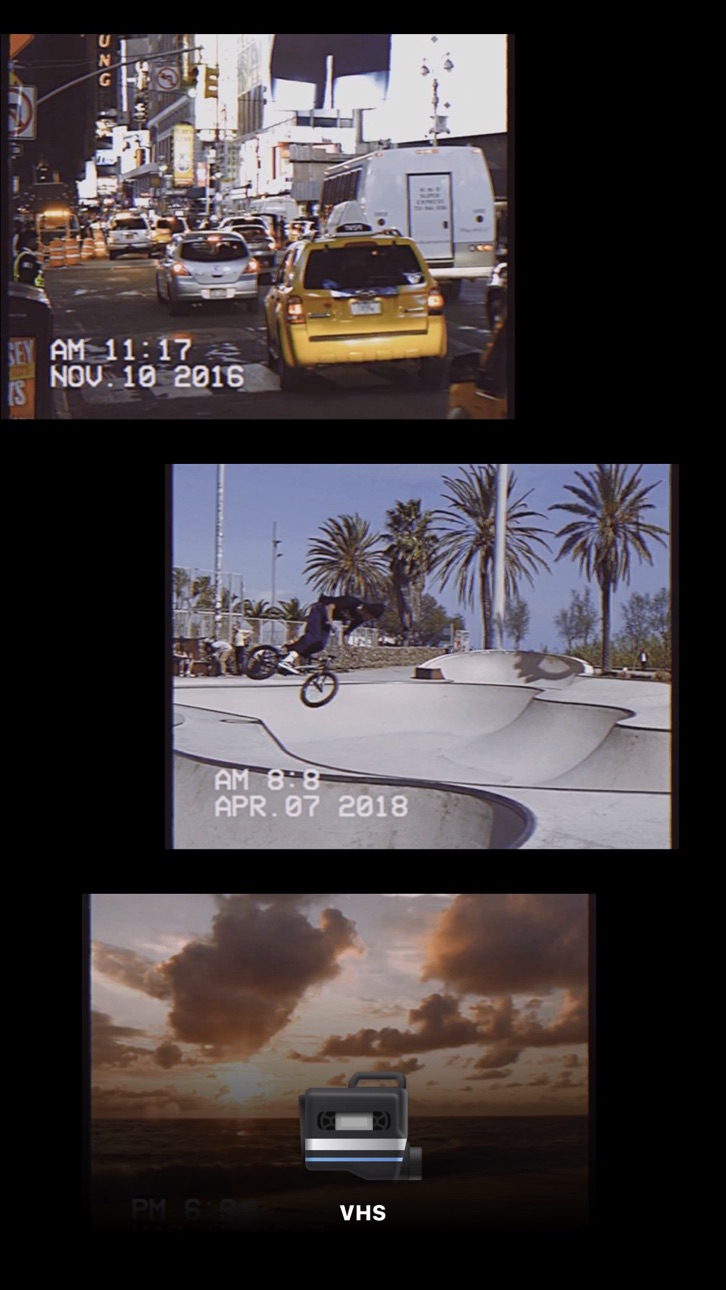
Você também pode capturar vídeos com uma vibe retrô, usando formatos como câmeras de filme 8mm, câmeras de filme 16mm, câmeras de fita VHS, câmeras DCR, câmeras de cinema e projetores de slides.
Estamos sempre lançando novas câmeras, então fique de olho!
Quando você captura fotos e vídeos, temos alguns recursos e acessórios adicionais legais para você:
- Salve o negativo e reprocese-o para obter diferentes exposições e temperaturas de cor. (Disponível em câmeras selecionadas)
- Efeito de dupla exposição sobrepondo duas fotos.
- Temporizador para fotos com atraso.
- Flash.
- Importe suas fotos existentes para edição. (Disponível em câmeras selecionadas)
- Ajuste a temperatura e o tom da cor.
- Alterne entre distâncias focais predefinidas ou ajuste livremente.
- Ajuste a compensação de exposição.
- Ajuste ISO e velocidade do obturador.
- Configurações de estabilização.
- Grades de composição.
- Lente olho de peixe.
- Lente estrela.
- Filtros de cor para flash.
- Lente prisma.
- Filtro ND.
Ao compartilhar suas fotos nas redes sociais, não se esqueça de usar a hashtag #dazzcam. Nossa equipe pode selecionar suas fotos incríveis para a nossa coleção!
Tem perguntas? Envie-nos um e-mail para [email protected].
Dazz Pro Subscription
- Join Dazz Pro to access all cameras and accessories.
- Payment will be charged to your iTunes account at confirmation of purchase.
- Subscriptions will automatically renew unless auto-renew is turned off at least 24 hours before the end of the current period.
- Your account will be charged for renewal, in accordance with your plan, within 24 hours prior to the end of the current period.
- You can manage or turn off auto-renew in your Apple ID account settings any time after purchase.
ภาพหน้าจอ © เจ้าของแต่ละราย · App Store


iOSGods ไม่มีความเกี่ยวข้อง ไม่ได้รับการรับรอง และไม่ได้รับการสนับสนุนจาก Apple Inc., Google LLC หรือผู้พัฒนาแอปที่แสดงไว้ที่นี่ Apple, iOS และ App Store เป็นเครื่องหมายการค้าของ Apple Inc. Android และ Google Play เป็นเครื่องหมายการค้าของ Google LLC ชื่อแอป ไอคอน ภาพ และเครื่องหมายการค้าอื่นทั้งหมดเป็นทรัพย์สินของเจ้าของแต่ละราย

- iPhone หรือ iPad ที่ไม่ได้เจลเบรก/ไม่ได้เจลเบรก หรือเจลเบรกแล้ว
- Sideloadly หรือทางเลือกอื่น
- คอมพิวเตอร์ที่ใช้ Windows/macOS/Linux และติดตั้ง iTunes ไว้
ขั้นตอนที่ 1: ดาวน์โหลดไฟล์ .IPA ที่แฮกไว้ล่วงหน้าจากลิงก์ด้านบนลงในคอมพิวเตอร์ของคุณ หากต้องการดาวน์โหลดจากแอป iOSGods โปรดดู วิธีดาวน์โหลด IPA ในแอป iOSGods ซึ่งมีตัวอย่างวิดีโอประกอบ
ขั้นตอนที่ 2: ดาวน์โหลด Sideloadly แล้วติดตั้งบน Windows หรือ Mac ของคุณ
ขั้นตอนที่ 3: เปิด Sideloadly บนคอมพิวเตอร์ เชื่อมต่ออุปกรณ์ iOS แล้วรอจนกว่าชื่ออุปกรณ์ของคุณจะปรากฏใน Sideloadly
ขั้นตอนที่ 4: เมื่อ iDevice ของคุณถูกตรวจพบแล้ว ให้ลากไฟล์ .IPA ที่ม็อดมาวางลงในโปรแกรม Sideloadly
ขั้นตอนที่ 5: กรอกอีเมล Apple Account ของคุณ จากนั้นกด "Start" ระบบจะถามรหัสผ่าน กรอกข้อมูลที่จำเป็นให้เรียบร้อย
ขั้นตอนที่ 6: รอจนกว่า Sideloadly จะ sideload/ติดตั้งไฟล์ IPA ที่แฮกเสร็จ หากเกิดปัญหาระหว่างติดตั้ง โปรดอ่านหมายเหตุด้านล่าง
ขั้นตอนที่ 7: เมื่อการติดตั้งเสร็จสิ้นและเห็นแอปบนหน้าจอหลักแล้ว ให้ไปที่ การตั้งค่า → ทั่วไป → โปรไฟล์ / VPN และการจัดการอุปกรณ์ จากนั้นแตะที่อีเมลที่คุณกรอกในขั้นตอนที่ 6 แล้วแตะ "เชื่อถือ [email protected]"
ขั้นตอนที่ 8: จากนั้นไปที่หน้าจอหลักและเปิดแอปที่ติดตั้งใหม่ ทุกอย่างควรทำงานได้ปกติ คุณอาจต้องทำตามคำแนะนำเพิ่มเติมเฉพาะแอปในป๊อปอัปของม็อดในเกม
หมายเหตุ: สำหรับ iOS/iPadOS 16 ขึ้นไป คุณต้อง เปิดโหมดนักพัฒนา (Developer Mode) สำหรับบัญชี Apple Developer แบบฟรี คุณต้องทำขั้นตอนนี้ซ้ำทุก 7 วัน หากมีคำถามหรือพบปัญหา โปรดอ่าน หัวข้อ FAQ ของ Sideloadly ในกระทู้
Game Name iOS Mod IPA is an action adventure game enhanced with powerful gameplay boosts and quality-of-life improvements. Win battles faster, earn rewards quicker, and enjoy uninterrupted play without ads.
- Unlimited Gold - spend freely to unlock premium content
- Damage Multiplier - deal significantly more damage in combat
- Defense Multiplier - take less damage and survive longer
- Reward Multiplier - earn more loot from every battle
- Max Level - instantly reach the highest player rank
- No Ads - play without interruptions or advertisements
This app also comes with iGameGod, giving you access to Auto Touch to automate repetitive tasks, App Speed Manager for adjustable gameplay speed, Memory Engine value editing, and more powerful iOS game tools.
ดาวน์โหลด Game Name Mod IPA จากลิงก์ด้านบน แตะปุ่มติดตั้งและทำตามคำแนะนำบนหน้าจอเพื่อติดตั้งแฮ็กแอป iOS นี้บน iPhone, iPad หรือ Apple Silicon
ต้องการความช่วยเหลือเพิ่มเติม ดู คำถามที่พบบ่อยของแอป iOSGods สำหรับคำตอบโดยละเอียดและเคล็ดลับการแก้ไขปัญหา
----------------------------------------------------------
--------------------------------------------------