Потрібен вхід
Увійдіть у свій обліковий запис iOSGods, щоб продовжити.
Увійдіть у свій обліковий запис iOSGods, щоб продовжити.

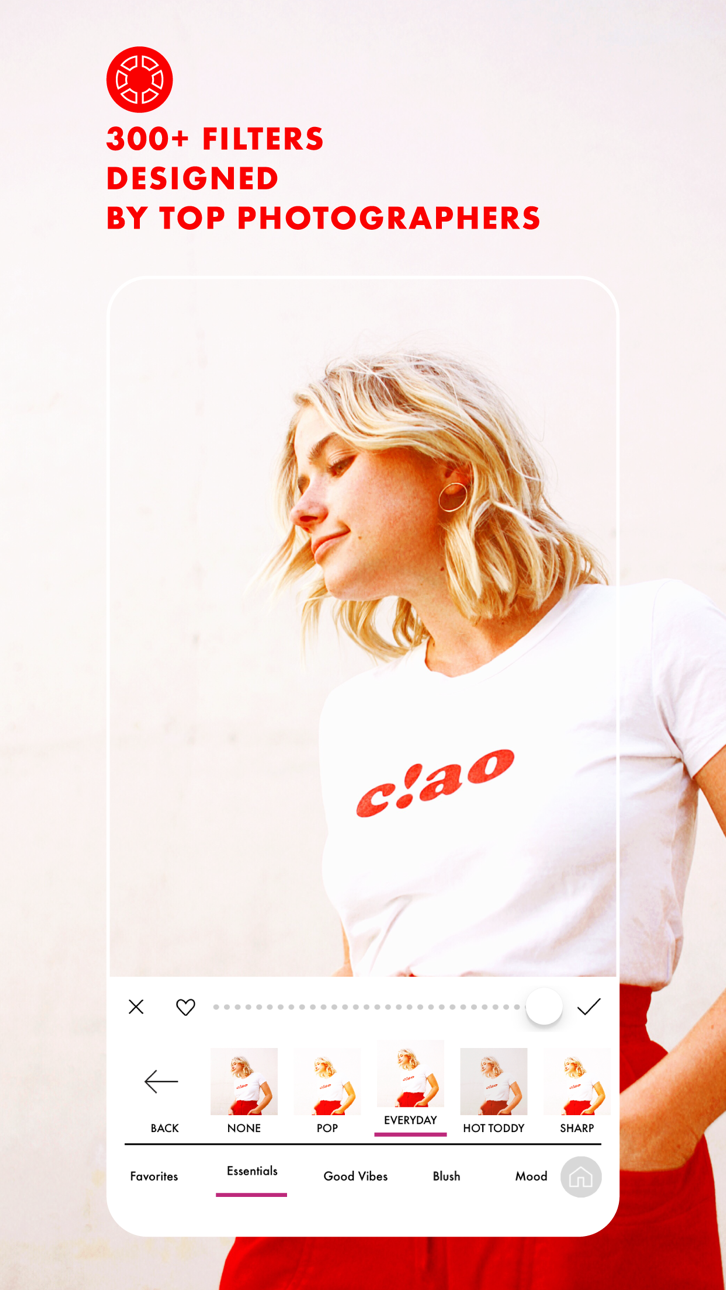
Розблокуйте всі преміум-фільтри, ефекти та розширені інструменти редагування безкоштовно за допомогою цього A Color Story Mod IPA. Понад 300 дизайнерських фільтрів, понад 100 рухомих ефектів та професійний набір редагування, які зазвичай заблоковані за покупками в програмі, тепер повністю доступні, дозволяючи вам створювати відполіровані фото та відео без додаткових витрат.
- Безкоштовні покупки в програмі (спочатку увімкніть у меню Mod iOSGods) → видаляє обмеження на покупки в програмі
Цей застосунок також постачається з iGameGod, який надає доступ до Auto Touch для автоматизації повторюваних дій, App Speed Manager для регулювання швидкості гри, редагування значень за допомогою Memory Engine та інших потужних інструментів для iOS-ігор.
Завантажте A Color Story Modded modded IPA за посиланнями вище. Натисніть кнопку встановлення та дотримуйтесь інструкцій, щоб встановити цей хак iOS на iPhone, iPad або Apple Silicon.
Потрібна додаткова допомога? Перегляньте наш Поширені запитання про застосунок iOSGods для детальних відповідей та порад з усунення несправностей.
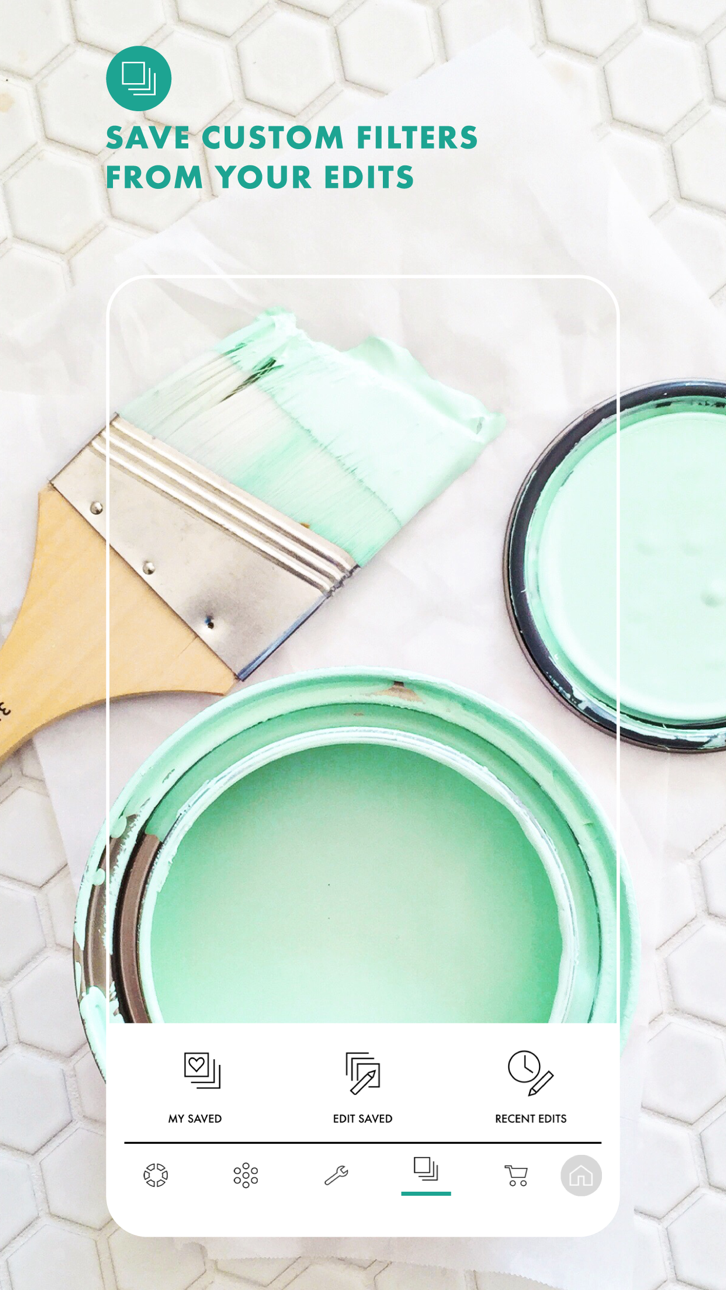
There's a reason it's been downloaded over 20 million times! Photo and video editing has never been easier than with A Color Story. Add trending Styles to your photos in just one tap or choose from over 500 stackable filters and 120 customizable effects designed by top influencers and photographers. Found a combination that you love? Save it as a custom preset and use it over and over again on your photos or videos.
Plan out your Instagram grid right in the app! Select the right filters and effects in the photo editor and preview before you post. Batch editing allows you to edit multiple photos at once, making it easier than ever to add effects to a queue of photos.
Use object removal and multiple color and tone adjustment tools to edit and perfect your photo. No more painstakingly tracing objects - remove background objects with ease! HSL sliders and curves let you adjust the color and tone of your photo or video to emphasize that golden hour glow.
A Color Story has a variety of touch tools for precise, easy editing and effects, saving you time without sacrificing professional, polished results.
Start editing your photos and videos like a pro and download A Color Story today!
TONS OF EDITING TOOLS:
• Recreate trending looks in one tap with Styles
• Over 500 filters designed by top photographers and influencers to pick from
• Choose from over 120 movable effects to emphasize and add to your photos
• Utilize over 20 advanced tools, including HSL, curves and selective editing
• Object Removal tool lets you remove background objects
EDIT HOW YOU WANT, WHEN YOU WANT
• Create your own editing presets, based on your favorite filters and effects
• Instagram grid preview and planning, right in the app
• Edit multiple photos at once with batch editing
• Edit photos and videos quickly and easily
• Touch tools for more precise editing
Get complete access with ACS+ Membership, which includes—
• Unlimited access to all our filters & effects
• Access to our Color+ tool
• Unlimited accounts added to grid planning
MEMBERSHIP PRICING, TERMS, & CONDITIONS
ACS+ Yearly:
The ACS+ Yearly membership is $29.99 USD per year. Pricing in other countries may vary, and charges may be converted to your local currency depending on the country you live in.
The ACS+ Yearly membership starts with a free 7-day trial period. Once the trial is over, you'll be charged $29.99 USD per year. Your ACS+ Yearly membership will automatically renew unless auto-renew is turned off at least 24 hours before the end of the current period. You can go to your Settings > iTunes Account & App Store > Apple ID > Subscriptions to manage your membership and turn auto-renew off. Your iTunes Account will be charged when the purchase is confirmed. Any unused portion of a free trial period will be forfeited when the user purchases a subscription during free trial.
ACS+ Monthly:
The ACS+ Monthly membership is $4.99 USD per month. Pricing in other countries may vary, and charges may be converted to your local currency depending on the country you live in.
The ACS+ Monthly membership automatically starts upon subscription and you'll be charged $4.99 USD per month. Your ACS+ Monthly membership will automatically renew unless auto-renew is turned off at least 24 hours before the end of the current period. You can go to your Settings > iTunes Account & App Store > Apple ID > Subscriptions to manage your membership and turn auto-renew off. Your iTunes Account will be charged when the purchase is confirmed. Any unused portion of a free trial period will be forfeited when the user purchases a subscription during free trial.
Read our full Terms of Use here:
https://acolorstory.com/terms-conditions/
Read our full Privacy Policy here:
https://acolorstory.com/privacy/
Знімки екрана © їхніх власників · App Store


iOSGods не пов’язана з Apple Inc., Google LLC або розробниками перелічених тут застосунків, не схвалена та не спонсорується ними. Apple, iOS і App Store — торгові марки Apple Inc. Android і Google Play — торгові марки Google LLC. Усі інші назви застосунків, іконки, зображення й торгові марки належать їхнім власникам.
- iPhone або iPad без джейлбрейку/у заводському стані або з джейлбрейком.
- Sideloadly або альтернативи.
- Комп'ютер під керуванням Windows/macOS/Linux із встановленим iTunes.
КРОК 1: Завантажте попередньо зламаний .IPA-файл за посиланням вище на свій комп'ютер. Щоб завантажити з iOSGods App, перегляньте наш Посібник із завантаження IPA в iOSGods App, який містить відеоприклад.
КРОК 2: Завантажте Sideloadly і встановіть його на своєму Windows або Mac.
КРОК 3: Відкрийте Sideloadly на комп'ютері, підключіть свій iOS-пристрій і зачекайте, поки назва пристрою з'явиться у Sideloadly.
КРОК 4: Коли ваш iDevice буде розпізнано, перетягніть завантажений модифікований .IPA-файл і відпустіть його в застосунок Sideloadly.
КРОК 5: Введіть електронну пошту вашого Apple Account, потім натисніть «Start». Після цього вас попросять ввести пароль. Введіть необхідні дані.
КРОК 6: Зачекайте, доки Sideloadly завершить sideload/встановлення зламаного IPA. Якщо під час встановлення виникнуть проблеми, прочитайте примітку нижче.
КРОК 7: Коли встановлення завершено й ви побачите застосунок на головному екрані, перейдіть до Налаштування → Загальні → Профілі / VPN і керування пристроєм. Там натисніть на електронну пошту, яку ви ввели на кроці 6, а потім натисніть «Довіряти [email protected]».
КРОК 8: Тепер перейдіть на головний екран і відкрийте щойно встановлений застосунок — усе має працювати належним чином. Можливо, доведеться виконати додаткові інструкції для конкретного застосунку в спливаючому вікні хака в грі.
ПРИМІТКА: У iOS/iPadOS 16 і пізніших версіях потрібно увімкнути режим розробника. Для безкоштовних облікових записів Apple Developer цей процес доведеться повторювати кожні 7 днів. Якщо у вас є запитання або проблеми, прочитайте наш розділ FAQ зі Sideloadly у темі.
Game Name iOS Mod IPA is an action adventure game enhanced with powerful gameplay boosts and quality-of-life improvements. Win battles faster, earn rewards quicker, and enjoy uninterrupted play without ads.
- Unlimited Gold - spend freely to unlock premium content
- Damage Multiplier - deal significantly more damage in combat
- Defense Multiplier - take less damage and survive longer
- Reward Multiplier - earn more loot from every battle
- Max Level - instantly reach the highest player rank
- No Ads - play without interruptions or advertisements
This app also comes with iGameGod, giving you access to Auto Touch to automate repetitive tasks, App Speed Manager for adjustable gameplay speed, Memory Engine value editing, and more powerful iOS game tools.
Завантажте Game Name Mod IPA за посиланнями вище. Натисніть кнопку встановлення та дотримуйтесь інструкцій, щоб встановити цей хак iOS на iPhone, iPad або Apple Silicon.
Потрібна додаткова допомога Перегляньте наш Поширені запитання про застосунок iOSGods для детальних відповідей та порад з усунення несправностей.
----------------------------------------------------------
--------------------------------------------------