Login necessário
Entre com sua conta iOSGods para continuar.
Inf Hack Features:
- Inf Coins (finish level)
- Inf Skips (finish level)
Baixe Draw it Hack modded IPA dos links acima. Toque no botão de instalação e siga as instruções para instalar este hack iOS no seu iPhone, iPad ou Apple Silicon.
Precisa de mais ajuda? Confira nossas Perguntas frequentes sobre o app iOSGods para respostas detalhadas e dicas de solução de problemas.
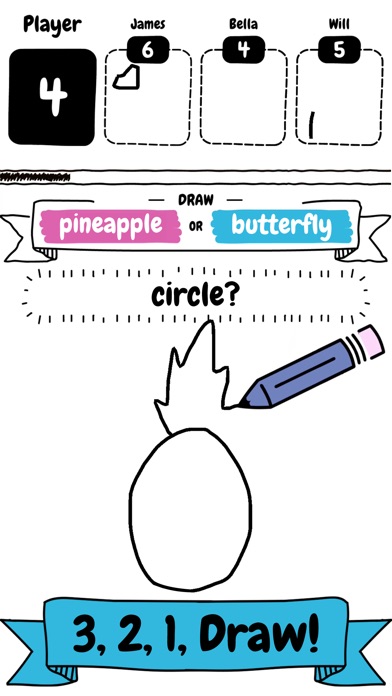
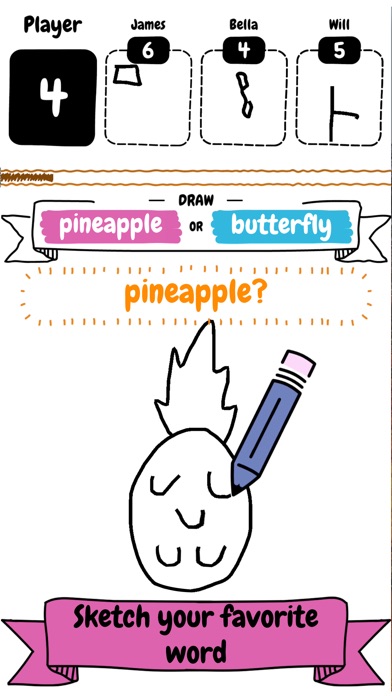
Draw it is a fun and addictive game where you compete against others.
Make sure you draw fast and quick to beast the competition, as you only have a limited amount of time on the clock to draw as many objects as possible.
It does’t matter if you’re an artist or can only sketch! You too will fall in love with this addictive fast paced drawing game.
Draw it features include:
- Simple and addictive gameplay
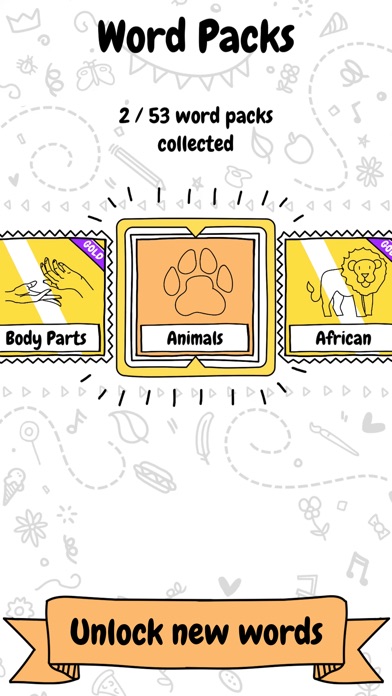
- Variety of word packs to unlock and collect
- Number of different objects to draw and sketch
- Fierce competition
- Limited time to draw
SUBSCRIBE TO DRAW IT
Subscribe to Draw it for all of the following benefits:
* VIP Wordpacks
* Free Coins Everyday
* The Remove Ads product, which removes non-optional adverts from the game
SUBSCRIPTIONS INFORMATION:
Draw it VIP Membership access offers two membership options:
1) A weekly subscription costing $5.49 per week after a 3 day FREE trial period.
2) A monthly subscription costing $14.49 per month.
After buying this subscription, you will unlock VIP wordpacks, free coins every day and remove non-optional ads. This is an auto-renewable subscription. The payment is charged to your account after confirmation. The subscription is renewed unless you unsubscribe 24 hours before the period ends. Your account will also be charged for renewal
The prices notes are for United States customers. Pricing in other countries may change and actual charges may be converted to local currency.
End of trial and subscription renewal:
- The payment is charged to your iTunes account after a confirmation of purchase
- The subscription is renewed unless you unsubscribe 24 hours before the end of the current period
- The account will be charged for renewal 24 hours before the end of the current period at the standard cost of the weekly subscription
- The user may manage the subscription and auto-renewal by accessing the user's account settings after purchase in the store
- No cancellation of the current subscription is permitted during the active subscription period
- Any unused portion of the free trial period will be forfeited when the subscription is purchased
Cancelling a trial or subscription:
- In order to cancel a subscription during the free trial period you need to cancel it through your account in the Store. This must be done at least 24 hours before the end of the free trial period to avoid being charged.
Machine Learning Code, models and Draw training dataset based on Google’s “Quick, Draw!” https://github.com/googlecreativelab/quickdraw-dataset
Licenses: https://creativecommons.org/licenses/by/4.0/
- iPhone ou iPad sem jailbreak/jailed ou com jailbreak.
- Sideloadly ou alternativas.
- Computador com Windows/macOS/Linux e iTunes instalado.
PASSO 1: Baixe o arquivo .IPA pré-hackeado do link acima para o seu computador. Para baixar pelo iOSGods App, veja nosso Tutorial de download de IPA do iOSGods App, que inclui um exemplo em vídeo.
PASSO 2: Baixe o Sideloadly e instale-o no seu Windows ou Mac.
PASSO 3: Abra o Sideloadly no seu computador, conecte seu dispositivo iOS e aguarde até que o nome do dispositivo apareça no Sideloadly.
PASSO 4: Assim que seu iDevice for reconhecido, arraste o arquivo .IPA modificado que você baixou e solte-o no aplicativo Sideloadly.
PASSO 5: Digite o e-mail da sua Apple Account e pressione “Start”. Em seguida, será solicitada a sua senha. Prossiga e forneça as informações solicitadas.
PASSO 6: Aguarde o Sideloadly finalizar o sideload/instalação do IPA hackeado. Se houver problemas durante a instalação, leia a observação abaixo.
PASSO 7: Quando a instalação estiver concluída e você vir o app na Tela de Início, será necessário acessar Ajustes → Geral → Perfis / Gerenciamento de VPN e Dispositivo. Lá, toque no e-mail que você inseriu no passo 6 e, em seguida, toque em “Confiar em [email protected]”.
PASSO 8: Agora vá para a Tela de Início e abra o app recém-instalado; tudo deve funcionar normalmente. Você pode precisar seguir instruções adicionais específicas no popup do hack dentro do jogo.
OBSERVAÇÃO: No iOS/iPadOS 16 e versões posteriores, você deve ativar o Modo de Desenvolvedor. Para contas Apple Developer gratuitas, será necessário repetir este processo a cada 7 dias. Se tiver dúvidas ou problemas, leia nossa seção de FAQ do Sideloadly no tópico.