ต้องเข้าสู่ระบบ
เข้าสู่ระบบด้วยบัญชี iOSGods เพื่อดำเนินการต่อ
เข้าสู่ระบบด้วยบัญชี iOSGods เพื่อดำเนินการต่อ
ปลดล็อกฟีเจอร์การเรียนรู้ภาษาระดับพรีเมียมใน Busuu Language Learning Modded ซึ่งเป็นแอปโกงฟรีที่ลบข้อจำกัดการชำระเงินและให้สิทธิ์เข้าถึงคอร์สทั้งหมด บทเรียน และแบบฝึกหัดแบบโต้ตอบ เรียนรู้ภาษาใหม่ได้อย่างไม่มีข้อจำกัดการสมัครสมาชิกบนแพลตฟอร์มที่ได้รับรางวัลและเชื่อถือโดยผู้เรียนกว่า 100 ล้านคนทั่วโลก
- พรีเมียม → ปลดล็อกฟีเจอร์ที่เสียค่าใช้จ่ายทั้งหมด
แอปนี้ยังมาพร้อมกับ iGameGod ซึ่งช่วยให้คุณเข้าถึง Auto Touch สำหรับการทำงานซ้ำ ๆ โดยอัตโนมัติ, App Speed Manager สำหรับปรับความเร็วของเกม, การแก้ไขค่าด้วย Memory Engine และเครื่องมือสำหรับเกม iOS ที่ทรงพลังอื่น ๆ อีกมากมาย
ดาวน์โหลด Busuu Language Learning Modded modded IPA จากลิงก์ด้านบน แตะปุ่มติดตั้งและทำตามคำแนะนำบนหน้าจอเพื่อติดตั้งแฮ็กแอป iOS นี้บน iPhone, iPad หรือ Apple Silicon
ต้องการความช่วยเหลือเพิ่มเติม? ดู คำถามที่พบบ่อยของแอป iOSGods สำหรับคำตอบโดยละเอียดและเคล็ดลับการแก้ไขปัญหา
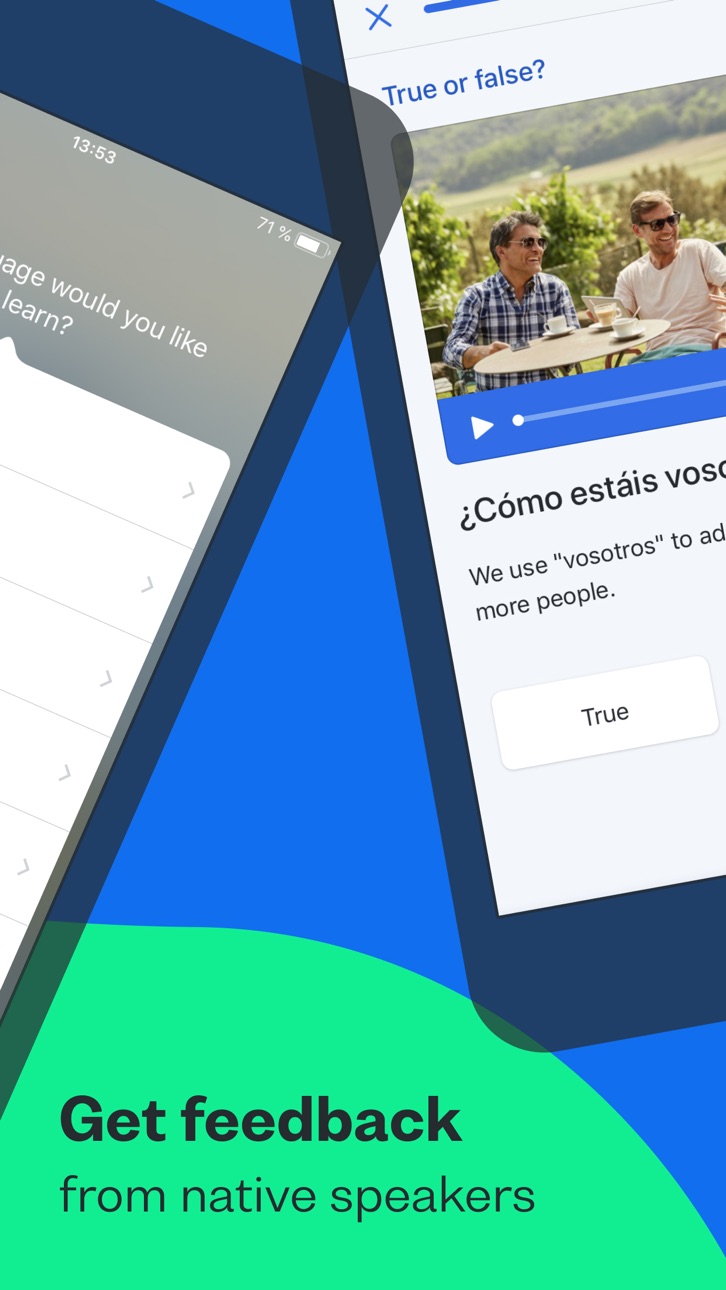
Busuu helps you communicate with confidence from day one. Combine expertly designed language lessons with feedback and tips from our global community of native speakers and harness the power of learning together.
Looking for the best way to learn a new language on your phone? You’ve just discovered it, with Busuu, a Chegg service – we’re the app that makes learning new languages easier, more fun and more effective for all.
Whether you’re learning to get confident having new conversations, for a higher grade, a career boost, or for mind-blowing travel experiences, Busuu’s got your back.
We’re already helping millions of people overcome their learning struggles, from lack of time and motivation to problems with grammar and vocab. We help our learners achieve their goals, one milestone at a time – and we want to do the same for you.
DOWNLOAD THE APP NOW FOR FREE LANGUAGE LEARNING
================
How are we doing this? We’re glad you asked. Whether you’re learning on your iPad or iPhone, Busuu helps you…
– Learn up to 14 languages
That’s right, 14! We’ve got complete courses in English, French, Spanish, Italian, German, Chinese, Korean, Japanese, Portuguese (Brazilian), Polish, Russian, Arabic, Dutch or Turkish with Busuu.
– Master languages with real people
You want to learn the relevant language, right? You’re in luck: we’ll connect you with our community of native speakers so you can get localised language knowledge and support. Feel even better when you help other learners in return.
– Learn from the experts
Busuu’s online courses are created by our ingenious language experts. Learn step-by-step with bite-sized lessons, plenty of practise and lots of opportunities to test your progress.
– Say hello to useful language skills
Learn the language that will really take you places! With regularly updated content, video flashcards featuring real people and useful cultural tips, you’ll be fully immersed in no time.
– Kiss goodbye to stressful timetabling
We’re serious. We organise your learning time for you with a personalised Study Plan. Simply tell us when you want to study and for how long, and we’ll send you notifications to keep you on track.
– Revise with ease
There’ll be no forgetting on our watch. Smart Review cleverly saves all the grammar and vocab you learn in lessons and stores them in one handy place, so you can make those tricky words and rules stick.
– Show off achievements with official certificates
With our Busuu language certificates, you’ll have actual proof of your language capabilities.
– Access specialised courses for language lovers
You’ve learned the basics, and now you’re hungry for more. Learn about manga, advance your pronunciation or add travel-specific phrases to your skillset, plus much more.
================
DON’T JUST TAKE OUR WORD FOR IT.
See what others have to say about Busuu:
● EDITOR RATING: EXCELLENT - PC MAG
● Named 'Best Buy' language learning app by the Independent in 2021
● Language Learning App of the Year at the EdTech Breakthrough Awards 2020
================
PLEASE NOTE
A lot of the features are free, but you will need a subscription in order to get access to all features of this app. Your subscription will automatically renew unless auto-renew is turned off at least 24-hours before the end of the current payment period. Your iTunes account will be automatically charged at the same price for renewal within the 24-hour period prior to the end of the current payment period unless you change your subscription preferences in your Account Settings.
You can manage your subscriptions through your Account Settings after purchase.
ภาพหน้าจอ © เจ้าของแต่ละราย · App Store



iOSGods ไม่มีความเกี่ยวข้อง ไม่ได้รับการรับรอง และไม่ได้รับการสนับสนุนจาก Apple Inc., Google LLC หรือผู้พัฒนาแอปที่แสดงไว้ที่นี่ Apple, iOS และ App Store เป็นเครื่องหมายการค้าของ Apple Inc. Android และ Google Play เป็นเครื่องหมายการค้าของ Google LLC ชื่อแอป ไอคอน ภาพ และเครื่องหมายการค้าอื่นทั้งหมดเป็นทรัพย์สินของเจ้าของแต่ละราย

- iPhone หรือ iPad ที่ไม่ได้เจลเบรก/ไม่ได้เจลเบรก หรือเจลเบรกแล้ว
- Sideloadly หรือทางเลือกอื่น
- คอมพิวเตอร์ที่ใช้ Windows/macOS/Linux และติดตั้ง iTunes ไว้
ขั้นตอนที่ 1: ดาวน์โหลดไฟล์ .IPA ที่แฮกไว้ล่วงหน้าจากลิงก์ด้านบนลงในคอมพิวเตอร์ของคุณ หากต้องการดาวน์โหลดจากแอป iOSGods โปรดดู วิธีดาวน์โหลด IPA ในแอป iOSGods ซึ่งมีตัวอย่างวิดีโอประกอบ
ขั้นตอนที่ 2: ดาวน์โหลด Sideloadly แล้วติดตั้งบน Windows หรือ Mac ของคุณ
ขั้นตอนที่ 3: เปิด Sideloadly บนคอมพิวเตอร์ เชื่อมต่ออุปกรณ์ iOS แล้วรอจนกว่าชื่ออุปกรณ์ของคุณจะปรากฏใน Sideloadly
ขั้นตอนที่ 4: เมื่อ iDevice ของคุณถูกตรวจพบแล้ว ให้ลากไฟล์ .IPA ที่ม็อดมาวางลงในโปรแกรม Sideloadly
ขั้นตอนที่ 5: กรอกอีเมล Apple Account ของคุณ จากนั้นกด "Start" ระบบจะถามรหัสผ่าน กรอกข้อมูลที่จำเป็นให้เรียบร้อย
ขั้นตอนที่ 6: รอจนกว่า Sideloadly จะ sideload/ติดตั้งไฟล์ IPA ที่แฮกเสร็จ หากเกิดปัญหาระหว่างติดตั้ง โปรดอ่านหมายเหตุด้านล่าง
ขั้นตอนที่ 7: เมื่อการติดตั้งเสร็จสิ้นและเห็นแอปบนหน้าจอหลักแล้ว ให้ไปที่ การตั้งค่า → ทั่วไป → โปรไฟล์ / VPN และการจัดการอุปกรณ์ จากนั้นแตะที่อีเมลที่คุณกรอกในขั้นตอนที่ 6 แล้วแตะ "เชื่อถือ [email protected]"
ขั้นตอนที่ 8: จากนั้นไปที่หน้าจอหลักและเปิดแอปที่ติดตั้งใหม่ ทุกอย่างควรทำงานได้ปกติ คุณอาจต้องทำตามคำแนะนำเพิ่มเติมเฉพาะแอปในป๊อปอัปของม็อดในเกม
หมายเหตุ: สำหรับ iOS/iPadOS 16 ขึ้นไป คุณต้อง เปิดโหมดนักพัฒนา (Developer Mode) สำหรับบัญชี Apple Developer แบบฟรี คุณต้องทำขั้นตอนนี้ซ้ำทุก 7 วัน หากมีคำถามหรือพบปัญหา โปรดอ่าน หัวข้อ FAQ ของ Sideloadly ในกระทู้
Hack Features:
- Inf Coins (Spend)
App Installation Instructions:
---------------------------------------------------------
----------------------------------------------------------
If you require more information or help, please read our Frequently Asked Questions topic on iOSGods.com.
----------------------------------------------------------
--------------------------------------------------