Inicio de sesión requerido
Inicia sesión con tu cuenta de iOSGods para continuar.
Inicia sesión con tu cuenta de iOSGods para continuar.
Este hack de juego de carreras multijugador para FR3 te proporciona Modo Dios para dominar carreras en tiempo real contra jugadores de todo el mundo. El Mod IPA incluye un poderoso truco, pero viene con una advertencia crítica: el abuso activa reportes en el juego y baneos, con una tasa de baneo notablemente alta, úsalo bajo tu propio riesgo.
- Modo Dios → Corre de manera invencible contra otros jugadores
No abuses, cuando los jugadores te reporten en el juego serás baneado
Tasa de baneo alta, úsalo bajo tu propio riesgo
Esta app también incluye iGameGod, que te ofrece acceso a Auto Touch para automatizar tareas repetitivas, App Speed Manager para ajustar la velocidad del juego, edición de valores con Memory Engine y más potentes herramientas para juegos de iOS.
Descarga FR3 - Multiplayer Games Hack modded IPA desde los enlaces de arriba. Toca el botón de instalación y sigue las instrucciones para instalar este hack iOS en tu iPhone, iPad o Mac con Apple Silicon.
¿Necesitas más ayuda? Consulta nuestras Preguntas frecuentes de la app iOSGods para respuestas detalladas y consejos de solución de problemas.
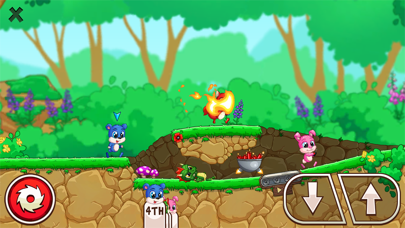
Присоединяйся к нашему сообществу из 100 миллионов игроков Fun Run со всего мира в одной из лучших мультиплеер игр онлайн! Приготовься играть в гонки и получать массу удовольствия – соревнуйся со своими пушистыми соперниками!
***Fun Run возвращается***
Мы вернулись с третьей главой саги Fun Run – FUN RUN 3 ARENA, которая наполнена еще большим озорством и хаосом, которые тебе так понравились в Fun Run и Fun Run 2.
***Ужасно смешные гонки***
Fun Run 3 Arena имеет легендарный геймплей классических беговых игр и привносит новое понимание крутости! Состязайся в гонке против других реальных игроков, избегая препятствий. Саботируй прогресс своих соперников, чтобы выиграть гонку в одной из лучших онлайн игр. Сокруши и уничтожь своих соперников до финиша!
***Геймплей Арена***
Арена – это место, где восемь пушистых зверей борются друг с другом на выбывание! Только 3 самых быстрых финишировавших игрока получат удивительные награды и абсолютную славу. Исполни свое предназначение как единственного ЧЕМПИОНА АРЕНЫ.
***Создай клан и бегай с друзьями***
Бегай со своими приятелями из клана! Участвуй в многопользовательских играх онлайн с друзьями или незнакомцами. Fun Run 3 – это игра с потрясающими гонками онлайн с друзьями и возможность обогнать их на финише!
***Покажи свой стиль и стань самым крутым зверем в лесу!***
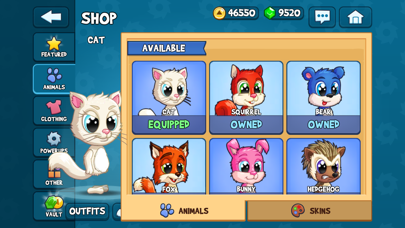
Мы начинили игру Fun Run веселыми модными аксессуарами! Выбери из различных пушистых друзей и одевай их в крутые шляпы, сапоги, солнечные очки, чтобы показать свой забавный стиль игры!
Крутые и веселые возможности
- Сражения кланов в режиме 2 на 2!
- 30+ новых бонусов!
- Арена – новый режим игры в гонки на 8 игроков!
- Состязайся в гонке против друзей или случайных игроков в режиме реального времени!
- Ударь и скользи: два новых интересных действия для победы над соперником!
- Настрой свой аватар с еще большим количеством опций!
- Проходи много новых уровней!
- Поднимайся по турнирной таблице и бросай вызов лучшим игрокам мира!
Fun Run 3 Arena – бесплатная многопользовательская онлайн игра, для которой необходимо подключение к интернету.
Арена ждет! Загрузи Fun Run 3 Arena сейчас и начинай бегать! На старт, внимание, марш!
- iPhone o iPad con o sin Jailbreak.
- Sideloadly u otras alternativas.
- Ordenador con Windows/macOS/Linux e iTunes instalado.
PASO 1: Descargue el archivo .IPA pre-modificado desde el enlace de arriba a su ordenador. Para descargarlo desde la iOSGods App, consulte nuestro Tutorial de descarga del IPA desde la iOSGods App, que incluye un ejemplo en vídeo.
PASO 2: Descargue Sideloadly e instálelo en su Windows o Mac.
PASO 3: Abra Sideloadly en su ordenador, conecte su dispositivo iOS y espere hasta que el nombre del dispositivo aparezca en Sideloadly.
PASO 4: Una vez que su iDevice sea reconocido, arrastre el archivo .IPA modificado que descargó y suéltelo en la aplicación Sideloadly.
PASO 5: Introduzca el correo electrónico de su Apple Account y, a continuación, pulse «Start». Le pedirá que introduzca su contraseña. Proporcione la información solicitada.
PASO 6: Espere a que Sideloadly termine de hacer sideload/instalar el IPA modificado. Si surgen problemas durante la instalación, por favor lea la nota a continuación.
PASO 7: Una vez completada la instalación y al ver la app en la pantalla de inicio, deberá ir a Ajustes → General → Perfiles / VPN y Gestión de Dispositivos. Una vez allí, toque el correo electrónico que introdujo en el paso 6 y, después, toque en «Confiar en [email protected]».
PASO 8: Ahora vaya a la pantalla de inicio y abra la app recién instalada; todo debería funcionar correctamente. Es posible que tenga que seguir instrucciones adicionales específicas de cada app dentro del popup del hack en el juego.
NOTA: En iOS/iPadOS 16 y posteriores, debe activar el Modo Desarrollador. Para cuentas gratuitas de Apple Developer, deberá repetir este proceso cada 7 días. Si tiene alguna pregunta o problema, lea nuestra sección de Preguntas Frecuentes de Sideloadly del tema.