Inloggen vereist
Log in met je iOSGods-account om door te gaan.
ESP HEALTH BAR - see enemy health bar through walls
RADAR HACK - SEE ENEMIES POINT ON MINIMAP(works semi)
Collide bugs: if automatic shoot is enabled it shoots through walls if there is an enemy somewhere behind(no effect)
Download Battle Prime - ESP & RADAR HACK modded IPA via de bovenstaande links. Tik op de installatieknop en volg de instructies om deze iOS-app-hack op je iPhone, iPad of Apple Silicon te installeren.
Meer hulp nodig? Bekijk onze Veelgestelde vragen over de iOSGods-app voor uitgebreide antwoorden en probleemoplossingstips.
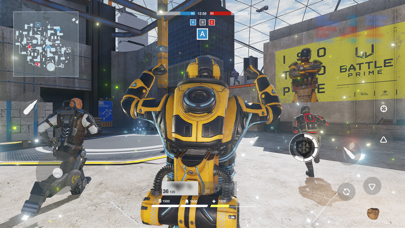
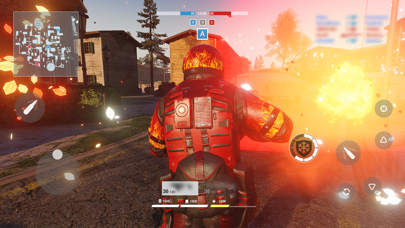
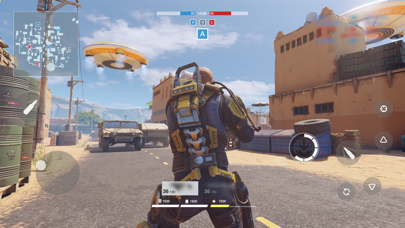
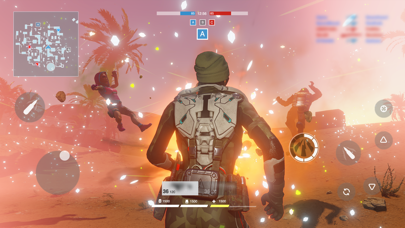
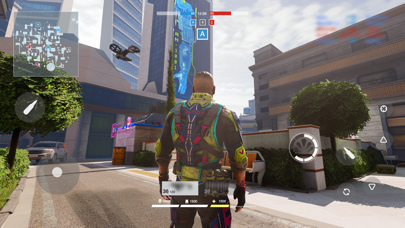
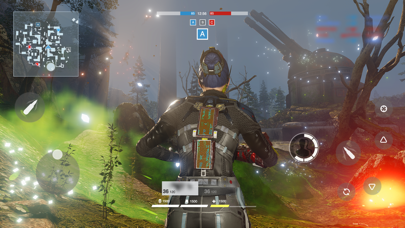
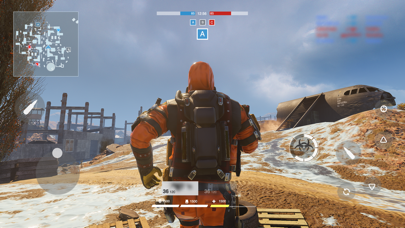
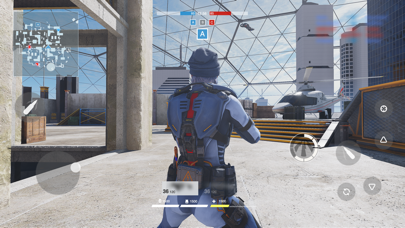
Battle Prime gives you an unforgettable experience — join this multiplayer third-person shooter, choose your tactics, try all the stunning arsenal, and all this while enjoying console level graphics.
Become the number one player in next-generation battles using your mobile device!
CHOOSE YOUR PRIME
Play as Primes: universal avatars with unique abilities. Choose your playstyle: will you beat everybody with a hulk-like strength, or surpass with a flash speed? Every Prime has his own tactics, so choose your combat style, win and enjoy your triumph in a memorable spectacular battles!
ENJOY HIGH-ADRENALINE ACTION
Show your power during dynamic 6v6 battles. Switch between Primes on re-spawn, use their abilities and equipment to control the course of battle and win. Beat all your enemies, get maximum points, and move higher to the top of the rating.
GET REWARDS
Every victory gets you closer to the top. Prove yourself in battles, gain rating points and unlock improvements — new Primes, new weapons and kit!
FEEL THE ATMOSPHERE
Experience the new generation of realistic graphics — enjoy amazing visual effects, detailed characters and maps! The Battle Prime engine is optimized for the majority of mobile devices, so you can fully enjoy dynamic battle scenes!
*Subscription Information:
* Subscription payments will be charged to your iTunes account at confirmation of your purchase.
* Subscriptions will automatically renew and payment will be charged to your iTunes account unless auto-renew is turned off at least 24 hours prior to the end of the current period. The cost of the renewal depends on your Subscription Plan. Our standard Subscription Plan is:
* 1-week Subscription with a 3-day Trial (1.99 USD)
For other currencies, the price corresponds to the same price tier on the App Store Pricing Matrix.
* Subscription with a free trial period will automatically renew to a paid subscription. You can cancel or manage your free trial's auto-renewal in your Account Settings after purchase. The cancellation will take effect 24-hours after the last day of the current subscription period and you will be downgraded to the free service.
* Please note: any unused portion of a free trial period (if offered) will be forfeited when you purchase a premium subscription during the free trial period.
Privacy Policy:
https://www.battleprime.com/privacy-policy
Terms of Use:
https://www.battleprime.com/terms-of-use
- Niet-jailbroken/jailed of jailbroken iPhone of iPad.
- Sideloadly of alternatieven.
- Computer met Windows/macOS/Linux en iTunes geïnstalleerd.
STAP 1: Download het vooraf gehackte .IPA-bestand via de link hierboven naar uw computer. Om het te downloaden vanuit de iOSGods App, bekijk onze iOSGods App IPA-downloadhandleiding met een videovoorbeeld.
STAP 2: Download Sideloadly en installeer het op uw Windows of Mac.
STAP 3: Open Sideloadly op uw computer, sluit uw iOS-apparaat aan en wacht tot de naam van uw apparaat in Sideloadly verschijnt.
STAP 4: Zodra uw iDevice is herkend, sleept u het gedownloade gemodde .IPA-bestand naar de Sideloadly-applicatie.
STAP 5: Voer het e-mailadres van uw Apple Account in en druk op “Start”. U wordt vervolgens gevraagd om uw wachtwoord in te voeren. Geef de gevraagde informatie op.
STAP 6: Wacht tot Sideloadly het sideloaden/installeren van de gehackte IPA heeft voltooid. Als er problemen zijn tijdens de installatie, lees dan onderstaande opmerking.
STAP 7: Zodra de installatie is voltooid en u de app op uw beginscherm ziet, gaat u naar Instellingen → Algemeen → Profielen / VPN- en apparaatbeheer. Tik daar op het e-mailadres dat u in stap 6 hebt ingevoerd en tik vervolgens op “Vertrouw [email protected]”.
STAP 8: Ga nu naar uw beginscherm en open de zojuist geïnstalleerde app; alles zou correct moeten werken. Mogelijk moet u verdere app-specifieke instructies volgen in de hack-popup in het spel.
OPMERKING: Op iOS/iPadOS 16 en later moet u Ontwikkelaarsmodus inschakelen. Voor gratis Apple Developer-accounts moet u dit proces elke 7 dagen herhalen. Als u vragen of problemen hebt, lees dan onze Sideloadly FAQ-sectie van het onderwerp.