Anmeldung erforderlich
Melden Sie sich mit Ihrem iOSGods-Konto an, um fortzufahren.
Melden Sie sich mit Ihrem iOSGods-Konto an, um fortzufahren.
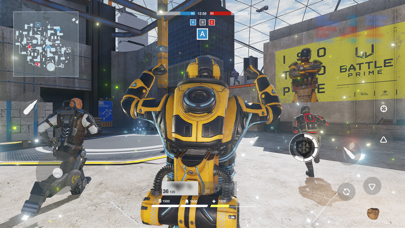
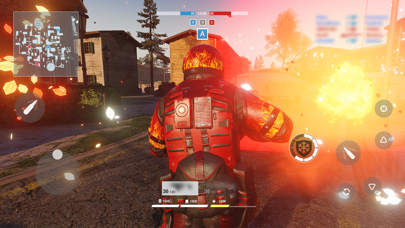
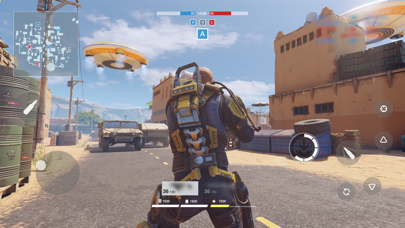
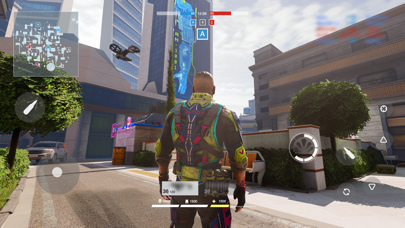
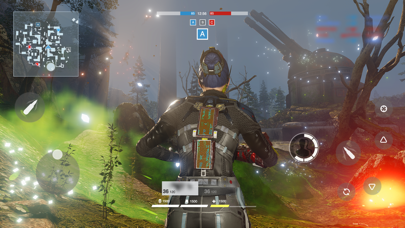
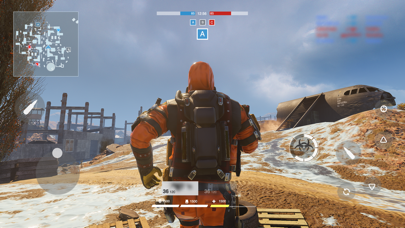
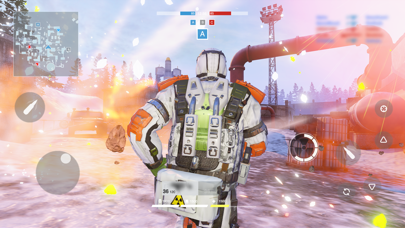
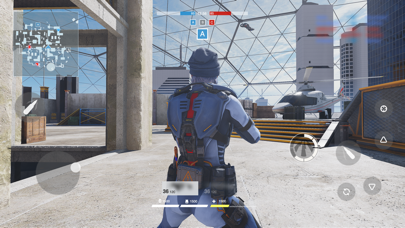
ESP (Extra Sensory Perception, Wallhack) Gesundheitsleiste und Radar-Hack ermöglichen es dir, Feindesstellungen durch Wände hindurch und auf der Minimap in diesem Multiplayer-Third-Person-Shooter Mod IPA zu sehen. Battle Prime - ESP & RADAR HACK bietet Grafiken auf Konsolenniveau und schnelllebige Kämpfe in atemberaubenden Arenen, in denen du deinen Prime-Charakter und einzigartige Fähigkeiten wählst, um Matches zu dominieren. Dieser kostenlose Hack gibt dir den taktischen Vorteil, um Gegner in Echtzeit zu verfolgen und deinen nächsten Zug zu planen.
Hinweis: Der Radar-Hack funktioniert halbwegs zuverlässig. Wenn automatisches Schießen aktiviert ist, kann der Hack dazu führen, dass Schüsse durch Wände abgefeuert werden, wenn sich Feinde hinter Hindernissen befinden, obwohl dies keine tatsächliche Auswirkung auf das Gameplay hat.
Diese App wird zusätzlich mit iGameGod geliefert und bietet Ihnen Zugriff auf Auto Touch zur Automatisierung sich wiederholender Aufgaben, App Speed Manager für eine anpassbare Spielgeschwindigkeit, Memory Engine zur Wertbearbeitung und weitere leistungsstarke iOS-Spielwerkzeuge.
Laden Sie Battle Prime - ESP & RADAR HACK modded IPA über die obigen Links herunter. Tippen Sie auf den Installations-Button und folgen Sie den Anweisungen, um diese iOS-App auf Ihrem iPhone, iPad oder Apple Silicon zu installieren.
Brauchen Sie mehr Hilfe? In unseren iOSGods App häufig gestellten Fragen finden Sie ausführliche Antworten und Tipps zur Fehlerbehebung.
Battle Prime gives you an unforgettable experience — join this multiplayer third-person shooter, choose your tactics, try all the stunning arsenal, and all this while enjoying console level graphics.
Become the number one player in next-generation battles using your mobile device!
CHOOSE YOUR PRIME
Play as Primes: universal avatars with unique abilities. Choose your playstyle: will you beat everybody with a hulk-like strength, or surpass with a flash speed? Every Prime has his own tactics, so choose your combat style, win and enjoy your triumph in a memorable spectacular battles!
ENJOY HIGH-ADRENALINE ACTION
Show your power during dynamic 6v6 battles. Switch between Primes on re-spawn, use their abilities and equipment to control the course of battle and win. Beat all your enemies, get maximum points, and move higher to the top of the rating.
GET REWARDS
Every victory gets you closer to the top. Prove yourself in battles, gain rating points and unlock improvements — new Primes, new weapons and kit!
FEEL THE ATMOSPHERE
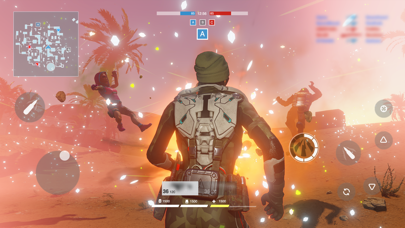
Experience the new generation of realistic graphics — enjoy amazing visual effects, detailed characters and maps! The Battle Prime engine is optimized for the majority of mobile devices, so you can fully enjoy dynamic battle scenes!
*Subscription Information:
* Subscription payments will be charged to your iTunes account at confirmation of your purchase.
* Subscriptions will automatically renew and payment will be charged to your iTunes account unless auto-renew is turned off at least 24 hours prior to the end of the current period. The cost of the renewal depends on your Subscription Plan. Our standard Subscription Plan is:
* 1-week Subscription with a 3-day Trial (1.99 USD)
For other currencies, the price corresponds to the same price tier on the App Store Pricing Matrix.
* Subscription with a free trial period will automatically renew to a paid subscription. You can cancel or manage your free trial's auto-renewal in your Account Settings after purchase. The cancellation will take effect 24-hours after the last day of the current subscription period and you will be downgraded to the free service.
* Please note: any unused portion of a free trial period (if offered) will be forfeited when you purchase a premium subscription during the free trial period.
In-App purchases may include random items.
Privacy Policy:
https://www.battleprime.com/privacy-policy
Terms of Use:
https://www.battleprime.com/terms-of-use
- Nicht-Jailbroken/Jailed oder Jailbroken iPhone oder iPad.
- Sideloadly oder Alternativen.
- Computer mit Windows/macOS/Linux und installiertem iTunes.
SCHRITT 1: Laden Sie die vorinstallierte .IPA-Datei über den obigen Link auf Ihren Computer herunter. Zum Herunterladen aus der iOSGods-App siehe unser iOSGods App IPA Download-Tutorial mit Videobeispiel.
SCHRITT 2: Laden Sie Sideloadly herunter und installieren Sie es auf Ihrem Windows oder Mac.
SCHRITT 3: Öffnen Sie Sideloadly auf Ihrem Computer, verbinden Sie Ihr iOS-Gerät und warten Sie, bis Ihr Gerätename in Sideloadly erscheint.
SCHRITT 4: Sobald Ihr iDevice erkannt wird, ziehen Sie die heruntergeladene gemoddete .IPA-Datei in die Sideloadly-Anwendung.
SCHRITT 5: Geben Sie Ihre Apple-Account-E-Mail ein und drücken Sie „Start". Sie werden dann nach Ihrem Passwort gefragt. Geben Sie die erforderlichen Informationen ein.
SCHRITT 6: Warten Sie, bis Sideloadly das Sideloading/Installieren der gehackten IPA abgeschlossen hat. Bei Problemen während der Installation lesen Sie bitte den Hinweis unten.
SCHRITT 7: Sobald die Installation abgeschlossen ist und die App auf Ihrem Home-Bildschirm angezeigt wird, müssen Sie zu Einstellungen → Allgemein → Profile / VPN & Geräteverwaltung gehen. Tippen Sie dort auf die E-Mail, die Sie in Schritt 6 eingegeben haben, und dann auf „Trust [email protected]".
SCHRITT 8: Gehen Sie nun zu Ihrem Home-Bildschirm und öffnen Sie die neu installierte App – alles sollte einwandfrei funktionieren. Möglicherweise müssen Sie weitere App-spezifische Anweisungen im Hack-Popup im Spiel befolgen.
HINWEIS: iOS/iPadOS 16 und höher: Sie müssen den Entwicklermodus aktivieren. Bei kostenlosen Apple Developer-Accounts müssen Sie diesen Vorgang alle 7 Tage wiederholen. Bei Fragen oder Problemen lesen Sie bitte unsere Sideloadly-FAQ-Sektion im Thema.