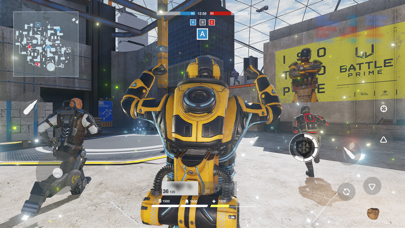
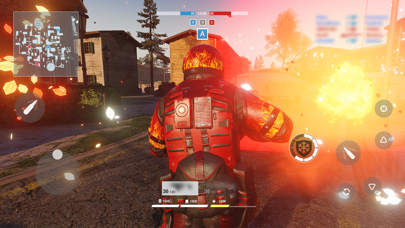
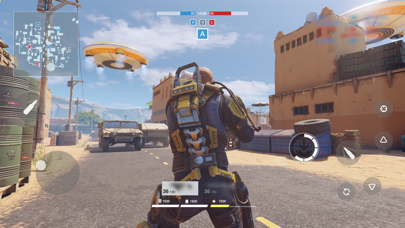
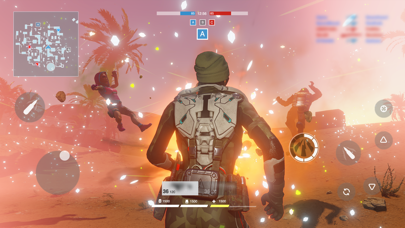
로그인 필요
계속하려면 iOSGods 계정으로 로그인하세요.
계속하려면 iOSGods 계정으로 로그인하세요.
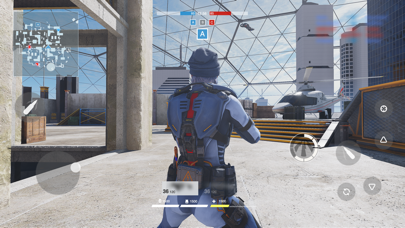
ESP (Extra Sensory Perception, 벽 투시) 체력 표시줄과 레이더 해킹으로 이 멀티플레이어 3인칭 슈팅 게임 Mod IPA에서 벽을 통해 적의 위치를 보고 미니맵에서 확인할 수 있습니다. Battle Prime은 콘솔 수준의 그래픽과 빠른 속도의 전투를 제공하며, 당신의 Prime 캐릭터를 선택하고 고유한 능력을 활용하여 경기를 지배할 수 있는 멋진 아레나에서 플레이합니다. 이 무료 Hack은 실시간으로 상대방을 추적하고 다음 움직임을 계획할 수 있는 전술적 이점을 제공합니다.
참고: 레이더 해킹은 반정도의 신뢰성으로 작동합니다. 자동 사격이 활성화되어 있으면 Hack으로 인해 장애물 뒤에 있는 적이 위치할 때 벽을 통해 총알이 발사될 수 있지만, 이는 게임플레이에 실제 영향을 주지 않습니다.
이 앱에는 iGameGod도 포함되어 있어 반복 작업을 자동화하는 Auto Touch, 게임 속도를 조절할 수 있는 App Speed Manager, Memory Engine 값 편집 등 강력한 iOS 게임 도구를 사용할 수 있습니다.
위의 링크에서 Battle Prime - ESP & RADAR HACK modded IPA을 다운로드합니다. 설치 버튼을 누르고 화면 안내에 따라 iPhone, iPad 또는 Apple Silicon에 이 iOS 앱 해킹을 설치합니다.
더 많은 도움이 필요하신가요? 자세한 답변과 문제 해결 팁은 iOSGods 앱 자주 묻는 질문을 확인하세요.
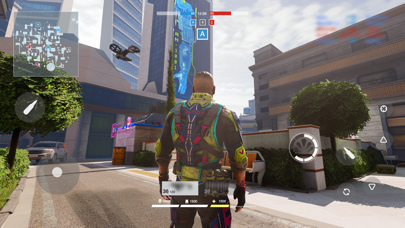
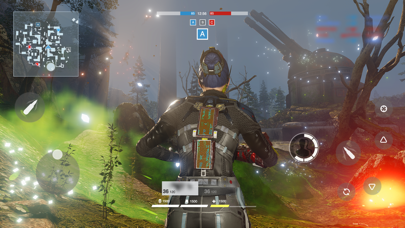
Battle Prime gives you an unforgettable experience — join this multiplayer third-person shooter, choose your tactics, try all the stunning arsenal, and all this while enjoying console level graphics.
Become the number one player in next-generation battles using your mobile device!
CHOOSE YOUR PRIME
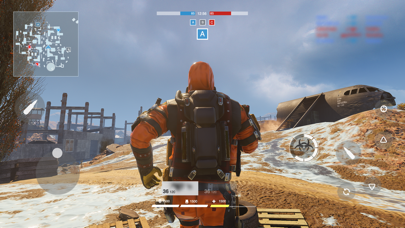
Play as Primes: universal avatars with unique abilities. Choose your playstyle: will you beat everybody with a hulk-like strength, or surpass with a flash speed? Every Prime has his own tactics, so choose your combat style, win and enjoy your triumph in a memorable spectacular battles!
ENJOY HIGH-ADRENALINE ACTION
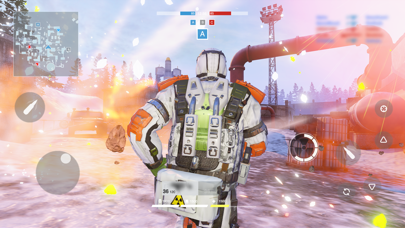
Show your power during dynamic 6v6 battles. Switch between Primes on re-spawn, use their abilities and equipment to control the course of battle and win. Beat all your enemies, get maximum points, and move higher to the top of the rating.
GET REWARDS
Every victory gets you closer to the top. Prove yourself in battles, gain rating points and unlock improvements — new Primes, new weapons and kit!
FEEL THE ATMOSPHERE
Experience the new generation of realistic graphics — enjoy amazing visual effects, detailed characters and maps! The Battle Prime engine is optimized for the majority of mobile devices, so you can fully enjoy dynamic battle scenes!
*Subscription Information:
* Subscription payments will be charged to your iTunes account at confirmation of your purchase.
* Subscriptions will automatically renew and payment will be charged to your iTunes account unless auto-renew is turned off at least 24 hours prior to the end of the current period. The cost of the renewal depends on your Subscription Plan. Our standard Subscription Plan is:
* 1-week Subscription with a 3-day Trial (1.99 USD)
For other currencies, the price corresponds to the same price tier on the App Store Pricing Matrix.
* Subscription with a free trial period will automatically renew to a paid subscription. You can cancel or manage your free trial's auto-renewal in your Account Settings after purchase. The cancellation will take effect 24-hours after the last day of the current subscription period and you will be downgraded to the free service.
* Please note: any unused portion of a free trial period (if offered) will be forfeited when you purchase a premium subscription during the free trial period.
In-App purchases may include random items.
Privacy Policy:
https://www.battleprime.com/privacy-policy
Terms of Use:
https://www.battleprime.com/terms-of-use
- 탈옥/제일 또는 탈옥된 iPhone 또는 iPad가 필요합니다.
- Sideloadly 또는 대체 도구가 필요합니다.
- iTunes가 설치된 Windows/macOS/Linux 컴퓨터가 필요합니다.
1단계: 위 링크에서 미리 해킹된 .IPA 파일을 컴퓨터에 다운로드합니다. iOSGods App에서 다운로드하려면 동영상 예시가 포함된 iOSGods App IPA 다운로드 튜토리얼를 참고하십시오.
2단계: Sideloadly를 다운로드하여 Windows 또는 Mac에 설치합니다.
3단계: 컴퓨터에서 Sideloadly를 실행하고 iOS 기기를 연결한 후, Sideloadly에 기기 이름이 표시될 때까지 기다립니다.
4단계: iDevice가 인식되면, 다운로드한 모드된 .IPA 파일을 Sideloadly 애플리케이션에 끌어다 놓습니다.
5단계: Apple Account 이메일을 입력한 후 “Start”를 누릅니다. 그러면 비밀번호를 입력하라는 메시지가 표시됩니다. 요청된 정보를 제공해 주십시오.
6단계: Sideloadly가 해킹된 IPA의 사이드로드/설치를 완료할 때까지 기다리십시오. 설치 중 문제가 발생하면 아래 참고 사항을 읽어 주십시오.
7단계: 설치가 완료되어 홈 화면에서 앱이 보이면 설정 → 일반 → 프로파일 / VPN 및 기기 관리 경로로 이동해야 합니다. 그곳에서 6단계에서 입력한 이메일을 탭한 다음 “[email protected] 신뢰”를 탭하십시오.
8단계: 이제 홈 화면으로 돌아가 새로 설치된 앱을 열면 모든 것이 정상적으로 작동할 것입니다. 게임 내 해킹 팝업에서 앱별 추가 안내를 따라야 할 수도 있습니다.
참고: iOS/iPadOS 16 이상에서는 개발자 모드를 활성화해야 합니다. 무료 Apple Developer 계정의 경우 이 과정을 7일마다 반복해야 합니다. 질문이나 문제가 있는 경우 해당 토픽의 Sideloadly FAQ 섹션를 읽어보십시오.