تسجيل الدخول مطلوب
سجّل الدخول بحساب iOSGods للمتابعة.
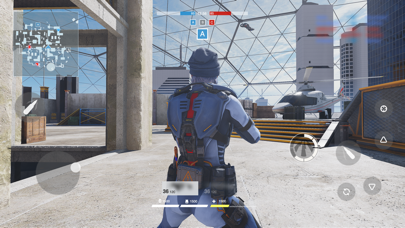
ESP HEALTH BAR - see enemy health bar through walls
RADAR HACK - SEE ENEMIES POINT ON MINIMAP(works semi)
Collide bugs: if automatic shoot is enabled it shoots through walls if there is an enemy somewhere behind(no effect)
قم بتنزيل Battle Prime - ESP & RADAR HACK modded IPA من الروابط أعلاه. اضغط على زر التثبيت واتبع التعليمات لتثبيت هذا التعديل لـ iOS على iPhone أو iPad أو Apple Silicon.
هل تحتاج إلى مزيد من المساعدة؟ راجع الأسئلة الشائعة لتطبيق iOSGods للحصول على إجابات مفصلة ونصائح لاستكشاف الأخطاء.
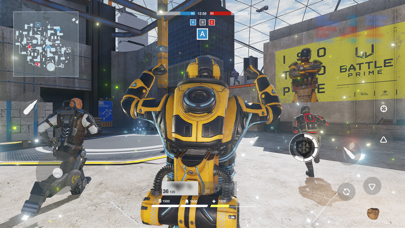
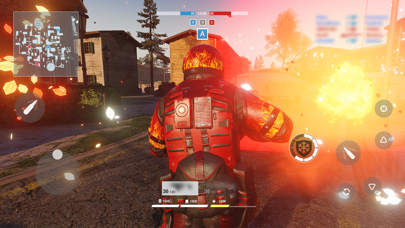
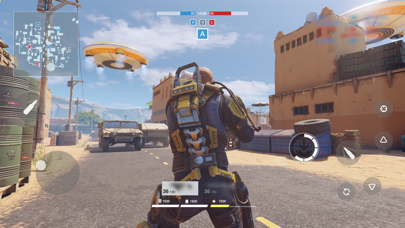
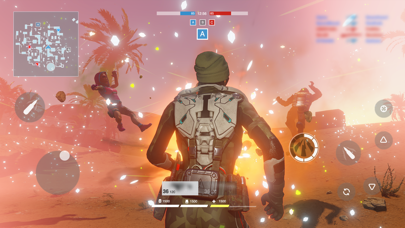
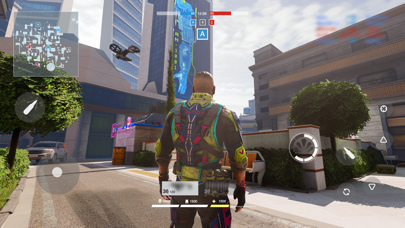
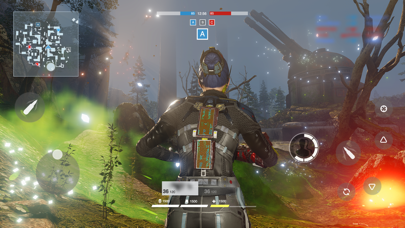
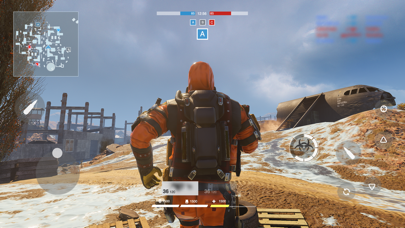
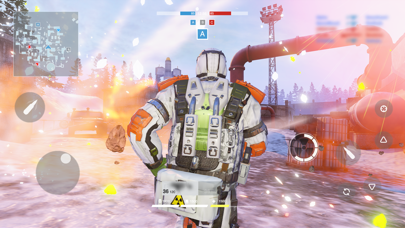
Battle Prime gives you an unforgettable experience — join this multiplayer third-person shooter, choose your tactics, try all the stunning arsenal, and all this while enjoying console level graphics.
Become the number one player in next-generation battles using your mobile device!
CHOOSE YOUR PRIME
Play as Primes: universal avatars with unique abilities. Choose your playstyle: will you beat everybody with a hulk-like strength, or surpass with a flash speed? Every Prime has his own tactics, so choose your combat style, win and enjoy your triumph in a memorable spectacular battles!
ENJOY HIGH-ADRENALINE ACTION
Show your power during dynamic 6v6 battles. Switch between Primes on re-spawn, use their abilities and equipment to control the course of battle and win. Beat all your enemies, get maximum points, and move higher to the top of the rating.
GET REWARDS
Every victory gets you closer to the top. Prove yourself in battles, gain rating points and unlock improvements — new Primes, new weapons and kit!
FEEL THE ATMOSPHERE
Experience the new generation of realistic graphics — enjoy amazing visual effects, detailed characters and maps! The Battle Prime engine is optimized for the majority of mobile devices, so you can fully enjoy dynamic battle scenes!
*Subscription Information:
* Subscription payments will be charged to your iTunes account at confirmation of your purchase.
* Subscriptions will automatically renew and payment will be charged to your iTunes account unless auto-renew is turned off at least 24 hours prior to the end of the current period. The cost of the renewal depends on your Subscription Plan. Our standard Subscription Plan is:
* 1-week Subscription with a 3-day Trial (1.99 USD)
For other currencies, the price corresponds to the same price tier on the App Store Pricing Matrix.
* Subscription with a free trial period will automatically renew to a paid subscription. You can cancel or manage your free trial's auto-renewal in your Account Settings after purchase. The cancellation will take effect 24-hours after the last day of the current subscription period and you will be downgraded to the free service.
* Please note: any unused portion of a free trial period (if offered) will be forfeited when you purchase a premium subscription during the free trial period.
Privacy Policy:
https://www.battleprime.com/privacy-policy
Terms of Use:
https://www.battleprime.com/terms-of-use
- iPhone أو iPad بجيلبريك أو بدون جيلبريك.
- Sideloadly أو بدائلها.
- كمبيوتر يعمل بنظام Windows/macOS/Linux مع تثبيت iTunes.
الخطوة 1: قم بتنزيل ملف .IPA المعدّل مسبقًا من الرابط أعلاه إلى الكمبيوتر الخاص بك. للتنزيل من تطبيق iOSGods App، اطلع على دليل تنزيل IPA من تطبيق iOSGods App الذي يتضمن مثالًا بالفيديو.
الخطوة 2: قم بتنزيل Sideloadly وتثبيته على جهاز Windows أو Mac.
الخطوة 3: افتح Sideloadly على الكمبيوتر، ووصّل جهاز iOS الخاص بك، وانتظر حتى يظهر اسم جهازك داخل Sideloadly.
الخطوة 4: بمجرد التعرّف على جهاز iDevice الخاص بك، اسحب ملف .IPA المعدّل الذي قمت بتنزيله وأفلِته داخل تطبيق Sideloadly.
الخطوة 5: أدخل البريد الإلكتروني لحساب Apple Account الخاص بك، ثم اضغط على «Start». سيُطلب منك بعد ذلك إدخال كلمة المرور. تابع وأدخل المعلومات المطلوبة.
الخطوة 6: انتظر حتى ينتهي Sideloadly من تحميل/تثبيت ملف IPA المعدّل. في حال واجهت أي مشاكل أثناء التثبيت، يرجى قراءة الملاحظة أدناه.
الخطوة 7: بعد اكتمال التثبيت ورؤية التطبيق على الشاشة الرئيسية، انتقل إلى Settings → General → Profiles / VPN & Device Management. ثم اضغط على البريد الإلكتروني الذي أدخلته في الخطوة 6، ثم اضغط على «الوثوق بـ [email protected]».
الخطوة 8: الآن انتقل إلى الشاشة الرئيسية وافتح التطبيق الذي تم تثبيته للتو وسيعمل كل شيء بشكل صحيح. قد تحتاج إلى اتباع تعليمات إضافية خاصة بكل تطبيق داخل النافذة المنبثقة للتعديل أثناء اللعب.
ملاحظة: بدءًا من iOS/iPadOS 16 وما بعده، يجب تفعيل وضع المطور (Developer Mode). بالنسبة لحسابات Apple Developer المجانية، ستحتاج إلى تكرار هذه العملية كل 7 أيام. إذا كانت لديك أي أسئلة أو مشاكل، يرجى قراءة قسم الأسئلة الشائعة حول Sideloadly في الموضوع.