Inloggning krävs
Logga in med ditt iOSGods-konto för att fortsätta.

Hack Features:
- Weak Enemies - Enemies Have Low HP , DEF & ATK
This hack works on the latest x64 or ARM64 iDevices: iPhone 5s, 6, 6 Plus, 6s, 6s Plus, 7, 7 Plus, 8, 8 Plus, X, Xr, Xs, Xs Max, SE, iPod Touch 6G, iPad Air, Air 2, Pro & iPad Mini 2, 3, 4 and later.
Den här appen levereras med iGameGod, vilket ger dig tillgång till Auto Touch för att automatisera repetitiva uppgifter, App Speed Manager för justerbar spelhastighet, värdesredigering med Memory Engine och fler kraftfulla verktyg för iOS-spel.
Ladda ner Pokémon Quest Hack modded IPA från länkarna ovan. Tryck på installationsknappen och följ instruktionerna för att installera denna iOS-apphack på iPhone, iPad eller Apple Silicon.
Behöver du mer hjälp? Se våra iOSGods-appens vanliga frågor för detaljerade svar och felsökningstips.
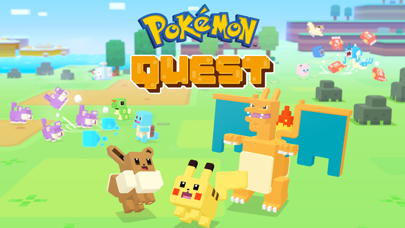
Pokémon Quest—a rambunctious expedition RPG featuring cube-shaped Pokémon!
• The Pokémon you know and love have turned into...cubes?! Head out in search of treasure with your cube-shaped Pokémon buddies on Tumblecube Island—a land where everything is a cube! Your goal is to find the awesome goodies said to be hidden on the island ! The Pokémon you know and love from Pokémon Red and Pokémon Blue appear in this game.
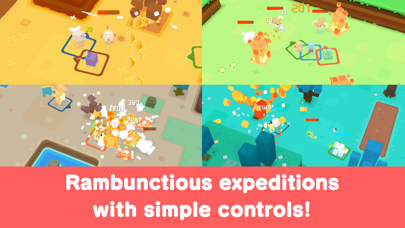
• Battle by tapping! The simple controls make for lively and fun battles! Danger is lurking, so you’ll need the help of your Pokémon buddies on your expeditions on the island. When wild Pokémon appear, your Pokémon will battle ferociously and knock them out one after another!
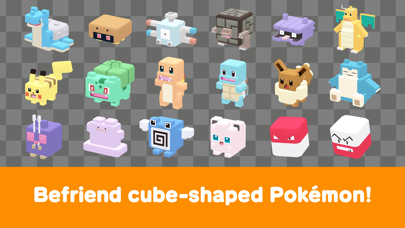
• Befriend Pokémon to make your own unique team!
You can use the items you get from your expeditions to befriend more Pokémon or make your Pokémon stronger. Make more buddies to create a team that’s all your own, and head out on more expeditions!
• Spruce up your base camp with cute decorations!
Your base camp is your home for this adventure, and you can spruce it up however you like with cute and fun decorations! These decorations can also make your expeditions on the island more beneficial.
■ Notes
・ Terms of Use
Please read the Terms of Use before using this application.
・ Saved data
Your play data for this game will only be saved on your local device. You can only store saved data on the server by using the backup function within the application. We recommend that players back up their data often.
・ Compatible operating systems
iOS: iOS9 or higher
Note: This application may not function properly on iPhone 5 and other devices that are not compatible with iOS 11.
Note: This application may not function properly on some devices due to individual differences in customers' operating systems or methods of use.
・ Connection environment
A poor internet connection when communicating with the server from within the game, such as when you're buying items from the shop, can lead to your data becoming corrupted or lost. Please make sure you are in a location with good reception when using features that rely on an internet connection.
If communication is lost momentarily, you may be able to resume play in some cases by trying again a short time later. Please note that we're unable to assist you if you experience problems due to communication errors.
・ Before making purchases
Please make sure that you can use the free-of-charge features of this product with no issues on your device before you make purchases. Certain devices and/or configurations may also cause the application to fail to work.
・ For inquiries
Please visit support.pokemon.com to report issues about Pokémon Quest.
- iPhone eller iPad utan jailbreak/jailad eller med jailbreak.
- Sideloadly eller alternativ.
- Dator med Windows/macOS/Linux och iTunes installerat.
STEG 1: Ladda ner den förhackade .IPA-filen från länken ovan till din dator. För att ladda ner från iOSGods App, se vår Guide för att ladda ner IPA i iOSGods App som även innehåller ett videoexempel.
STEG 2: Ladda ner Sideloadly och installera det på din Windows eller Mac.
STEG 3: Öppna Sideloadly på din dator, anslut din iOS-enhet och vänta tills enhetens namn visas i Sideloadly.
STEG 4: När din iEnhet känns igen drar du den moddade .IPA-filen du laddat ner och släpper den i Sideloadly-programmet.
STEG 5: Ange e-postadressen till ditt Apple Account och tryck sedan på ”Start”. Du ombeds sedan ange ditt lösenord. Fyll i de uppgifter som krävs.
STEG 6: Vänta tills Sideloadly är klar med att sideloada/installera den hackade IPA-filen. Om problem uppstår under installationen, läs noten nedan.
STEG 7: När installationen är klar och du ser appen på din hemskärm behöver du gå till Inställningar → Allmänt → Profiler / VPN & enhetshantering. Tryck där på e-postadressen du angav i steg 6 och tryck sedan på ”Lita på [email protected]”.
STEG 8: Gå nu till din hemskärm och öppna den nyligen installerade appen — allt ska fungera som det ska. Du kan behöva följa ytterligare app-specifika instruktioner i hackets popup inne i spelet.
OBS: På iOS/iPadOS 16 och senare måste du aktivera Utvecklarläge. För gratis Apple Developer-konton behöver du upprepa processen var sjunde dag. Om du har frågor eller problem, läs vår Sideloadly FAQ-avsnitt i tråden.