Inicio de sesión requerido
Inicia sesión con tu cuenta de iOSGods para continuar.
Inicia sesión con tu cuenta de iOSGods para continuar.

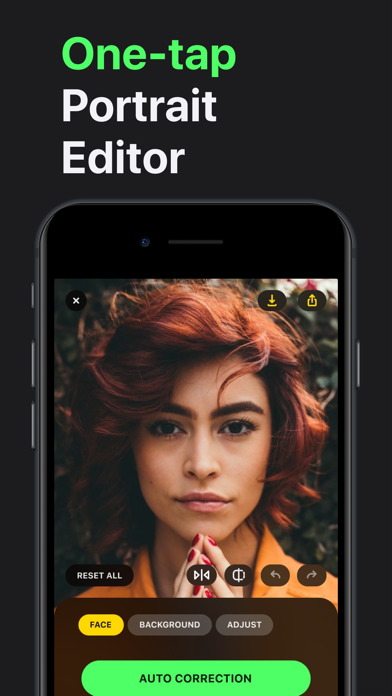
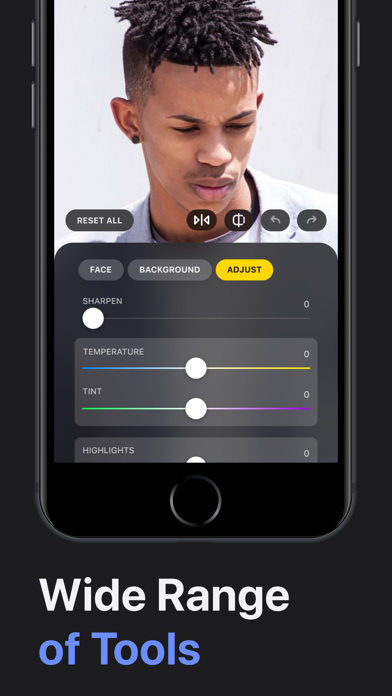
Obtén herramientas premium de edición de fotos sin pagar con Lensa: Photo Editor Modded, un hack gratuito que desbloquea todas las funciones de pago. Este mod IPA de iOS te permite acceder al conjunto completo de herramientas de perfeccionamiento facial y suavizado de piel de Lensa al instante, para que puedas mejorar tus selfies con edición de calidad profesional sobre la marcha.
- Premium Gratis (Presiona Comprar y luego presiona cancelar) → desbloquea todas las funciones de edición de pago sin costo
Esta app también incluye iGameGod, que te ofrece acceso a Auto Touch para automatizar tareas repetitivas, App Speed Manager para ajustar la velocidad del juego, edición de valores con Memory Engine y más potentes herramientas para juegos de iOS.
Descarga Lensa: Photo Editor Modded modded IPA desde los enlaces de arriba. Toca el botón de instalación y sigue las instrucciones para instalar este hack iOS en tu iPhone, iPad o Mac con Apple Silicon.
¿Necesitas más ayuda? Consulta nuestras Preguntas frecuentes de la app iOSGods para respuestas detalladas y consejos de solución de problemas.
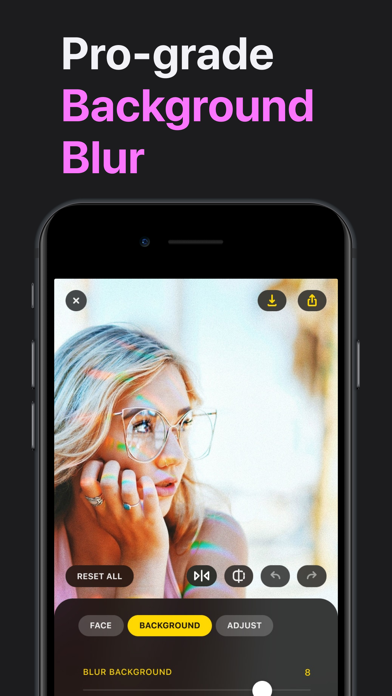
Haga que cada foto valga la pena compartirla. Lensa le ayuda a lucir lo mejor posible, eliminar distracciones y añadir efectos sorprendentes para que sus publicaciones siempre destaquen. Simple, rápido y divertido — perfecto para redes sociales y recuerdos cotidianos.
Lensa AI: Sus fotos, su historia
Cada foto cuenta una historia. Lensa le ayuda a hacerla inolvidable. Ya sea una selfie, una foto familiar o un recuerdo de viaje, Lensa mejora sus imágenes manteniendo un aspecto natural.
Con solo unos toques, puede suavizar imperfecciones, mejorar la iluminación tenue o añadir un toque artístico. Cree ediciones llamativas pero naturales, sin esfuerzo — perfectas para compartir con amigos o en redes sociales.
Lo que le encantará:
– Lucir bien en selfies y retratos sin ese aspecto de edición excesiva
– Eliminar objetos no deseados y distracciones para mantener el foco en usted
– Transformar cualquier foto o video con filtros hermosos y tonos de color vibrantes
– Crear avatares únicos que expresen su personalidad de forma artística y divertida
– Disfrutar de una edición simple, rápida y entretenida — sin necesidad de conocimientos técnicos
– Convertir momentos cotidianos en recuerdos destacados dignos de compartir. Con Lensa, sus fotos no solo se ven mejor — muestran su mejor versión
Política de privacidad: http://lensa-ai.com/privacy.html
Términos y condiciones: http://lensa-ai.com/terms.html
- iPhone o iPad con o sin Jailbreak.
- Sideloadly u otras alternativas.
- Ordenador con Windows/macOS/Linux e iTunes instalado.
PASO 1: Descargue el archivo .IPA pre-modificado desde el enlace de arriba a su ordenador. Para descargarlo desde la iOSGods App, consulte nuestro Tutorial de descarga del IPA desde la iOSGods App, que incluye un ejemplo en vídeo.
PASO 2: Descargue Sideloadly e instálelo en su Windows o Mac.
PASO 3: Abra Sideloadly en su ordenador, conecte su dispositivo iOS y espere hasta que el nombre del dispositivo aparezca en Sideloadly.
PASO 4: Una vez que su iDevice sea reconocido, arrastre el archivo .IPA modificado que descargó y suéltelo en la aplicación Sideloadly.
PASO 5: Introduzca el correo electrónico de su Apple Account y, a continuación, pulse «Start». Le pedirá que introduzca su contraseña. Proporcione la información solicitada.
PASO 6: Espere a que Sideloadly termine de hacer sideload/instalar el IPA modificado. Si surgen problemas durante la instalación, por favor lea la nota a continuación.
PASO 7: Una vez completada la instalación y al ver la app en la pantalla de inicio, deberá ir a Ajustes → General → Perfiles / VPN y Gestión de Dispositivos. Una vez allí, toque el correo electrónico que introdujo en el paso 6 y, después, toque en «Confiar en [email protected]».
PASO 8: Ahora vaya a la pantalla de inicio y abra la app recién instalada; todo debería funcionar correctamente. Es posible que tenga que seguir instrucciones adicionales específicas de cada app dentro del popup del hack en el juego.
NOTA: En iOS/iPadOS 16 y posteriores, debe activar el Modo Desarrollador. Para cuentas gratuitas de Apple Developer, deberá repetir este proceso cada 7 días. Si tiene alguna pregunta o problema, lea nuestra sección de Preguntas Frecuentes de Sideloadly del tema.