Требуется вход
Войдите в учётную запись iOSGods, чтобы продолжить.
Войдите в учётную запись iOSGods, чтобы продолжить.

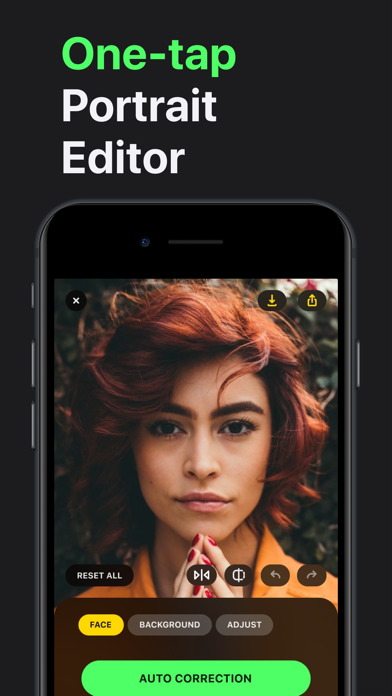
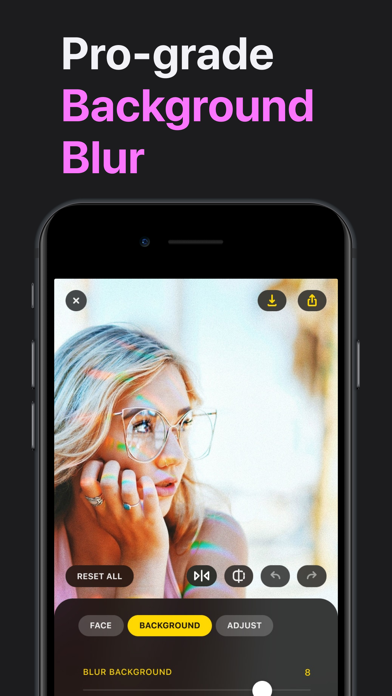
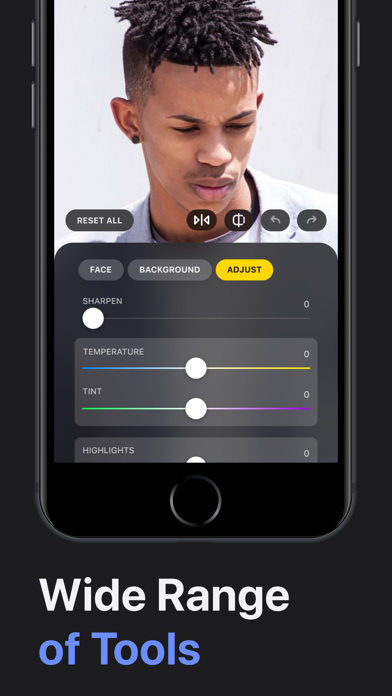
Получите премиум-инструменты редактирования фотографий без платежей с помощью Lensa: Photo Editor Modded, бесплатного взлома, который разблокирует все платные функции. Этот iOS mod IPA позволяет вам получить доступ к полному набору инструментов для совершенствования лица и сглаживания кожи Lensa мгновенно, чтобы вы могли улучшать свои селфи с профессиональным редактированием на ходу.
- Бесплатная премиум-версия (Нажмите "Купить", затем нажмите "Отмена") → разблокируйте все платные функции редактирования бесплатно
Это приложение также поставляется с iGameGod, который открывает доступ к Auto Touch для автоматизации повторяющихся действий, App Speed Manager для регулируемой скорости игры, редактированию значений Memory Engine и другим мощным инструментам для iOS-игр.
Скачайте Lensa: Photo Editor Modded modded IPA по ссылкам выше. Нажмите кнопку установки и следуйте инструкциям, чтобы установить этот хак iOS на iPhone, iPad или Mac с Apple Silicon.
Нужна помощь? Посмотрите наши Часто задаваемые вопросы по приложению iOSGods, чтобы получить подробные ответы и советы по устранению неполадок.
Make every photo share-worthy. Lensa helps you look your best, remove distractions, and add stunning effects so your posts always stand out. Simple, fast, and fun—perfect for social media and everyday memories.
Lensa AI: Your Photos, Your Story
Every photo tells a story—Lensa helps you make it unforgettable. Whether it’s a selfie, a family snapshot, or a travel memory, Lensa makes your pictures look their best while keeping them true to life.
With just a few taps, smooth out imperfections, brighten dull lighting, or add a touch of artistry. Create scroll-stopping edits that feel effortless and natural, perfect for sharing with friends or on social media.
What you’ll love:
- Look your best in selfies and portraits without the “over-edited” look
- Erase unwanted objects and distractions so the focus stays on you
- Transform any photo or video with beautiful filters and color tones
- Create one-of-a-kind avatars that express your personality in fun, artistic styles
- Enjoy editing that feels simple, quick, and fun—no skills required
- Turn everyday moments into highlights worth sharing. With Lensa, your photos don’t just look better—they feel like you at your best.
Privacy Policy - https://legal.lensa.app/privacy-policy
Terms of Use - https://legal.lensa.app/terms-of-use
- iPhone или iPad без джейлбрейка/в обычном режиме или с джейлбрейком.
- Sideloadly или альтернативы.
- Компьютер с Windows/macOS/Linux и установленным iTunes.
ШАГ 1: Скачайте предварительно взломанный файл .IPA по ссылке выше на свой компьютер. Чтобы скачать его из приложения iOSGods, посмотрите наш Туториал по скачиванию IPA в приложении iOSGods, в котором есть видеопример.
ШАГ 2: Скачайте Sideloadly и установите его на Windows или Mac.
ШАГ 3: Откройте Sideloadly на компьютере, подключите iOS-устройство и дождитесь, пока его имя появится в Sideloadly.
ШАГ 4: Когда устройство будет распознано, перетащите скачанный модифицированный файл .IPA в окно Sideloadly.
ШАГ 5: Введите адрес электронной почты вашего Apple Account, затем нажмите «Start». После этого вас попросят ввести пароль. Укажите необходимые данные.
ШАГ 6: Дождитесь, пока Sideloadly завершит sideload/установку взломанного IPA. При возникновении проблем во время установки ознакомьтесь с примечанием ниже.
ШАГ 7: После завершения установки и появления приложения на главном экране перейдите в Настройки → Основные → Профили / VPN и управление устройством. Там нажмите на email, который вы ввели на шаге 6, а затем нажмите «Доверять [email protected]».
ШАГ 8: Теперь перейдите на главный экран и откройте установленное приложение — всё должно работать. Возможно, потребуется выполнить дополнительные инструкции в попапе мода внутри игры.
ПРИМЕЧАНИЕ: На iOS/iPadOS 16 и новее необходимо включить режим разработчика. Для бесплатных учётных записей Apple Developer этот процесс нужно повторять каждые 7 дней. Если возникнут вопросы или проблемы, ознакомьтесь с нашим разделом FAQ по Sideloadly в теме.