需要登入
請使用您的 iOSGods 帳戶登入以繼續。
Hack Features:
- Unlimited Currencies - Spend // Gain
從上方連結下載 Bistro Heroes Hack modded IPA。點選安裝按鈕並依照畫面指示在 iPhone、iPad 或 Apple Silicon 上安裝此 iOS 應用程式修改版。
需要更多協助?請查看我們的 iOSGods 應用程式常見問題 以獲得詳細解答與疑難排解。

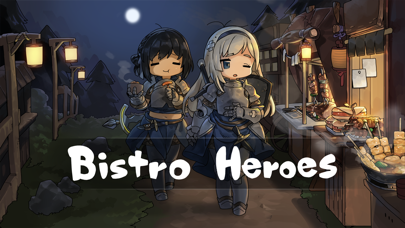
A new RPG 'Bistro Heroes', from Team Tapas, the developer of 'A Girl Adrift'!
◆ Gather various ingredients through hunting.
◆ Create tasty dishes with special ingredients to run a bistro.
◆ Collect hero clothes to create unique styles.
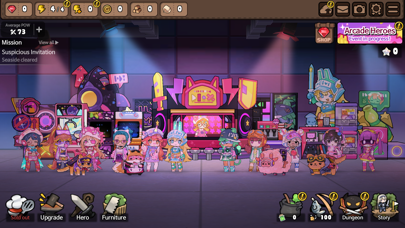
◆ Develop your town with numerous buildings and furniture.
◆ And…help the heroes save the world!
[Game Features]
- Small-sized, light RPG that can be enjoyed without additional downloads
- Various dishes made with ingredients from a fantasy world
- Cute clothes and furniture that can be used freely to decorate heroes and town
- Engaging storyline with the feel of a light novel
- Simple controls easy to learn, even for novices
- Fairytale-like atmosphere and graphics
[Community Page]
Website: https://teamtapas.com/
Facebook: https://www.facebook.com/TeamTapas/
Twitter: https://twitter.com/teamtapas
[Storing Data Safely]
- The server storage feature of the game data is activated when synced with a social account.
- The game data is stored in the server only at certain moments of gameplay and is not stored constantly in real-time.
- To safely store the data, please manually save it in the server regularly by using the server save icon on the upper right side of the game screen.
[Notes for Switching Devices]
1. To transfer data to a new device when switching your device, you must first sync with your social account.
2. After syncing with your social account, use the server save icon on the upper right to manually save your data on a manual save slot.
3. Log in with the same social account from your new device, load the data you stored from your previous device and play the game.
[Notes for Updating]
- Bistro Heroes' updates are done manually through the store page.
- If your Bistro Heroes does not update normally, please try the following method.
1. Restart the device and try again
2. Device settings - select iTunes & App Store - Check App Updates - restart and try to update again
※ The update time may differ depending on your device, so please wait a while longer if the above method does not work.
※ Deleting the app may reset some of the progressed data.
[Customer Support]
- If you experience gameplay problems, contact us via the in-game [Settings] → [Customer Support] button.
- Contact is at [email protected] for other bugs and problems.
- 未越獄/受限或已越獄的 iPhone 或 iPad。
- Sideloadly 或替代方案。
- 執行 Windows/macOS/Linux 且已安裝 iTunes 的電腦。
步驟 1: 透過上方連結將已破解的 .IPA 檔案下載到您的電腦。若要從 iOSGods App 下載,請參閱我們的 iOSGods App IPA 下載教學,其中包含影片範例。
步驟 2: 下載 Sideloadly 並將其安裝在您的 Windows 或 Mac 上。
步驟 3: 在電腦上開啟 Sideloadly,連接您的 iOS 裝置,並等待裝置名稱出現在 Sideloadly 中。
步驟 4: 當 Sideloadly 辨識到您的 iOS 裝置後,將下載好的修改版 .IPA 檔案拖曳並放到 Sideloadly 應用程式中。
步驟 5: 輸入您的 Apple Account 電子郵件,然後按下「Start」。系統會要求您輸入密碼,請依指示提供所需資訊。
步驟 6: 等待 Sideloadly 完成已破解 IPA 的旁載/安裝。如果安裝過程中發生問題,請閱讀下方的注意事項。
步驟 7: 安裝完成並在主畫面上看到該應用程式後,您需要前往 設定 → 一般 → 描述檔 / VPN 與裝置管理。進入後,點選您在步驟 6 中輸入的電子郵件,然後點選「信任 [email protected]」。
步驟 8: 現在回到主畫面並開啟新安裝的應用程式,一切應該都能正常運作。您可能需要依照遊戲內破解彈出視窗中的進一步指示操作。
注意: 在 iOS/iPadOS 16 及更新版本上,您必須 啟用開發者模式。若使用免費的 Apple Developer 帳號,您將需要每 7 天重複此程序。如有任何疑問或問題,請閱讀我們的 主題中的 Sideloadly 常見問題區段。