Требуется вход
Войдите в учётную запись iOSGods, чтобы продолжить.

Hack Features:
- Unlimited Currencies - Spend // Gain
Скачайте Bistro Heroes Hack modded IPA по ссылкам выше. Нажмите кнопку установки и следуйте инструкциям, чтобы установить этот хак iOS на iPhone, iPad или Mac с Apple Silicon.
Нужна помощь? Посмотрите наши Часто задаваемые вопросы по приложению iOSGods, чтобы получить подробные ответы и советы по устранению неполадок.
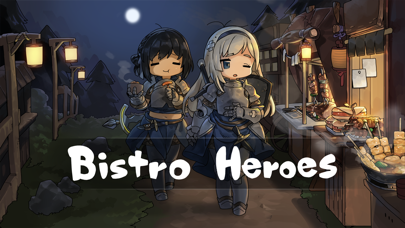
A new RPG 'Bistro Heroes', from Team Tapas, the developer of 'A Girl Adrift'!
◆ Gather various ingredients through hunting.
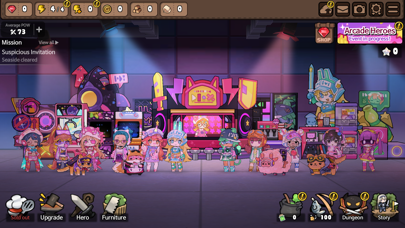
◆ Create tasty dishes with special ingredients to run a bistro.
◆ Collect hero clothes to create unique styles.
◆ Develop your town with numerous buildings and furniture.
◆ And…help the heroes save the world!
[Game Features]
- Small-sized, light RPG that can be enjoyed without additional downloads
- Various dishes made with ingredients from a fantasy world
- Cute clothes and furniture that can be used freely to decorate heroes and town
- Engaging storyline with the feel of a light novel
- Simple controls easy to learn, even for novices
- Fairytale-like atmosphere and graphics
[Community Page]
Website: https://teamtapas.com/
Facebook: https://www.facebook.com/TeamTapas/
Twitter: https://twitter.com/teamtapas
[Storing Data Safely]
- The server storage feature of the game data is activated when synced with a social account.
- The game data is stored in the server only at certain moments of gameplay and is not stored constantly in real-time.
- To safely store the data, please manually save it in the server regularly by using the server save icon on the upper right side of the game screen.
[Notes for Switching Devices]
1. To transfer data to a new device when switching your device, you must first sync with your social account.
2. After syncing with your social account, use the server save icon on the upper right to manually save your data on a manual save slot.
3. Log in with the same social account from your new device, load the data you stored from your previous device and play the game.
[Notes for Updating]
- Bistro Heroes' updates are done manually through the store page.
- If your Bistro Heroes does not update normally, please try the following method.
1. Restart the device and try again
2. Device settings - select iTunes & App Store - Check App Updates - restart and try to update again
※ The update time may differ depending on your device, so please wait a while longer if the above method does not work.
※ Deleting the app may reset some of the progressed data.
[Customer Support]
- If you experience gameplay problems, contact us via the in-game [Settings] → [Customer Support] button.
- Contact is at [email protected] for other bugs and problems.
- iPhone или iPad без джейлбрейка/в обычном режиме или с джейлбрейком.
- Sideloadly или альтернативы.
- Компьютер с Windows/macOS/Linux и установленным iTunes.
ШАГ 1: Скачайте предварительно взломанный файл .IPA по ссылке выше на свой компьютер. Чтобы скачать его из приложения iOSGods, посмотрите наш Туториал по скачиванию IPA в приложении iOSGods, в котором есть видеопример.
ШАГ 2: Скачайте Sideloadly и установите его на Windows или Mac.
ШАГ 3: Откройте Sideloadly на компьютере, подключите iOS-устройство и дождитесь, пока его имя появится в Sideloadly.
ШАГ 4: Когда устройство будет распознано, перетащите скачанный модифицированный файл .IPA в окно Sideloadly.
ШАГ 5: Введите адрес электронной почты вашего Apple Account, затем нажмите «Start». После этого вас попросят ввести пароль. Укажите необходимые данные.
ШАГ 6: Дождитесь, пока Sideloadly завершит sideload/установку взломанного IPA. При возникновении проблем во время установки ознакомьтесь с примечанием ниже.
ШАГ 7: После завершения установки и появления приложения на главном экране перейдите в Настройки → Основные → Профили / VPN и управление устройством. Там нажмите на email, который вы ввели на шаге 6, а затем нажмите «Доверять [email protected]».
ШАГ 8: Теперь перейдите на главный экран и откройте установленное приложение — всё должно работать. Возможно, потребуется выполнить дополнительные инструкции в попапе мода внутри игры.
ПРИМЕЧАНИЕ: На iOS/iPadOS 16 и новее необходимо включить режим разработчика. Для бесплатных учётных записей Apple Developer этот процесс нужно повторять каждые 7 дней. Если возникнут вопросы или проблемы, ознакомьтесь с нашим разделом FAQ по Sideloadly в теме.