Login necessário
Entre com sua conta iOSGods para continuar.
Entre com sua conta iOSGods para continuar.
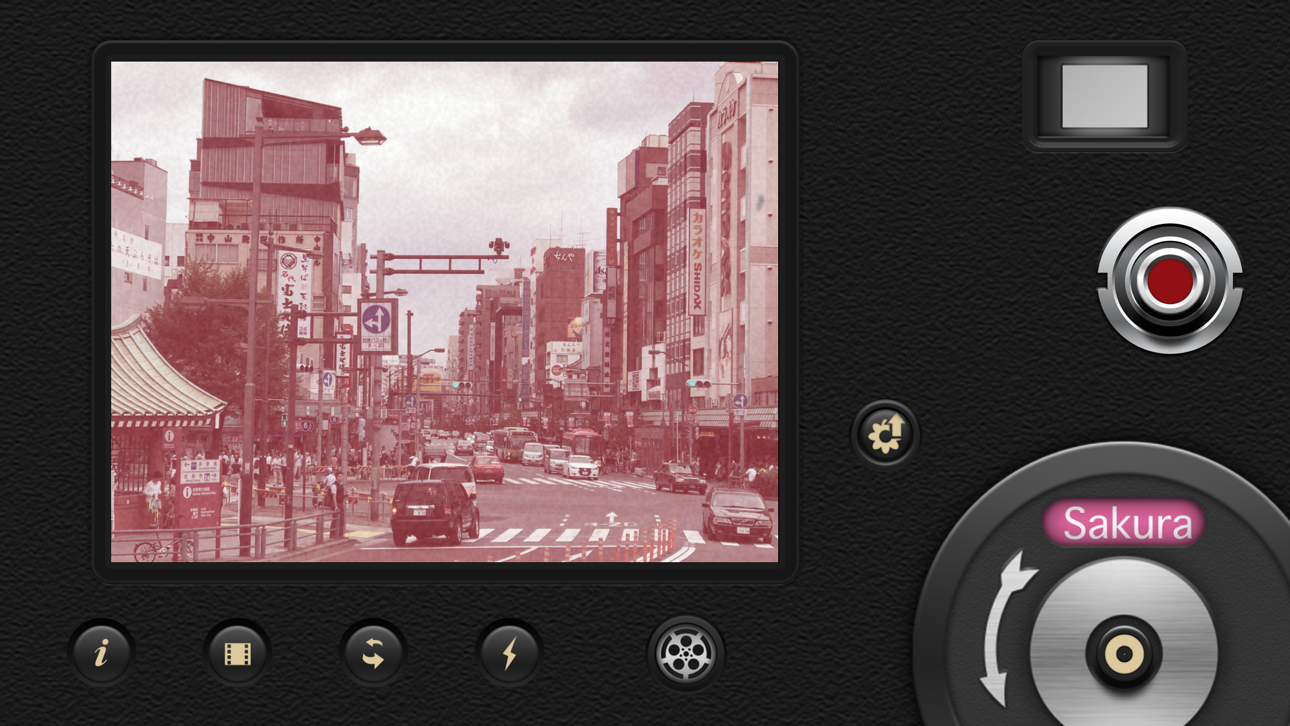
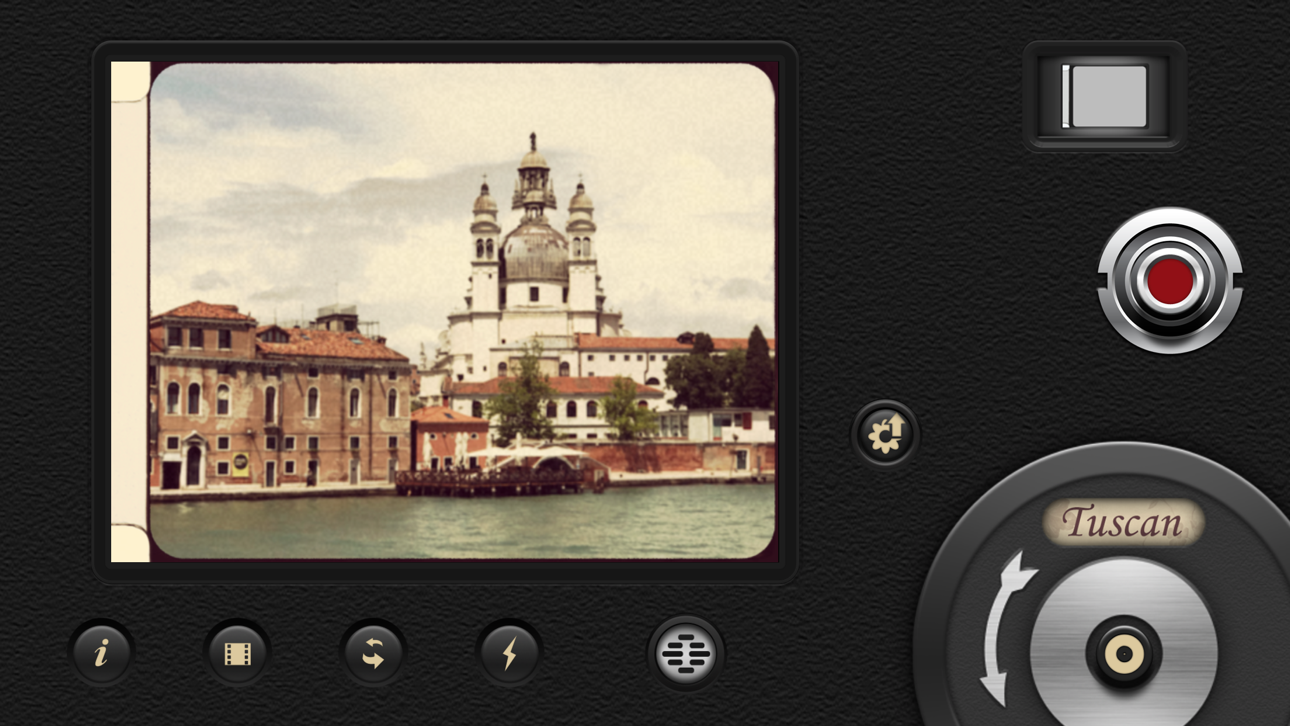
Capture vídeos com o charme nostálgico do filme 8mm vintage usando esta versão modificada do 8mm Vintage Camera, um Mod IPA que desbloqueia o app pago gratuitamente. O app permite gravar em até 4K HD com efeitos vintage em tempo real como poeira, arranhões, vazamentos de luz e tremores de quadro aplicados instantaneamente enquanto você filma. O que você vê no visor é exatamente o que você obtém, com visualização ao vivo completa de cada efeito retrô.
- App Pago Gratuito → acesso completo sem compra
Este app também vem com iGameGod, oferecendo acesso ao Auto Touch para automatizar tarefas repetitivas, App Speed Manager para ajustar a velocidade do jogo, edição de valores com Memory Engine e outras ferramentas avançadas para jogos iOS.
Baixe 8mm Vintage Camera modded IPA dos links acima. Toque no botão de instalação e siga as instruções para instalar este hack iOS no seu iPhone, iPad ou Apple Silicon.
Precisa de mais ajuda? Confira nossas Perguntas frequentes sobre o app iOSGods para respostas detalhadas e dicas de solução de problemas.
8mm is so realistic it was even used to film scenes in the Oscar-winning documentary Searching for Sugar Man!
We have established the de facto standard of real-time retro film emulation. It was featured by Apple in App of the Day, App of the Week, In the Director's Chair, App Store Essentials, etc.
8mm Vintage Camera captures the beauty and magic of old-school vintage movies right through your viewfinder. Dust and scratches, retro colors, flickering, light leaks, and even frame shake, all can be instantly added with a single tap of the finger.
SHOOT BOTH PHOTOS AND VIDEOS WITH SOPHISTICATED LIVE EFFECTS
• Combine effects of film color, halation, dust & scratch, film grain, and softening to create authentic old-school movies
• Adjust the strength of the effects to achieve your own unique visual style
• 10 Lenses (frame) effects: Projector, Vignetting, Light Leak, Color Fringing, Super 8, Screen, 16mm, Tube, color negatives of Super 8 and 16mm
• 21 Retro & Aged Films: 1920, Noir, 60s, 70s, Sakura, XPro, Siena, Pela, Indigo, Tuscan, Two-Color, 2-Strip, 3X, and monochromes
• Additional 21 filters that emulate real historical films and expired films - available with the 8mm Pro subscription
• Jitter Button to imitate real 8mm projectors frame shakes
• Sound Switch to add projector sound for extra authenticity or mute the video for a silent movie effect.
• Up to 4K 30fps with original unfiltered video recording on newer devices
A COMPACT EDITOR FOR MOVIE CREATION
- Apply film and frame effects to clips
- Trim video, pan & zoom photo
- Add a soundtrack from your music library
- Choose from 5 unique themes with matching titles, transitions
8MM PRO SUBSCRIPTION
- You can subscribe or make a one-time purchase for unlimited access to all current filters and future updates
- Start your subscription with a free 7-day trial. Once the trial is over, you’ll be charged an annual subscription fee
- Your subscription will automatically renew unless auto-renew is turned off at least 24 hours before the end of the current period. You can go to your Settings > Apple ID > Subscriptions to turn auto-renew off
Capturas © respectivos proprietários · App Store


A iOSGods não é afiliada, endossada nem patrocinada pela Apple Inc., pela Google LLC ou pelos desenvolvedores dos apps listados aqui. Apple, iOS e App Store são marcas da Apple Inc. Android e Google Play são marcas da Google LLC. Todos os demais nomes de apps, ícones, imagens e marcas pertencem aos seus respectivos proprietários.

- iPhone ou iPad sem jailbreak/jailed ou com jailbreak.
- Sideloadly ou alternativas.
- Computador com Windows/macOS/Linux e iTunes instalado.
PASSO 1: Baixe o arquivo .IPA pré-hackeado do link acima para o seu computador. Para baixar pelo iOSGods App, veja nosso Tutorial de download de IPA do iOSGods App, que inclui um exemplo em vídeo.
PASSO 2: Baixe o Sideloadly e instale-o no seu Windows ou Mac.
PASSO 3: Abra o Sideloadly no seu computador, conecte seu dispositivo iOS e aguarde até que o nome do dispositivo apareça no Sideloadly.
PASSO 4: Assim que seu iDevice for reconhecido, arraste o arquivo .IPA modificado que você baixou e solte-o no aplicativo Sideloadly.
PASSO 5: Digite o e-mail da sua Apple Account e pressione “Start”. Em seguida, será solicitada a sua senha. Prossiga e forneça as informações solicitadas.
PASSO 6: Aguarde o Sideloadly finalizar o sideload/instalação do IPA hackeado. Se houver problemas durante a instalação, leia a observação abaixo.
PASSO 7: Quando a instalação estiver concluída e você vir o app na Tela de Início, será necessário acessar Ajustes → Geral → Perfis / Gerenciamento de VPN e Dispositivo. Lá, toque no e-mail que você inseriu no passo 6 e, em seguida, toque em “Confiar em [email protected]”.
PASSO 8: Agora vá para a Tela de Início e abra o app recém-instalado; tudo deve funcionar normalmente. Você pode precisar seguir instruções adicionais específicas no popup do hack dentro do jogo.
OBSERVAÇÃO: No iOS/iPadOS 16 e versões posteriores, você deve ativar o Modo de Desenvolvedor. Para contas Apple Developer gratuitas, será necessário repetir este processo a cada 7 dias. Se tiver dúvidas ou problemas, leia nossa seção de FAQ do Sideloadly no tópico.
Game Name iOS Mod IPA is an action adventure game enhanced with powerful gameplay boosts and quality-of-life improvements. Win battles faster, earn rewards quicker, and enjoy uninterrupted play without ads.
- Unlimited Gold - spend freely to unlock premium content
- Damage Multiplier - deal significantly more damage in combat
- Defense Multiplier - take less damage and survive longer
- Reward Multiplier - earn more loot from every battle
- Max Level - instantly reach the highest player rank
- No Ads - play without interruptions or advertisements
This app also comes with iGameGod, giving you access to Auto Touch to automate repetitive tasks, App Speed Manager for adjustable gameplay speed, Memory Engine value editing, and more powerful iOS game tools.
Baixe Game Name Mod IPA dos links acima. Toque no botão de instalação e siga as instruções para instalar este hack iOS no seu iPhone, iPad ou Apple Silicon.
Precisa de mais ajuda Confira nossas Perguntas frequentes sobre o app iOSGods para respostas detalhadas e dicas de solução de problemas.
----------------------------------------------------------
--------------------------------------------------