Потрібен вхід
Увійдіть у свій обліковий запис iOSGods, щоб продовжити.
Увійдіть у свій обліковий запис iOSGods, щоб продовжити.
Множник атаки, множник захисту та миттєві навички дають вам переважаючу силу в бою в STARSEED: Asnia Trigger iOS Mod IPA, модифікованій RPG, де ви пробуджуєтесь у відродженому світі, щоб врятувати людство від Redshifts. Об'єднайтесь з унікальними дівчатами-ШІ з семи фракцій та використовуйте цей злам, щоб домінувати в кожній битві, розкриваючи таємницю вимирання людства.
- Множник атаки → підвищуйте вихідну шкоду в бою
- Множник захисту → зменшуйте вхідну шкоду та довше виживайте
- Миттєві навички → використовуйте здібності без затримок перезарядження
Цей застосунок також постачається з iGameGod, який надає доступ до Auto Touch для автоматизації повторюваних дій, App Speed Manager для регулювання швидкості гри, редагування значень за допомогою Memory Engine та інших потужних інструментів для iOS-ігор.
Завантажте STARSEED: Asnia Trigger iOS Mod IPA за посиланнями вище. Натисніть кнопку встановлення та дотримуйтесь інструкцій, щоб встановити цей хак iOS на iPhone, iPad або Apple Silicon.
Потрібна додаткова допомога? Перегляньте наш Поширені запитання про застосунок iOSGods для детальних відповідей та порад з усунення несправностей.
[Game Overview]
■ A Journey to Save the World in the Regenerated World
You awaken one day to a world where humanity has fallen.
In this Regenerated World, your journey begins to save it from the hostile force known as the Redshifts.
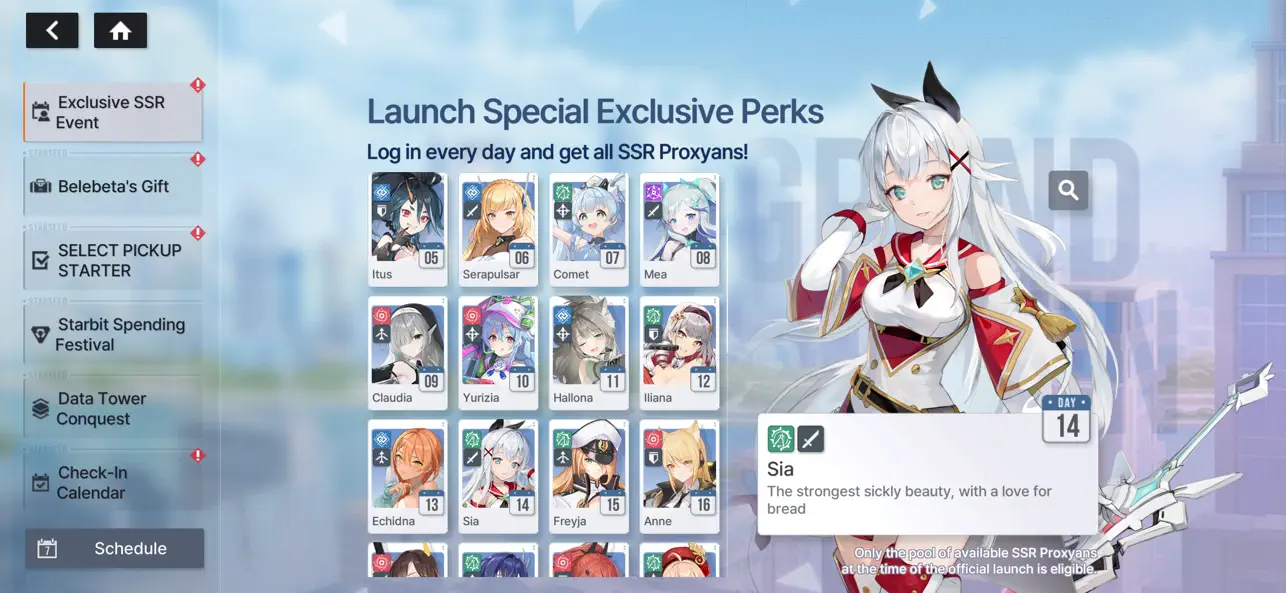
Together with the girls called Proxyans who follow you, challenge the mystery behind humanity’s extinction.
■ Girls from Seven Factions — Cherish the Time You Share
Meet the unique AI girls of the Seven Themes!
Experience fateful encounters and build meaningful connections with them.
■ Lively Voices Brought to Life by Renowned Voice Actors
Deepen your bond through the captivating performances of famous voice actors, each bringing their own charm to the girls.
■ Personalized Growth Shaped by Your Choices
Enjoy custom growth alongside adorable SD versions of the girls!
Choose your classmates and design your own class schedule. Based on your lesson results, earn unique growth buffs tailored to your journey.
■ Deepen Your Bonds Through Meaningful Interactions
Share daily moments from your Proxyans through Instarseed, and connect in real time via AI chat in Proxima Talk.
***
• This game is free to play, but you can choose to pay real money for extra items.
• Supported Languages
English, 한국어, 中文简体, 中文繁體, Deutsch, Français, Tiếng Việt, ไทย
[Minimum Requirements]
- iPhone 10 (iOS 13)/4GB RAM
• Smartphone App Permissions
▶ Access Permissions
Requesting permissions to provide the following services:
[Required Permissions]
None.
[Optional Permissions]
- Push Notifications: Permission to send you Push Notifications in-game.
- Identifier for Advertisers (IDFA): Permission to use Identifier for Advertisers (IDFA) for targeted advertising and tracking analysis.
* Optional permissions are not required to play. However, disabling them will restrict access to related features.
▶ Revoking Permissions
You can reset or revoke permissions using the following steps:
- Settings > Privacy > Select App > Grant/Revoke Permissions
Items are available for purchase in this game.
For Com2uS Mobile Game Terms of Service, visit www.withhive.com.
Terms of Service: http://terms.withhive.com/terms/policy/view/M9/T1
Privacy Policy: http://terms.withhive.com/terms/policy/view/M9/T3
For questions or customer support, please contact our Customer Support by visiting http://customer-m.withhive.com/ask
- iPhone або iPad без джейлбрейку/у заводському стані або з джейлбрейком.
- Sideloadly або альтернативи.
- Комп'ютер під керуванням Windows/macOS/Linux із встановленим iTunes.
КРОК 1: Завантажте попередньо зламаний .IPA-файл за посиланням вище на свій комп'ютер. Щоб завантажити з iOSGods App, перегляньте наш Посібник із завантаження IPA в iOSGods App, який містить відеоприклад.
КРОК 2: Завантажте Sideloadly і встановіть його на своєму Windows або Mac.
КРОК 3: Відкрийте Sideloadly на комп'ютері, підключіть свій iOS-пристрій і зачекайте, поки назва пристрою з'явиться у Sideloadly.
КРОК 4: Коли ваш iDevice буде розпізнано, перетягніть завантажений модифікований .IPA-файл і відпустіть його в застосунок Sideloadly.
КРОК 5: Введіть електронну пошту вашого Apple Account, потім натисніть «Start». Після цього вас попросять ввести пароль. Введіть необхідні дані.
КРОК 6: Зачекайте, доки Sideloadly завершить sideload/встановлення зламаного IPA. Якщо під час встановлення виникнуть проблеми, прочитайте примітку нижче.
КРОК 7: Коли встановлення завершено й ви побачите застосунок на головному екрані, перейдіть до Налаштування → Загальні → Профілі / VPN і керування пристроєм. Там натисніть на електронну пошту, яку ви ввели на кроці 6, а потім натисніть «Довіряти [email protected]».
КРОК 8: Тепер перейдіть на головний екран і відкрийте щойно встановлений застосунок — усе має працювати належним чином. Можливо, доведеться виконати додаткові інструкції для конкретного застосунку в спливаючому вікні хака в грі.
ПРИМІТКА: У iOS/iPadOS 16 і пізніших версіях потрібно увімкнути режим розробника. Для безкоштовних облікових записів Apple Developer цей процес доведеться повторювати кожні 7 днів. Якщо у вас є запитання або проблеми, прочитайте наш розділ FAQ зі Sideloadly у темі.






![[The Battle Cats JP] にゃんこ大戦争 iOS Mod IPA](https://is1-ssl.mzstatic.com/image/thumb/Purple221/v4/d5/5d/5e/d55d5ecc-9bbd-3446-2092-56eef81db097/AppIcon-0-0-1x_U007epad-0-1-85-220.png/100x100bb.jpg)