需要登入
請使用您的 iOSGods 帳戶登入以繼續。
請使用您的 iOSGods 帳戶登入以繼續。
這款街機賽車遊戲 Mod IPA for iOS 讓你在硬核賽道上畫出通往終點線的路線,所有高級工具已解鎖。Draw Rider Plus 為你提供無廣告賽車、2倍經驗獲得、色彩反轉、慢動作模式,以及完整的關卡編輯器,讓你創建並與其他玩家分享自訂賽道,全部來自原始 App Store IPA。
此應用程式也內建 iGameGod,讓你可以使用 Auto Touch 自動執行重複操作、透過 App Speed Manager 調整遊戲速度、使用 Memory Engine 修改記憶體數值,以及更多強大的 iOS 遊戲工具。
從上方連結下載 Draw Rider Plus modded IPA。點選安裝按鈕並依照畫面指示在 iPhone、iPad 或 Apple Silicon 上安裝此 iOS 應用程式修改版。
需要更多協助?請查看我們的 iOSGods 應用程式常見問題 以獲得詳細解答與疑難排解。
Features Draw Rider Plus:
+ No Ads
+ All tools in the editor
+ 2x experience
+ Color inversion
+ Slow motion mode
Draw Rider - one of the best arcade racing on iOS!
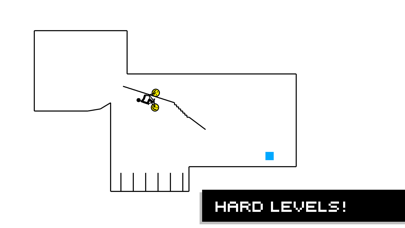
Can you get to the finish line safely and securely? Draw Rider is not an ordinary race, here you are waiting for insidious tests from many hardcore levels. Get gold medals, becoming the best racer on each track, to unlock new levels and new characters.
Thanks to the level editor you can create new tracks and share them with other players. Participate in the race for a while, communicate and evaluate the tracks of other players, become a part of the Draw Rider community!
Crazy figures:
- Over 20,000,000 Game Over!
- Over 6,000,000 downloads worldwide!
- Over 200,000 amazing levels created by users!
- Over 500 new levels every week in the community!
Features:
- Funny ragdoll physics
- Realistic bike physics
- Blood, blood, blood (can be disabled in the settings)
- Seven vehicles (bicycle, motorbike, ATV, electric bike, segway, mini motorbike, flying skateboard)
- Customizable management
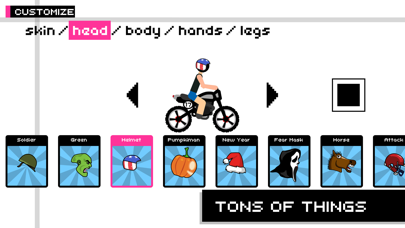
- Character customization
- Various game modes (time trial and race for points)
- Over 320 exciting races
- Level Editor
- Ability to share your levels with friends!
- Mode of color inversion and delayed action when falling
- Great community game
Become a fan of Draw Rider on Facebook:
www.facebook.com/gamingstudio17
Follow us on Twitter:
www.twitter.com/17Studio
Exclusive photos you will find in our Instagram:
www.instagram.com/17studio_official
We also have a blog on Tumblr:
www.17studio.tumblr.com

- 未越獄/受限或已越獄的 iPhone 或 iPad。
- Sideloadly 或替代方案。
- 執行 Windows/macOS/Linux 且已安裝 iTunes 的電腦。
步驟 1: 透過上方連結將已破解的 .IPA 檔案下載到您的電腦。若要從 iOSGods App 下載,請參閱我們的 iOSGods App IPA 下載教學,其中包含影片範例。
步驟 2: 下載 Sideloadly 並將其安裝在您的 Windows 或 Mac 上。
步驟 3: 在電腦上開啟 Sideloadly,連接您的 iOS 裝置,並等待裝置名稱出現在 Sideloadly 中。
步驟 4: 當 Sideloadly 辨識到您的 iOS 裝置後,將下載好的修改版 .IPA 檔案拖曳並放到 Sideloadly 應用程式中。
步驟 5: 輸入您的 Apple Account 電子郵件,然後按下「Start」。系統會要求您輸入密碼,請依指示提供所需資訊。
步驟 6: 等待 Sideloadly 完成已破解 IPA 的旁載/安裝。如果安裝過程中發生問題,請閱讀下方的注意事項。
步驟 7: 安裝完成並在主畫面上看到該應用程式後,您需要前往 設定 → 一般 → 描述檔 / VPN 與裝置管理。進入後,點選您在步驟 6 中輸入的電子郵件,然後點選「信任 [email protected]」。
步驟 8: 現在回到主畫面並開啟新安裝的應用程式,一切應該都能正常運作。您可能需要依照遊戲內破解彈出視窗中的進一步指示操作。
注意: 在 iOS/iPadOS 16 及更新版本上,您必須 啟用開發者模式。若使用免費的 Apple Developer 帳號,您將需要每 7 天重複此程序。如有任何疑問或問題,請閱讀我們的 主題中的 Sideloadly 常見問題區段。