Cần đăng nhập
Đăng nhập bằng tài khoản iOSGods để tiếp tục.
Đăng nhập bằng tài khoản iOSGods để tiếp tục.
Trò chơi đua xe arcade Mod IPA cho iOS này cho phép bạn vẽ đường đến đích trên những đường đua khó khăn với tất cả các công cụ cao cấp được mở khóa. Draw Rider Plus cung cấp cho bạn trò chơi không có quảng cáo, tăng kinh nghiệm 2x, đảo ngược màu sắc, chế độ chuyển động chậm và trình chỉnh sửa cấp độ đầy đủ để tạo và chia sẻ các đường đua tùy chỉnh với những người chơi khác, tất cả từ IPA App Store gốc.
Ứng dụng này cũng đi kèm với iGameGod, cho phép bạn truy cập Auto Touch để tự động hóa các thao tác lặp lại, App Speed Manager để điều chỉnh tốc độ chơi game, chỉnh sửa giá trị bằng Memory Engine, và nhiều công cụ mạnh mẽ khác cho game iOS.
Tải Draw Rider Plus modded IPA từ các liên kết ở trên. Nhấn nút cài đặt và làm theo hướng dẫn để cài bản hack iOS lên iPhone, iPad hoặc Apple Silicon.
Cần thêm trợ giúp? Hãy xem Câu hỏi thường gặp ứng dụng iOSGods để có câu trả lời chi tiết và mẹo khắc phục sự cố.
Features Draw Rider Plus:
+ No Ads
+ All tools in the editor
+ 2x experience
+ Color inversion
+ Slow motion mode
Draw Rider - one of the best arcade racing on iOS!
Can you get to the finish line safely and securely? Draw Rider is not an ordinary race, here you are waiting for insidious tests from many hardcore levels. Get gold medals, becoming the best racer on each track, to unlock new levels and new characters.
Thanks to the level editor you can create new tracks and share them with other players. Participate in the race for a while, communicate and evaluate the tracks of other players, become a part of the Draw Rider community!
Crazy figures:
- Over 20,000,000 Game Over!
- Over 6,000,000 downloads worldwide!
- Over 200,000 amazing levels created by users!
- Over 500 new levels every week in the community!
Features:
- Funny ragdoll physics
- Realistic bike physics
- Blood, blood, blood (can be disabled in the settings)
- Seven vehicles (bicycle, motorbike, ATV, electric bike, segway, mini motorbike, flying skateboard)
- Customizable management
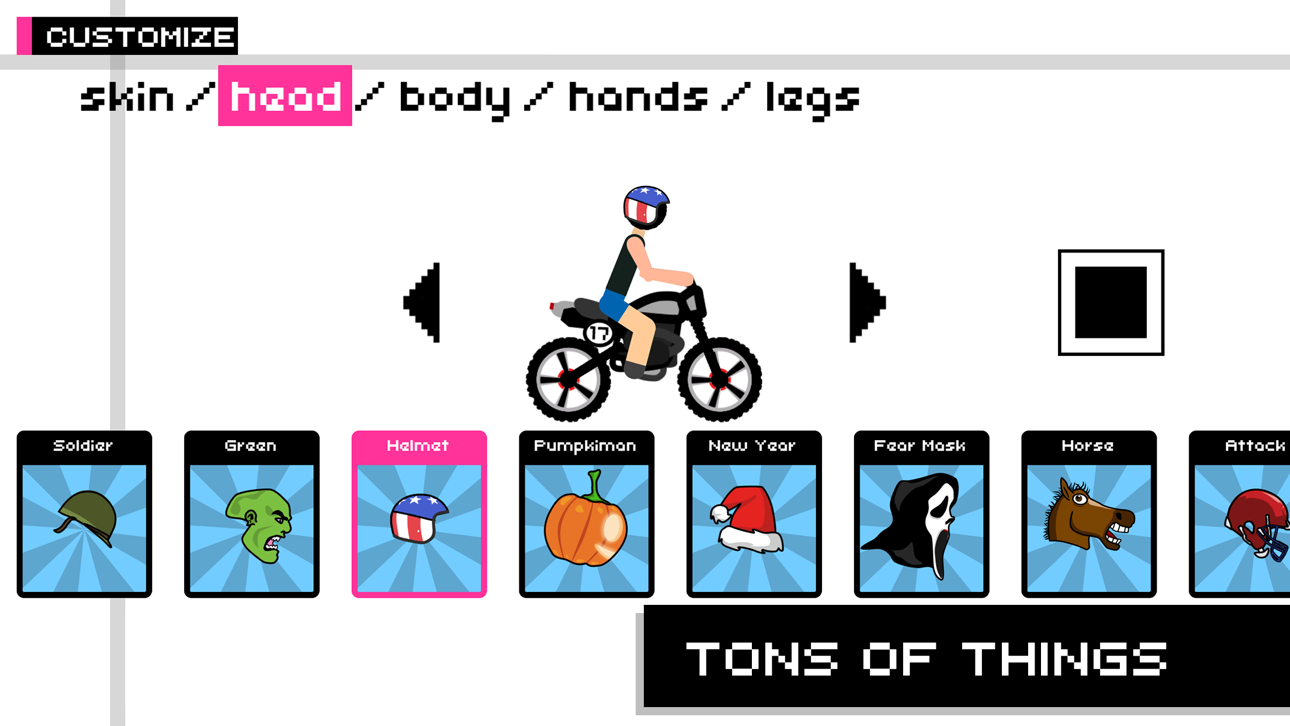
- Character customization
- Various game modes (time trial and race for points)
- Over 320 exciting races
- Level Editor
- Ability to share your levels with friends!
- Mode of color inversion and delayed action when falling
- Great community game
Become a fan of Draw Rider on Facebook:
www.facebook.com/gamingstudio17
Follow us on Twitter:
www.twitter.com/17Studio
Exclusive photos you will find in our Instagram:
www.instagram.com/17studio_official
We also have a blog on Tumblr:
www.17studio.tumblr.com

- iPhone hoặc iPad chưa jailbreak/đã đóng hoặc đã jailbreak.
- Sideloadly hoặc các lựa chọn thay thế.
- Máy tính chạy Windows/macOS/Linux đã cài iTunes.
BƯỚC 1: Tải tệp .IPA đã được hack sẵn từ liên kết phía trên về máy tính của bạn. Để tải từ iOSGods App, hãy xem Hướng dẫn tải IPA bằng iOSGods App của chúng tôi, có kèm ví dụ bằng video.
BƯỚC 2: Tải Sideloadly và cài đặt trên Windows hoặc Mac của bạn.
BƯỚC 3: Mở Sideloadly trên máy tính, kết nối thiết bị iOS của bạn và chờ cho đến khi tên thiết bị hiển thị trong Sideloadly.
BƯỚC 4: Khi thiết bị iOS của bạn đã được nhận diện, hãy kéo tệp .IPA đã chỉnh sửa mà bạn tải về và thả vào ứng dụng Sideloadly.
BƯỚC 5: Nhập email Apple Account của bạn, sau đó nhấn "Start." Bạn sẽ được yêu cầu nhập mật khẩu. Hãy cung cấp các thông tin cần thiết.
BƯỚC 6: Chờ Sideloadly hoàn tất quá trình sideload/cài đặt tệp IPA đã hack. Nếu gặp sự cố trong quá trình cài đặt, vui lòng đọc lưu ý bên dưới.
BƯỚC 7: Khi cài đặt hoàn tất và bạn thấy ứng dụng trên Màn hình chính, bạn cần truy cập Cài đặt → Cài đặt chung → Hồ sơ / VPN & Quản lý thiết bị. Tại đó, nhấn vào email bạn đã nhập ở bước 6, rồi nhấn "Tin cậy [email protected]".
BƯỚC 8: Bây giờ hãy về Màn hình chính và mở ứng dụng vừa cài đặt, mọi thứ sẽ hoạt động bình thường. Bạn có thể cần làm theo hướng dẫn riêng của từng ứng dụng trong cửa sổ popup của bản hack trong game.
LƯU Ý: Trên iOS/iPadOS 16 trở lên, bạn phải bật Chế độ nhà phát triển. Với tài khoản Apple Developer miễn phí, bạn sẽ cần lặp lại quy trình này mỗi 7 ngày. Nếu bạn có thắc mắc hoặc gặp sự cố, hãy đọc mục FAQ về Sideloadly trong chủ đề của chúng tôi.
Hack Features:
- Inf Coins (Spend)
App Installation Instructions:
---------------------------------------------------------
----------------------------------------------------------
If you require more information or help, please read our Frequently Asked Questions topic on iOSGods.com.
----------------------------------------------------------
--------------------------------------------------






![[ SEA ] Honkai Impact 3 iOS Mod IPA](https://is1-ssl.mzstatic.com/image/thumb/Purple211/v4/f2/6b/8e/f26b8e2b-e408-c3bd-0f31-52abe0b7cbc1/AppIcon-1x_U007emarketing-0-10-0-85-220-0.png/100x100bb.jpg)