ต้องเข้าสู่ระบบ
เข้าสู่ระบบด้วยบัญชี iOSGods เพื่อดำเนินการต่อ
เข้าสู่ระบบด้วยบัญชี iOSGods เพื่อดำเนินการต่อ

เกมแข่งรถอาร์เคดนี้ Mod IPA สำหรับ iOS ให้คุณวาดเส้นทางไปยังเส้นชัยผ่านสนามแข่งที่ท้าทายด้วยเครื่องมือพรีเมียมปลดล็อกทั้งหมด Draw Rider Plus มอบประสบการณ์การแข่งรถปราศจากโฆษณา, ได้รับประสบการณ์เพิ่มขึ้น 2 เท่า, การกลับสีผกผัน, โหมดการเล่นช้า, และตัวแก้ไขระดับเต็มรูปแบบเพื่อสร้างและแชร์สนามแข่งที่กำหนดเองกับผู้เล่นคนอื่น ทั้งหมดจากไฟล์ IPA ต้นฉบับจาก App Store
แอปนี้ยังมาพร้อมกับ iGameGod ซึ่งช่วยให้คุณเข้าถึง Auto Touch สำหรับการทำงานซ้ำ ๆ โดยอัตโนมัติ, App Speed Manager สำหรับปรับความเร็วของเกม, การแก้ไขค่าด้วย Memory Engine และเครื่องมือสำหรับเกม iOS ที่ทรงพลังอื่น ๆ อีกมากมาย
ดาวน์โหลด Draw Rider Plus modded IPA จากลิงก์ด้านบน แตะปุ่มติดตั้งและทำตามคำแนะนำบนหน้าจอเพื่อติดตั้งแฮ็กแอป iOS นี้บน iPhone, iPad หรือ Apple Silicon
ต้องการความช่วยเหลือเพิ่มเติม? ดู คำถามที่พบบ่อยของแอป iOSGods สำหรับคำตอบโดยละเอียดและเคล็ดลับการแก้ไขปัญหา
Eigenschaften Draw Rider Plus:
+ Keine Werbung
+ Alle Werkzeuge im Editor
+ 2x Erfahrung
+ Farbumkehrung
+ Zeitlupenmodus
Draw Rider - eines der besten Arcade-Rennen auf iOS!
Können Sie sicher und sicher ins Ziel kommen? Draw Rider ist kein gewöhnliches Rennen, hier wartet man auf heimtückische Tests aus vielen Hardcore Levels. Erhalte Goldmedaillen und werde der beste Rennfahrer auf jeder Strecke, um neue Levels und neue Charaktere freizuschalten.
Dank des Level-Editors können Sie neue Tracks erstellen und diese mit anderen Spielern teilen. Nimm am Rennen teil, kommuniziere und bewerte die Spuren anderer Spieler und werde Teil der Draw Rider Community!
Verrückte Figuren:
- Über 20.000.000 Game Over!
- Über 6.000.000 Downloads weltweit!
- Über 200.000 erstaunliche Levels von Benutzern erstellt!
- Über 500 neue Levels jede Woche in der Community!
Eigenschaften:
- Lustige Ragdoll-Physik
- Realistische Fahrradphysik
- Blut, Blut, Blut (kann in den Einstellungen deaktiviert werden)
- Sieben Fahrzeuge (Fahrrad, Motorrad, ATV, E-Bike, Segway, Mini-Motorrad, fliegendes Skateboard)
- Anpassbare Verwaltung
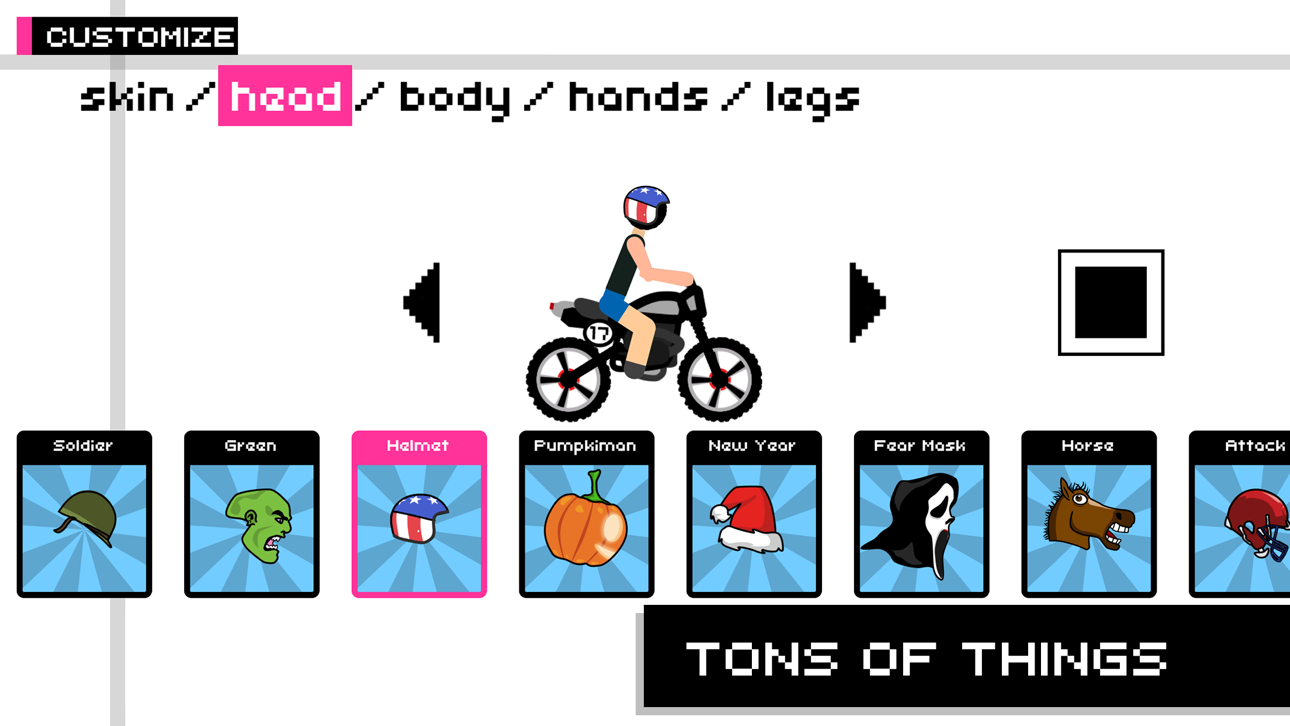
- Charakteranpassung
- Verschiedene Spielmodi (Zeitfahren und Rennen um Punkte)
- Über 320 spannende Rennen
- Level-Editor
- Fähigkeit, deine Levels mit Freunden zu teilen!
- Modus der Farbinversion und verzögerte Aktion beim Fallen
- Tolles Gemeinschaftsspiel
Werde ein Fan von Draw Rider auf Facebook:
www.facebook.com/gamingstudio17
Folge uns auf Twitter:
www.twitter.com/17Studio
Exklusive Fotos finden Sie in unserem Instagram:
www.instagram.com/17studio_official
Wir haben auch einen Blog auf Tumblr:
www.17studio.tumblr.com
- iPhone หรือ iPad ที่ไม่ได้เจลเบรก/ไม่ได้เจลเบรก หรือเจลเบรกแล้ว
- Sideloadly หรือทางเลือกอื่น
- คอมพิวเตอร์ที่ใช้ Windows/macOS/Linux และติดตั้ง iTunes ไว้
ขั้นตอนที่ 1: ดาวน์โหลดไฟล์ .IPA ที่แฮกไว้ล่วงหน้าจากลิงก์ด้านบนลงในคอมพิวเตอร์ของคุณ หากต้องการดาวน์โหลดจากแอป iOSGods โปรดดู วิธีดาวน์โหลด IPA ในแอป iOSGods ซึ่งมีตัวอย่างวิดีโอประกอบ
ขั้นตอนที่ 2: ดาวน์โหลด Sideloadly แล้วติดตั้งบน Windows หรือ Mac ของคุณ
ขั้นตอนที่ 3: เปิด Sideloadly บนคอมพิวเตอร์ เชื่อมต่ออุปกรณ์ iOS แล้วรอจนกว่าชื่ออุปกรณ์ของคุณจะปรากฏใน Sideloadly
ขั้นตอนที่ 4: เมื่อ iDevice ของคุณถูกตรวจพบแล้ว ให้ลากไฟล์ .IPA ที่ม็อดมาวางลงในโปรแกรม Sideloadly
ขั้นตอนที่ 5: กรอกอีเมล Apple Account ของคุณ จากนั้นกด "Start" ระบบจะถามรหัสผ่าน กรอกข้อมูลที่จำเป็นให้เรียบร้อย
ขั้นตอนที่ 6: รอจนกว่า Sideloadly จะ sideload/ติดตั้งไฟล์ IPA ที่แฮกเสร็จ หากเกิดปัญหาระหว่างติดตั้ง โปรดอ่านหมายเหตุด้านล่าง
ขั้นตอนที่ 7: เมื่อการติดตั้งเสร็จสิ้นและเห็นแอปบนหน้าจอหลักแล้ว ให้ไปที่ การตั้งค่า → ทั่วไป → โปรไฟล์ / VPN และการจัดการอุปกรณ์ จากนั้นแตะที่อีเมลที่คุณกรอกในขั้นตอนที่ 6 แล้วแตะ "เชื่อถือ [email protected]"
ขั้นตอนที่ 8: จากนั้นไปที่หน้าจอหลักและเปิดแอปที่ติดตั้งใหม่ ทุกอย่างควรทำงานได้ปกติ คุณอาจต้องทำตามคำแนะนำเพิ่มเติมเฉพาะแอปในป๊อปอัปของม็อดในเกม
หมายเหตุ: สำหรับ iOS/iPadOS 16 ขึ้นไป คุณต้อง เปิดโหมดนักพัฒนา (Developer Mode) สำหรับบัญชี Apple Developer แบบฟรี คุณต้องทำขั้นตอนนี้ซ้ำทุก 7 วัน หากมีคำถามหรือพบปัญหา โปรดอ่าน หัวข้อ FAQ ของ Sideloadly ในกระทู้
Hack Features:
- Inf Coins (Spend)
App Installation Instructions:
---------------------------------------------------------
----------------------------------------------------------
If you require more information or help, please read our Frequently Asked Questions topic on iOSGods.com.
----------------------------------------------------------
--------------------------------------------------






![[ SEA ] Honkai Impact 3 iOS Mod IPA](https://is1-ssl.mzstatic.com/image/thumb/Purple211/v4/f2/6b/8e/f26b8e2b-e408-c3bd-0f31-52abe0b7cbc1/AppIcon-1x_U007emarketing-0-10-0-85-220-0.png/100x100bb.jpg)