需要登入
請使用您的 iOSGods 帳戶登入以繼續。

Hack Features:
- Weak Enemies - Enemies Have Low HP , DEF & ATK
This hack works on the latest x64 or ARM64 iDevices: iPhone 5s, 6, 6 Plus, 6s, 6s Plus, 7, 7 Plus, 8, 8 Plus, X, Xr, Xs, Xs Max, SE, iPod Touch 6G, iPad Air, Air 2, Pro & iPad Mini 2, 3, 4 and later.
此應用程式內建 iGameGod,讓你可以使用 Auto Touch 自動執行重複操作、透過 App Speed Manager 調整遊戲速度、使用 Memory Engine 修改記憶體數值,以及更多強大的 iOS 遊戲工具。
從上方連結下載 Pokémon Quest Hack modded IPA。點選安裝按鈕並依照畫面指示在 iPhone、iPad 或 Apple Silicon 上安裝此 iOS 應用程式修改版。
需要更多協助?請查看我們的 iOSGods 應用程式常見問題 以獲得詳細解答與疑難排解。
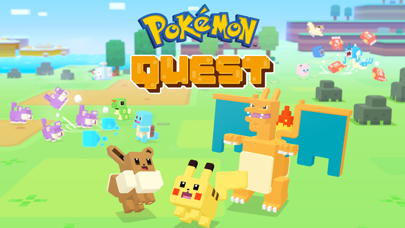
Pokémon Quest—a rambunctious expedition RPG featuring cube-shaped Pokémon!
• The Pokémon you know and love have turned into...cubes?! Head out in search of treasure with your cube-shaped Pokémon buddies on Tumblecube Island—a land where everything is a cube! Your goal is to find the awesome goodies said to be hidden on the island ! The Pokémon you know and love from Pokémon Red and Pokémon Blue appear in this game.
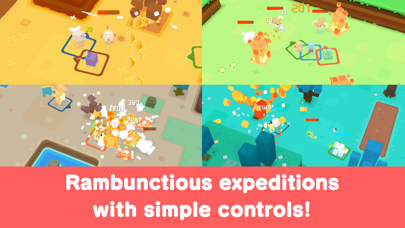
• Battle by tapping! The simple controls make for lively and fun battles! Danger is lurking, so you’ll need the help of your Pokémon buddies on your expeditions on the island. When wild Pokémon appear, your Pokémon will battle ferociously and knock them out one after another!
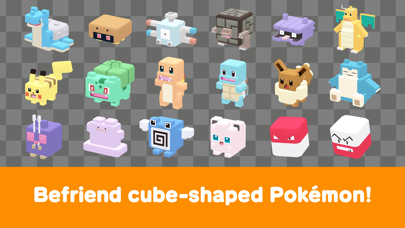
• Befriend Pokémon to make your own unique team!
You can use the items you get from your expeditions to befriend more Pokémon or make your Pokémon stronger. Make more buddies to create a team that’s all your own, and head out on more expeditions!
• Spruce up your base camp with cute decorations!
Your base camp is your home for this adventure, and you can spruce it up however you like with cute and fun decorations! These decorations can also make your expeditions on the island more beneficial.
■ Notes
・ Terms of Use
Please read the Terms of Use before using this application.
・ Saved data
Your play data for this game will only be saved on your local device. You can only store saved data on the server by using the backup function within the application. We recommend that players back up their data often.
・ Compatible operating systems
iOS: iOS9 or higher
Note: This application may not function properly on iPhone 5 and other devices that are not compatible with iOS 11.
Note: This application may not function properly on some devices due to individual differences in customers' operating systems or methods of use.
・ Connection environment
A poor internet connection when communicating with the server from within the game, such as when you're buying items from the shop, can lead to your data becoming corrupted or lost. Please make sure you are in a location with good reception when using features that rely on an internet connection.
If communication is lost momentarily, you may be able to resume play in some cases by trying again a short time later. Please note that we're unable to assist you if you experience problems due to communication errors.
・ Before making purchases
Please make sure that you can use the free-of-charge features of this product with no issues on your device before you make purchases. Certain devices and/or configurations may also cause the application to fail to work.
・ For inquiries
Please visit support.pokemon.com to report issues about Pokémon Quest.
- 未越獄/受限或已越獄的 iPhone 或 iPad。
- Sideloadly 或替代方案。
- 執行 Windows/macOS/Linux 且已安裝 iTunes 的電腦。
步驟 1: 透過上方連結將已破解的 .IPA 檔案下載到您的電腦。若要從 iOSGods App 下載,請參閱我們的 iOSGods App IPA 下載教學,其中包含影片範例。
步驟 2: 下載 Sideloadly 並將其安裝在您的 Windows 或 Mac 上。
步驟 3: 在電腦上開啟 Sideloadly,連接您的 iOS 裝置,並等待裝置名稱出現在 Sideloadly 中。
步驟 4: 當 Sideloadly 辨識到您的 iOS 裝置後,將下載好的修改版 .IPA 檔案拖曳並放到 Sideloadly 應用程式中。
步驟 5: 輸入您的 Apple Account 電子郵件,然後按下「Start」。系統會要求您輸入密碼,請依指示提供所需資訊。
步驟 6: 等待 Sideloadly 完成已破解 IPA 的旁載/安裝。如果安裝過程中發生問題,請閱讀下方的注意事項。
步驟 7: 安裝完成並在主畫面上看到該應用程式後,您需要前往 設定 → 一般 → 描述檔 / VPN 與裝置管理。進入後,點選您在步驟 6 中輸入的電子郵件,然後點選「信任 [email protected]」。
步驟 8: 現在回到主畫面並開啟新安裝的應用程式,一切應該都能正常運作。您可能需要依照遊戲內破解彈出視窗中的進一步指示操作。
注意: 在 iOS/iPadOS 16 及更新版本上,您必須 啟用開發者模式。若使用免費的 Apple Developer 帳號,您將需要每 7 天重複此程序。如有任何疑問或問題,請閱讀我們的 主題中的 Sideloadly 常見問題區段。