Anmeldung erforderlich
Melde dich mit deinem iOSGods-Konto an, um fortzufahren.
Melde dich mit deinem iOSGods-Konto an, um fortzufahren.

Erstelle atemberaubende visuelle Geschichten mit dieser modifizierten Version von Unfold, Create Stories Modded, einer Foto- und Video-App, mit der du wunderbare Erzählungen mit über 200 preisgekrönten Vorlagen gestalten kannst. Dieser Hack schaltet Premium-Funktionen frei und gibt dir Zugriff auf das vollständige Kreativ-Toolkit, einschließlich aller Vorlagen, kuratierter Schriftarten, fortgeschrittener Texttools, einzigartiger Sticker, der Unfold-Kamera mit 15 Filtern und Effekten sowie hochauflösender Exportfunktion für nahtloses Teilen auf verschiedenen Plattformen.
- Premium freigeschaltet → Zugriff auf alle Vorlagen, Schriftarten und exklusive Funktionen
Diese App wird zusätzlich mit iGameGod geliefert und bietet dir Zugriff auf Auto Touch zur Automatisierung sich wiederholender Aufgaben, App Speed Manager für eine anpassbare Spielgeschwindigkeit, Memory Engine zur Wertbearbeitung und weitere leistungsstarke iOS-Spielwerkzeuge.
Lade Unfold — Create Stories Modded modded IPA über die obigen Links herunter. Tippe auf den Installations-Button und folge den Anweisungen, um diese iOS-App auf deinem iPhone, iPad oder Apple Silicon zu installieren.
Brauchst du mehr Hilfe? In unseren iOSGods App häufig gestellten Fragen findest du ausführliche Antworten und Tipps zur Fehlerbehebung.
– Füge Videoclips mit Reel-Templates zusammen
– Erstelle Inhalte mit Template-Sammlungen wie „Film“
– Entferne Hintergründe mit unserem KI-Bearbeitungstool
– Erstelle eine Bio Site für deinen neuen Link in der Bio
– Bearbeite deinen Content mit Filtern und Effekten
Reel-Templates: Erstelle in Minutenschnelle tonangebende Videos für Social Media. Wähle ein exklusives Reels-Templates aus, füge Clips und Fotos hinzu und überlasse den Rest Unfold.
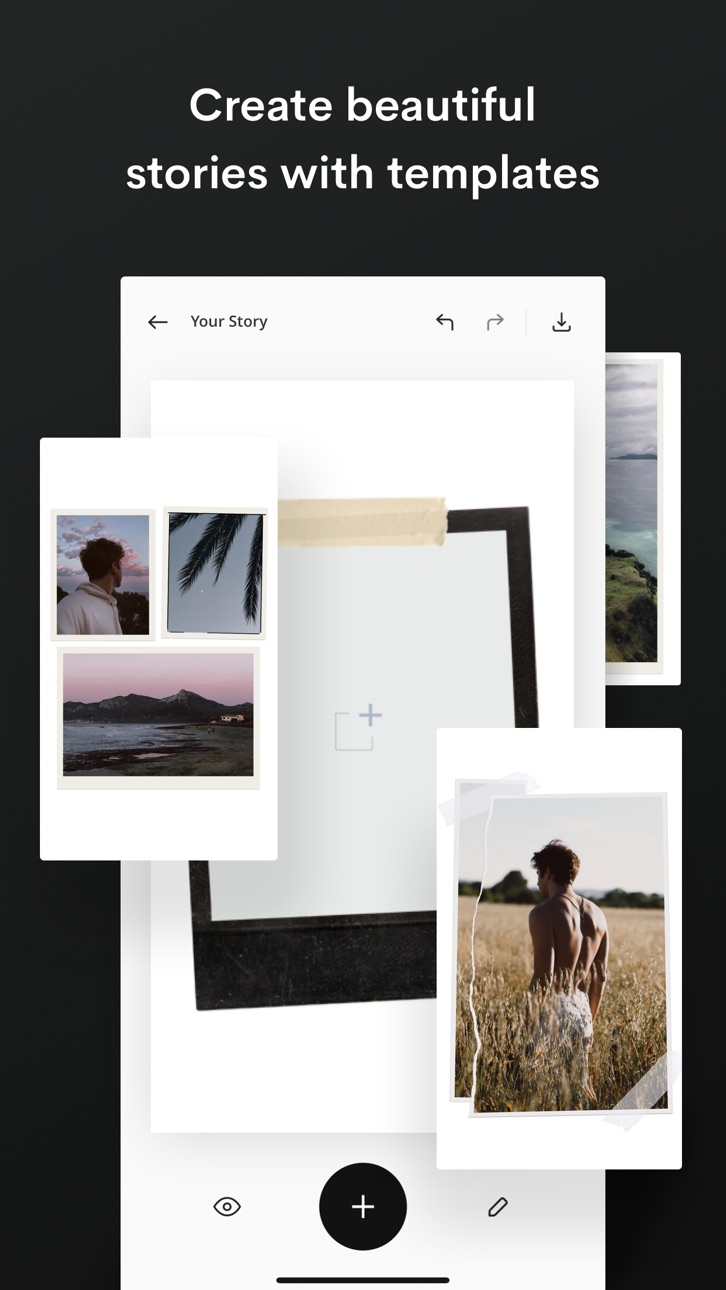
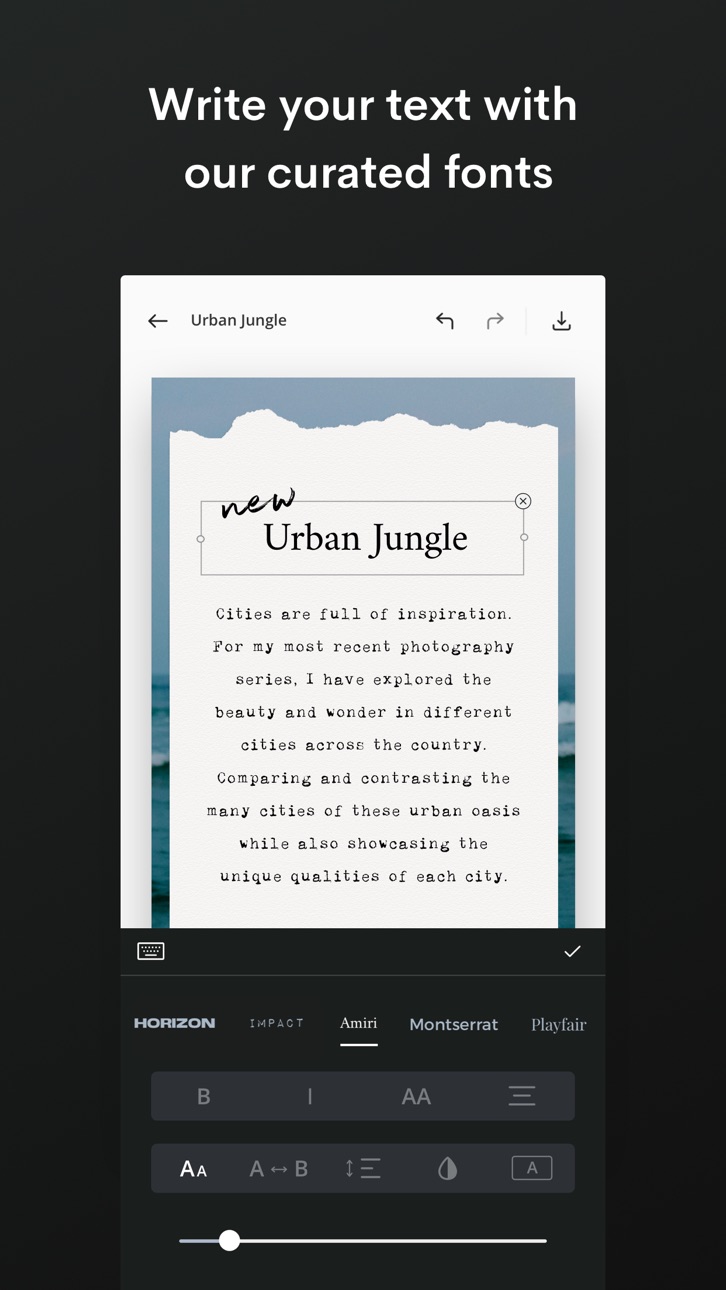
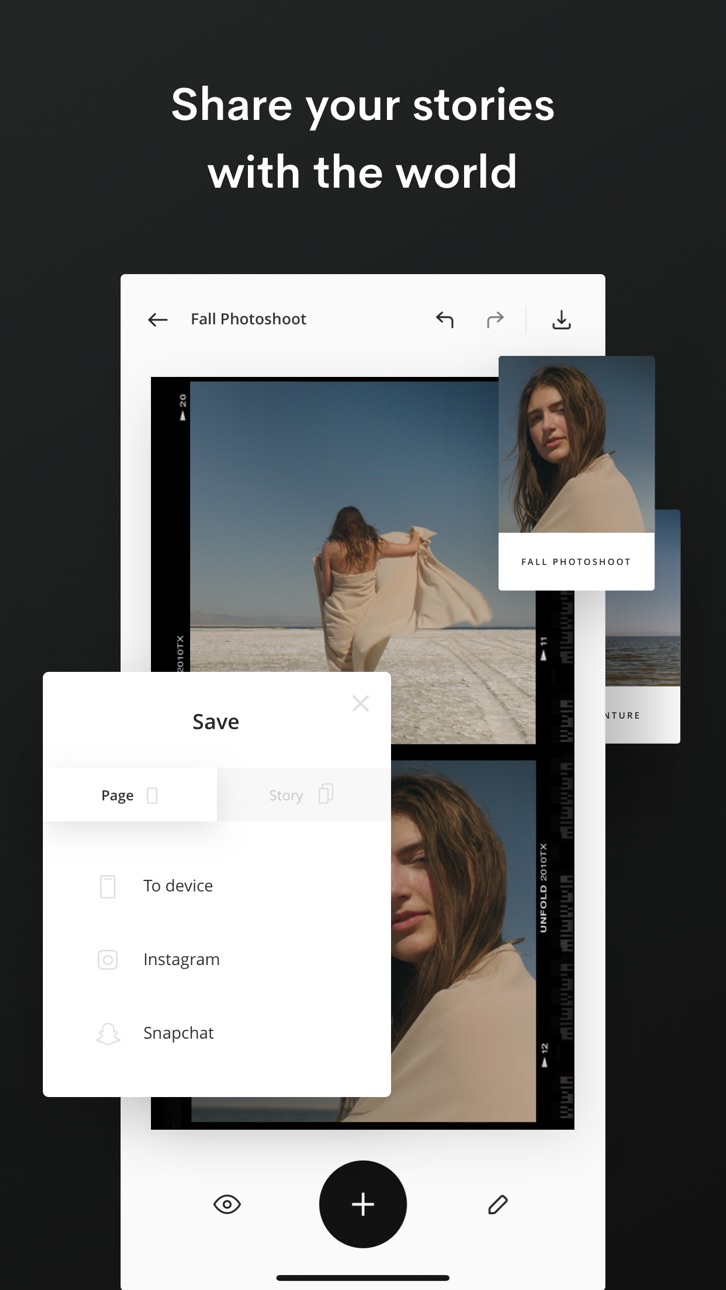
Templates für Stories, Beiträge und animierte Inhalte: Erstelle großartigen Social-Media-Content mit einer Auswahl von über 400 Templates. Du kannst deinen Fotos direkt über das Template Filter und Effekte hinzufügen. Außerdem stehen dir einzigartige Schriftarten und erweiterte Texttools zur Verfügung. Auch in Sachen Hintergrund und Textur hast du die freie Wahl. Dann fehlt nur noch ein Schritt: Teile die Story mit deinem Publikum!
Fortgeschrittene KI-Bearbeitungstools: Bearbeite deine Fotos und Videos mit unseren Filtern und Effekten. Wähle aus Filtern wie Tulum und Canarias oder Effekten wie VHS und Glitch aus. Du kannst auch die Helligkeit, den Kontrast, Schattierungen, Akzente, die Sättigung, Wärme und den Farbton anpassen. Mit unserem KI-Tool lassen sich außerdem Hintergründe aus deinen Fotos entfernen.
Bio Sites: Erstelle deine Bio Site, einen toll gestalteten zentralen Hub für alle deine Links, die du in deinen Social-Media-Bios teilen möchtest. Du hast mehr als einen Link – und deine Bio sollte das widerspiegeln.
Über Unfold+:
· Hunderte von Design-Templates für Social Media
· Exklusive Schriftarten, Sticker, Tools und Sounds
· Filter und Effekte für Fotos und Videos
· Anpassbare URL für deine Bio Site
· KI-Foto-Editor
· Entferne das Wasserzeichen bei Reel-Templates
Über Unfold Pro:
· Lade eigene Schriftarten für deine Stories hoch
· Ergänze deine Farbpalette um deine eigenen Markenfarben
· Synchronisiere deine Logos und Sticker in der App
· Teile deine Stories im Web mit einem stori.es-Link
· Entferne das Wasserzeichen von deiner Bio Site
· Entferne Hintergründe aus deinen Fotos
Nach Ablauf der Testphase wird dir die Gebühr für das Jahresabonnement in Rechnung gestellt. Nach Ablauf der kostenlosen 7-tägigen Testphase wird das Abonnement automatisch jährlich verlängert. Wenn du dich für ein Monatsabonnement entscheidest, wird dir die Gebühr sofort in Rechnung gestellt und die automatische Verlängerung erfolgt monatlich. Abonnements werden automatisch verlängert, es sei denn, sie werden einen Tag vor dem Verlängerungsdatum, sprich innerhalb von 24 Stunden vor Ablauf der aktuellen Laufzeit, gekündigt. Der fällige Betrag wird nach der Bestätigung deines Kaufs über dein Apple-ID-Konto abgebucht. Wenn du vor Ablauf der kostenlosen Testphase dein Abo abschließt, verfällt der nicht genutzte Anteil der Testphase. Du kannst dein Abo in den Kontoeinstellungen im App Store verwalten oder kündigen.
Datenschutzrichtlinie –
https://de.squarespace.com/datenschutz
Nutzungsbedingungen –
https://de.squarespace.com/nutzungsbedingungen
Unfold from Squarespace –
https://de.squarespace.com/marketing/unfold
Danke, dass du Unfold zur Content-Erstellung nutzt! Wir würden uns über eine Nachricht von dir freuen. Schreibe uns auf Instagram unter dem Handle @unfold oder unter der E-Mail-Adresse [email protected].
Screenshots © der jeweiligen Inhaber · App Store


iOSGods ist nicht mit Apple Inc., Google LLC oder den Entwicklern der hier aufgeführten Apps verbunden und wird von ihnen weder unterstützt noch gesponsert. Apple, iOS und App Store sind Marken von Apple Inc. Android und Google Play sind Marken von Google LLC. Alle weiteren App-Namen, Symbole, Grafiken und Marken gehören ihren jeweiligen Inhabern.
- Nicht-Jailbroken/Jailed oder Jailbroken iPhone oder iPad.
- Sideloadly oder Alternativen.
- Computer mit Windows/macOS/Linux und installiertem iTunes.
SCHRITT 1: Lade die vorinstallierte .IPA-Datei über den obigen Link auf deinen Computer herunter. Zum Herunterladen aus der iOSGods-App siehe unser iOSGods App IPA Download-Tutorial mit Videobeispiel.
SCHRITT 2: Lade Sideloadly herunter und installiere es auf deinem Windows oder Mac.
SCHRITT 3: Öffne Sideloadly auf deinem Computer, verbinde dein iOS-Gerät und warte, bis dein Gerätename in Sideloadly erscheint.
SCHRITT 4: Sobald dein iDevice erkannt wird, ziehe die heruntergeladene gemoddete .IPA-Datei in die Sideloadly-Anwendung.
SCHRITT 5: Gib deine Apple-Account-E-Mail ein und drücke „Start". Du wirst dann nach deinem Passwort gefragt. Gib die erforderlichen Informationen ein.
SCHRITT 6: Warte, bis Sideloadly das Sideloading/Installieren der gehackten IPA abgeschlossen hat. Bei Problemen während der Installation lies bitte den Hinweis unten.
SCHRITT 7: Sobald die Installation abgeschlossen ist und die App auf deinem Home-Bildschirm angezeigt wird, musst du zu Einstellungen → Allgemein → Profile / VPN & Geräteverwaltung gehen. Tippe dort auf die E-Mail, die du in Schritt 6 eingegeben hast, und dann auf „Trust [email protected]".
SCHRITT 8: Gehe nun zu deinem Home-Bildschirm und öffne die neu installierte App – alles sollte einwandfrei funktionieren. Möglicherweise musst du weitere App-spezifische Anweisungen im Hack-Popup im Spiel befolgen.
HINWEIS: iOS/iPadOS 16 und höher: Du musst den Entwicklermodus aktivieren. Bei kostenlosen Apple Developer-Accounts musst du diesen Vorgang alle 7 Tage wiederholen. Bei Fragen oder Problemen lies bitte unsere Sideloadly-FAQ-Sektion im Thema.
Game Name iOS Mod IPA is an action adventure game enhanced with powerful gameplay boosts and quality-of-life improvements. Win battles faster, earn rewards quicker, and enjoy uninterrupted play without ads.
- Unlimited Gold - spend freely to unlock premium content
- Damage Multiplier - deal significantly more damage in combat
- Defense Multiplier - take less damage and survive longer
- Reward Multiplier - earn more loot from every battle
- Max Level - instantly reach the highest player rank
- No Ads - play without interruptions or advertisements
This app also comes with iGameGod, giving you access to Auto Touch to automate repetitive tasks, App Speed Manager for adjustable gameplay speed, Memory Engine value editing, and more powerful iOS game tools.
Lade Game Name Mod IPA über die obigen Links herunter. Tippe auf den Installations-Button und folge den Anweisungen, um diese iOS-App auf deinem iPhone, iPad oder Apple Silicon zu installieren.
Brauchst du mehr Hilfe In unseren iOSGods App häufig gestellten Fragen findest du ausführliche Antworten und Tipps zur Fehlerbehebung.
----------------------------------------------------------
--------------------------------------------------