Login necessário
Entre com sua conta iOSGods para continuar.
Entre com sua conta iOSGods para continuar.
Ganhe almas e gemas ilimitadas em Overdrive Ninja Shadow, um hack de ação gratuito que remove limites de recursos para que você possa aprimorar seu ciborg sombra sem precisar fazer farm. Este mod IPA para iOS permite que você gaste livremente e reabastça instantaneamente sua moeda, mantendo o combate acelerado fluindo.
- Almas Ilimitadas → ganhe ou gaste para receber uma quantidade ilimitada
- Gemas Ilimitadas → ganhe ou gaste para receber uma quantidade ilimitada
Este app também vem com iGameGod, oferecendo acesso ao Auto Touch para automatizar tarefas repetitivas, App Speed Manager para ajustar a velocidade do jogo, edição de valores com Memory Engine e outras ferramentas avançadas para jogos iOS.
Baixe Overdrive Ninja Shadow - Free Hack modded IPA dos links acima. Toque no botão de instalação e siga as instruções para instalar este hack iOS no seu iPhone, iPad ou Apple Silicon.
Precisa de mais ajuda? Confira nossas Perguntas frequentes sobre o app iOSGods para respostas detalhadas e dicas de solução de problemas.
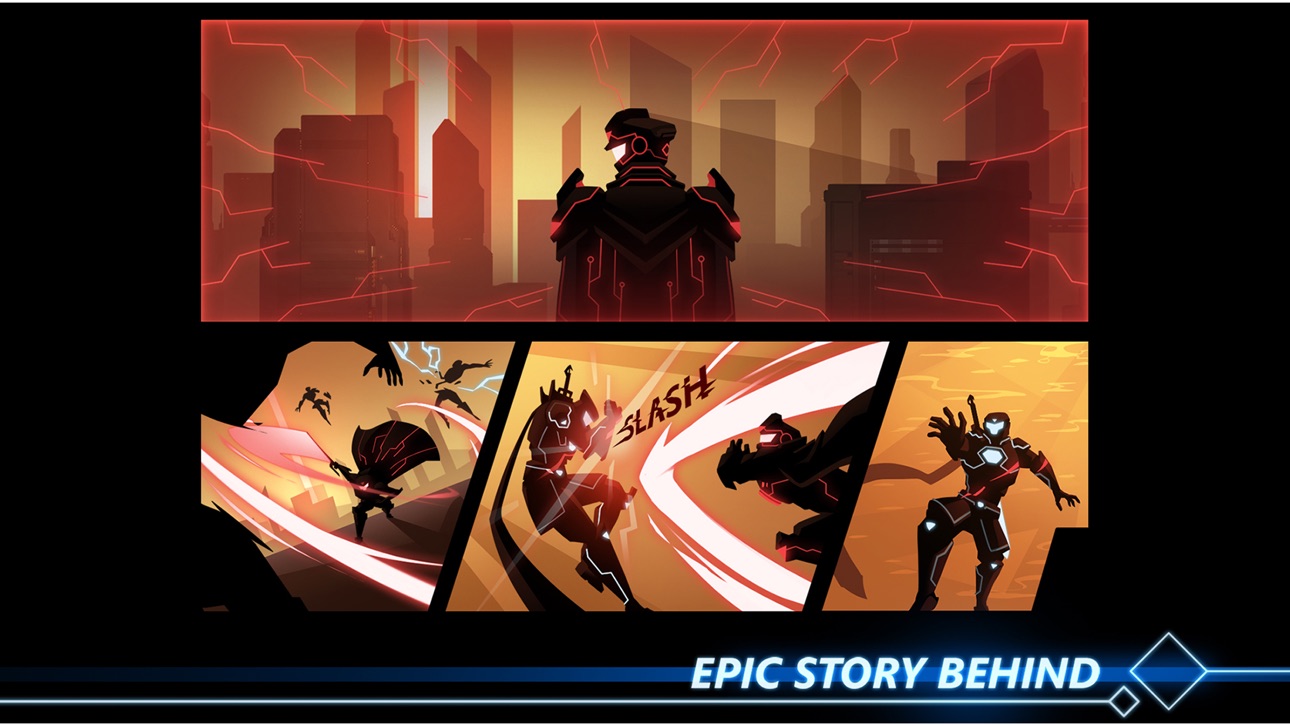
In the future, a strong, outstanding species is created from the combination of humans, technology and black metal.
The government names them “shadow cyborg”, and allows every sector to have their own shadow security force (S.E.F), but all of theme have to be controlled by the Headquarter placed in Century city.
Everything seems so perfect, til the day Headquarter is under attacked by a Dark Clan.
CORE, a senior cyborg soldier discovers the plot too late.
The Lord Commander of S.E.F is hacked, he slays his soldier and replace them by new shadow cyborg generation to take over the government.
After the attack, CORE joins the rebel and heads to the city seeking revenge for his comrades and destroying the Dark Clan.
Overdrive is a combination hack n slash and action platformer with many weapons available: sword, buster sword, spear, twin dagger...with unique built-in combos.
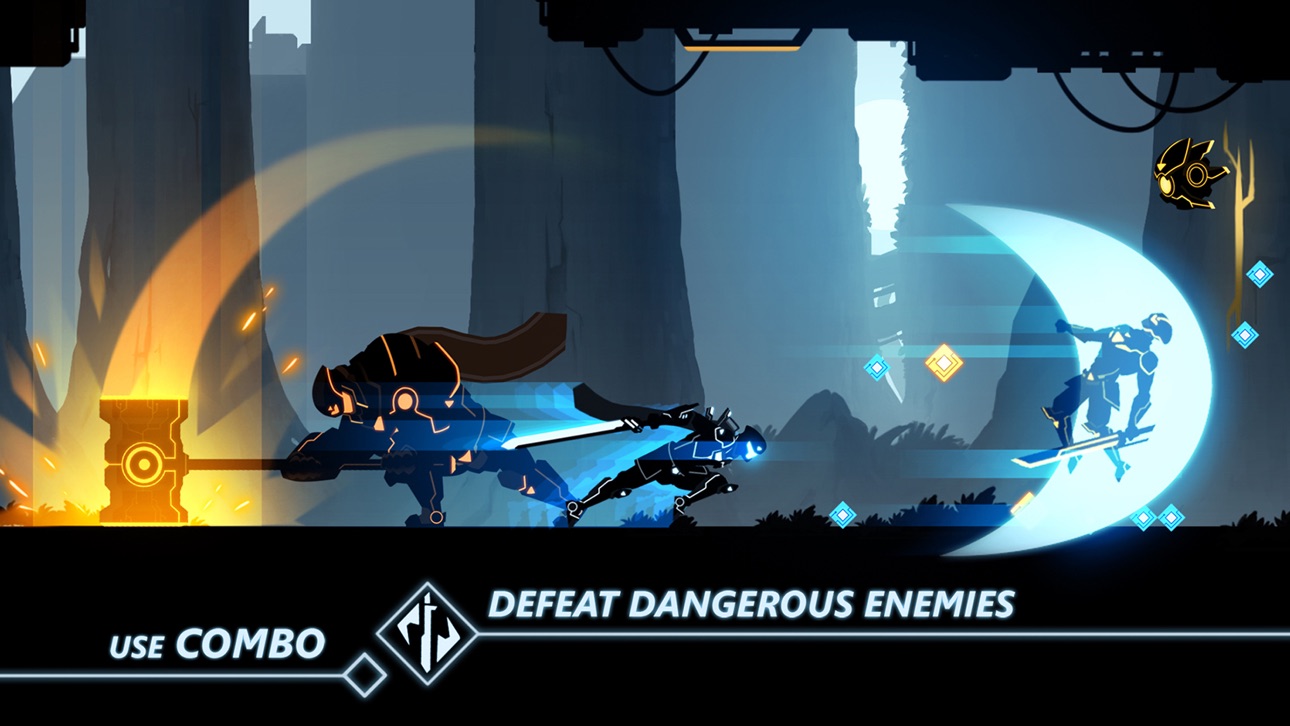
Starting from the Dark Forest, you will face dangerous enemies and traps. In the fight, use your skill to avoid attack and make extraordinary combos.
FEATURES of Overdrive - Ninja Shadow Revenge game:
- Tutorial for newbie makes sure every player can know how to play
- Playable OFFLINE
- Smooth game control experience
- Discover poweful combos in each weapon, make game full of fun and suprising.
- Upgrade, customize & equip your hero with epic weapons & armor suits and more!
- Ultra-stunning scifi graphic & effect
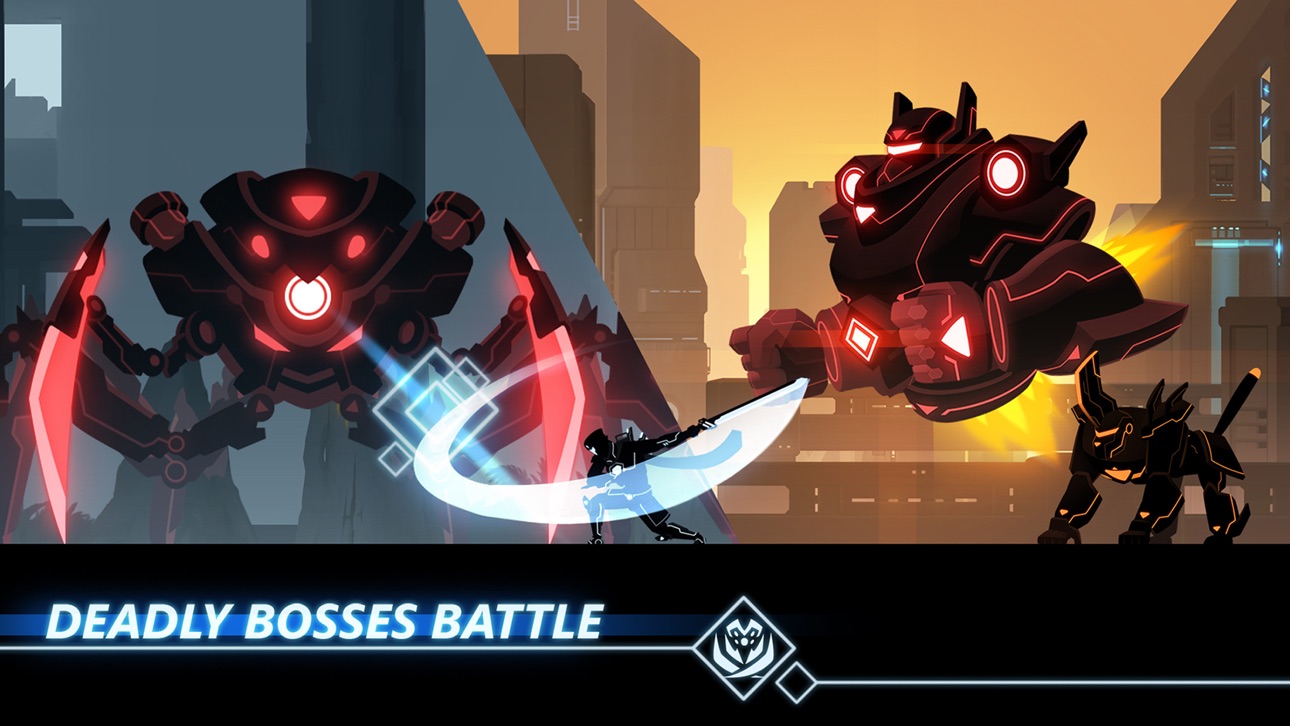
- Giant boss with unique attack.
FIGHTING of Overdrive game:
- The screen’ll locked when enemies appear in the screen & you need to destroy numerous waves of enemies to continue going ahead.
- Using avoiding skills to survive? Killing enemies madly?
- Exploting traps & platforms to kill them?
- There are many strategies to handle them.
ADVENTURE & STORY:
- Not only combat but also challenge your self to complete each level with many dangerous platforms.
VARIOUS WEAPONS:
- Using different weapons ( Sword, Buster Sword, Spear,...) with their perfect combos bring unforgetable hack and slash game experience.
- Players can pick their best weapons and also upgrade weapons to unlock new stronger combos.
GRAPHIC & SOUND:
- Amazing scifi high quality graphic makes sure you will be suprised.
- It’s 2 available modes to set suitable graphic for your phone.
SO YOU GONNA BE THE HERO WHO SAVES THE WORLD? ENJOY NOW!
Have any question or feedback to make the game better? Please let us know.
Contact us via:
Email: [email protected]
Facebook: https://www.facebook.com/Mobile-Adventure-Game-461699647363707/
Capturas © respectivos proprietários · App Store


A iOSGods não é afiliada, endossada nem patrocinada pela Apple Inc., pela Google LLC ou pelos desenvolvedores dos apps listados aqui. Apple, iOS e App Store são marcas da Apple Inc. Android e Google Play são marcas da Google LLC. Todos os demais nomes de apps, ícones, imagens e marcas pertencem aos seus respectivos proprietários.

- iPhone ou iPad sem jailbreak/jailed ou com jailbreak.
- Sideloadly ou alternativas.
- Computador com Windows/macOS/Linux e iTunes instalado.
PASSO 1: Baixe o arquivo .IPA pré-hackeado do link acima para o seu computador. Para baixar pelo iOSGods App, veja nosso Tutorial de download de IPA do iOSGods App, que inclui um exemplo em vídeo.
PASSO 2: Baixe o Sideloadly e instale-o no seu Windows ou Mac.
PASSO 3: Abra o Sideloadly no seu computador, conecte seu dispositivo iOS e aguarde até que o nome do dispositivo apareça no Sideloadly.
PASSO 4: Assim que seu iDevice for reconhecido, arraste o arquivo .IPA modificado que você baixou e solte-o no aplicativo Sideloadly.
PASSO 5: Digite o e-mail da sua Apple Account e pressione “Start”. Em seguida, será solicitada a sua senha. Prossiga e forneça as informações solicitadas.
PASSO 6: Aguarde o Sideloadly finalizar o sideload/instalação do IPA hackeado. Se houver problemas durante a instalação, leia a observação abaixo.
PASSO 7: Quando a instalação estiver concluída e você vir o app na Tela de Início, será necessário acessar Ajustes → Geral → Perfis / Gerenciamento de VPN e Dispositivo. Lá, toque no e-mail que você inseriu no passo 6 e, em seguida, toque em “Confiar em [email protected]”.
PASSO 8: Agora vá para a Tela de Início e abra o app recém-instalado; tudo deve funcionar normalmente. Você pode precisar seguir instruções adicionais específicas no popup do hack dentro do jogo.
OBSERVAÇÃO: No iOS/iPadOS 16 e versões posteriores, você deve ativar o Modo de Desenvolvedor. Para contas Apple Developer gratuitas, será necessário repetir este processo a cada 7 dias. Se tiver dúvidas ou problemas, leia nossa seção de FAQ do Sideloadly no tópico.
Game Name iOS Mod IPA is an action adventure game enhanced with powerful gameplay boosts and quality-of-life improvements. Win battles faster, earn rewards quicker, and enjoy uninterrupted play without ads.
- Unlimited Gold - spend freely to unlock premium content
- Damage Multiplier - deal significantly more damage in combat
- Defense Multiplier - take less damage and survive longer
- Reward Multiplier - earn more loot from every battle
- Max Level - instantly reach the highest player rank
- No Ads - play without interruptions or advertisements
This app also comes with iGameGod, giving you access to Auto Touch to automate repetitive tasks, App Speed Manager for adjustable gameplay speed, Memory Engine value editing, and more powerful iOS game tools.
Baixe Game Name Mod IPA dos links acima. Toque no botão de instalação e siga as instruções para instalar este hack iOS no seu iPhone, iPad ou Apple Silicon.
Precisa de mais ajuda Confira nossas Perguntas frequentes sobre o app iOSGods para respostas detalhadas e dicas de solução de problemas.
----------------------------------------------------------
--------------------------------------------------